Bubuka
The myTouchSmart 39845 WiFi Smart Outdoor Plug-in Light Switch provides convenient control over your outdoor lighting and other devices. This weather-resistant smart plug integrates with your existing 2.4GHz Wi-Fi network, allowing for remote operation, scheduling, and voice control through compatible smart home assistants like Amazon Alexa and Google Assistant. This manual will guide you through the installation, operation, and maintenance of your device.
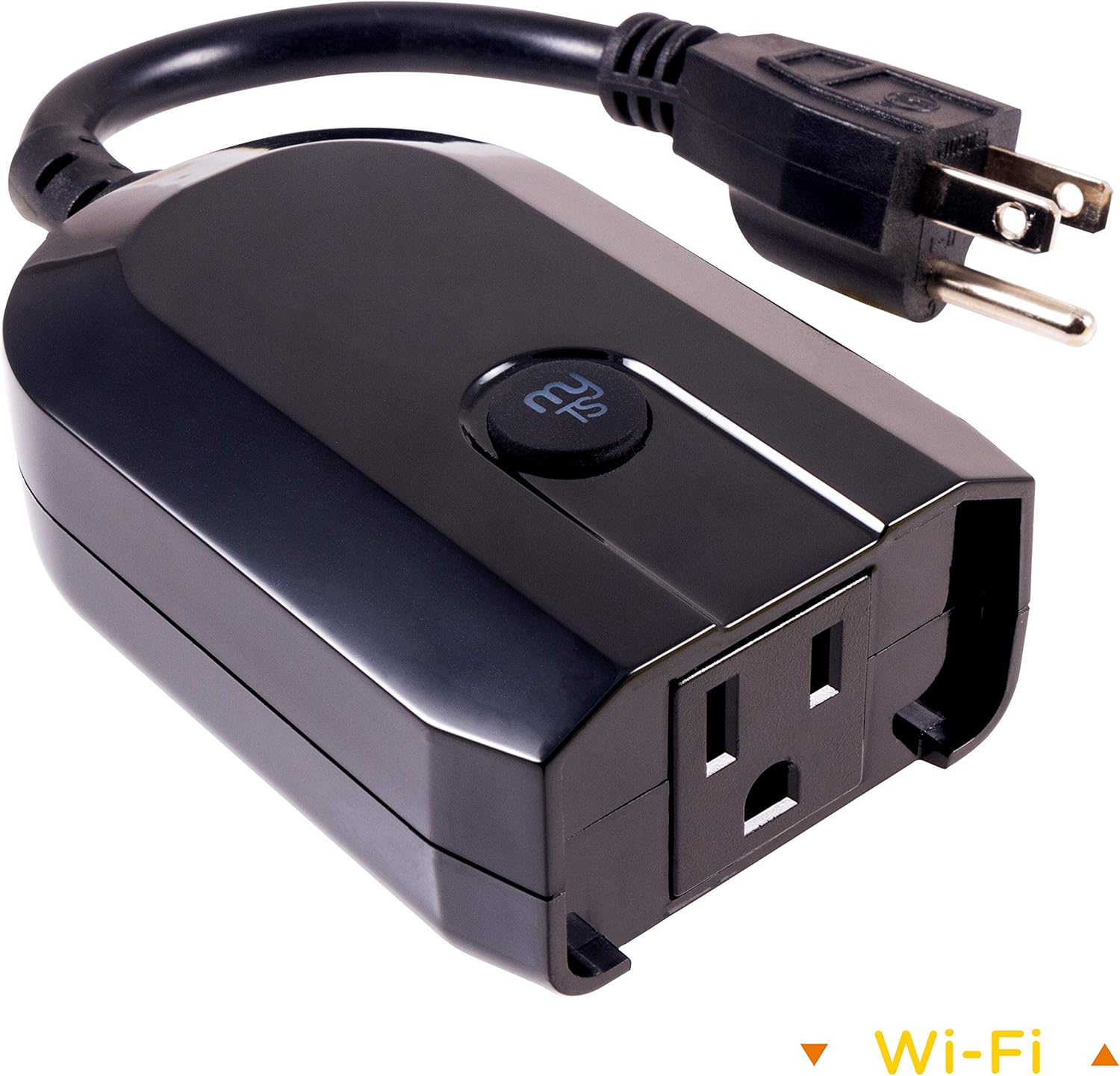
Image: The myTouchSmart 39845 WiFi Smart Outdoor Plug-in Light Switch, a black, weather-resistant device with a grounded plug and a single outlet, designed for outdoor use.
Fitur produk
- Paréntah sora: Compatible with Amazon Alexa and Google Assistant for hands-free control without a hub.
- Universal Wi-Fi: Utilizes your 2.4GHz Wi-Fi network for scheduling and ON/OFF operation from any location with internet access.
- Aplikasi anu ramah-pamaké: The myTouchSmart app, available on Apple App Store and Google Play, enables remote operation of lights and landscape features.
- Setélan Gampang: Features one-touch presets, personalized ON/OFF times, and custom countdown options for flexible programming.
- Pamasangan Gratis Alat: Plugs into any outdoor or indoor grounded outlet, requiring no wiring.
- Desain Tahan Cuaca: Suitable for outdoor use, protecting against elements.

Image: A collage showing the myTouchSmart Wi-Fi Smart Plug in various outdoor settings, including seasonal lighting, decks and patios, and landscape lighting, highlighting its versatility.
Eusi pakét
The myTouchSmart 39845 WiFi Smart Outdoor Plug-in Light Switch package typically includes:
- 1 x myTouchSmart 39845 WiFi Smart Outdoor Plug-in Light Switch
- Manual pangguna (dokumén ieu)
Please check the packaging for any additional components or accessories.
Émbaran Kasalametan
Before using your myTouchSmart 39845, please read and understand all safety instructions. Failure to follow these instructions may result in electric shock, fire, or serious injury.
- Do not immerse the device in water or expose it to extreme weather conditions beyond its weather-resistant rating.
- Ensure the device is plugged into a grounded outlet.
- Do not exceed the maximum electrical ratings of the device (15 Amps, 120 Volts AC).
- Keep children away from the device and electrical outlets.
- Unplug the device from the outlet when not in use or before cleaning.
- Do not attempt to disassemble or modify the device. There are no user-serviceable parts inside.
- Operate the device within the specified temperature range (32°F to 102°F).
Disetél
1. Download the myTouchSmart App
To control your smart plug, you need to download the myTouchSmart app. Milarian pikeun "myTouchSmart" in the Apple App Store (for iOS devices) or Google Play Store (for Android devices).
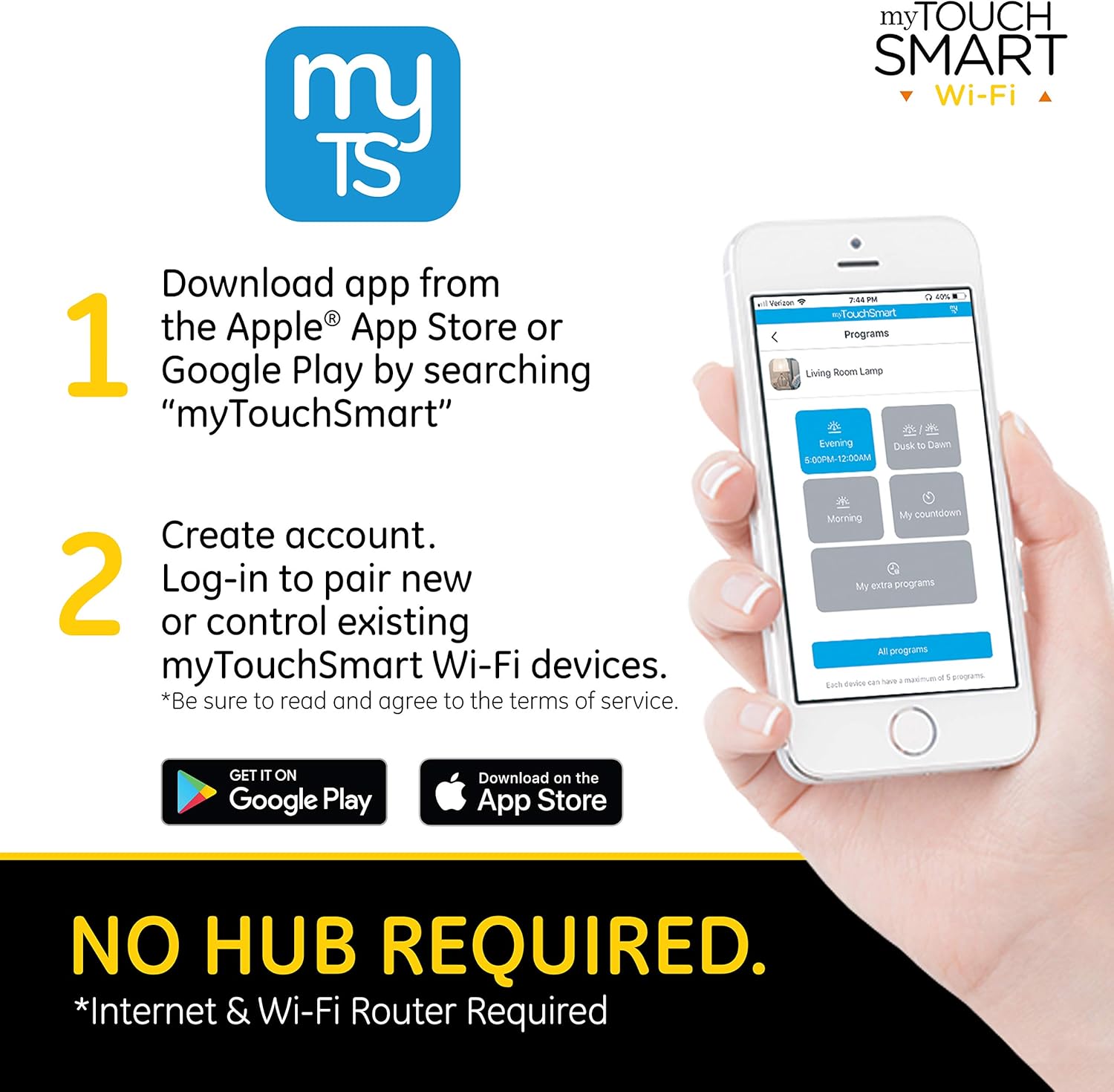
Image: A smartphone displaying the myTouchSmart app download instructions, indicating availability on Apple App Store and Google Play.
2. Jieun Akun
Open the myTouchSmart app after installation. You will be prompted to create a new account or log in if you already have one. Follow the on-screen instructions to complete the account creation process. Ensure you read and agree to the terms of service.
3. Pairing Steps
Once logged in, follow these steps to pair your myTouchSmart Outdoor Plug-in Light Switch:
- Find New Device: In the myTouchSmart app, tap "Find New Device" to initiate the connection process for your new Wi-Fi device.
- Sambungan Wi-Fi: Select your 2.4GHz Wi-Fi network from the list and enter your Wi-Fi password. The device requires a 2.4GHz network for connection.
- Plug in Device: Plug the myTouchSmart Wi-Fi Smart Plug into your desired outdoor or indoor grounded outlet. The blue LED on the device will flash rapidly, indicating it's in pairing mode. If the LED is not flashing rapidly, press and hold the "myTS" button on the device for 10 seconds to reset it.

Image: Visual representation of the three pairing steps: finding a new device in the app, entering Wi-Fi credentials, and plugging in the device while observing the flashing LED.
Produk Leuwihview Video
Pidéo: Pajabat parantos réngséview of myTouchSmart Wi-Fi Smart Controls, demonstrating how to schedule and control home lighting and devices from anywhere using the myTouchSmart app, highlighting features like manual ON/OFF, custom presets, personalized settings, and countdown features. It also shows the app interface for device control and grouping.
Parentah Operasi
Kontrol Aplikasi
Once paired, you can control your myTouchSmart plug directly from the app. The app allows you to:
- Manual ON/OFF: Toggle the power of the connected device directly from the app interface.
- Customizable Names and Images: Assign unique names and images to each device for easy identification.
- Pangkelompok: Group multiple myTouchSmart devices to control them simultaneously with a single command.

Image: A screenshot of the myTouchSmart app showing program settings, including options for Evening/Morning schedules, Dusk to Dawn, Countdown, and Extra Programs, demonstrating the flexibility of scheduling.
Kontrol sora
The myTouchSmart 39845 is compatible with Amazon Alexa and Google Assistant, enabling voice-activated control. To set up voice control:
- Ensure your myTouchSmart device is successfully paired with the app and connected to your Wi-Fi network.
- Open the Amazon Alexa app or Google Home app on your smartphone or tablet.
- Follow the instructions within the Alexa or Google Home app to link your myTouchSmart account.
- Once linked, you can use voice commands such as "Alexa, turn on the patio lights" or "Hey Google, turn off the landscape lights."

Image: The myTouchSmart Smart Plug shown with icons for Amazon Alexa and Google Assistant, illustrating its voice control capabilities. A text bubble indicates a voice command: "Turn landscape lights ON."
Scheduling and Programs
The myTouchSmart app allows you to create various programs to automate your devices:
- Evening/Morning: Schedule specific ON/OFF times to match your daily routine.
- Magrib ka Subuh: Automatically adjust ON/OFF times based on local sunset/sunrise times.
- Undur: Set the device to turn off after a custom countdown, up to 24 hours.
- Extra Program: Add additional ON/OFF times to further customize your schedule.
Each device can have a maximum of 5 programs assigned.
Pangropéa
To ensure the longevity and proper functioning of your myTouchSmart 39845 WiFi Smart Outdoor Plug-in Light Switch, follow these maintenance guidelines:
- beberesih: Pegatkeun sambungan alat tina kakuatan saméméh beberesih. Anggo kaén anu lembut sareng garing pikeun ngusap bagian luar. Ulah make bahan kimia kasar atawa cleaners abrasive.
- Perlindungan Lingkungan: While weather-resistant, avoid prolonged exposure to extreme conditions such as heavy snow, ice, or direct water submersion. Ensure the outlet is protected from direct rain or splashing.
- Panyimpenan: Upami nyimpen alat kanggo waktos anu panjang, cabut colokan sareng simpen di tempat anu tiis sareng garing.
- Cék biasa: Periodically inspect the plug and cord for any signs of damage or wear. Do not use if damaged.
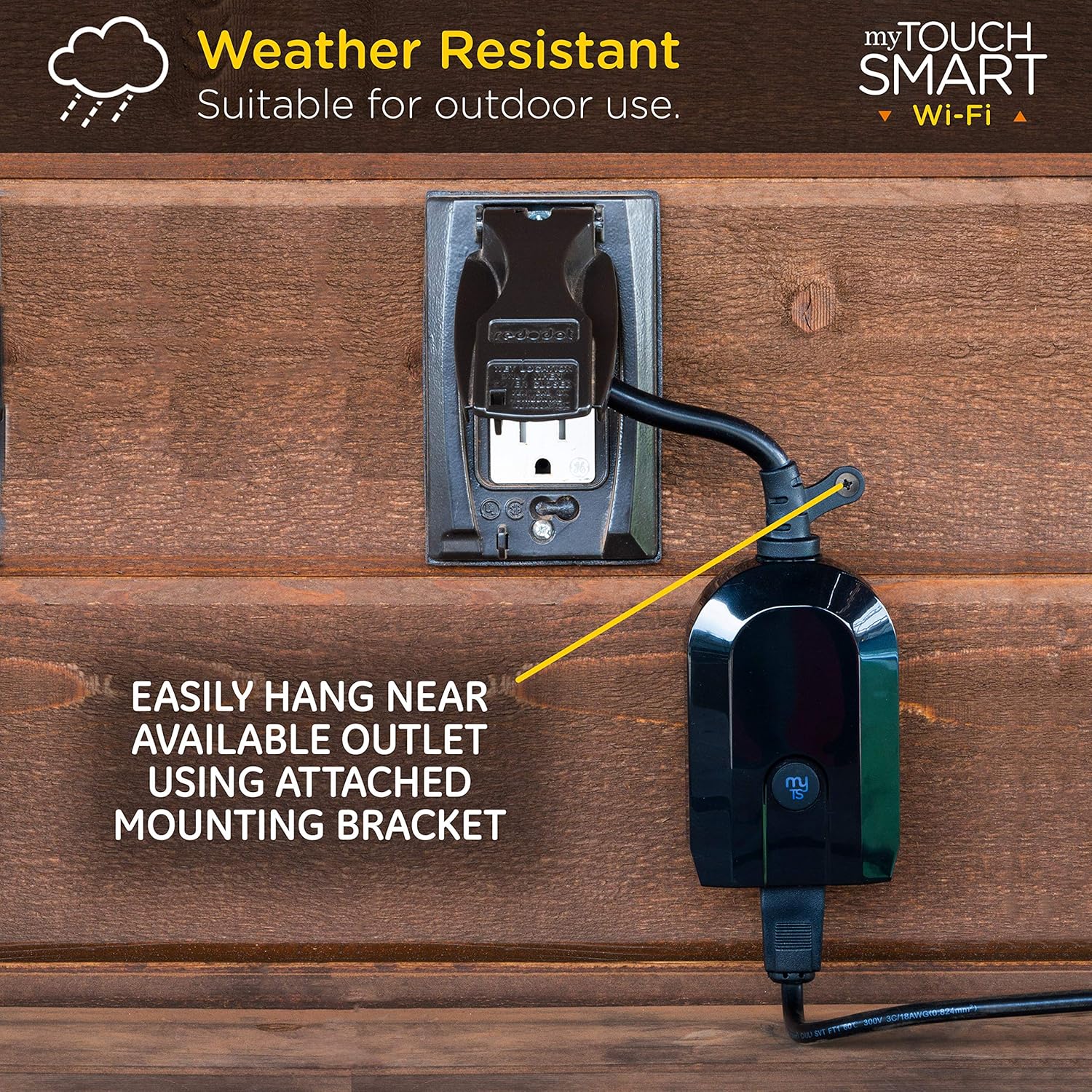
Image: The myTouchSmart Smart Plug mounted on an outdoor wall, demonstrating its weather-resistant design and the use of its integrated mounting bracket for easy installation near an available outlet.
Pamérésan masalah
If you encounter issues with your myTouchSmart 39845, refer to the following common troubleshooting steps:
| Masalah | Mungkin Cukang lantaranana / Solusi |
|---|---|
| Alat teu nyambung ka Wi-Fi. |
|
| Device loses connection after a power outage. |
|
| Paréntah sora teu tiasa dianggo. |
|
| Schedules are not activating. |
|
spésifikasi
| Atribut | Nilai |
|---|---|
| merek | myTouchSmart |
| Nomer modél | 39845 |
| Modeu Operasi | OFF-Euweuh-ON |
| Peunteun ayeuna | 15 Amps |
| Operasi Voltage | 120 Volt (AC) |
| Tipe Kontak | Plug-in |
| Tipe Panyambung | Colokkeun |
| Ukuran barang (L x W x H) | 2.5 x 5.6 x 8.2 inci |
| Item Beurat | 7.2 ons |
| Jinis Sirkuit | 1-jalan |
| Tipe Pamasangan | Pasang-In Gunung |
| Tipe Aktuator | Plug-in |
| Bahan Kontak | Nikel |
| Peunteun Protection Internasional | Not IP Rated (Weather-Resistant for outdoor use) |
| Peunteun Suhu Handap | 32 darajat Fahrenheit |
| Peunteun Suhu luhur | 102 darajat Fahrenheit |
| Tipe Controller | Asisten Google, Amazon Alexa |
| Métode kontrol | Sora, Aplikasi |
| Protokol konektipitas | Wi-Fi (2.4GHz) |
| Warna | Hideung |
| UPC | 030878398459 |

Image: A diagram illustrating the dimensions of the myTouchSmart Smart Plug, including its length, width, height, and the length of its power cord, along with the location of the mounting bracket and pair/manual control button.
Garansi sareng Rojongan
myTouchSmart products are designed for reliability and performance. For specific warranty details, please refer to the warranty information included with your product packaging or visit the official myTouchSmart websitus.
For further assistance, technical support, or frequently asked questions (FAQ), you can access the "Contact us" and "FAQ" sections within the myTouchSmart app. These resources provide valuable information and direct contact options for support.
- Rojongan In-App: Access FAQ, instructions, and contact information directly through the myTouchSmart app.
- Sumberdaya Online: Visit the myTouchSmart official websitus pikeun rojongan tambahan sarta informasi produk.


