1. Bubuka
The Sennheiser XSW 1-835 Dual Channel Wireless Microphone System provides reliable, high-quality audio transmission for various applications, including live performances, presentations, and events. This system is designed for ease of use, offering intuitive controls and robust performance. This manual will guide you through the setup, operation, and maintenance of your wireless microphone system.
2. Naon dina Box
Upon unboxing your Sennheiser XSW 1-835 Dual system, please ensure all the following components are present:
- 1x EM-XSW 1 DUAL receiver
- 2x SKM 835-XSW handheld transmitters (dynamic, cardioid)
- 2x MZQ 1 microphone clamps
- 1x NT 12-5 CW power supply
- 2x AA batteries (for transmitters)
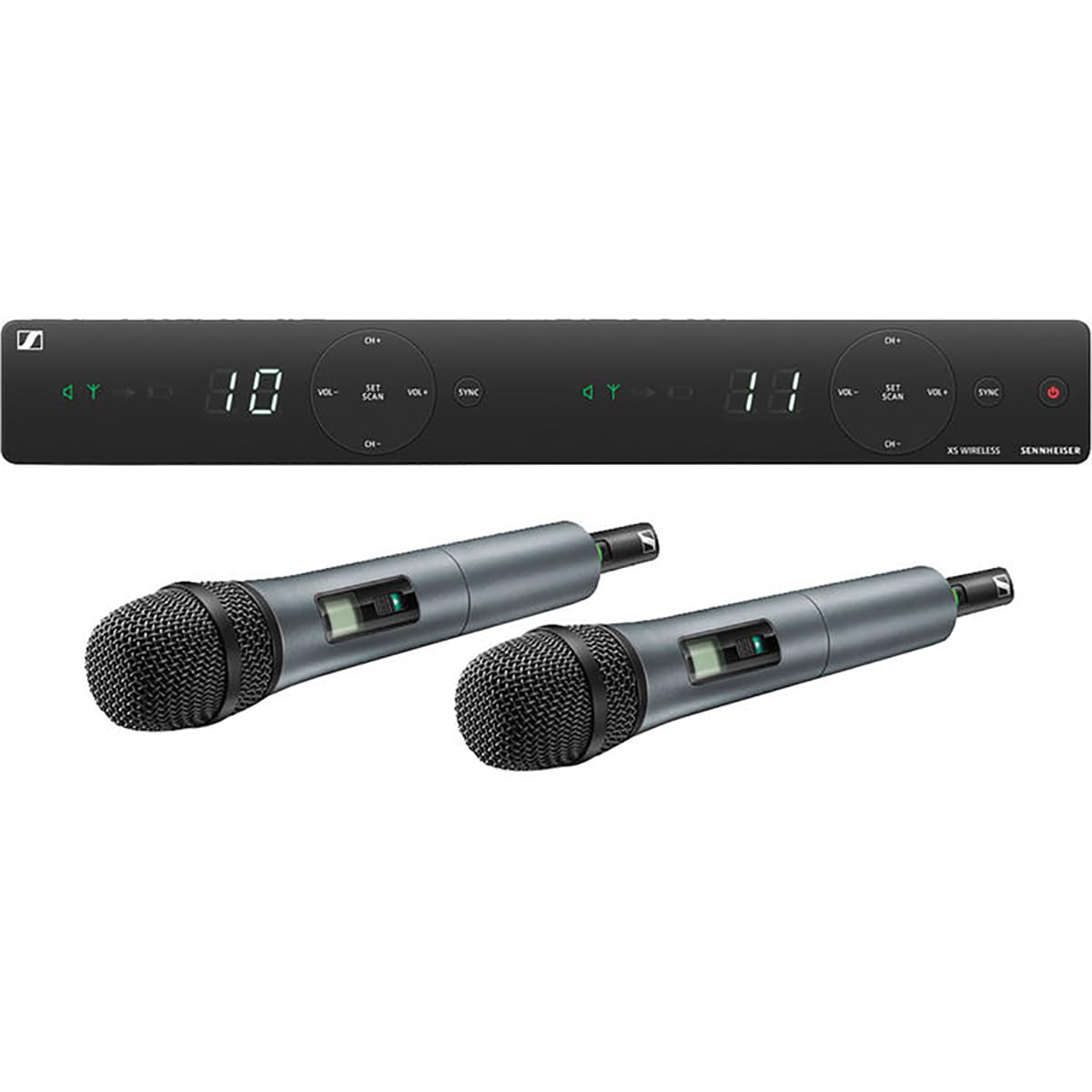
Image: All components of the Sennheiser XSW 1-835 Dual Channel Wireless Microphone System, including the receiver, two handheld microphones, and accessories.
3. Setup Guide
3.1 Panarima Leuwihview
The EM-XSW 1 DUAL receiver is the central unit of your wireless system. Familiarize yourself with its front and rear panels.

Image: Front panel of the receiver showing channel displays, volume controls, scan, and sync buttons for both channels.
The front panel features two independent channel displays, volume controls, and 'SET/SCAN' and 'SYNC' buttons for each channel. These allow for easy frequency scanning and synchronization with the transmitters.

Image: Rear panel of the receiver showing balanced XLR outputs, unbalanced 1/4 inch outputs, Line/Mic switches, SQ (Squelch) controls, and the power input.
The rear panel provides balanced XLR outputs, unbalanced 1/4 inch (6.3mm) jack outputs, Line/Mic level switches, and SQ (Squelch) controls for each channel, along with the DC power input.
3.2 Microphone Overview
The SKM 835-XSW handheld transmitters are equipped with dynamic, cardioid capsules for clear vocal reproduction.

Image: Two handheld microphones, showing the display and power/mute switch.
Each microphone features a display indicating battery status and channel, along with a power/mute switch. The battery compartment is located at the base of the microphone.
3.3 Sambungan Awal
- Sambungkeun Kakuatan: Plug the NT 12-5 CW power supply into the receiver's 'Power' input and then into a wall outlet.
- Sambungkeun Audio: Use XLR cables to connect the 'Balanced' outputs of the receiver to your mixer or amplifier. Alternatively, use 1/4 inch jack cables for the 'Unbalanced' outputs. Ensure the 'Line/Mic' switch on the receiver's rear panel matches the input sensitivity of your connected device.
- Pasang Batré: Unscrew the bottom part of each SKM 835-XSW microphone and insert two AA batteries, observing polarity.
3.4 Syncing Microphones
To establish a wireless connection between the receiver and microphones:
- Power On Receiver: Press the power button on the receiver.
- Scan for Frequencies: On the receiver, press the 'SET/SCAN' button for the desired channel. The receiver will automatically scan for an available frequency.
- Prepare Microphone: Power on the SKM 835-XSW microphone.
- Mimitian Sinkronisasi: Hold the microphone's infrared (IR) window close to the receiver's IR window (usually located near the 'SYNC' button). Press the 'SYNC' button on the receiver for the corresponding channel. The receiver will transmit the selected frequency to the microphone.
- Pariksa sambungan: Once synchronized, the receiver's display will show the channel number, and the microphone's display will show the matching frequency. The RF signal indicator on the receiver should illuminate.
4. Parentah Operasi
4.1 Powering on / Pareum
- panarima: Pencét tombol daya dina panel hareup.
- Mikropon: Slide the power switch on the microphone handle.
4.2 Nyaluyukeun Volume
Use the 'VOL+' and 'VOL-' buttons on the receiver's front panel to adjust the output level for each channel independently. Start with a moderate volume and adjust as needed on your mixer.
4.3 Pamilihan Saluran
While the 'SET/SCAN' button automatically finds clear frequencies, you can manually select channels using the 'CH+' and 'CH-' buttons on the receiver. Always re-sync the microphone after changing the receiver channel.
4.4 Manajemén batré
The microphone display shows the battery status. Replace batteries when the indicator shows low power to avoid interruptions during use. For optimal performance and environmental responsibility, consider using high-quality rechargeable AA batteries.
5. Pangropéa
- beberesih: Use a soft, dry cloth to clean the receiver and microphones. Do not use liquid cleaners or solvents.
- Panyimpenan: Store the system in a cool, dry place away from direct sunlight and extreme temperatures. Remove batteries from microphones if storing for extended periods to prevent leakage.
- Grille Mikropon: Periodically clean the microphone grille to remove debris.
6. Cara ngungkulan
| Masalah | Mungkin Cukang lantaranana | Solusi |
|---|---|---|
| Taya sora tina mikropon | Microphone not powered on, batteries low/dead, microphone not synced, receiver volume too low, mixer input issues. | Ensure microphone is on, replace batteries, re-sync microphone with receiver, increase receiver volume, check mixer connections and input levels. |
| Interference/Static | Other wireless devices, too far from receiver, obstacles, poor frequency selection. | Perform a frequency scan on the receiver to find a clear channel, ensure line-of-sight to receiver, reduce distance, avoid strong electromagnetic fields. |
| kualitas audio low | Incorrect Line/Mic switch setting, microphone too far from sound source, SQ (Squelch) setting too high. | Adjust Line/Mic switch to match mixer input, ensure proper microphone technique, lower SQ setting on receiver. |
| Microphone drops out intermittently | Low battery, range issues, interference. | Replace batteries, reduce distance to receiver, re-scan for a clearer frequency. |
7. Spésifikasi
| Fitur | Rincian |
|---|---|
| Ngaran modél | XSW 1-835 DUAL |
| Nomer Modél Item | 508270 |
| merek | Sennheiser |
| Faktor Bentuk Mikropon | Dicekel |
| Pola Polar | Saarah (Cardioid) |
| Jumlah Saluran | 2 |
| Réspon Frékuénsi | 548 - 572 MHz (Band A) |
| Sensitipitas Audio | 103 desibel |
| Rasio Signal-to-Noise | 103 dB |
| Téhnologi konektipitas | XLR |
| Sumber Daya | Battery Powered (2 AA batteries per microphone) |
| Item Beurat | 245 Grams (microphone) |
| Dimensi produk | 16.9 x 13.6 x 3.3 inci (Receiver) |
| Bahan | logam |
| Suhu Operasi | 0 ° C nepi ka +40 ° C (32 ° F dugi ka 104 ° F) |
8. Garansi jeung Rojongan
Sennheiser products are built to high-quality standards and come with a manufacturer's warranty. For specific warranty details, please refer to the warranty card included with your product or visit the official Sennheiser websitus.
For technical support, service, or further inquiries, please contact Sennheiser customer service through their official website or the contact information provided in your product packaging. Keep your proof of purchase for warranty claims.