Bubuka
This manual provides essential information for the setup, operation, maintenance, and troubleshooting of your My Arcade Pocket Player Handheld Game Console. Please read this guide thoroughly before use to ensure proper functionality and to maximize your gaming experience.
Fitur produk
- Original Inspired Artwork: For an authentic retro look.
- 2.75 Inch Full Color Display: Provides a clear and vibrant gaming experience.
- Lightweight Compact Size: Designed for comfortable grip and portability.
- Fitur Audio: Includes a front-facing speaker, volume controls, and a 3.5mm headphone jack.
- Pilihan Daya: Can be powered by Micro USB (cable not included) or 4 AAA batteries (not included).
- Pre-loaded Games: Features classic titles including Pac-Man, Pac-Mania, and Pac-Panic.
Naon dina Box
Upon opening your My Arcade Pocket Player package, you should find the following items:
- My Arcade Pocket Player Handheld Game Console
- Lanyard
- Pituduh Pamaké (manual ieu)
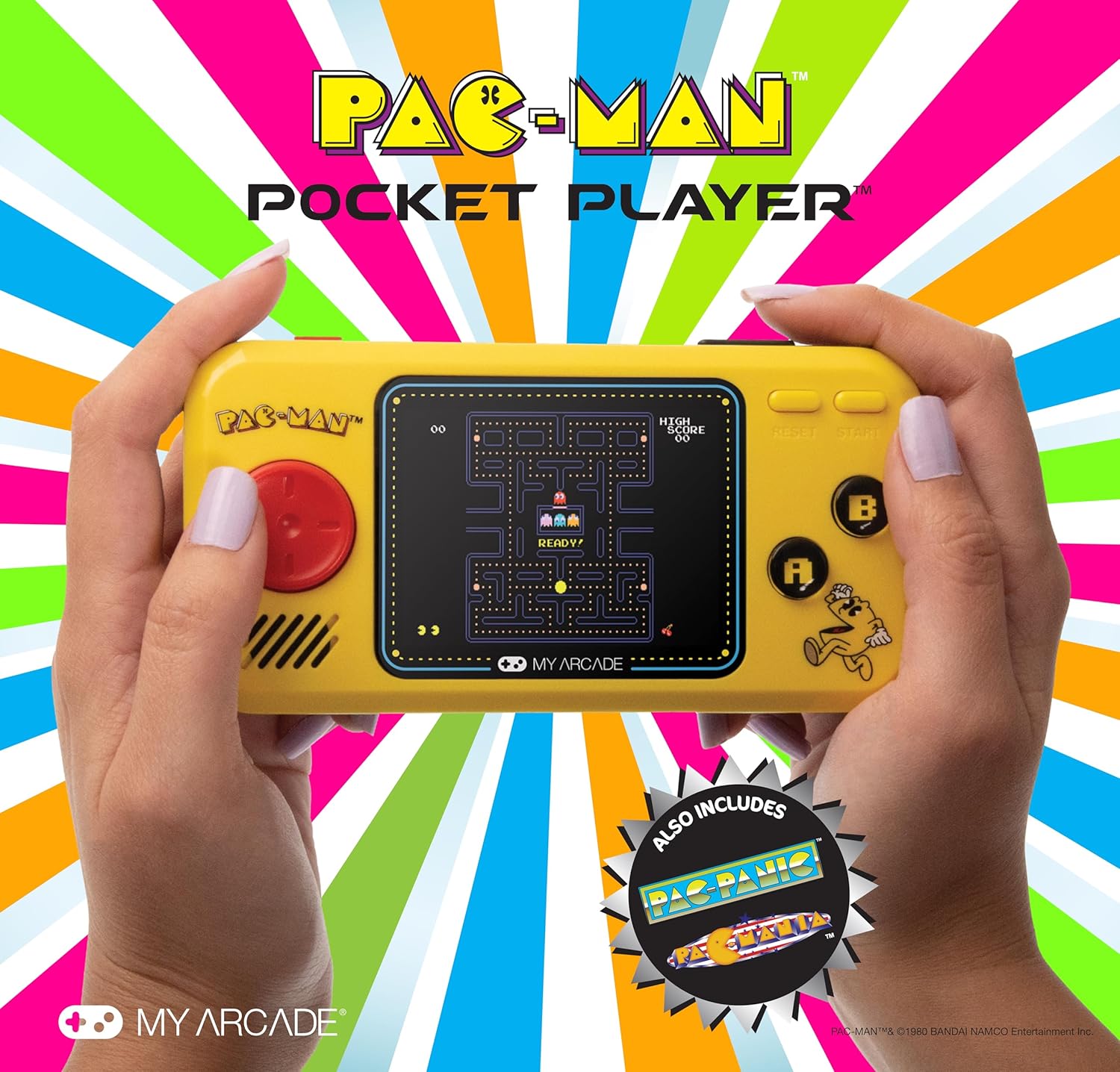
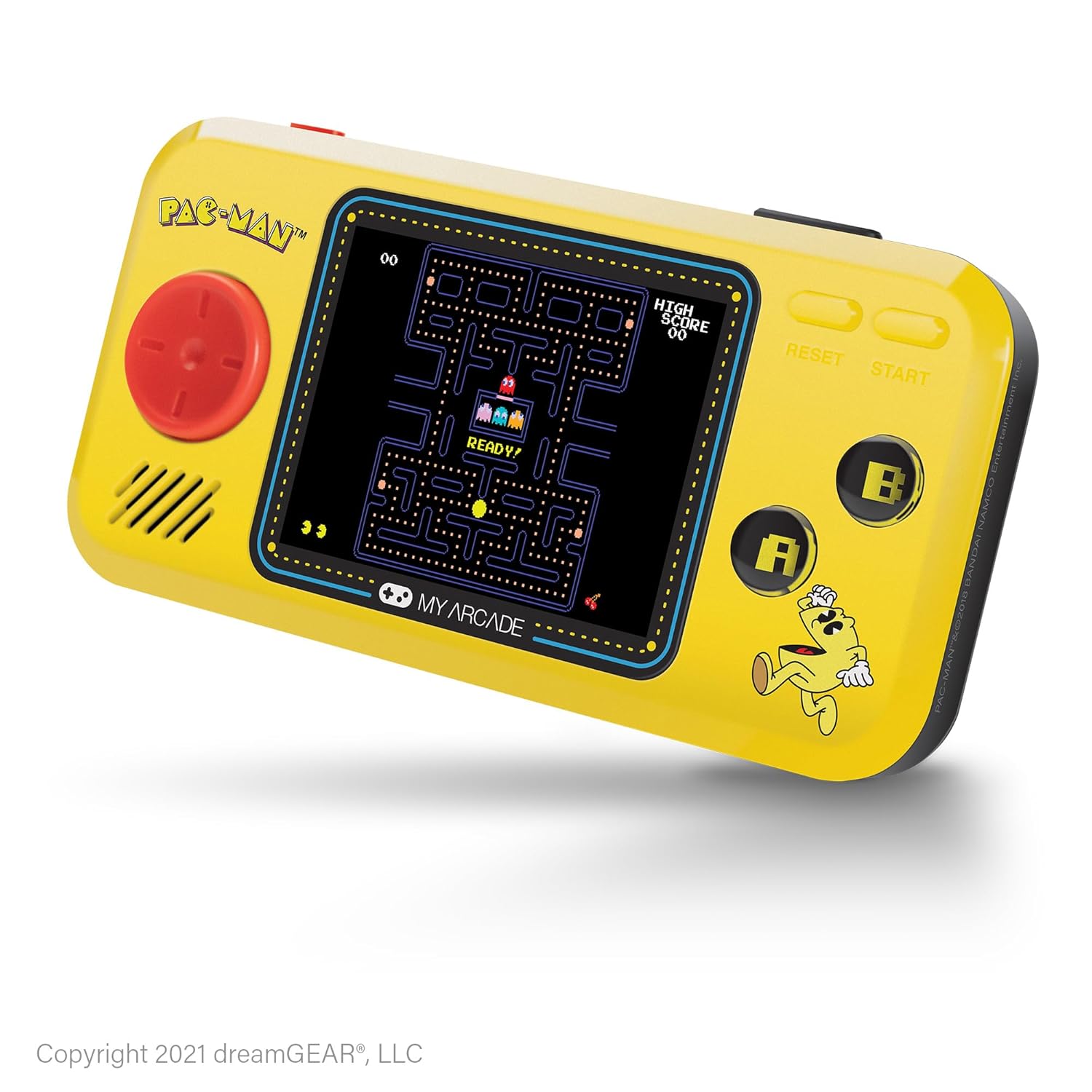
Gambar: Hareupeun view of the My Arcade Pocket Player Pac-Man Edition. The console is yellow with a red directional pad on the left, a color screen in the center displaying Pac-Man gameplay, and 'A' and 'B' buttons on the right.
Disetél
1. Pamasangan batré
The My Arcade Pocket Player requires 4 AAA batteries (not included) for portable use. Follow these steps to install them:
- Locate the battery compartments on the back of the console.
- Gently slide open the battery compartment covers.
- Insert 4 new AAA batteries, ensuring correct polarity (+/-) as indicated inside the compartments.
- Tutup panutup kompartemen batré sacara aman.
Gambar: Tukangeun view of the My Arcade Pocket Player, highlighting the two battery compartments on either side.
2. Powering on / Pareum
To power on the console, slide the red power switch located on the top edge of the device to the 'ON' position. To power off, slide the switch to the 'OFF' position.
3. Micro USB Power
The console can also be powered via a Micro USB cable (not included). Connect one end of the Micro USB cable to the Micro USB port on the top edge of the console and the other end to a compatible USB power source (e.g., a USB wall adapter, computer USB port). The device will draw power directly from the USB connection.
Parentah Operasi
1. Game Selection
After powering on, the console will display a game selection menu. Use the directional pad (D-pad) on the left to navigate through the available games (Pac-Man, Pac-Mania, Pac-Panic). Press the 'START' button to select a game.
2. Kadali
- Pad arah (D-pad): Controls character movement in-game and menu navigation.
- 'A' Button: Typically used for action, confirmation, or adding credits in some games.
- Tombol 'B': Typically used for secondary actions or canceling.
- 'START' Button: Initiates gameplay, pauses the game, or selects menu options.
- 'RESET' Button: Returns to the main game selection menu.
3. Volume Control
Use the volume buttons (+ and -) located on the top edge of the console to adjust the sound level of the built-in speaker.
4. Paké Headphone
For private listening, plug any standard 3.5mm headphones into the headphone jack located on the top edge of the console.

Image: A person holding the My Arcade Pocket Player, demonstrating its compact size and ease of use during gameplay.
Pangropéa
- beberesih: Use a soft, dry cloth to clean the console's exterior. Do not use liquid cleaners or aerosols.
- Panyimpenan: Simpen konsol di tempat anu tiis sareng garing, jauh tina sinar panonpoé langsung sareng suhu anu ekstrim.
- Perawatan batré: Cabut batré upami alat moal dianggo kanggo waktos anu panjang pikeun nyegah bocor.
- Hindarkeun tetes: While durable, avoid dropping the console to prevent damage to internal components or the screen.
Pamérésan masalah
- Console does not power on:
- Pastikeun batré dipasang leres kalayan polaritas anu leres.
- Ganti batré heubeul ku nu anyar.
- Pastikeun saklar daya aya dina posisi 'ON'.
- If using Micro USB, ensure the cable and power source are functional.
- Teu aya sora:
- Check the volume level using the '+' button.
- If headphones are plugged in, sound will output through them. Disconnect headphones to use the speaker.
- Screen is blank or distorted:
- Power off and then on the console.
- Pastikeun batré henteu low.
spésifikasi
| Nomer modél | DUNL-3227 |
| Ukuran layar | 2.75 Inches (Full Color LCD) |
| Dimensi produk | 1.4 "L x 4.3" W x 7.5" H |
| Item Beurat | 6.4 ons (kira-kira 0.4 lbs) |
| Sumber Daya | 4 AAA Batteries (not included) or Micro USB (cable not included) |
| Tipe Controller | Button Control (Directional Pad, A/B buttons, Start, Reset) |
| Jumlah Pamaén | 1 |
| Bahan | palastik |
| UPC | 845620032273 |

Image: The My Arcade Pocket Player with an overlay indicating its dimensions: 5.38 inches in length, 2.75 inches in height, and 0.88 inches in depth, with a 2.75-inch screen size.
Garansi sareng Rojongan
For warranty information or technical support, please contact My Arcade customer service. Refer to the packaging or the official My Arcade websitus pikeun detil kontak panganyarna.
penting: Produk ieu tiasa ngandung bahan kimia anu dipikanyaho ku Nagara California pikeun nyababkeun kanker sareng cacad kalahiran atanapi cilaka réproduktif sanés. Kanggo inpo nu leuwih lengkep, mangga buka www.p65warnings.ca.gov.


