Bubuka
This user manual provides comprehensive instructions for the setup, operation, maintenance, and troubleshooting of your Alienware M15 Gaming Laptop. Please read this manual thoroughly to ensure optimal performance and longevity of your device. For additional support, refer to the official Alienware support resources.
Produk Leuwihview
Fitur konci
- 8th Generation Intel Core i7-8750H (6-Core, 9MB Cache, up to 4.1GHz w/ Turbo Boost)
- 15.6" FHD (1920 x 1080) 60Hz Anti-glare IPS, 300-nits 72% Color gamut, narrow-border Display
- 16GB, 2x8GB, DDR4, 2666MHz RAM
- 128GB PCIe M.2 SSD + 1TB (+8GB SSHD) Hybrid Drive
- Nvidia GeForce GTX 1060 with 6GB GDDR5 Graphics Card
- Windows 10 Sistem Operasi Imah
Komponen Fisik

Gambar 1: Hareupeun view of the Alienware M15 laptop, showcasing the display with the Alienware logo.

Gambar 2: Ti luhur ka handap view of the open Alienware M15 laptop, highlighting the keyboard layout and touchpad.

Gambar 3: Beulah kénca view of the Alienware M15 laptop, showing various ports such as USB 3.0.
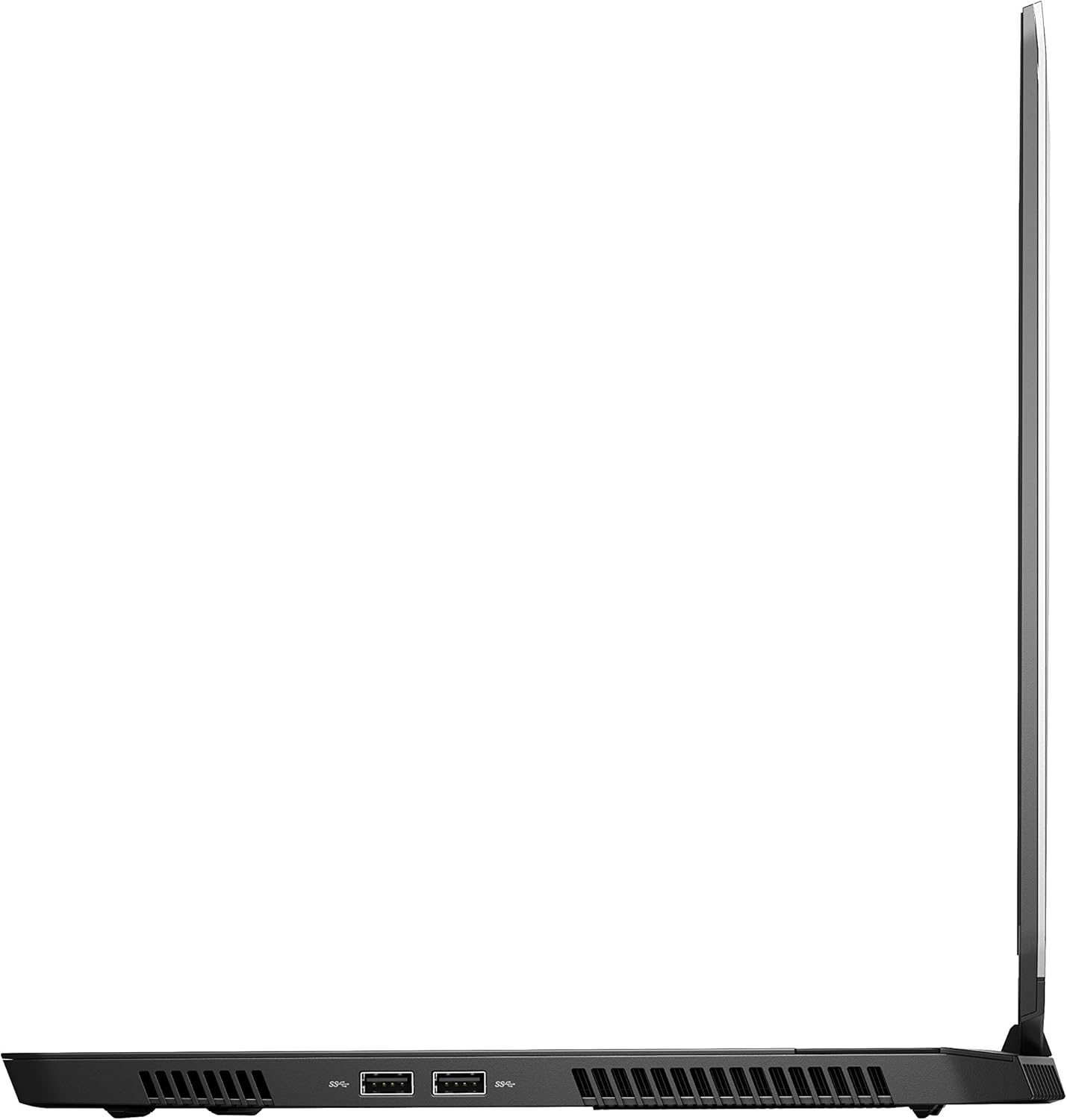
Gambar 4: Beulah katuhu view of the Alienware M15 laptop, displaying additional ports and ventilation.

Gambar 5: Ngabeledug view illustrating the internal cooling system of the Alienware M15 laptop, including fans and heat sinks.
Disetél
Ngabongkar bungkusan
Sacara saksama miceun sadaya komponén tina bungkusan. Pastikeun aya item di handap ieu:
- Alienware M15 Gaming Laptop
- Kabel listrik
- Adaptor Kakuatan 180W
Mimiti Power-On
- Sambungkeun adaptor daya ka port input daya laptop.
- Colokkeun kabel listrik kana stop kontak témbok.
- Open the laptop lid and press the power button, typically located on the top right of the keyboard deck or a dedicated button on the chassis.
- Turutan pitunjuk dina layar pikeun ngalengkepan prosés setelan Windows 10 Home, kalebet pilihan basa, sambungan jaringan, sareng nyieun akun pangguna.
Parentah Operasi
Operasi Dasar
Your Alienware M15 laptop runs on Windows 10 Home. Familiarize yourself with the operating system's interface. The keyboard features customizable backlighting via Alienware's software. The touchpad supports multi-touch gestures for navigation.
Performance kaulinan
The Alienware M15 is designed for high-performance gaming. For optimal gaming experience, ensure the laptop is connected to the power adapter. This allows the system to utilize its full power capabilities for the CPU and GPU. While gaming, the laptop may generate significant heat; this is normal for high-performance hardware. Consider using a cooling pad for extended gaming sessions to enhance thermal management.
Pangropéa
beberesih
- layar: Make kaen nu lemes, teu aya lint rada dampdikumbah ku cai atawa pembersih layar. Hindarkeun bahan kimia anu kasar.
- Keyboard sareng Chassis: Use a soft brush or compressed air to remove dust from keys and vents. Wipe surfaces with a microfiber cloth.
- Palabuhan: Use compressed air to clear dust from USB, HDMI, and other ports.
Software Apdet
Regularly update your Windows operating system, graphics drivers (NVIDIA GeForce), and Alienware software. Updates often include performance improvements, security patches, and bug fixes. Access Windows updates through Settings > Update & Security. Graphics drivers can be updated via the NVIDIA GeForce Experience application.
Perawatan batré
To maximize battery lifespan, avoid consistently discharging the battery completely. For prolonged use while plugged in, consider using battery management features (if available in Alienware Command Center) to limit charging to 80-90% capacity.
Pamérésan masalah
This section addresses common issues you might encounter with your Alienware M15 laptop.
| Masalah | Mungkin Cukang lantaranana / Solusi |
|---|---|
| Laptop gets excessively hot during use. | High-performance components generate heat. Ensure ventilation vents are clear. Use a cooling pad. Update graphics drivers. |
| "No media present" error or SSD/HDD not detected. | This can sometimes be a temporary software glitch. Try restarting the laptop. If persistent, ensure the power cable is securely connected and try a hard reboot (unplug power, hold power button for 15 seconds, then reconnect and power on). If the issue persists, contact support. |
| Wi-Fi connection drops frequently. | Ensure Wi-Fi drivers are up to date. Check for interference from other devices. Restart your router and the laptop. If the issue persists, consider reinstalling Wi-Fi drivers or contacting support. |
| System performance is slow or lagging. | Ensure the laptop is plugged into power for full performance. Close unnecessary background applications. Check for malware. Ensure sufficient free space on the SSD/HDD. |
spésifikasi
Detailed technical specifications for the Alienware M15 Gaming Laptop (Model: AWM15-7830SLV-PUS).
| Fitur | Rincian |
|---|---|
| Ukuran tampilan layar nangtung | 15.6 inci |
| Resolusi layar | 1920 x 1080 piksel |
| Resolusi layar Max | 1920x1080 Piksel |
| Prosesor | 4.1 GHz core_i7_8750h |
| Ram | 16 GB DDR4 |
| Laju mémori | 2666 MHz |
| Hard Drive | 1000 GB 128GB PCIe M.2 SSD + 1TB (+8GB SSHD) Hybrid Drive |
| Grafik Coprocessor | NVIDIA GeForce GTX 1060 |
| Chipset Brand | NVIDIA |
| Katerangan kartu | Dedicated |
| Ukuran Ram Kartu Grafis | 6 GB |
| Tipe Wireless | 802.11a/b/g/n |
| Jumlah USB 3.0 palabuhan | 3 |
| merek | Alienware |
| Runtuyan | AWm15-7830SLV-PUS |
| Nomer modél barang | AWM15-7830SLV-PUS |
| Sistem operasi | Windows 10 Imah |
| Item Beurat | 4.8 pon |
| Dimensi produk | 10.8 x 14.3 x 0.8 inci |
| Warna | Hideung |
| Prosésor Brand | Intel |
| Jumlah prosésor | 6 |
| Tipe Mémori Komputer | DDR4 SDRAM |
| Ukuran Mémori Flash | 16 |
| Interface teuas drive | Nagara Padet |
| Hard Drive Rotational Speed | 5400 rpm |
| Jinis drive optik | No Optical Drive |
| Voltage | 240 volt |
| Batré | 1 batré Litium Metal diperlukeun. (kaasup) |
| Tanggal Kahiji Sadia | 5 Januari 2019 |
| Ngaran modél | AWm15-7830SLV-PUS |
| Ukuran layar | 15.6 inci |
| Ukuran Hard Disk | 1000 GB |
| Modél CPU | Core i7 8750H |
| Ram Mémori Dipasang Ukuran | 16 GB |
| Fitur husus | Palapis Anti sorotan |
Garansi sareng Rojongan
For detailed warranty information, please refer to the documentation included with your purchase or visit the official Alienware support website. For technical assistance, driver downloads, and further resources, please visit the Alienware support portal.
Manual Pamaké resmi (PDF) ogé sayogi pikeun diunduh: Unduh PDF Manual Pangguna


