1. Bubuka
Welcome to the instruction manual for your new SWIFT SW350T Trinocular Compound Lab Microscope. This powerful and versatile instrument is designed for detailed observation of specimen slides, making it ideal for clinical instruction, scientific research, and educational purposes. With its advanced features, including a Siedentopf head, wide-field eyepieces, and camera compatibility, the SW350T provides exceptional clarity and performance. Please read this manual thoroughly to ensure proper setup, operation, and maintenance of your microscope.
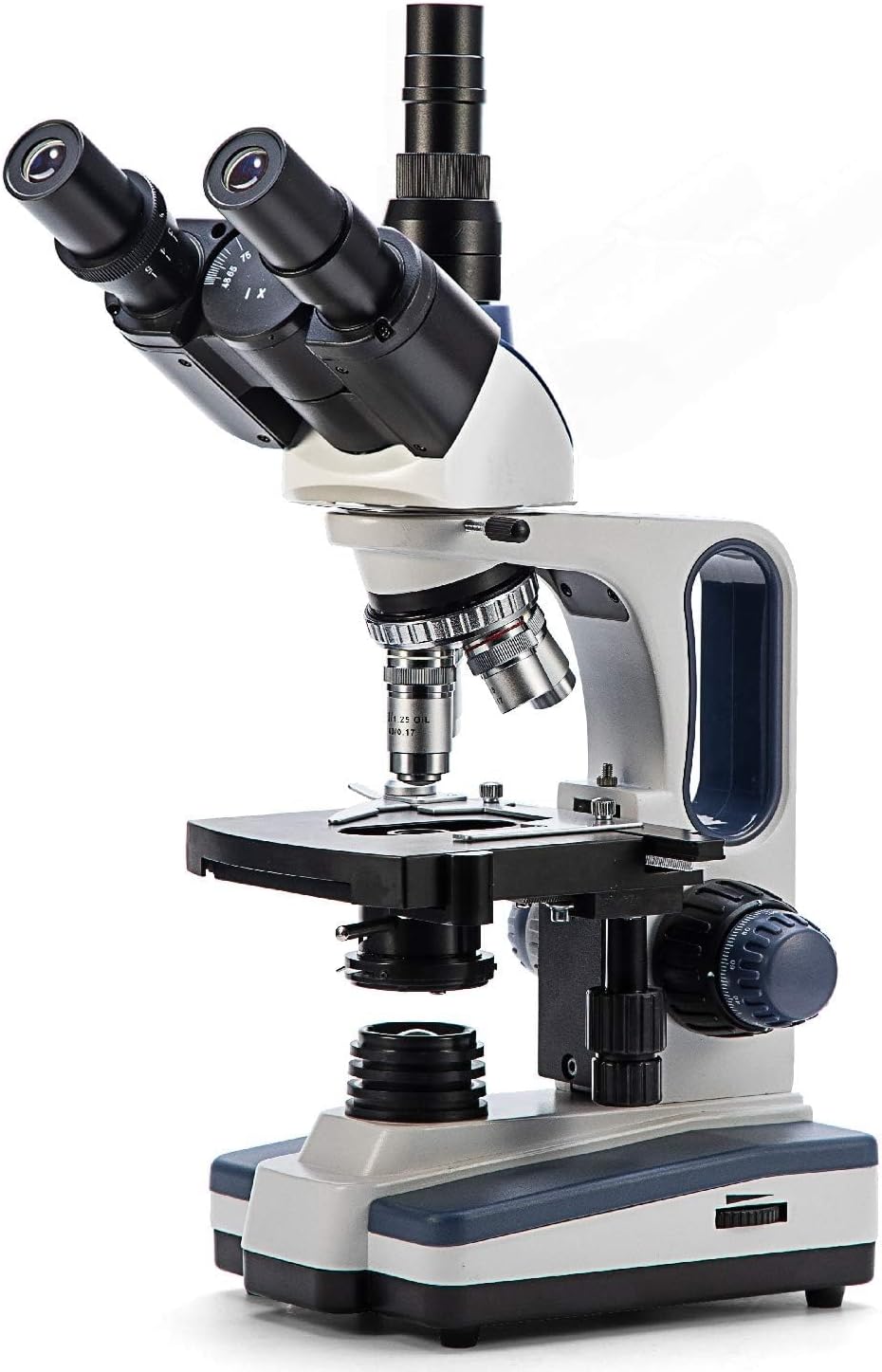
Figure 1: The SWIFT SW350T Trinocular Compound Lab Microscope, showcasing its robust design and key optical components.
2. Produk Langkungview jeung Komponén
Familiarize yourself with the various parts of your SWIFT SW350T microscope. Understanding each component's function is crucial for effective operation.

Figure 2: Detailed diagram illustrating the main components of the SWIFT SW350T microscope.
Komponén konci:
- Siedentopf Head: Fully rotatable for shared viewing, equipped with trinocular port for camera attachments.
- Eyepieces: Interchangeable wide-field 10X and 25X glass eyepieces, ergonomically tilted at 30 degrees.
- Revolving Nosepiece: Holds 4 DIN Achromatic objective lenses (4X, 10X, 40X, 100X Oil).
- Lensa Objektif: Provide magnification levels of 40X, 100X, 250X, 400X, 1000X, 2500X.
- Mékanik Stage: Double-layered with a secure slide holder for precise specimen positioning.
- Kondensor Abbe: Illuminates slide specimens from below, with adjustable brightness.
- Coarse and Fine Adjustment Knobs: For precise focusing.
- Sumber Lampu LED: Brilliant and adjustable illumination.
- Port kaméra: Dedicated port for connecting microscope cameras (not included).
3. Parentah Setup
Follow these steps to set up your microscope for the first time.
- Ngabongkar bungkusan: Cabut sadaya komponén tina bungkusna kalayan ati-ati. Simpen bungkus aslina kanggo panyimpenan atanapi transportasi ka hareup.
- panempatan: Place the microscope on a stable, level surface away from direct sunlight, excessive dust, and vibrations.
- Head Installation: Gently attach the Siedentopf head to the microscope body. Secure it with the set screw, ensuring it is firmly in place but not overtightened.
- Pemasangan Lensa Mata: Insert the desired wide-field eyepieces (10X or 25X) into the eyepiece tubes on the Siedentopf head.
- Objective Lens Installation: Ensure the objective lenses are securely screwed into the revolving nosepiece. The 4X objective should be aligned with the light path for initial setup.
- Sambungan Daya: Connect the power cord to the microscope's power input and then to a standard electrical outlet (110 Volts AC).

Figure 3: The SWIFT SW350T microscope along with its power cord, additional eyepieces, and other accessories, ready for setup.
4. Operating Your Microscope
4.1 Powering On and Illumination
Locate the power switch on the base of the microscope and turn it on. Adjust the brightness of the LED illumination using the dimming handwheel to achieve optimal viewing conditions for your specimen.
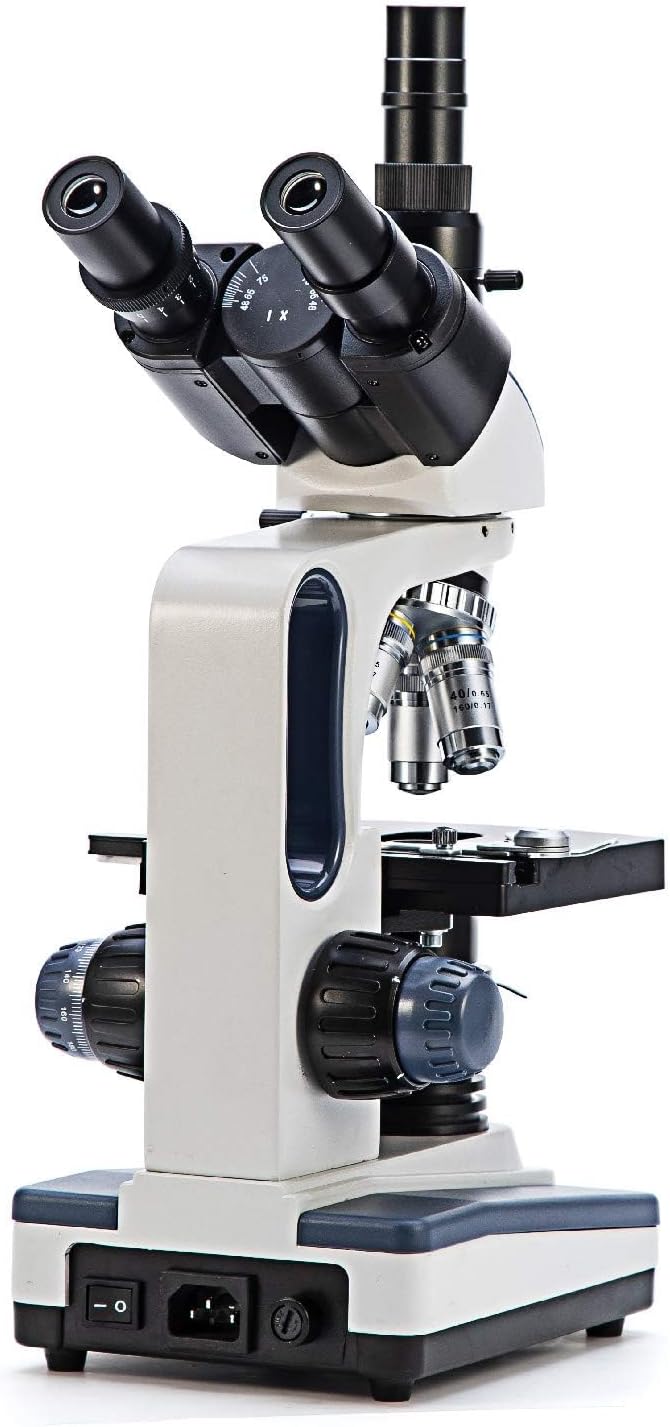
Gambar 4: Tukangeun view of the microscope, highlighting the power input and switch for operation.
4.2 Nempatkeun Spésimén Slide
Pasangkeun slide spesimen anu tos disiapkeun kana alat mékanistage. Use the slide holder clips to secure the slide in place.

Gambar 5: A close-up view tina mékanis stage, showing the slide holder and X-Y translational axis controls.
4.3 Nyaluyukeun Magnification
Rotate the revolving nosepiece to select the desired objective lens. Start with the lowest magnification (4X or 10X) for initial viewing and then gradually increase as needed. The total magnification is calculated by multiplying the eyepiece magnification by the objective lens magnification.
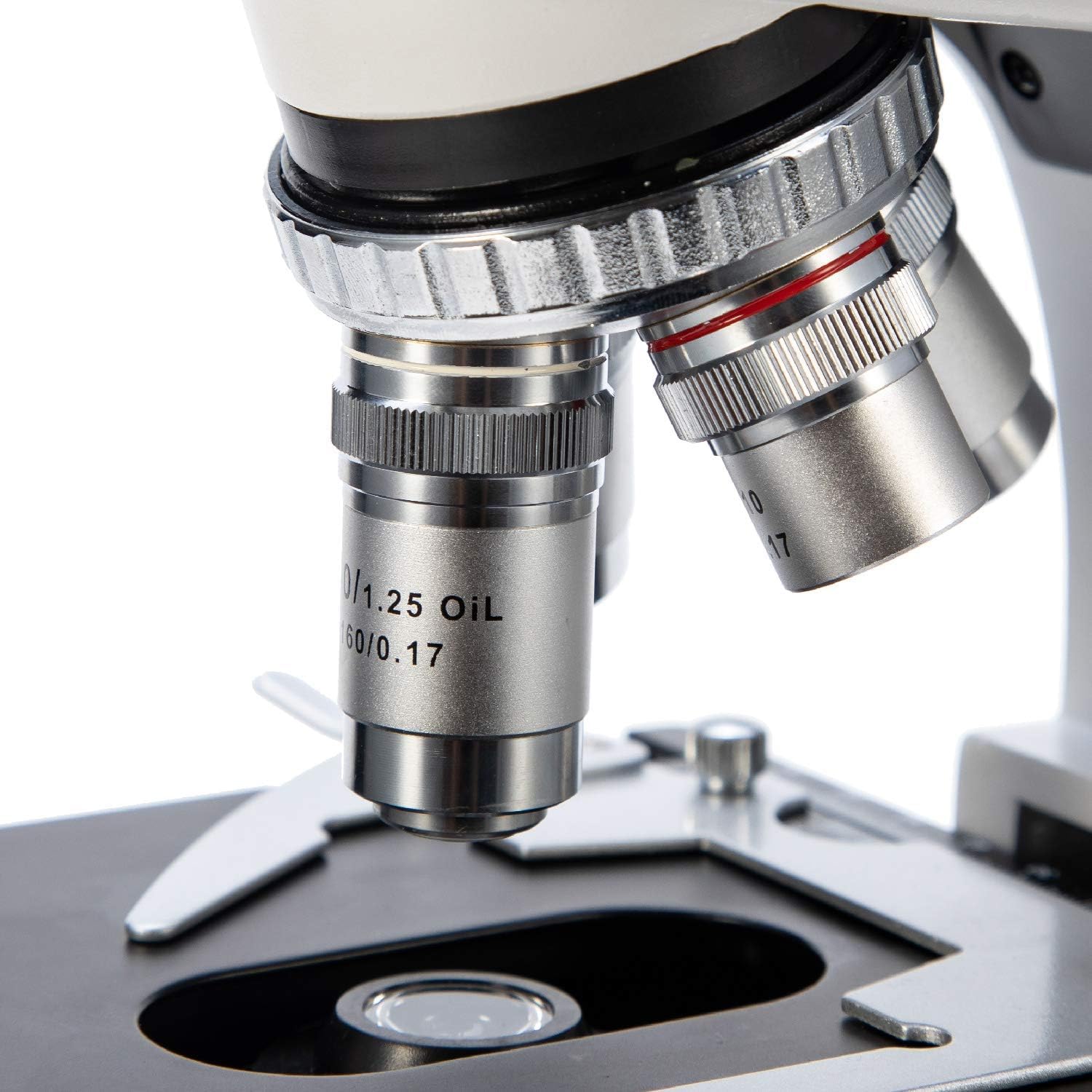
Gambar 6: A lengkep view of the objective lenses mounted on the revolving nosepiece.
4.4 Pokus
Use the coarse adjustment knob for large focus changes, typically with lower magnification objectives. Once the image is roughly in focus, use the fine adjustment knob for precise focusing, especially at higher magnifications.
4.5 Using the Abbe Condenser
The Abbe condenser, located beneath the stage, helps to concentrate and direct light through the specimen. Adjust its height and the iris diaphragm to control contrast and resolution. For optimal viewing, the condenser should be raised close to the stage for higher magnifications and lowered for lower magnifications.

Figure 7: Close-up of the Abbe condenser and the light source beneath the mechanical stage.
4.6 Using the Trinocular Port (Camera Compatibility)
The SW350T features a dedicated trinocular port for attaching microscope cameras (sold separately). This allows for digital imaging, live streaming, and recording of your observations. To use, simply insert your compatible microscope camera into the trinocular port and follow the camera's specific instructions for setup and software installation.

Gambar 8: A close-up view of the trinocular head, showing the dedicated camera port for digital imaging.
5. Pangropéa sarta perawatan
Proper maintenance will extend the life and performance of your microscope.
- Optik beberesih: Use only specialized lens cleaning paper and optical cleaning solution for objective lenses and eyepieces. Gently wipe in a circular motion from the center outwards. Avoid touching optical surfaces with bare hands.
- Ngabersihkeun Awak: Lap awak mikroskop ku kaén nu lemes,amp lawon. Ulah make bahan kimia kasar atawa cleaners abrasive.
- Panyimpenan: Upami teu dianggo, tutup mikroskop ku panutup lebu anu disayogikeun pikeun ngajaga tina lebu sareng kokotor. Simpen di tempat anu tiis sareng garing.
- Penanganan: Always carry the microscope by its arm and base. Avoid sudden movements or impacts.
- Oil Immersion (100X Objective): If using the 100X oil immersion objective, ensure to clean off immersion oil immediately after use to prevent damage to the lens.
6. Guide ngungkulan
Tingali tabel di handap pikeun masalah umum sareng solusina.
| Masalah | Mungkin Cukang lantaranana | Solusi |
|---|---|---|
| Taya katerangan | Power switch off, power cord disconnected, brightness knob set to minimum. | Turn on power switch, check power cord connection, increase brightness. |
| Image blurry or out of focus | Incorrect focus adjustment, slide upside down, objective lens not fully engaged. | Adjust coarse and fine focus, ensure slide is correctly oriented, rotate nosepiece until objective clicks into place. |
| Widang anu poék atanapi henteu rata view | Condenser not adjusted correctly, iris diaphragm closed too much, objective lens dirty. | Adjust condenser height, open iris diaphragm, clean objective lens. |
| Dust or spots visible in image | Tetesan lebu kana eyepiece, obyektif, atawa slide. | Clean eyepieces, objectives, and slide using appropriate cleaning methods. |
7. Spésifikasi Téknis
Detailed specifications for the SWIFT SW350T microscope.
| Fitur | Spésifikasi |
|---|---|
| merek | SWIFT |
| Nomer modél | EF12021 |
| Magnification Maximum | 2500X |
| Kacamata | Wide-Field 10X and 25X |
| Lensa Objektif | 4 DIN Achromatic (4X, 10X, 40X, 100X Oil) |
| Tipe Sirah | Siedentopf Trinocular, 30-degree inclined, 360-degree rotatable |
| Stage | Double-layered Mechanical Stage |
| Kondenser | Kondensor Abbe nganggo Diafragma Iris |
| Tipe Sumber Cahaya | LED, adjustable brightness |
| Sasayogian tanaga | 110 Volt (AC) |
| Bahan | logam |
| Warna | Hideung, Pérak, Bodas |
| Item Beurat | 7.81 pon (3.55 Kilogram) |
| Ukuran Paket | 18.35 x 12.8 x 9.09 inci |
| Alat nu cocog | Laptop, Personal Computer (via camera port) |
| Tanggal Kahiji Sadia | 29 Januari 2019 |
| Produsén | NJEDU |
8. Garansi jeung Rojongan
8.1 Émbaran jaminan
Your SWIFT SW350T microscope is covered by a manufacturer's warranty. Please refer to the official SWIFT websitus atanapi kartu garansi anu kalebet pikeun syarat sareng katangtuan khusus ngeunaan jangkauan sareng durasi.
8.2 Rojongan salajengna
For more detailed information, advanced techniques, or specific inquiries, please consult the comprehensive User Guide PDF available online: SWIFT SW350T User Guide (PDF). You may also visit the official SWIFT store on Amazon for additional resources and product information.