1. Bubuka
Thank you for choosing the TIGERKING 1.2 Cu Ft LK-WHITE Digital Security Safe Box. This safe is designed to provide secure storage for your valuables, documents, and personal items. It features a robust construction with an electronic combination lock, dual anti-theft locking bolts, and a removable shelf for organized storage. Please read this manual carefully before operating your safe to ensure proper setup and usage.
Text Description: This video provides a general overview of the TIGERKING Digital Security Safe Box, highlighting its features and design.
2. Émbaran Kasalametan
- Ulah nyimpen konci darurat di jero brankas. Simpen di tempat anu aman sareng misah.
- Pastikeun brankas dipasang kalayan pageuh pikeun nyegah mindahkeun tanpa ijin.
- Keep the safe away from moisture and direct sunlight.
- Ganti batréna gancang-gancang nalika indikator batré lemah némbongan pikeun mastikeun operasi anu terus-terusan.
- This safe is not fireproof or waterproof. Do not store items that require fire or water protection.
3. Eusi Paket
Pastikeun yén sadaya item kalebet dina pakét anjeun:
- 1 x TIGERKING 1.2 Cu Ft Digital Security Safe Box
- 2 x Konci Darurat
- 4 x Expansion Bolts (pikeun dipasang)
- 1 x External Battery Box
- 1 x Manual Pamaké

Text Description: An image showing all components included with the TIGERKING safe: the safe itself, a user manual, an emergency battery box, two emergency keys, and four expansion bolts for installation.
4. Spésifikasi
| Fitur | Rincian |
|---|---|
| merek | TIGERKING |
| Nomer modél | E25LK |
| Dimensi produk | 9.9 "D x 13.8" W x 9.9" H |
| Kapasitas | 1.2 suku kubik |
| Tipe Konci | Konci Kombinasi éléktronik |
| Bahan | Alloy Steel |
| Fitur husus | Alarm System, Anti-Theft, Combination Lock, Removable Shelf, Sensor Light |
| Tipe Pamasangan | Tembok Gunung |
| Item Beurat | 20.1 pon |
| Tingkat Résistansi Cai | Henteu Tahan Cai |
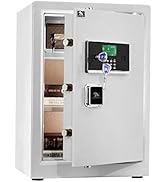
Text Description: A visual representation of the safe's exterior and interior dimensions, highlighting its 1.2 cubic feet capacity.
5. Setélan
5.1 Initial Opening with Emergency Key
- Locate the emergency lock cover on the front panel.
- Remove the cover to reveal the keyhole.
- Selapkeun salah sahiji konci darurat teras puterkeun ka arah anu sabalikna tina jarum jam.
- While holding the key turned, rotate the handle clockwise to open the safe door.
- Once the safe is open, remove the emergency key and store it in a safe place outside the safe.
Text Description: This video demonstrates the first-time operation of the safe using the emergency keys to open the door.
5.2 Pamasangan batré
The safe requires 4 x AA batteries (not included) for the electronic keypad to function.
- Open the safe door using the emergency key (if not already open).
- Panggihan kompartemen batréna di jero panto brankas.
- Pasangkeun 4 batré AA, pastikeun polaritasna bener (+/-).
- Tutup panutup kompartemen batré.

Text Description: A detailed view of the safe's digital keypad and the internal battery compartment, illustrating where to insert the AA batteries.
5.3 Pasang Aman
For enhanced security, the safe can be mounted to a wall or floor.
- Pilih lokasi anu cocog pikeun dipasang.
- The safe has 4 pre-drilled holes on the back and bottom.
- Position the safe and mark the drilling points on the wall or floor.
- Bor liang dina titik ditandaan.
- Align the safe with the drilled holes and secure it using the provided expansion bolts.

Text Description: A step-by-step visual guide on how to install the safe by mounting it to a wall, showing the drilling and securing process.
5.4 Setting User Code
You can set a personal user code (1 to 8 digits) for daily access.
- With the safe door open, press the red reset button located on the inside of the door.
- The yellow indicator light on the keypad will flash, and you will hear a beep.
- Enter your desired user code (1-8 digits) on the keypad.
- Press the "#" button to confirm. The safe will emit 2 beeps, and the yellow light will turn off.
Text Description: This video demonstrates the first method to set up a user code for the digital safe, guiding through the steps of pressing the reset button and entering a new code.
Text Description: This video illustrates a second method for setting up a user code on the digital safe, providing an alternative approach to programming your personal access code.
5.5 Setting Master Code
A master code provides an additional layer of security and can be used to open the safe or reset user codes.
- With the safe door open, press the "0" button twice, then press the red reset button.
- The yellow indicator light will flash, and you will hear a beep.
- Enter your desired master code (1-8 digits) on the keypad.
- Press the "#" button to confirm. The safe will emit 2 beeps, and the yellow light will turn off.
Text Description: This video demonstrates the first method to set up a master code for the digital safe, guiding through the steps of pressing specific buttons and entering a new master code.
Text Description: This video illustrates a second method for setting up a master code on the digital safe, providing an alternative approach to programming your master access code.
6. Parentah Operasi
6.1 Opening the Safe with Code
- Enter your user code or master code on the keypad.
- Press the "#" button to confirm.
- The green indicator light will illuminate, and you will hear a beep.
- Dina 5 detik, puterkeun gagangna searah jarum jam pikeun mukakeun panto.
Text Description: This video demonstrates how to open the TIGERKING safe using a programmed code on the digital keypad.
6.2 Opening the Safe with Emergency Key
Follow the steps in section 5.1 if the batteries are dead or you forget your code.
6.3 Sistim Alarm Dual
The safe is equipped with a dual alarm system for enhanced security:
- Incorrect Entry Alarm: If an incorrect code is entered three consecutive times, the alarm will sound for 20 seconds, and the keypad will lock for 3 minutes.
- Alarm geter: If the safe experiences violent vibration or tampering, the alarm will sound.

Text Description: A visual explanation of the safe's dual warning system, illustrating how the alarm activates upon violent vibration or multiple incorrect code entries.
6.4 Modeu jempé
For discreet access, the safe features a silent mode:
- To activate silent mode, press the "*" button before entering your code.
- The safe will operate without sound, allowing for quiet access when needed.
Text Description: A visual guide to the safe's alarm and silent mode features, showing how to activate silent mode for discreet operation.
6.5 Rak Dipiceun
The interior of the safe includes a removable shelf to customize storage space.
- To remove the shelf, simply lift it from its supports.
- To re-install, align the shelf with the desired supports and lower it into place.

Text Description: A visual demonstration of the safe's removable shelf, highlighting its flexibility for organizing various items.
7. Pangropéa
7.1 Ngagantian batré
When the batteries are low, the keypad indicator light will flash red. Replace all four AA batteries promptly.
- Buka panto aman.
- Cabut panutup kompartemen batré.
- Replace old batteries with new 4 x AA batteries, observing correct polarity.
- Tutup panutup kompartemen batré.
7.2 beberesih
Clean the safe exterior with a soft, damp lawon. Hindarkeun nganggo pembersih abrasive atanapi pangleyur anu tiasa ngaruksak finish.
8. Cara ngungkulan
| Masalah | Mungkin Cukang lantaranana | Solusi |
|---|---|---|
| Brankas teu bisa dibuka ku kode. | Incorrect code entered; low batteries. | Re-enter correct code; replace batteries; use emergency key. |
| Keypad teu ngaréspon. | Batré paéh. | Use the external battery box or emergency key to open, then replace internal batteries. |
| Alarm disada teu disangka-sangka. | Tampering detected; multiple incorrect entries. | Ensure safe is stable; enter correct code to disarm. |
9. Jaminan & Dukungan
TIGERKING offers a 1-year warranty on this product against defects in materials and workmanship. For customer service, technical support, or warranty claims, please contact TIGERKING customer service. Our responsive customer service team is available to assist you.
- Palayanan palanggan: Refer to the contact information provided in your purchase documentation or visit the official TIGERKING websitus.
- Jaminan kapuasan: Your satisfaction is important to us. If you encounter any issues, please reach out for assistance.
Dokumén Patali - E25LK
 |
TIGERKING E-LK Series Manual Pamaké - Imah & Kantor Aman Manual pamaké komprehensif pikeun TIGERKING E-LK Series Imah & Kantor Aman. Ngawengku setelan, operasi, fitur kaamanan, parentah dipasang, sarta informasi rojongan customer. |
 |
TigerKing XH-1 Imah / Kantor Manual Pamaké Aman Manual pamaké pikeun TigerKing XH-1 Imah / Kantor Aman, ngawengku struktur, daptar packing, prosedur muka, setting kode, setting tanggal, mariksa catetan, setélan alarem, ningkatna, sarta layanan palanggan. |
 |
Tigerking FPSD Series Fireproof Safe User Manual - FPSD40, FPSD50, FPSD66 Comprehensive user manual for the Tigerking FPSD Series fireproof safes (models FPSD40, FPSD50, FPSD66), detailing setup, operation, security features, alarm system, and customer support. |
 |
TigerKing XH-1 Imah / Kantor Manual Pamaké Aman Manual pamaké pikeun TigerKing XH-1 Imah / Kantor Aman, ngawengku struktur, daptar packing, prosedur muka, setélan kode, nutup, setting tanggal, mariksa catetan, setélan alarem, ningkatna, sarta layanan palanggan. |
 |
Manual Pamaké Aman TigerKing E-FED: Panungtun Operasi sareng Pasang Manual pamaké komprehensif pikeun TigerKing E-FED séri Aman, ngawengku bubuka munggaran, instalasi batré, sidik jeung kode programming, operasi aman, parentah ningkatna, sarta informasi layanan palanggan. |
 |
TigerKing FPSD96-PULS Seuneu-Tahan Imah Aman Manual Pamaké sarta Guide Operasi Pituduh ieu nyayogikeun pitunjuk lengkep pikeun ngoperasikeun, masang, sareng ngajaga aman imah tahan seuneu TigerKing FPSD96-PULS. Diajar ngeunaan fitur-fiturna, setélan kaamanan, sareng dukungan palanggan. |