Bubuka
Thank you for choosing the Angetube Streaming 1080P HD Webcam 967. This manual provides essential information for setting up, operating, and maintaining your webcam to ensure optimal performance for streaming, video conferencing, and content creation.
Naon dina Box
- 1080 p Webkam x1
- Buku Panduan x 1
Fitur produk
- Adjustable Ring Fill Light: The webcam features an integrated ring light with three adjustable brightness levels to meet various lighting requirements for video chatting or streaming. This helps reduce visual noise and enhances detail in low-light environments.
- Profésional Webcam for Streaming: Designed for compatibility with live streaming software such as OBS, Xsplit, and Mixer. It supports background replacement powered by Chromacam, allowing for customized backgrounds during games or presentations.
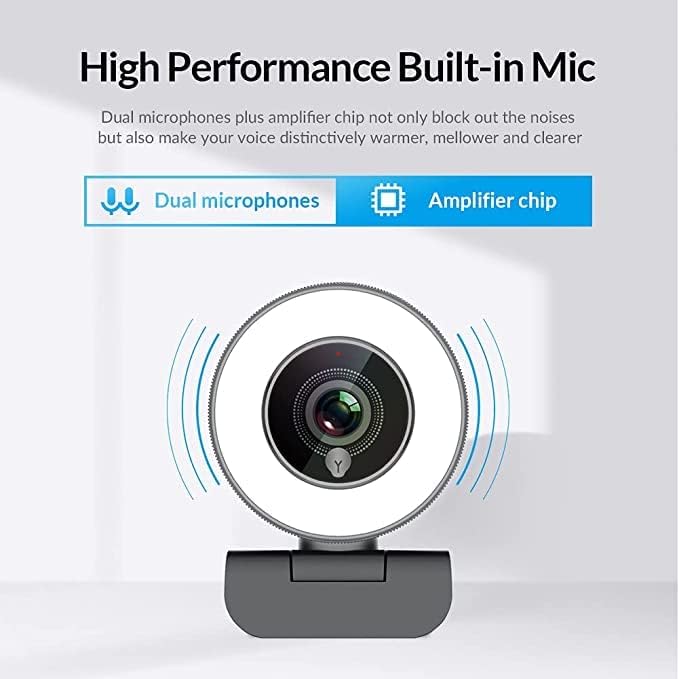
- Dual Noise-Canceling Microphones with Ampchip pangkuatna: Equipped with superior microphones and an amplifier chip to enhance speech quality, providing clear audio. Background noise is filtered out, ensuring your voice is heard distinctly. The microphone can pick up sound from up to 3 meters away.
- Fast and Accurate Autofocus: The autofocus function eliminates the need for manual adjustments, keeping you consistently in focus during video calls or streams.
- High Quality, Low Bandwidth (H.264 Compression): Utilizes H.264 compression encoding for clearer and smoother video recording, video conferencing, and live broadcasts, optimizing bandwidth usage.
Disetél
- Ngabongkar bungkus Webkaméra: Ati-ati ngaleupaskeun webcam and its accessories from the packaging.
- Pamasangan Webkaméra: The webcam features a versatile clip that can be securely attached to the top of your monitor or laptop screen. Adjust the clip to ensure a stable fit. Alternatively, the base includes a standard tripod thread for mounting on a tripod (not included).
- Nyambung ka Komputer: Colokkeun kabel USB tina webkana port USB anu sayogi dina komputer anjeun. webcam is plug-and-play, meaning it should be automatically recognized by most operating systems (Windows 7/8/10 or above, Mac OS 10.6 or above, Android V5.0 or above, Chrome OS 29.0.1547.70 or above, Ubuntu 2.6.24 or above) without requiring additional drivers.
- Pangakuan Parangkat Lunak: Open your preferred video conferencing or streaming application (e.g., Zoom, Skype, OBS, YouTube Live, Google Meet). Select the Angetube 967 Webcam salaku alat input vidéo sareng audio anjeun dina setélan aplikasi.
Parentah Operasi
Adjusting the Ring Light
The Angetube 967 Webcam includes an integrated ring light to provide optimal illumination. To adjust the brightness:
- Locate the touch-sensitive button on the front of the webcam, just below the lens.
- Tap the button to cycle through three brightness levels: Low Light, Medium Light, and High Light.
- Tap a fourth time to turn the ring light off.

Autofocus Functionality
The webcam features automatic autofocus. This means the camera will continuously adjust its focus to keep your face clear and sharp without manual intervention. This is particularly useful for dynamic presentations or active streaming sessions.

Pamakéan Mikropon
The integrated dual noise-canceling microphones are designed to capture clear audio while minimizing background distractions. Ensure the webcam is positioned appropriately to optimize sound pickup, ideally within 3 meters for best results.
Kasaluyuan
The Angetube 967 Webcam is widely compatible with various operating systems and applications, including:
- Sistem Operasi: Windows 7/8/10 or above, Mac OS 10.6 or above, Android V5.0 or above, Chrome OS 29.0.1547.70 or above, Ubuntu 2.6.24 or above.
- Aplikasi: OBS, Xsplit, Mixer, Zoom, Skype, Google Meet, YouTube Live, Facebook Live, and other video conferencing/streaming platforms.

Pangropéa
- Ngabersihan lensa: Use a soft, dry, lint-free cloth to gently wipe the webcam lens. Avoid using harsh chemicals or abrasive materials that could scratch the lens.
- Panyimpenan: Nalika henteu dianggo, simpen webdi tempat anu bersih sareng garing, jauh tina suhu ekstrim sareng sinar panonpoé langsung.
- Perawatan kabel: Ulah ngabengkokkeun atawa twisting kabel USB kaleuleuwihan pikeun nyegah karuksakan.
Pamérésan masalah
- Webcam Teu Dideteksi:
- Pastikeun kabel USB disambungkeun aman ka duanana webcam jeung komputer Anjeun.
- Coba colokkeun webcam kana port USB béda.
- Balikan deui komputer anjeun.
- Pariksa manajer alat sistem operasi anjeun pikeun ningali naha éta webcam is listed and recognized.
- Teu Aya Video/Layar Hideung:
- Pastikeun webcam is selected as the primary video input device in your application's settings.
- Check if any privacy settings on your operating system are blocking webcam access for the application.
- Tutup sareng buka deui aplikasi éta.
- Taya Audio/Kualitas Audio Kurang:
- Verify that the Angetube 967 Webcam's microphone is selected as the audio input device in your application's settings.
- Pariksa setélan sora komputer anjeun pikeun mastikeun mikropon diaktipkeun sareng henteu di-mute.
- Pastikeun webcam is positioned within optimal range (up to 3 meters) for sound pickup.
- Ring Light Not Working:
- Gently tap the touch-sensitive button below the lens to cycle through brightness levels.
- Pastikeun webcam is properly connected via USB, as the light draws power from the connection.
spésifikasi
| Dimensi produk | 5.3 x 6.6 x 7.6 inci |
| Item Beurat | 5.3 ons |
| Nomer Modél Item | 967 |
| Téhnologi Sénsor Poto | CMOS |
| Resolusi Capture Video | 1080 p |
| Panjang Fokus Maksimum | 3 |
| Aperture maksimum | 2.1 f |
| Format Capture Video | MP4 |
| Format Audio Dirojong | AAC, MP3 |
| Téhnologi konektipitas | USB |
| Tanggal Kahiji Sadia | 22 Méi 2019 |
Garansi sareng Rojongan
- Rojongan Palanggan: Angetube offers lifetime technical customer support for this product.
- Waktu ngaréspon: Expect a quick response to inquiries, typically within 24 hours.
- Pangembalian/Penukaran: Returns for an exchange or refund are accepted within 30 days of purchase.
- Pabrikan: XZC
- Penjual: Angetube Store


