Bubuka
The GBC ShredMaster SX20-08 is a high-performance cross-cut paper shredder designed for secure disposal of sensitive documents. It offers a P-4 security level, shredding documents into small 5/32" x 1 1/2" pieces. With a capacity to shred up to 20 sheets at a time and an 8-gallon pull-out bin, it is suitable for home offices and small business environments. Key features include a long 240-minute run time, auto-reverse jam prevention, Whisper Shred Technology for quiet operation, and an Eco Power Save function for energy efficiency.
Émbaran Kasalametan penting
Please read all safety instructions carefully before operating the shredder. Failure to follow these instructions may result in injury or damage to the unit.
- Keep hands, hair, loose clothing, and jewelry away from the paper entry slot.
- Do not insert more than the maximum recommended sheet capacity (20 sheets) at one time.
- Cabut colokan mesin penghancur runtah nalika teu dianggo atanapi sateuacan ngabersihkeun, mindahkeun, atanapi ngosongkeun tempat runtah.
- Ulah nyemprotkeun aerosol atawa pelumas kana mesin penghancur.
- This shredder is intended for indoor use only.
- Ulah ngantep barudak atawa piaraan deukeut mesin penghancur batu.
- Operate the shredder on a flat, stable surface.
- PERHATOSAN: Produk ieu tiasa ngalaan anjeun ka bahan kimia kalebet timah, anu dipikanyaho ku Nagara California nyababkeun kanker sareng cacad kalahiran atanapi cilaka réproduktif sanés. Kanggo inpo nu leuwih lengkep buka www.P65Warnings.ca.gov.
Eusi pakét
Pastikeun yén sadaya item aya dina bungkusan:
- GBC ShredMaster SX20-08 Paper Shredder Unit
- Tempat runtah
- Manual Pitunjuk (dokumén ieu)
Disetél
- Ngabongkar bungkusan: Kaluarkeun mesin penghancur tina bungkusna kalayan ati-ati. Simpen bungkusna kanggo transportasi atanapi panyimpenan engké.
- panempatan: Position the shredder on a level, stable surface near a standard electrical outlet. Ensure adequate ventilation around the unit.
- Pamasangan Tempat Sampah: Ensure the 8-gallon waste bin is correctly inserted into the shredder cabinet. The shredder will not operate if the bin is not properly seated.
- Sambungan Daya: Colokkeun kabel listrik kana stop kontak listrik grounded.

Figure 1: GBC ShredMaster SX20-08 ready for setup.
Parentah Operasi
Operasi Dasar
- Daya Hurung: Press the power button on the control panel. The shredder will enter standby mode, indicated by an LED light.
- Dokumén Dahar: Insert paper directly into the paper entry slot. The shredder will automatically detect the paper and begin shredding. Do not exceed the 20-sheet capacity. The shredder can also handle staples and paperclips.
- Waktu Ngajalankeun Terus-terusan: The shredder is designed for a 240-minute continuous run time, making it suitable for large shredding tasks. Allow the unit to cool down if it reaches its thermal limit.
- Auto Reverse Jam Prevention: In case of an overload or jam, the shredder features an auto-reverse function to clear the jam. If a jam persists, manually reverse the shredder using the control panel.
- Whisper Shred Technology: This technology ensures quiet operation, maintaining noise levels below 58 dB to minimize disruptions in office environments.
- Eco Power Save: To conserve energy, the shredder will automatically turn off after 2 minutes of inactivity.

Figure 2: Feeding documents into the shredder.
Indikator LED
The control panel features LED indicator lights to provide operational status:
- Bin pinuh: Nyaangan nalika tempat runtah pinuh sareng kedah dikosongkeun.
- Panto Buka: Indicates that the waste bin is not properly closed or seated. The shredder will not operate until the bin is correctly positioned.
- Langkung Panas: Lights up if the shredder has been used continuously for too long and needs to cool down. Allow the unit to rest before resuming operation.
- Leuwih Beban: Activates if too many sheets are inserted at once, triggering the auto-reverse function.
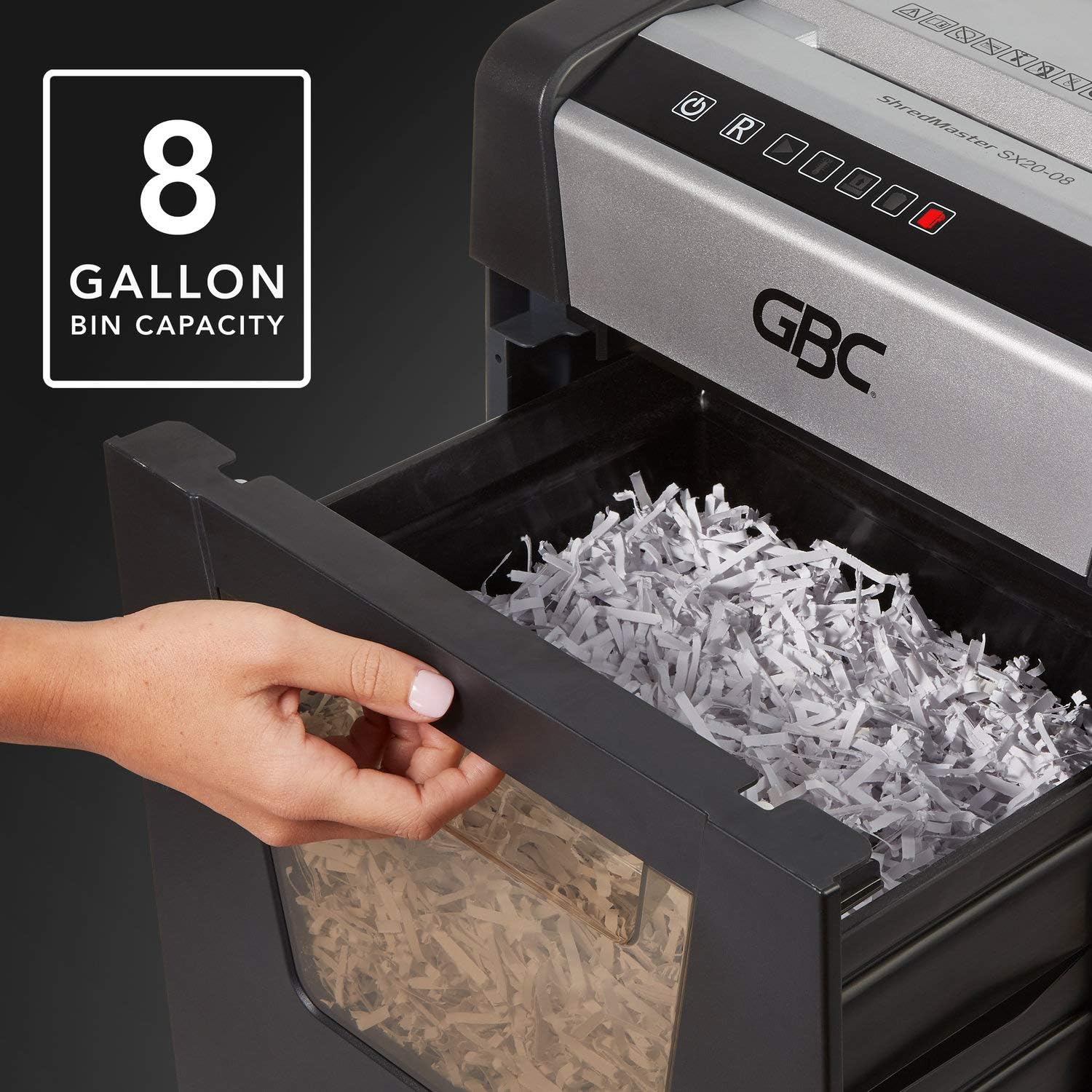
Figure 3: The 8-gallon pull-out waste bin.

Figure 4: The P-4 security level ensures confidential shredding.
Pangropéa
Ngosongkeun Tempat Sampah
When the "Bin Full" indicator illuminates, the waste bin needs to be emptied. Simply pull out the bin from the front of the shredder, dispose of the shredded material, and slide the bin back into place until it clicks securely.
beberesih
- Always unplug the shredder before cleaning.
- Lap bagian luar mesin penghancur ku lawon anu lemes sareng garing. Entong nganggo pembersih atanapi pelarut anu abrasif.
- Periodically clean the paper entry area to remove any paper dust or debris.
Ngaminyakan Shredder
For optimal performance and longevity, it is recommended to oil the shredder blades regularly, especially after emptying the waste bin or after heavy use. Use shredder oil specifically designed for paper shredders. Apply a thin line of oil across the paper entry slot and then run a few sheets of paper through the shredder to distribute the oil.
Pamérésan masalah
| Masalah | Mungkin Cukang lantaranana | Solusi |
|---|---|---|
| Shredder teu hurung. | Teu aya listrik; Tempat runtah teu dipasang kalawan bener; Panangtayungan tina panas teuing diaktipkeun. | Check power cord connection and outlet; Ensure waste bin is fully inserted and "Door Open" indicator is off; Allow shredder to cool down if "Over Heat" indicator is on. |
| Kertas macét. | Too many sheets inserted; Paper not fed straight. | Utilize the auto-reverse function or manually reverse the shredder; Remove excess paper; Feed paper straight. |
| Shredder eureun nalika operasi. | Waste bin full; Overheat protection activated; Bin not properly seated. | Empty waste bin; Allow shredder to cool down; Re-insert waste bin securely. |
| Shredder téh ribut. | Blades require oiling; Debris in cutting mechanism. | Oil the shredder blades as per maintenance instructions; Unplug and carefully inspect for debris. |
spésifikasi
| Fitur | Rincian |
|---|---|
| Modél | SX20-08 (1758502) |
| Tipe Parut | Palang-motong |
| Tingkat Kaamanan | P-4 (partikel 5/32" x 1 1/2") |
| Kapasitas lambaran | Up to 20 sheets (20 lb bond paper) |
| Kapasitas Bin | 8 galon |
| Ngajalankeun Time | 240 menit kontinyu |
| Cool Down Time | Not specified, allow adequate time after overheat. |
| Tingkat Noise | Below 58 dB (Whisper Shred Technology) |
| Ukuran (L x W x H) | 26.97 x 18.5 x 14.76 inci |
| Item Beurat | 0.01 ons (Note: The provided weight of 0.01 ounces may be a data entry error. Actual weight is typically much higher for a shredder of this capacity.) |
| Kapu | Paper, staples, paperclips |
Garansi sareng Rojongan
GBC products are manufactured to high-quality standards and are backed by a manufacturer's warranty. For specific warranty details, including duration and coverage, please refer to the warranty card included with your product or visit the official GBC websitus.
For technical support, troubleshooting assistance, or to inquire about replacement parts, please contact GBC Customer Service. Contact information can typically be found on the GBC websitus atanapi dina bungkusan produk anjeun.
You can also visit the official GBC Store on Amazon for more product information and support: GBC Store


