1. Produk Langkungview
The HW HAOWORKS S278 is a versatile 15W portable voice amplifier designed to enhance vocal projection for various applications such as teaching, tour guiding, fitness instruction, and public speaking. It features multiple connectivity options including Bluetooth, AUX, TF card, and USB, along with FM radio and recording capabilities. Its lightweight and compact design ensures ease of portability and use.

Image: The HW HAOWORKS S278 Portable Voice Amplifier, a compact black device with a speaker grille and control panel, shown with its wired headset microphone.
2. Setélan
2.1 Eusi pakét
Saatos unboxing, pariksa yén sadaya komponén aya:
- 1 x Ampspiker hirup
- 1 x Wired Headset Microphone
- 1 x Adjustable Belt
- 1 x kabel AUX
- 1 x Kabel USB
- 1 x Manual Pamaké

Gambar: A lengkep view of the HW HAOWORKS S278 voice amplifier and its accessories, including the headset microphone, USB cable, AUX cable, adjustable belt, and user manual, with labels pointing to various ports and controls on the amppangagung.
2.2 Ngeusi batre Amppangagung
Before initial use, fully charge the voice amplifier. The device typically takes 3-5 hours to achieve a full charge, providing up to 12 hours of continuous operation.
- Sambungkeun kabel USB nu disadiakeun ka port ngecas dina amppangagung.
- Colokkeun tungtung kabel USB anu sanésna kana sumber daya USB anu cocog (contona, port USB komputer, adaptor témbok).
- Indikator ngecas dina layar bakal némbongkeun status ngecas.

Image: An illustration highlighting the long battery life of the HW HAOWORKS S278 voice amplifier, showing a 2500 mAh battery, 3-5 hours charging time, and 10-12 hours working time, with people practicing yoga in the background.
2.3 Connecting the Wired Headset Microphone
Sorana amplifier comes with a high-performance wired headset microphone for clear voice input.
- Locate the 3.5mm Mic-in jack on the amppangagung.
- Insert the 3.5mm plug of the headset microphone firmly into the Mic-in jack.
- Adjust the headset for a comfortable fit, ensuring the microphone is positioned 2-3 cm from your mouth for optimal sound capture. The headset features a 270-degree rotatable fulcrum for easy adjustment.

Image: A close-up of the wired headset microphone, detailing its highly sensitive recording mic, non-slip surface, 270-degree rotatable fulcrum, and double-shielded wire cable. Insets show how to wear the headset and position the microphone.
3. Parentah Operasi
3.1 Daya Hurung / Pareum sareng Kontrol Volume
To power on the device, slide the ON/OFF switch located on the top of the amplifier. The digital display screen will illuminate. The same switch also functions as the volume control; slide it to increase or decrease the amptingkat lification.

Image: The HW HAOWORKS S278 voice amplifier shown in a classroom setting with children, highlighting its easy volume control switch and durable, wear-resistant design.
3.2 Pamilihan Mode
The amplifier supports various modes for different functionalities. Press the 'M' (Mode) button on the control panel to cycle through the available modes:
- Mode Bluetooth: Allows wireless connection to your smartphone or other Bluetooth-enabled devices for audio streaming. The display will show "BLUE" when in Bluetooth mode.
- Modeu Radio FM: Enables listening to FM radio stations. To change stations, hold down the arrow buttons.
- Input AUX: Connect external audio devices via the 3.5mm AUX cable.
- TF Card Playing: Insert a TF (Micro SD) card to play audio files langsung.
- USB Flash Drive maén: Insert a USB flash drive to play audio files langsung.

Image: A visual representation of the HW HAOWORKS S278's multifunctional design, illustrating its capabilities as a Bluetooth speaker, AUX input, TF card player, U disk (USB) player, FM radio, and one-key voice recorder.
3.3 Sora Amplifikasi
S278 ieu amplifier provides clear and loud voice projection, suitable for rooms of 25 to 60 people or outdoor spaces for 25 to 65 people, covering up to 10,000 square feet. This helps protect your vocal cords by reducing the need to yell.
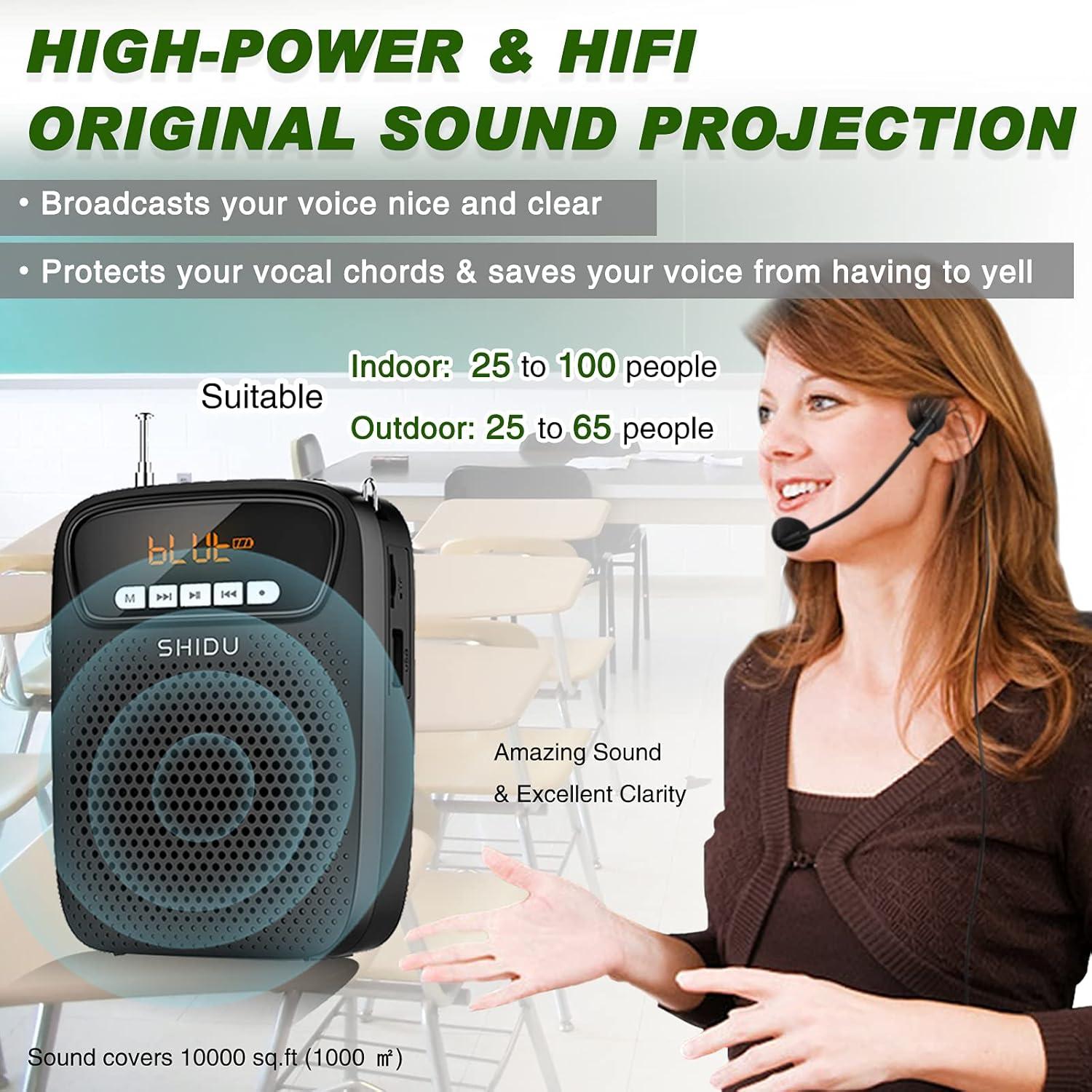
Image: A graphic illustrating the high-power and Hi-Fi sound projection of the HW HAOWORKS S278 voice amplifier, indicating its suitability for indoor (25-100 people) and outdoor (25-65 people) use, covering 10,000 sq ft, with a clear sound projection.
3.4 Fungsi Rékam
The amplifier supports one-key recording. To use this feature, ensure a TF/SD card is inserted into the designated slot and the wired microphone is connected. Press the 'Record' button to begin recording. Recorded audio can be played back through the amppangagung.
3.5 Ngagem nu Amppangagung
The S278 is designed for portability. It can be easily worn using the included adjustable belt, either around your waist or hung around your neck, allowing for hands-free operation while moving.

Image: Three individuals demonstrating different ways to wear the lightweight and small HW HAOWORKS S278 voice amplifier: around the waist, over the shoulder, and clipped to clothing, emphasizing its portability.
4. Pangropéa
To ensure the longevity and optimal performance of your voice ampLifier, turutan tungtunan pangropéa ieu:
- beberesih: Paké lemes, lawon garing pikeun ngabersihan exterior nu amplifier. Avoid using harsh chemicals or abrasive materials that could damage the surface.
- Panyimpenan: Nyimpen éta amplifier in a cool, dry place away from direct sunlight and extreme temperatures. When not in use for extended periods, ensure it is fully charged before storage.
- Perawatan batré: Do not expose the battery to high temperatures or attempt to disassemble it. Charge the device regularly, even if not in frequent use, to maintain battery health.
5. Cara ngungkulan
If you encounter issues with your voice ampLifier, tingal masalah sareng solusi umum ieu:
- Taya Sora/Polumeu Lemah:
- Pastikeun amplifier is powered on and fully charged.
- Check the volume level and increase it as needed.
- Verify that the headset microphone is securely plugged into the Mic-in jack.
- Howling/Feedback:
- Position the headset microphone and the speaker a sufficient distance from each other.
- Ensure the microphone is not directly facing the speaker.
- Reduce the volume setting if it is too high.
- Adjust the microphone's position relative to your mouth (ideally 2-3 cm away).
- Masalah Konektipitas Bluetooth:
- Pastikeun amplifier aya dina modeu Bluetooth.
- Check that Bluetooth is enabled on your external device.
- Pindahkeun amplifier closer to your device to ensure it is within range.
- Masalah Rekaman:
- Confirm that a TF/SD card is properly inserted.
- Ensure the wired microphone is connected.
- Check for sufficient storage space on the TF/SD card.
For persistent issues not covered here, please consult the original user manual provided with your product or contact HW HAOWORKS customer support.
6. Spésifikasi
| Spésifikasi | Nilai |
|---|---|
| merek | HW HAOWORKS |
| Nomer modél | S278 |
| Sumber Daya | Batré Powered |
| Kaluaran Wattage | 15 Watt |
| Jenis Batré | 1 batré Litium Polimér (kaasup) |
| Waktu Ngecas | 3-5 Jam |
| Waktos Operasi | Nepi ka 12 Jam |
| Input Audio | Wired Headset Microphone |
| Téhnologi konektipitas | AUX, Bluetooth, USB |
| Bahan | Acrylonitrile Butadiene Styrene (ABS) |
| Item Beurat | 7 ons (0.44 pon) |
| Warna | Hideung |
| Produsén | SHIDU |
| UPC | 723888000435 |
7. Garansi jeung Rojongan
For warranty information and customer support, please refer to the documentation included with your purchase or visit the official HW HAOWORKS website. Typically, warranty details and contact information for support are provided by the manufacturer.


