1. Bubuka
This manual provides essential information for the safe and efficient operation of your Racold Omnis Wi-Fi 25L Vertical Storage Water Heater. Please read these instructions carefully before installation and use, and retain them for future reference. This appliance is designed to provide hot water for domestic use, featuring smart control capabilities and energy-efficient operation.
2. Émbaran Kasalametan
Always prioritize safety during installation, operation, and maintenance. This appliance must be installed by qualified personnel in accordance with all local plumbing and electrical regulations.
- Do not operate the water heater if it is damaged or appears to be malfunctioning.
- Pastikeun alat dibumikeun leres pikeun nyegah shock listrik.
- Never block or tamper kalawan klep relief tekanan.
- Keep flammable materials, liquids, and vapors away from the water heater.
- Disconnect power to the unit before performing any maintenance, cleaning, or repairs.
- Pastikeun ventilasi nyukupan di sabudeureun alat.

Gambar: Safety+ icon, indicating enhanced safety features.
3. Produk Langkungview jeung Fitur Key
The Racold Omnis Wi-Fi 25L water heater is designed for efficient hot water delivery with smart control features. It incorporates advanced technologies for durability, energy saving, and user convenience.
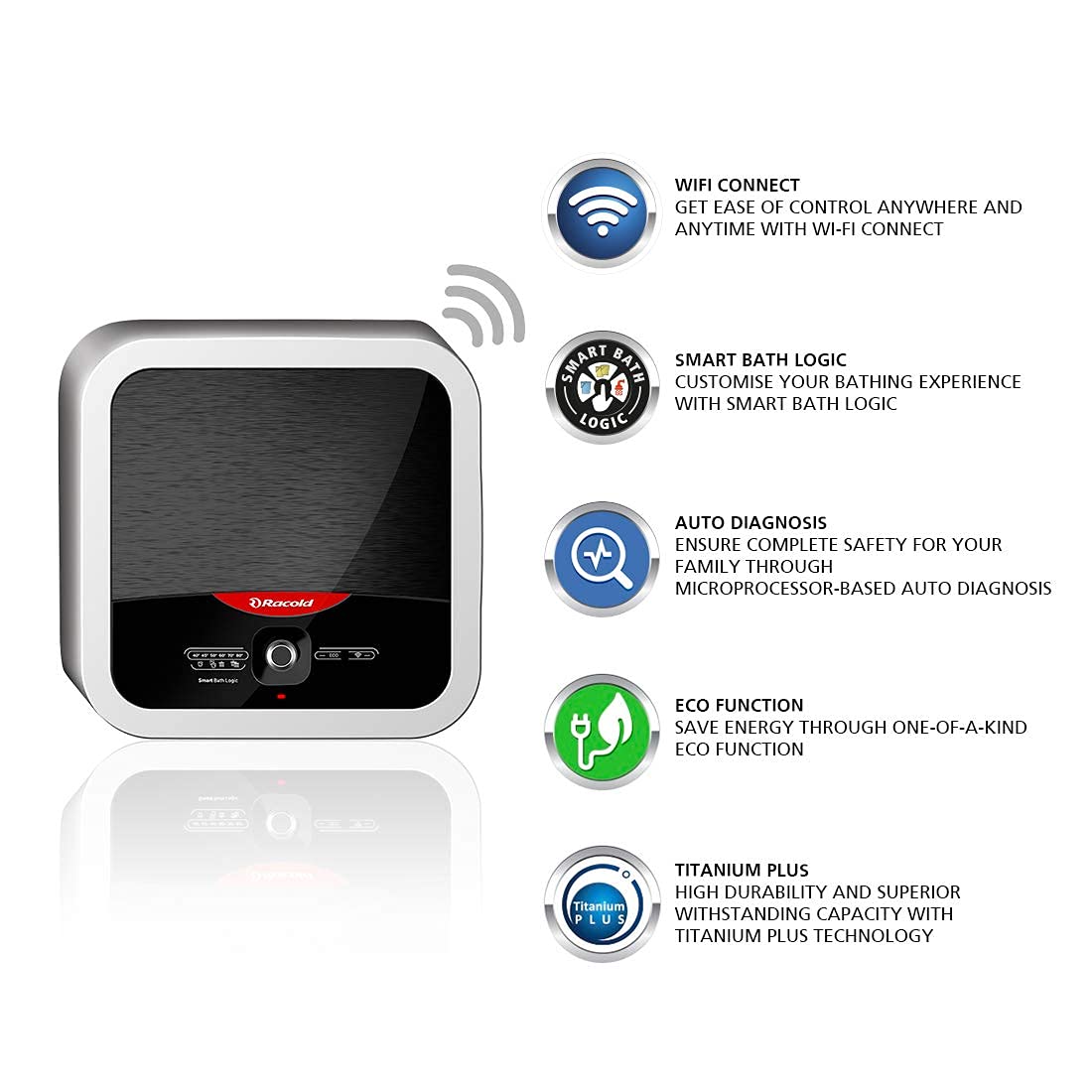
Gambar: Hareupeun view of the Racold Omnis Wi-Fi 25L Storage Water Heater.
Fitur konci:
- Titanium Plus Technology: Features a specially designed titanium steel tank with titanium enamel coating and a heating element that resists pressure and water impurities, ensuring superior durability and extended tank life.

Ikon: Titanium Plus
- Fungsi Eco: A self-learning function that constantly monitors and regulates water temperature automatically based on your usage patterns, saving energy without compromising comfort.

Ikon: Fungsi Eco
- Auto Diagnosis: A revolutionary microprocessor keeps all parameters in check automatically, protecting against electric shocks, sending notifications, and shutting off in case of malfunction.

Ikon: Auto Diagnosis
- Ease of Control (Racold Net App): Control your water heater from anywhere, anytime with the Racold Net App. Schedule your bath, maintain temperature, and check energy usage.

Ikon: Sambungkeun Wi-Fi
- Smart Bath Logic: Save up to 30% electricity with intelligent functions that allow you to choose from various bath types (e.g., bucket bath, shower bath).

Ikon: Smart Bath Logic
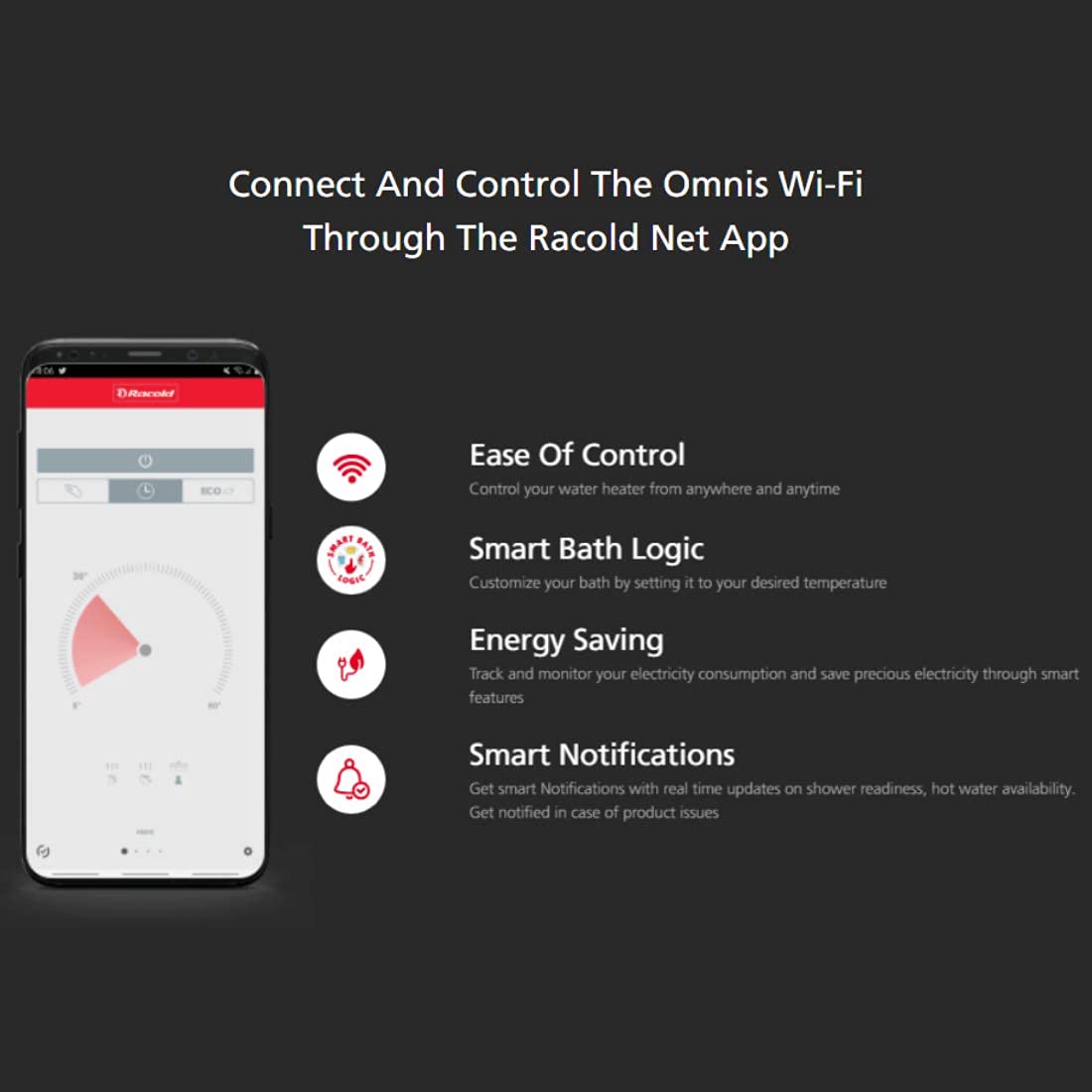
Gambar: Racold Omnis Wi-Fi water heater highlighting its key features.
4. Setup jeung Instalasi
Professional installation is highly recommended for this appliance to ensure safety and proper functioning. Ensure the installation area is suitable and all local plumbing and electrical codes are followed. The product includes free standard installation and pipes.
Léngkah-léngkah pamasangan:
- Pilihan Situs: Choose a suitable wall for mounting that can support the weight of the water heater when full. Ensure it is close to water supply lines and a power outlet.
- Pamasangan: Securely mount the water heater to the wall using appropriate fasteners. Refer to the detailed mounting template in the full product manual.
- Sambungan cai: Connect the cold water inlet (blue) and hot water outlet (red) pipes. Ensure all connections are watertight.
- Sambungan listrik: Connect the water heater to a dedicated, grounded 240V power supply. Ensure the circuit breaker is rated appropriately for the appliance's wattage (2000 Watts).
- Ngeusian tank: Before switching on the power, open a hot water tap in your home to allow air to escape and the tank to fill completely with water. Close the tap once water flows steadily.
- Daya mimiti Hurung: Switch on the power supply to the water heater.
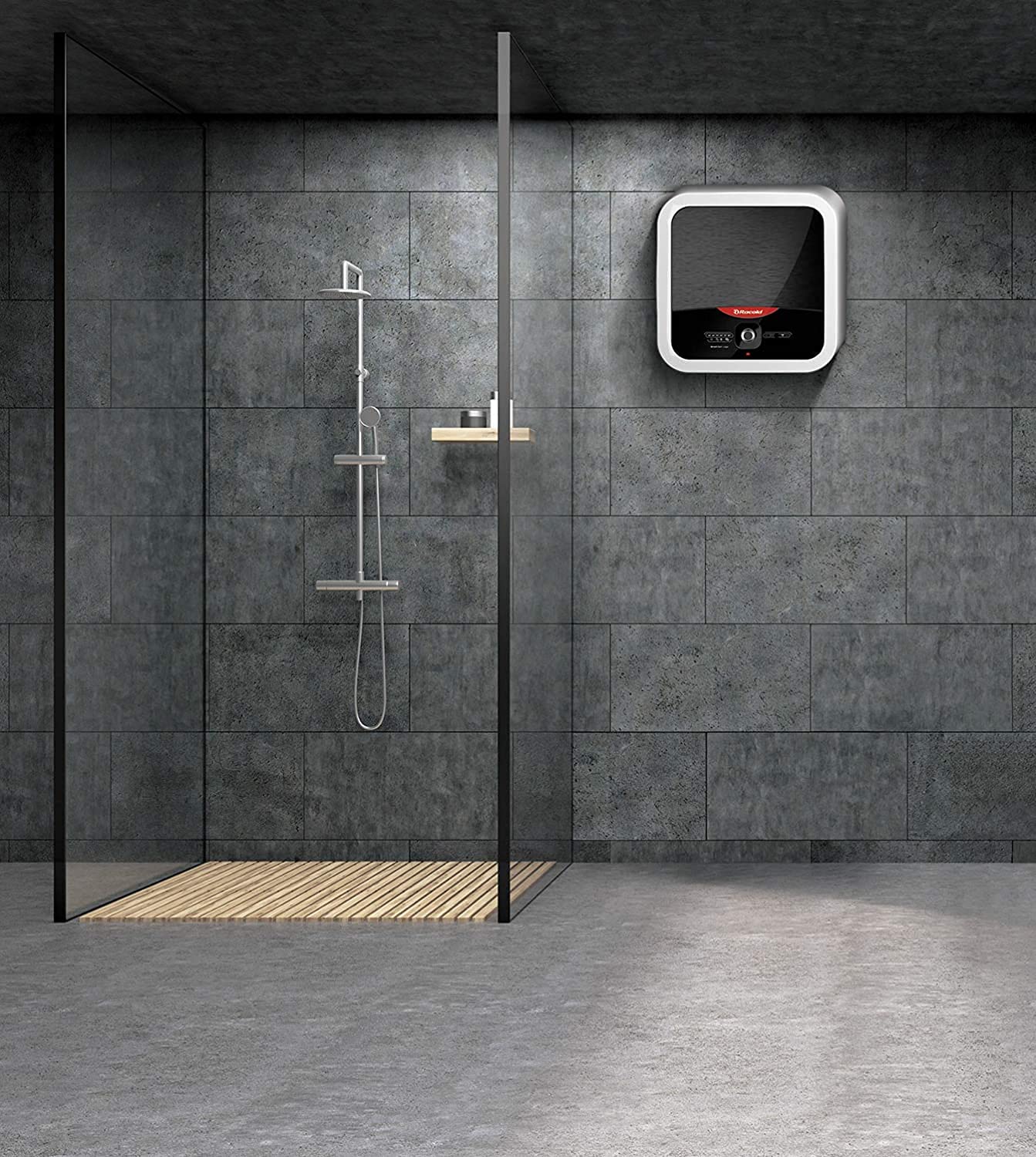
Gambar: Racold Omnis Wi-Fi water heater installed in a bathroom setting.
5. Parentah Operasi
Your Racold Omnis Wi-Fi water heater offers both manual control via the unit's interface and smart control through the Racold Net App.
Operasi manual:
- Tombol Daya: Press the power button on the unit's control panel to turn the water heater on or off.
- Penyesuaian Suhu: Use the temperature control buttons or dial to set your desired water temperature. The display will show the current setting.
- Lampu Indikator: Observe the indicator lights for heating status and Wi-Fi connectivity.
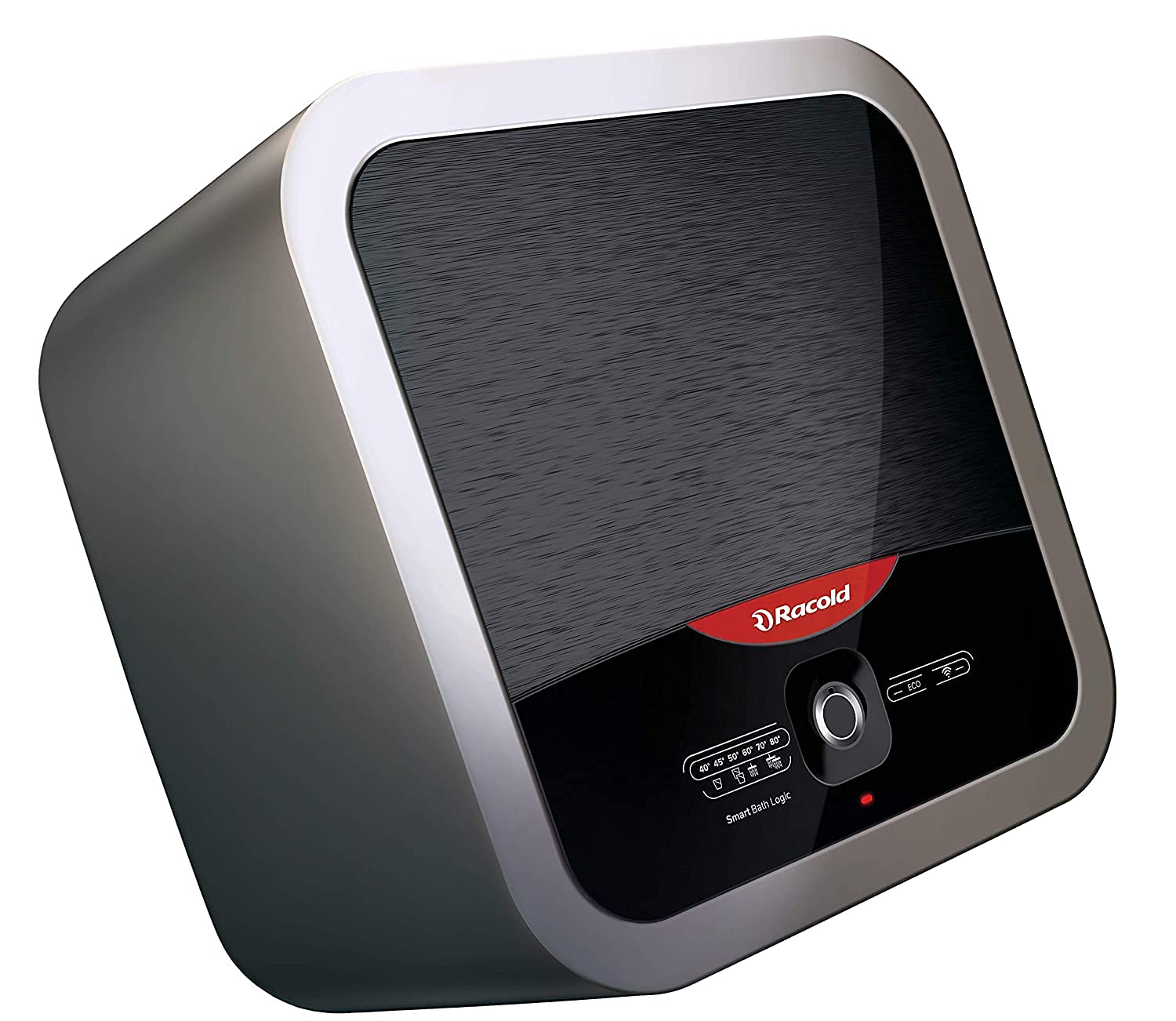
Gambar: Pahareup-hareup view of the water heater's control panel, showing temperature settings and Smart Bath Logic options.
Smart Control via Racold Net App:
The Racold Net App provides advanced control and monitoring features for your water heater.
- Unduh Aplikasi: Milarian pikeun 'Racold Net App' on your smartphone's app store (iOS or Android) and install it.
- Pamasangan alat: Follow the in-app instructions to register your water heater and connect it to your home Wi-Fi network.
- Kontrol Suhu Jarak Jauh: Adjust the water temperature from anywhere using the app.
- Jadwal: Create custom heating schedules for the week to ensure hot water is ready when you need it, optimizing energy use.
- Ngawas énergi: Track your electricity consumption directly from the app to manage energy efficiency.
- Smart Bath Logic: Select from pre-defined bath modes (e.g., bucket bath, shower bath) to automatically adjust heating for optimal comfort and energy savings.
- Kontrol sora: Integrate your water heater with voice assistants like Alexa or Google Assistant for convenient voice commands. Refer to the app's settings for integration details.

Gambar: Smartphone displaying the Racold Net App interface, showing control options for the water heater.
6. Pangropéa
Regular maintenance is crucial for ensuring the optimal performance, efficiency, and longevity of your Racold Omnis Wi-Fi water heater. Always disconnect power before performing any maintenance.
- Inspeksi Profesional Taunan: It is recommended to have a qualified service technician inspect your water heater annually. This includes checking the heating element, thermostat, pressure relief valve, and anode rod.
- Ngurangan Tangki: Periodically drain a small amount of water from the tank to remove sediment buildup. This helps maintain efficiency and prevents corrosion. Refer to the full product manual for detailed instructions on how to perform a full tank drain.
- Ngabersihan Luar: Ngabersihan jaba casing of the water heater with a soft, damp lawon. Ulah make cleaners abrasive, pangleyur, atawa bahan kimia kasar, sabab ieu bisa ngaruksak finish.
- Pressure Relief Valve Check: Annually, carefully lift and release the lever on the temperature and pressure relief valve to ensure it operates freely. Water should discharge from the drain pipe. If it does not, replace the valve.
7. Cara ngungkulan
If you encounter any issues with your Racold Omnis Wi-Fi water heater, refer to the following common solutions. For persistent problems or issues not listed here, please contact Racold customer support.
| Masalah | Mungkin Cukang lantaranana | Solusi |
|---|---|---|
| Taya cai panas | No power supply; Circuit breaker tripped; Unit turned off; Thermostat issue. | Check power connection and circuit breaker. Ensure the unit is switched on. Verify temperature settings. If problem persists, contact service. |
| Cai teu cukup panas | Temperature setting too low; Excessive hot water usage; Sediment buildup; Faulty heating element. | Increase temperature setting. Allow recovery time between uses. Consider draining tank for sediment. Contact service if element is suspected. |
| Masalah konektipitas Wi-Fi | Weak Wi-Fi signal; Incorrect network credentials; Router issues; App malfunction. | Ensure strong Wi-Fi signal. Verify network password. Restart water heater and Wi-Fi router. Re-pair device in Racold Net App. |
| Leak cai | Loose connections; Faulty pressure relief valve; Tank corrosion. | Immediately turn off power and water supply. Tighten connections if accessible. If leakage persists or is from the tank, contact a qualified technician immediately. |
| Sora-sora anu teu biasa (contona, ngagaur, ngetrokan) | Panumpukan sedimen dina tanki. | Drain the tank to remove sediment. If noises continue, contact service. |
8. Spésifikasi
Detailed technical specifications for the Racold Omnis Wi-Fi 25L Water Heater (Model: OMNSWIFI25L).
| Fitur | Spésifikasi |
|---|---|
| merek | Racold |
| Nomer modél | OMNSWIFI25L |
| Kapasitas | 25 ltr |
| Dimensi produk | 44.7W x 44.7H Sentimeter |
| Warna | pérak |
| Wattage | 2000 Watt |
| Voltage | 240 volt |
| Efisiensi | Energy Efficient (BEE 5 Star Rated) |
| Gaya | Omnis Wi-Fi |
| Tekanan Operasi Maksimum | 8 bar |
| Tipe Pamasangan | Tembok |
| Nyaéta Listrik | Sumuhun |
| Item Beurat | 13 kg |
| Sumber Daya | Kabel Listrik |
| Fitur husus | Over Temperature Protection, Wi-Fi Control, Smart Bath Logic, Auto Diagnosis, Eco Function, Titanium Plus Technology |
9. Garansi jeung Rojongan
Your Racold Omnis Wi-Fi 25L Storage Water Heater comes with a comprehensive warranty to ensure peace of mind.
- Garansi produk: 2 taun ti tanggal pameseran.
- Heating Element Warranty: 4 taun ti tanggal pameseran.
- Garansi Tangki: 7 taun ti tanggal pameseran.
- Komponén Kaasup: The product package includes the water heater unit, a warranty manual, and a warranty card. Please retain your purchase receipt for warranty claims.
For service, technical support, or to register a warranty claim, please refer to the contact information provided in your warranty manual or visit the official Racold website. Ensure you have your model number (OMNSWIFI25L) and purchase details ready when contacting support.


