1. Bubuka
This manual provides detailed instructions for the ipega PG-9162 Mini Wireless Game Controller. This controller is designed for use with the Nintendo Switch console, offering both wireless and wired connectivity options. It features a compact design, six-axis gyroscope, dual motor vibration, and a TURBO function to enhance your gaming experience.

Gambar 1.1: Hareupeun view of the ipega PG-9162 Mini Wireless Game Controller.
2. Fitur Produk
- Kasaluyuan: Designed for the Nintendo Switch host, supporting both wireless and wired connections to the Switch dock.
- Desain ergonomis: Small and exquisite handle for comfortable grip during extended gaming sessions.
- Giroskop genep sumbu: Built-in six-axis gyro chip for precise motion control and fine-tuning assistance in games.
- Geter Motor Ganda: Integrated dual motors provide immersive feedback based on in-game actions.
- Fungsi TURBO: Supports continuous TURBO function for rapid button presses.
- Hirup batré anu panjang: Built-in 380mAh battery capacity provides over 8 hours of continuous play.

Gambar 2.1: Leuwihview of key features including vibration, gyroscope, and TURBO function.
3. Eusi Paket
- ipega PG-9162 Mini Wireless Game Controller
- Kabel Ngecas USB (Tipe-C)
- Manual pamaké

Image 3.1: Retail packaging of the ipega PG-9162 controller.
4. Produk Langkungview
The ipega PG-9162 controller features standard gamepad buttons and joysticks, designed for intuitive control. Familiarize yourself with the layout:

Gambar 4.1: Luhur view of the controller highlighting its button layout.
- Stick Analog kénca: Pikeun gerakan sareng kontrol kaméra.
- D-Pad: Input arah.
- Tombol imah: Returns to the Switch home menu.
- Tombol Potret Layar: Ngarekam cuplikan layar.
- Tongkat Analog Kanan: Pikeun kontrol kaméra atanapi tindakan khusus dina kaulinan.
- Tombol Aksi (A, B, X, Y): Pikeun lampah di-game.
- Shoulder Buttons (L, R) & Triggers (ZL, ZR): Pikeun rupa-rupa fungsi dina kaulinan.
- Plus (+) & Minus (-) Buttons: For menu navigation and options.
- Indikator LED: Témbongkeun status sambungan sareng tingkat batré.
5. Setup jeung Connection
5.1 Wireless Connection to Nintendo Switch
- Pastikeun konsol Nintendo Switch anjeun diaktipkeun sareng diropéa kana parangkat lunak sistem panganyarna.
- Tina Menu HOME, pilih "Controllers" > "Robah Cepengan/Pesenan".
- On the ipega PG-9162 controller, press and hold the Tombol imah jeung Tombol Y simultaneously for a few seconds until the LED indicators start flashing rapidly. This indicates pairing mode.
- The Switch console will detect the controller. Once detected, the LED indicators on the controller will become solid, indicating a successful connection.
- You can now use the controller wirelessly with your Nintendo Switch.
5.2 Wired Connection to Nintendo Switch Dock
- Place your Nintendo Switch console into its dock.
- Connect one end of the USB charging cable to the ipega PG-9162 controller and the other end to an available USB port on the Nintendo Switch dock.
- The controller will automatically connect to the Switch console via the wired connection.
- Ensure that "Pro Controller Wired Communication" is enabled in the Switch System Settings (System Settings > Controllers and Sensors > Pro Controller Wired Communication).
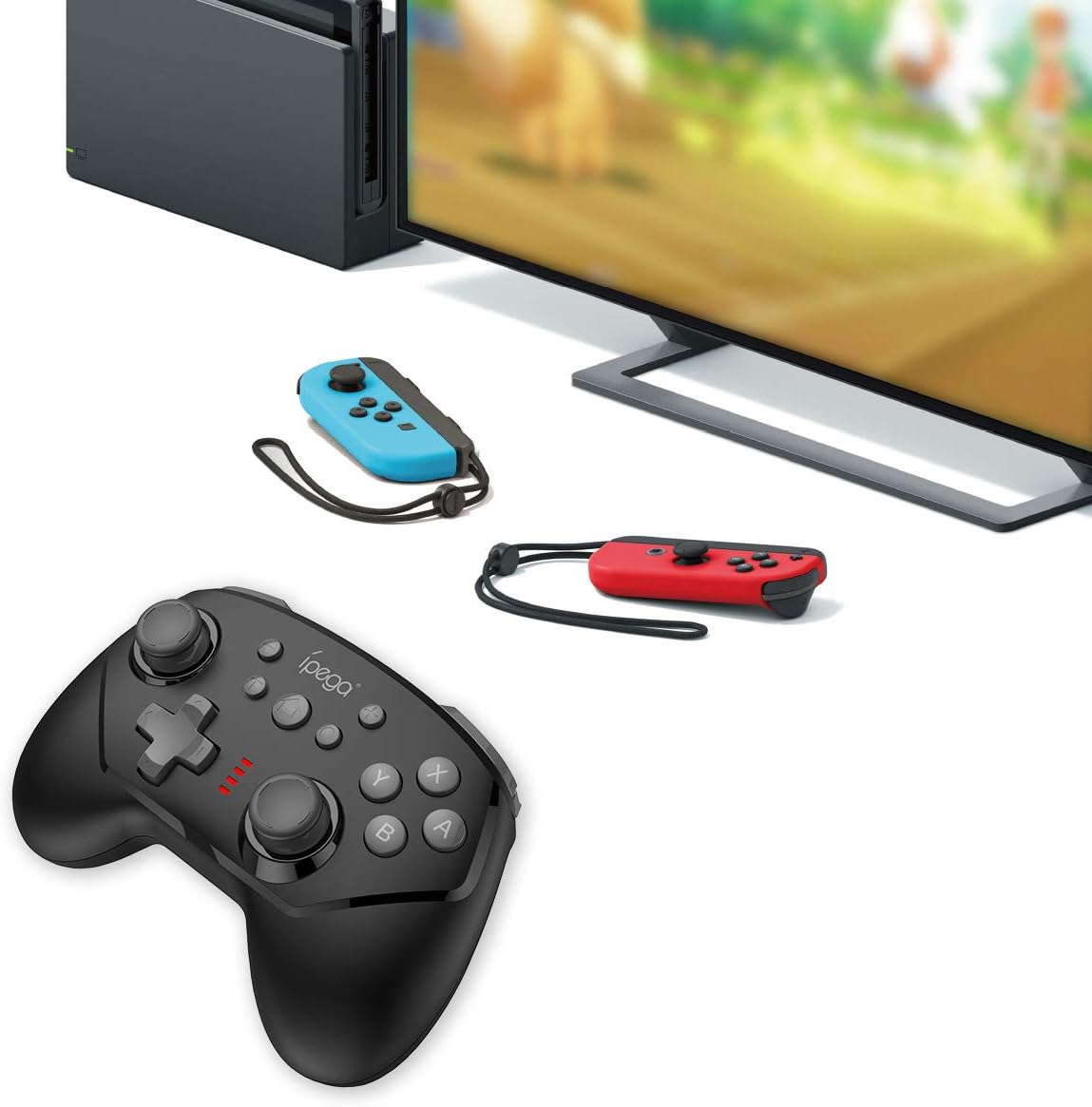
Image 5.1: The controller connected to a Nintendo Switch dock, demonstrating wired play.
6. Parentah Operasi
6.1 Fungsi TURBO
The TURBO function allows for rapid, continuous pressing of a button without repeatedly pressing it manually.
- Pikeun Nyetél TURBO: Press and hold the desired action button (e.g., A, B, X, Y, L, R, ZL, ZR), then press the Tombol TURBO once. The button will now continuously register presses as long as you hold it down.
- To Clear TURBO: Repeat the process: press and hold the button with TURBO enabled, then press the Tombol TURBO again. The TURBO function for that specific button will be deactivated.
6.2 Six-axis Gyroscope
The built-in six-axis gyroscope provides motion control capabilities, allowing for precise aiming and in-game interactions by tilting and moving the controller.
- Ensure the game you are playing supports gyroscope controls.
- Calibrate the gyroscope if you experience drift or inaccurate motion sensing. Refer to your Nintendo Switch system settings for calibration options.

Image 6.1: Illustration of the six-axis gyroscope in action, enhancing aiming precision.
6.3 Fungsi Geter
The dual motor vibration provides tactile feedback, immersing you further into the game by reacting to in-game events like collisions, explosions, or character actions.
- Vibration intensity is typically controlled by the game itself.
- If vibration is not working, check the in-game settings or Nintendo Switch system settings to ensure it is enabled.

Image 6.2: Visual representation of the built-in dual motor vibration feature.
7. Ngecas Controller
The ipega PG-9162 controller has a built-in rechargeable battery. When the battery is low, the LED indicators will flash slowly.
- Connect the provided USB charging cable to the Type-C port on the controller.
- Connect the other end of the USB cable to a USB power source (e.g., Nintendo Switch dock, computer USB port, or a USB wall adapter).
- The LED indicators will show charging status. Once fully charged, the indicators will typically turn off or show a solid light.
- A full charge provides over 8 hours of gameplay.
8. Pangropéa
- Jaga controller tetep garing sareng jauh tina kalembaban.
- Ulah nepi ka controller kakeunaan suhu anu ekstrim.
- Ngabersihan controller jeung lemes, lawon garing. Ulah make bahan kimia kasar atawa cleaners abrasive.
- Nyimpen controller dina tempat anu aman lamun teu dipaké pikeun nyegah karuksakan.
9. Cara ngungkulan
9.1 Controller Henteu Nyambungkeun
- Pastikeun yén controller dieusi cukup.
- Verify the Nintendo Switch console is updated to the latest system software.
- Repeat the pairing process (Section 5.1).
- If using wired connection, ensure "Pro Controller Wired Communication" is enabled in Switch settings.
- Try restarting both the controller and the Nintendo Switch console.
9.2 Input Lag atanapi Pegatkeun Sambungan
- Pastikeun teu aya gangguan éléktromagnétik anu kuat caket dieu.
- Move closer to the Nintendo Switch console.
- Disconnect other wireless devices that might be causing interference.
9.3 Tombol Teu Ngarespon
- Pariksa lamun controller disambungkeun leres.
- Test the buttons in the Switch's controller test menu (System Settings > Controllers and Sensors > Test Input Devices).
- Bersih sabudeureun tombol pikeun mastikeun euweuh lebu anu ngahalangan aranjeunna.
10. Spésifikasi
| merek | ipega |
| Nomer modél | PG-9162 |
| Konektipitas | Nirkabel (Bluetooth), Kabel (USB) |
| Kapasitas batré | 380 mah |
| Kahirupan batré | >8 hours (approx.) |
| Fitur husus | Six-axis Gyroscope, Dual Motor Vibration, TURBO Function |
| Kasaluyuan | Nintendo Pindah |
| Diménsi | 17.53 x 13.72 x 6.6 cm (kira-kira) |
| Beurat | 295 g (sakitar) |
11. Garansi jeung Rojongan
This product comes with a standard manufacturer's warranty. For specific warranty terms, please refer to the documentation included with your purchase or contact the retailer. For technical support or further assistance, please visit the official ipega websitus atanapi ngahubungan departemén layanan palanggan maranéhna.
Pabrikan: ipega
Titimangsa munggaran sadia: 2 Agustus 2019


