1. Bubuka
This manual provides detailed instructions for the setup, operation, and maintenance of your WiMiUS P21 Full HD 1080P LED Projector. Please read this manual thoroughly before using the projector to ensure proper function and longevity of the device.

Gambar: Hareupeun view of the WiMiUS P21 Projector, showing the lens and control panel.
2. Eusi Paket
Pastikeun yén sadaya item anu didaptarkeun di handap kalebet kana pakét anjeun. Lamun aya item nu leungit atawa ruksak, mangga ngahubungan rojongan customer.
- WiMiUS P21 Projector
- Kadali jauh
- Kabel Daya
- Kabel HDMI
- VGA Kabel
- AV kabel
- Panutup lénsa
- Manual pangguna (dokumén ieu)

Image: The WiMiUS P21 Projector displayed with its remote control, power cable, HDMI cable, VGA cable, AV cable, and user manual.
3. Fitur Produk
The WiMiUS P21 Projector offers advanced features for an enhanced viewpangalaman:
- High Brightness and Contrast: 6500 Lumens brightness and an 8000:1 contrast ratio for clear and vivid images.
- Résolusi 1080P Asli: Delivers a native resolution of 1920x1080 pixels, supporting 1080P at 60Hz and 4K input for detailed visuals.
- Flexible Projection Size: Adjustable projection size from 50 to 300 inches with a projection distance of 1.5 to 6.5 meters.
- Fungsi Zoom Digital: Allows image size reduction from 100% to 75% via remote control without moving the projector.
- Audio terpadu: Dual built-in 5W stereo speakers provide clear sound.
- Konektipitas éksténsif: Equipped with 2 HDMI ports, 2 USB ports, 1 VGA port, and 1 AV port for connecting various devices.
- Panjang Lamp Kahirupan: LED lamp designed for up to 100,000 hours of operation.

Image: Visual comparison illustrating the difference between 6500 lumens with 8000:1 contrast and lower specifications, highlighting improved clarity and color saturation.
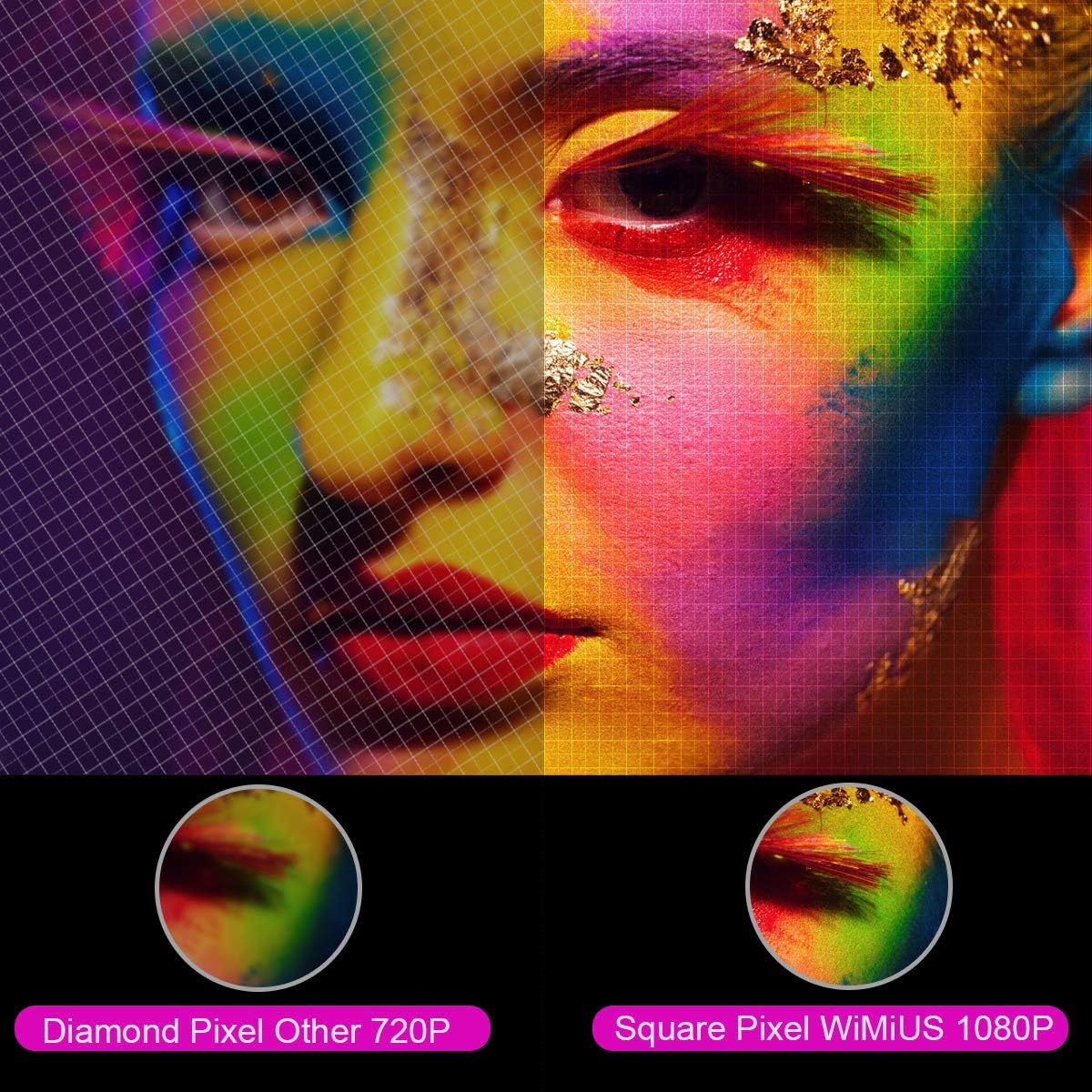
Gambar: A digedékeun view comparing the pixel structure of a 720P projector (diamond pixel) versus the WiMiUS 1080P projector (square pixel), demonstrating higher resolution.

Image: Diagram showing the projector with sound waves emanating from it, indicating the presence of built-in dual 5W speakers.
4. Setélan
4.1 Nempatkeun
Place the projector on a stable, flat surface or mount it to a ceiling. Ensure there is adequate ventilation around the unit. The optimum projection distance is approximately 3 meters (9.8 feet) for a balanced image size and clarity.

Image: A diagram illustrating various projection sizes (50-300 inches) and corresponding projection distances (1.5m to 6.5m), with an optimal distance of 3m highlighted.
4.2 Sambungan Daya
- Sambungkeun kabel daya ka input daya proyektor.
- Colokkeun tungtung kabel daya anu sanés ka stopkontak.
- Pencét tombol daya dina proyektor atawa kadali jauh pikeun ngahurungkeun alat.
4.3 Nyambungkeun Alat éksternal
The P21 projector supports multiple input sources. Refer to the diagram below for port locations.

Image: A detailed diagram highlighting the various connection ports on the projector, including HDMI (x2), USB (x2), AV, Audio Out, Y/Pb/Pr, and PC-RGB (VGA).
- HDMI: Connect devices like laptops, Blu-ray players, gaming consoles (PS3, PS4, Xbox), Chromecast, or Fire TV Stick using an HDMI cable.
- USB: Selapkeun drive USB pikeun muterkeun média files langsung.
- VGA (PC-RGB): Connect to a computer using a VGA cable.
- OF: Anggo kabel AV anu disayogikeun pikeun nyambungkeun alat anu langkung lami.
- Audio Kaluar: Connect external speakers or headphones if desired.
Note: If connecting a device and experiencing no sound, ensure that Dolby Digital output is turned off on the connected device, as the projector may not support it directly.
5. Parentah Operasi
5.1 Daya Hurung/Pareuman
Pencét tombol daya dina proyektor atawa kadali jauh pikeun ngahurungkeun atawa mareuman unit.
5.2 Pamilihan Sumber
Use the "Source" button on the remote control or projector panel to select the desired input source (HDMI1, HDMI2, USB1, USB2, VGA, AV).
5.3 Fokus jeung Koreksi Keystone
- fokus: Rotate the focus ring near the lens until the image is clear.
- Koreksi Keystone: Adjust the keystone ring or use the menu settings for vertical ±15° keystone correction to correct distorted images.
5.4 Fungsi zum
The digital zoom function allows you to adjust the image size without moving the projector. Use the zoom controls on the remote control to reduce the image size from 100% down to 75%.

Image: A visual representation of the zoom function, showing a projected image shrinking from 100% to 75% on a screen, controlled by the projector.
5.5 Setélan Menu
Press the "Menu" button on the remote to access settings for picture mode, sound mode, aspect ratio (4:3/16:9), and other advanced options.
6. Pangropéa
6.1 Ngabersihan Lensa
Anggo lawon anu lemes sareng henteu lint anu dirancang khusus pikeun lénsa optik pikeun ngabersihan lénsa proyektor sacara lembut. Hindarkeun nganggo pembersih abrasive atanapi kakuatan anu kaleuleuwihan.
6.2 Filter hawa beberesih
Pariksa sareng bersihan saringan hawa sacara rutin pikeun nyegah ngumpulna lebu, anu tiasa mangaruhan kinerja sareng lamp life. Refer to the projector's exterior for the air filter location and cleaning instructions.
6.3 Lamp Hirup
LED lamp in your WiMiUS P21 projector has an estimated lifespan of up to 100,000 hours. No user replacement is typically required during the product's operational life. If the lamp stops working, please contact customer support.
7. Cara ngungkulan
| Masalah | Mungkin Cukang lantaranana | Solusi |
|---|---|---|
| Taya gambar ditémbongkeun | Kabel daya pegat, sumber input salah, tutup lénsa hurung. | Pariksa sambungan daya, pilih sumber input anu leres, cabut tutup lénsa. |
| Gambar kabur | Pokus teu disaluyukeun, projector deukeut teuing / jauh ti layar. | Adjust the focus ring, ensure optimal projection distance. |
| Gambar distorsi (bentuk trapesium) | Projector teu jejeg layar. | Adjust keystone correction. |
| Teu aya sora tina proyéktor | Volume too low, incorrect audio settings, Dolby Digital enabled on source device. | Increase volume, check audio settings, turn off Dolby Digital on the connected device. |
| Kadali jauh teu jalan | Batré béak, halangan antara rémot sareng proyektor. | Replace batteries, ensure clear line of sight to IR receiver. |
8. Spésifikasi
| Fitur | Rincian |
|---|---|
| merek | WiMiUS |
| Modél | P21 |
| Caang | 6500 Lumén |
| Babandingan Kontras | 8000:1 |
| Resolusi pribumi | 1920 x 1080 (HD lengkep) |
| Rojongan Resolusi maksimum | 4K Ultra HD |
| Téknologi tampilan | LED |
| LED Lamp Hirup | 100,000 Jam |
| Ukuran proyéksi | 50-300 Inci |
| Jarak proyéksi | 1.5 - 6.5 méter |
| Fungsi Zum | 100% - 75% (Reduced) |
| Rasio Aspék | 4:3 / 16:9 |
| Koréksi Keystone | Nangtung ± 15° |
| Panyatur | Dual built-in stereo (2 x 5W) |
| Konektipitas | 2x HDMI, 2x USB, 1x VGA, 1x AV, Audio Out |
| Tingkat Noise | 30 desibel |
| Konsumsi Daya | 140 watt |
| Dimensi produk | 32 x 24 x 11 cm |
| Beurat | 2.5 kg |
9. Garansi jeung Rojongan
The WiMiUS P21 HD Projector comes with a lifetime warranty. If the LED lamp stops functioning or any other issues arise with the projector, please contact WiMiUS customer support for assistance or replacement. A repair center is available in the USA for service needs.
For further support, please refer to the official WiMiUS websitus atanapi ngahubungan departemén layanan palanggan maranéhna.


