1. Bubuka
Thank you for choosing the Xiaomi MI TV 4S 55-inch Smart TV. This manual provides essential information for setting up, operating, and maintaining your television. Please read this manual thoroughly before using the product and retain it for future reference.
2. Émbaran Kasalametan
To ensure safe and proper operation, please observe the following safety precautions:
- Ulah ngalaan TV ka hujan atawa beueus pikeun nyegah seuneu atawa shock listrik.
- Ulah muka TV casing. Rujuk sadayana jasa ka tanaga anu mumpuni.
- Pastikeun ventilasi anu leres. Ulah meungpeuk bukaan ventilasi.
- Teundeun TV dina permukaan datar nu stabil pikeun nyegah ragrag.
- Cabut kabel listrik nalika badai kilat atanapi nalika henteu dianggo kanggo waktos anu lami.
- Keep the TV away from heat sources such as radiators, heat registers, stoves, or other apparatus that produce heat.
3. Eusi Paket
Pastikeun yén sadaya item aya dina kotak:
- Xiaomi MI TV 4S 55-inch Smart TV
- Kadali jauh
- Kabel Daya
- Rak TV (2 buah)
- Screws pikeun TV Stand
- Manual pangguna (dokumén ieu)
4. Setélan
4.1 Ngalampirkeun Stand TV
- Teundeun TV sacara saksama dina tempat anu lemes sareng datar pikeun nyegah karusakan layar.
- Sejajarkeun unggal stand sareng slot anu aya dina handapeun TV.
- Ngamankeun nangtung ngagunakeun screws disadiakeun. Pastikeun aranjeunna tightened pageuh.
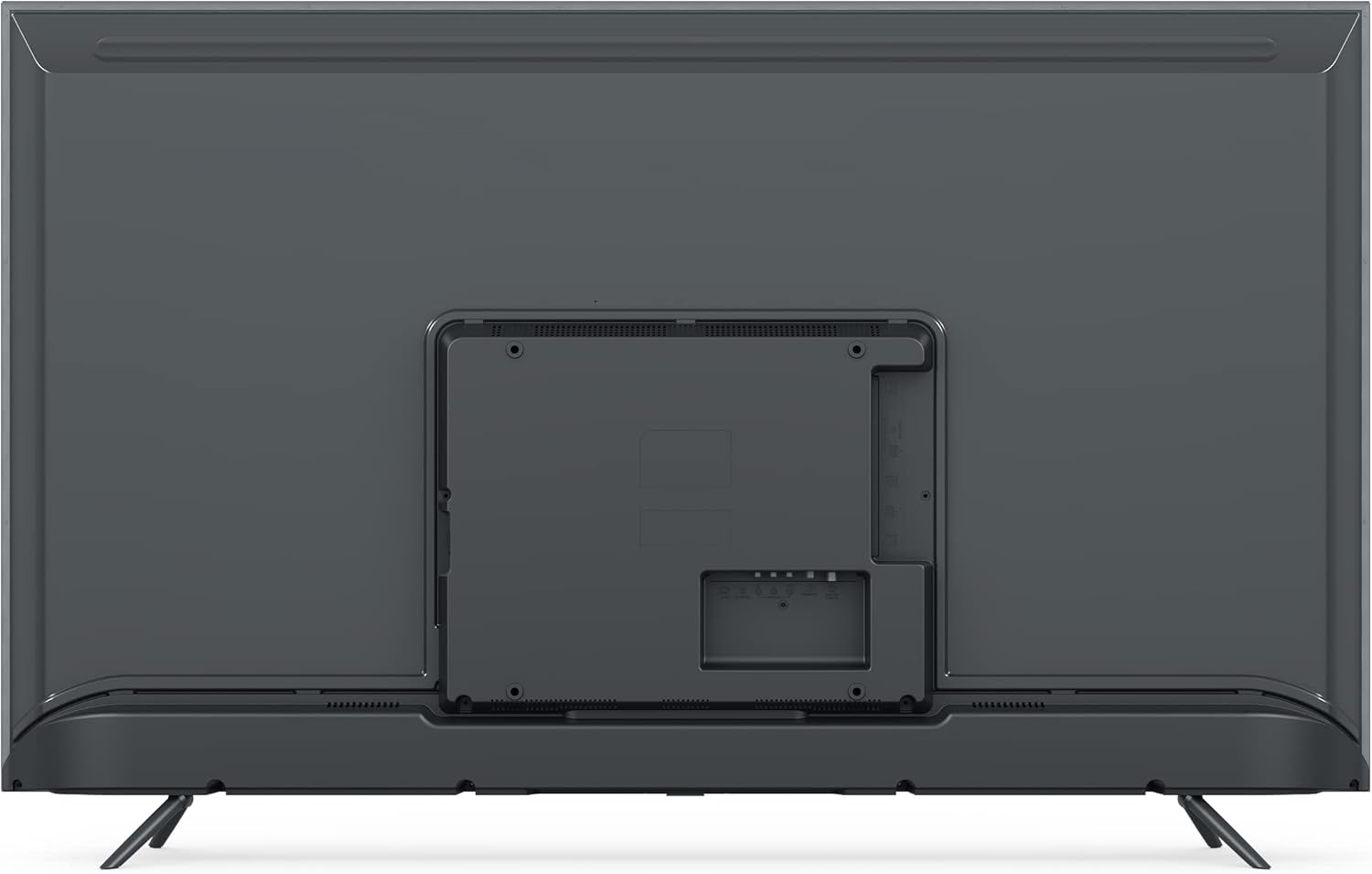
Gambar: Tukangeun view of the Xiaomi MI TV 4S 55-inch, illustrating the stand mounting locations and various input ports.
4.2 Nyambungkeun Kabel
- kakuatan: Sambungkeun kabel kakuatan ka input kakuatan TV lajeng ka stop kontak témbok.
- Alat HDMI: Sambungkeun alat éksternal (contona, pamuter Blu-ray, konsol kaulinan) ka port HDMI.
- Alat USB: Insert USB drives for media playback into the USB ports.
- Ethernet: Pikeun sambungan internét kabel, sambungkeun kabel Ethernet ka port LAN.

Gambar: Hareupeun view of the Xiaomi MI TV 4S 55-inch, showcasing its display in a typical home environment.
4.3 Daya Awal Hurung sareng Setup Kahiji-Waktos
- Pencét tombol Daya dina remot kontrol atanapi TV.
- Turutan parentah dina-layar pikeun milih basa, wewengkon, jeung nyambung ka jaringan Wi-Fi.
- Asup sareng akun Google anjeun pikeun ngaksés fitur TV Android sareng ngaunduh aplikasi.
- Complete the channel scan for over-the-air broadcasts if applicable.
5. Ngoperasikeun TV
5.1 Fungsi Remote Control
Remot kontrol ngamungkinkeun anjeun pikeun ningali fitur-fitur TV. Biasakeun diri anjeun sareng tombol-tombolna:

Image: The remote control for the Xiaomi MI TV 4S, displaying its layout and dedicated function buttons.
- Tombol Daya (Beureum): Ngahurungkeun atawa mareuman TV.
- Tombol Asisten Google: Ngaktipkeun kadali sora.
- Tombol Jumlah (0-9): Pilihan saluran langsung.
- Input: Milih sumber input (HDMI, AV, jsb.).
- Daptar CH: Mintonkeun daptar saluran.
- Setélan: Ngaksés menu setelan TV.
- Netflix / Pidéo Perdana: Tombol khusus pikeun aksés gancang ka layanan streaming ieu.
- Pad Navigasi (Bundar): Moves cursor up, down, left, right, and confirms selection (center button).
- Tombol Balik: Mulih ka layar saméméhna.
- Home Button (Mi Logo): Balik deui ka layar utama Android TV.
- Volume +/-: Saluyukeun tingkat polumeu.
5.2 Fungsi TV Dasar
- Hurungkeun/Pareuman: Press the red power button on the remote.
- Pilihan Sumber Input: Press the 'Input' button to cycle through available sources or select from a menu.
- Penyesuaian volume: Use the 'Volume +/-' buttons.
- Napigasi Saluran: Use the number buttons for direct access or the 'CH List' button to browse.
5.3 Fitur Smart TV (Android TV)
Your Xiaomi MI TV 4S runs on Android TV, providing access to a wide range of apps and services:
- App Store: Unduh aplikasi ti Google Play Store.
- Layanan streaming: Access pre-installed apps like Netflix and Prime Video, or download others.
- Asisten Google: Anggo paréntah sora pikeun milarian, kontrol, sareng inpormasi.
- Chromecast Diwangun-di: Matak eusi tina smartphone atawa tablet anjeun langsung ka TV.
6. Pangropéa
6.1 Ngabersihan TV
- Sok cabut TV samemeh beberesih.
- Paké lawon lemes, garing, lint bébas ngusap layar tur kabinet.
- Pikeun tanda pengkuh, enteng dampen lawon jeung cai atawa hampang, non-abrasive cleaner layar.
- Never spray cleaner directly onto the screen or allow liquid to drip into the TV.
6.2 Apdet parangkat lunak
Your TV may receive software updates to improve performance and add new features. Ensure your TV is connected to the internet. Updates are typically downloaded and installed automatically, or you may be prompted to install them. You can also check for updates manually in the TV's settings menu.
7. Cara ngungkulan
Upami anjeun ngalaman masalah sareng TV anjeun, tingal masalah sareng solusi umum ieu:
- Henteu aya kakuatan:
- Check if the power cable is securely connected to the TV and the power outlet.
- Pastikeun colokan listrik tiasa dianggo ku cara nguji sareng alat anu sanés.
- Coba pencét tombol daya dina TV sorangan, teu ngan jauh.
- No Picture, but Sound is Present:
- Pastikeun sumber input anu leres dipilih.
- Check cable connections (HDMI, AV) to external devices.
- Saluyukeun setelan kacaangan sareng kontras.
- No Sound, but Picture is Present:
- Pastikeun polumeu teu diam atawa disetel ka minimum.
- Pariksa sambungan kabel audio upami nganggo spiker éksternal.
- Pariksa setelan kaluaran audio dina menu TV.
- Remote Control Teu Gawé:
- Ganti batré dina kadali jauh.
- Pastikeun teu aya halangan antara jauh sareng sénsor IR TV.
- Re-pair the Bluetooth remote if it's a Bluetooth model (refer to TV settings).
- Masalah Sambungan Jaringan:
- Balikan deui router sareng modem anjeun.
- Check Wi-Fi password and network settings in the TV menu.
- Lamun make Ethernet, pastikeun kabel disambungkeun aman.
8. Spésifikasi
| Fitur | Spésifikasi |
|---|---|
| merek | XIAOMI |
| Ngaran modél | L55M5 |
| Nomer Modél Item | L55M5-5ASP |
| Ukuran layar | 55 inci |
| Warna | Hideung |
| Téknologi tampilan | LED |
| Resolusi | 4K |
| Refresh Laju | 60 Hz |
| Fitur husus | TV Pinter / Internét |
| Téhnologi konektipitas | Bluetooth, Ethernet, HDMI, USB, Wi-Fi |
| Total palabuhan USB | 3 |
| Rasio Aspék Gambar | 1.85:1 |
| Dirojong jasa Internét | Netflix |
| Batré (Jauh) | 1 Litium-ion (kaasup) |
9. Garansi jeung Rojongan
Kanggo inpormasi jaminan, mangga tingal kartu garansi anu kalebet dina produk anjeun atanapi kunjungan ka Xiaomi resmi website. For technical support, product registration, or service inquiries, please contact Xiaomi customer support through their official channels. Keep your purchase receipt as proof of purchase.


