1. Bubuka
Thank you for choosing the Kaidi KD-750 Bluetooth Headphones. This manual provides essential information for the proper setup, operation, and maintenance of your device. Please read it thoroughly before use to ensure optimal performance and longevity of your headphones.
2. Eusi Paket
Pastikeun yén sadaya item aya dina pakét anjeun:
- 1 x Kaidi KD-750 Bluetooth Headphones
- 1 x Kabel Ngecas USB
- 1 x Reinforced 3.5mm Audio Cable with Microphone (P2 Cable)
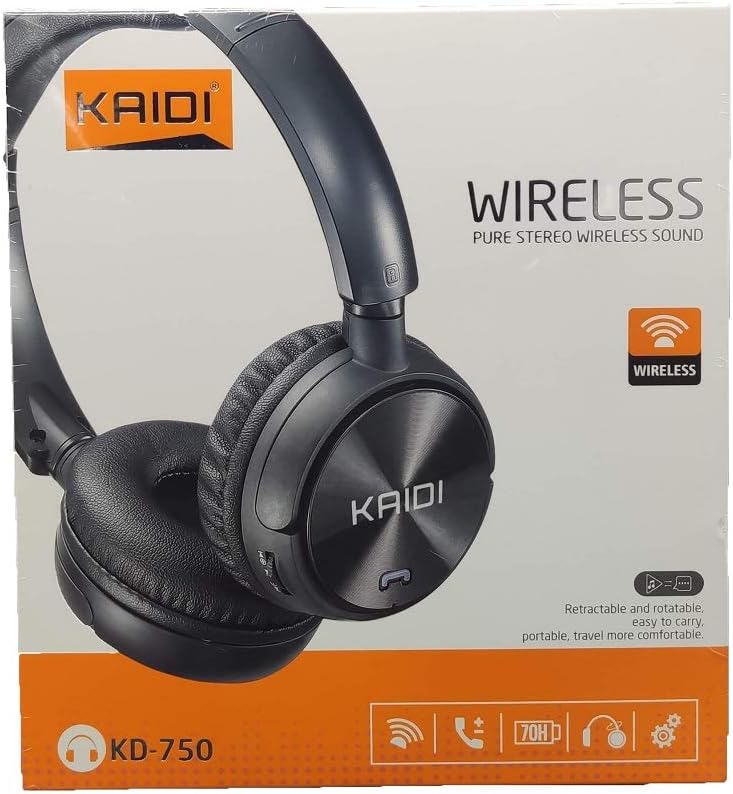
Gambar: Hareupeun view of the Kaidi KD-750 retail packaging, showing the headphones and branding.
3. Produk Langkungview
Familiarize yourself with the various parts and controls of your Kaidi KD-750 headphones.

Gambar: Hareupeun view of the Kaidi KD-750 Bluetooth Headphones, showcasing the earcups with Kaidi logo and the adjustable headband.
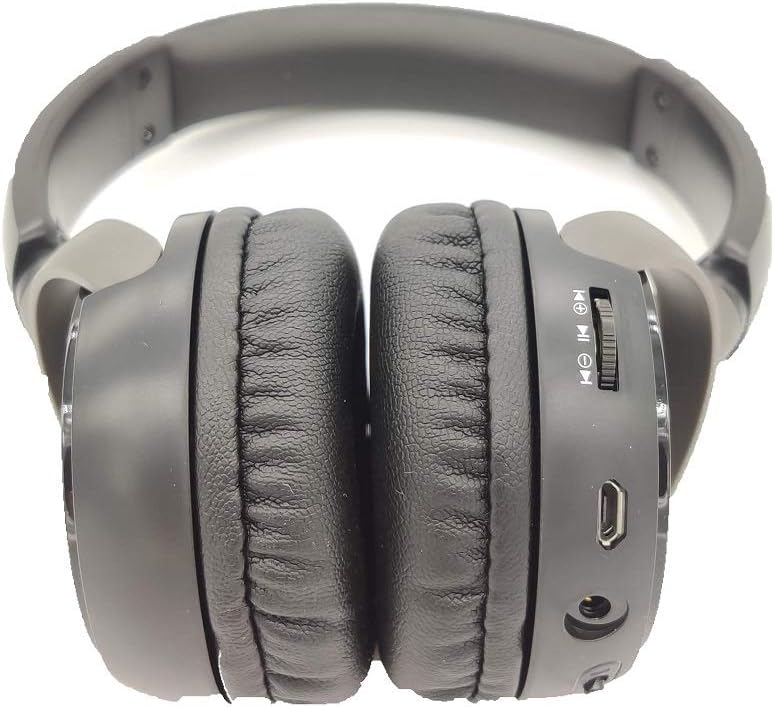
Gambar: Sisi view of the Kaidi KD-750 Bluetooth Headphones, highlighting the control buttons, charging port, and audio jack on the earcup.

Image: Back of the Kaidi KD-750 retail box, featuring a diagram of the headphone controls and key product features.
3.1. Kontrol jeung palabuhan
- Power Button / Multi-function Button: Daya Hurung / Pareum, Puter / Reureuh, Jawab / Tungtung Telepon.
- Volume Kaluhur / Tombol Lagu Salajengna: Pencét pondok pikeun Volume Up, Pencét lila pikeun Next Track.
- Volume Turunkeun / Tombol Lagu Saméméhna: Pencét pondok pikeun Volume Turun, Pencét lila pikeun Lagu saméméhna.
- Tombol Mode (M): Switch between Bluetooth, FM Radio, and SD Card modes.
- Port Mikro USB Ngecas: Pikeun ngecas headphone.
- 3.5mm AUX Input: Pikeun sambungan kabel ngagunakeun kabel audio kaasup.
- Slot Kartu SD Mikro: Pikeun maén musik langsung tina kartu Micro SD.
- Mikropon: Pikeun telepon handsfree.
4. Setélan
4.1. Ngecas Headphone
Sateuacan dianggo anu munggaran, eusian pinuh headphone anjeun.
- Connect the Micro USB end of the charging cable to the charging port on the headphones.
- Sambungkeun tungtung USB-A tina kabel ngecas ka adaptor kakuatan USB (teu kaasup) atawa port USB komputer.
- The LED indicator will illuminate (usually red) during charging.
- Once fully charged (approximately 2 hours), the LED indicator will change color or turn off (refer to specific LED behavior in the specifications).
Catetan: Umur batre sakitar 5 jam dina muatan pinuh.
4.2. Papasangan Bluetooth
Pair your headphones with a Bluetooth-enabled device.
- Pastikeun headphone dipareuman.
- Press and hold the Power Button for approximately 3-5 seconds until the LED indicator flashes blue and red alternately, indicating pairing mode.
- Dina alat anjeun (smartphone, tablet, komputer), aktipkeun Bluetooth sareng milarian alat anu sayogi.
- Select "KD-750" from the list of found devices.
- Sakali dipasangkeun, indikator LED biasana bakal kedip-kedip biru laun atanapi tetep biru polos.
- Upami peryogi kecap akses, lebetkeun "0000".
Jangkauan Bluetooth anu efektif kira-kira 10 meter (33 suku).
5. Parentah Operasi
5.1. Daya Hurung / Pareum
- Daya Hurung: Press and hold the Power Button for 2-3 seconds until the LED indicator lights up.
- Pareum listrik: Press and hold the Power Button for 3-4 seconds until the LED indicator turns off.
5.2. Music Playback (Bluetooth Mode)
- Puter / Reureuh: Pencét pondok Tombol Daya.
- Lagu salajengna: Pencét lila tombol Volume Up.
- Lagu Sateuacanna: Pencét lila tombol Jilid Turun.
- Volume Up: Pencét pondok tombol Volume Up.
- Volume Turun: Pencét pondok tombol Volume Turun.
5.3. Telepon Telepon
- Ngajawab Telepon: Short press the Power Button when an incoming call rings.
- Tungtung Telepon: Pencét sakeudeung Tombol Daya nalika nelepon.
- Nolak Telepon: Long press the Power Button when an incoming call rings.
- Telepon deui Nomer Panungtungan: Pencét dua kali Tombol Daya.
5.4. Mode Switching (FM Radio / SD Card / AUX)
Pencét éta Modeu (M) Tombol to cycle through available modes: Bluetooth, FM Radio, and SD Card playback.
5.4.1. Modeu Radio FM
- Switch to FM mode using the Mode (M) Button.
- Long press the Power Button to automatically scan and save available FM stations.
- Short press the Volume Up/Down buttons to adjust volume.
- Long press the Volume Up/Down buttons to switch between saved stations.
5.4.2. Micro SD Card Playback
- Insert a Micro SD card (with MP3 files) into the SD card slot.
- Switch to SD Card mode using the Mode (M) Button. The headphones will automatically begin playing music from the card.
- Use the Play/Pause, Volume Up/Down, and Next/Previous Track controls as in Bluetooth mode.

Gambar: Deukeut view of the Micro SD card slot on the Kaidi KD-750 headphones.
5.4.3. AUX Wired Mode
- Connect one end of the included 3.5mm audio cable to the AUX input on the headphones.
- Sambungkeun tungtung nu sejen ka kaluaran audio 3.5mm alat Anjeun.
- Headphone bakal otomatis ngalih ka modeu AUX.
- In AUX mode, controls on the headphones (volume, track control) may not function; use your connected device for control.
6. Pangropéa sarta perawatan
- Bersihkeun headphone ku kaén anu lembut sareng garing. Ulah make cleaners abrasive atawa pangleyur.
- Hindarkeun headphone ka suhu ekstrim, kalembaban, atanapi sinar panonpoé langsung.
- Ulah neuleumkeun headphone dina cai atawa cairan séjén.
- Simpen headphone dina tempat anu tiis sareng garing upami henteu dianggo.
- Cas headphone sacara rutin, sanajan teu dianggo lila, pikeun ngajaga kaséhatan batréna.
7. Cara ngungkulan
7.1. Headphone teu tiasa dihurungkeun.
Solusi: The battery may be depleted. Connect the headphones to a power source using the USB charging cable and allow them to charge for at least 30 minutes before attempting to power on again.
7.2. Cannot pair with a Bluetooth device.
- Solusi 1: Ensure the headphones are in pairing mode (LED flashing blue and red alternately).
- Solusi 2: Make sure Bluetooth is enabled on your device and it is within 10 meters of the headphones.
- Solusi 3: Turn off Bluetooth on your device, then turn it back on and try searching again.
- Solusi 4: If previously paired, try "forgetting" or "unpairing" the headphones from your device's Bluetooth list and then re-pairing.
7.3. Teu aya sora atawa volumena leutik.
- Solusi 1: Pariksa tingkat polumeu boh dina headphone sareng alat Anjeun nu disambungkeun.
- Solusi 2: Ensure the headphones are properly connected via Bluetooth or the 3.5mm AUX cable.
- Solusi 3: If using AUX mode, ensure the cable is fully inserted into both the headphones and the audio source.
7.4. FM radio reception is poor.
Solusi: Move to an open area away from obstructions or electronic interference. The 3.5mm audio cable can sometimes act as an antenna; try connecting it even if not using AUX mode for improved reception.
8. Spésifikasi
| Vérsi Bluetooth: | v4.2 |
| Protokol dirojong: | AVRCP1.3, A2DP1.0, HFP1.5, HSP1.0 |
| Kisaran anu épéktip: | 10 méter (33 suku) |
| Frékuénsi Gawé: | 2.402GHz - 2.480GHz |
| Jenis Batré: | Built-in 3.7V 300mAh Rechargeable Lithium Battery |
| Ngecas Voltage: | DC 4.2V - 5.5V |
| Waktu Ngecas: | Kurang leuwih 2 jam |
| Lilana batré: | Approximately 5 hours (playback) |
| Impedansi spiker: | 32 ohm |
| Kontrol bising: | Pembatalan Noise Pasip |
| Téknologi konektipitas: | Bluetooth, 3.5mm Jack |
| Alat anu cocog: | Any device supporting Bluetooth connectivity |
| Beurat produk: | 190 g |
| warna: | Hideung |
9. Garansi jeung Rojongan
The Kaidi KD-750 Bluetooth Headphones come with a standard manufacturer's warranty against defects in materials and workmanship. Please refer to the warranty card included with your purchase for specific terms and conditions, including the warranty period.
For technical support, troubleshooting assistance, or warranty claims, please contact your retailer or the official Kaidi customer service. Contact information can typically be found on the product packaging or the official Kaidi websitus.
Punten mertahankeun bukti pameseran anjeun pikeun tujuan garansi.


