1. Produk Langkungview
The OIVO PS4 Controller Charging Station is designed to efficiently charge two PlayStation 4, PS4 Slim, or PS4 Pro controllers simultaneously. It features LED indicators to display charging status and incorporates intelligent protection mechanisms to ensure safe and reliable operation.
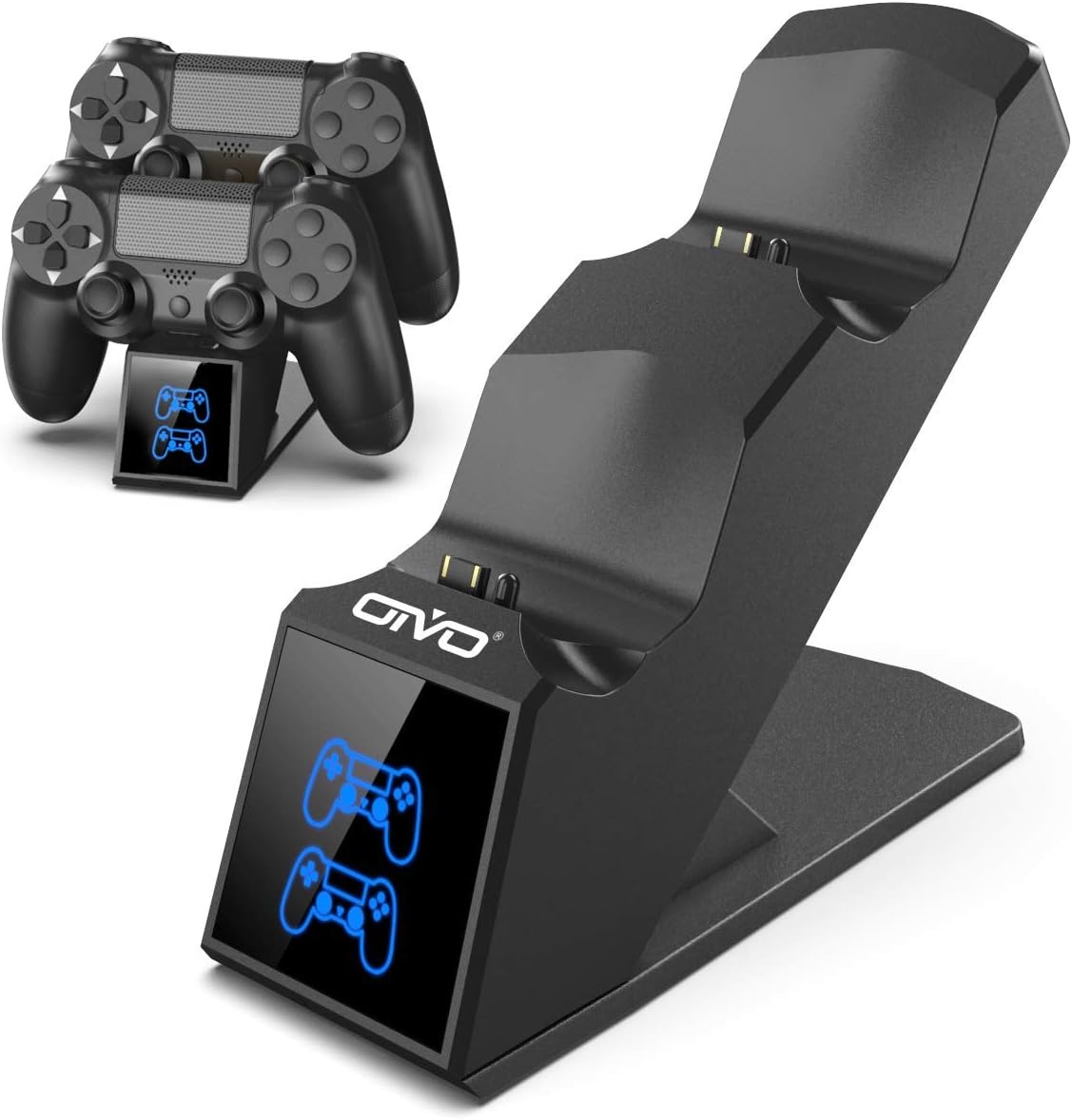
Image 1.1: The OIVO PS4 Controller Charging Station, capable of charging two controllers simultaneously.
2. Eusi Paket
Punten parios yén sadaya barang anu didaptarkeun di handap kalebet kana pakét anjeun:
- 1 x OIVO PS4 Controller Charging Station
- 1 x Kabel Ngecas (Micro USB)
- 1 x Manual Pamaké (dokumén ieu)
3. Parentah Setup
- Sambungkeun Stasion Pangecas: Insert the provided charging cable into the Micro USB port on the back of the charging station. Connect the other end of the cable to a compatible 5V/1A power source. Compatible sources include a computer USB port, PS4/Slim/Pro console USB port, wall adapter (not included), or a power bank.
- Place Controllers for Charging: Align the charging port on your PS4 controller with the connector pins on the charging station. Gently push the controller down until it securely docks. The LED indicator on the station will change color to show the charging status.

Image 3.1: Illustration of compatible power sources and how to correctly place a PS4 controller onto the charging station.
4. Parentah Operasi
4.1 Charging Controllers
Once controllers are docked, the charging process begins automatically. The station is designed to charge two controllers simultaneously in approximately 1.8 hours.
- Indikator LED: The front panel features LED indicators for each charging slot.
- Lampu Beureum: Indicates that the PS4 controller is currently charging.
- Cahaya Biru: Indicates that the PS4 controller is fully charged or the station is in standby mode (no controller or fully charged controller).

Image 4.1: The LED indicators on the charging station display red when charging and blue when fully charged or in standby.
4.2 Fast Charging Capability
The charging station is equipped with an upgraded copper chip, enabling fast charging for both controllers. This allows for a full charge of two controllers in approximately 1.8 hours.

Image 4.2: Visual representation of the 1.8-hour fast charging cycle for two controllers.
5. Fitur Kasalametan
The OIVO PS4 Controller Charging Station integrates smart chips and high-quality components to provide comprehensive protection for your controllers and the charging station itself. These protections include:
- Over-Heated Protection: Nyegah panas teuing nalika ngecas.
- Perlindungan Sirkuit pondok: Panangtayungan tina sirkuit pondok.
- Perlindungan Arus Langkung: Ngajaga tina aliran arus kaleuleuwihan.
- Langkung-Voltage panyalindungan: Shields against voltage paku.

Image 5.1: Visual representation of the intelligent protection features built into the charging station.
6. Pangropéa
- beberesih: Disconnect the charging station from the power source before cleaning. Use a soft, dry cloth to wipe the surface. Do not use liquid cleaners or abrasive materials.
- Panyimpenan: When not in use, store the charging station in a cool, dry place away from direct sunlight and extreme temperatures.
- Penanganan: Ulah nepi ka alat ieu murag atawa kakeunaan dampak anu kuat. Ulah nyobaan ngabongkar atawa ngalereskeun alat ieu sorangan.
7. Cara ngungkulan
| Masalah | Solusi |
|---|---|
| Controller not charging (no LED light) |
|
| Ngecas lalaunan |
|
| LED light is blue but controller is not fully charged |
|
8. Spésifikasi
| Fitur | Rincian |
|---|---|
| merek | OVO |
| Nomer modél | 12359687031 |
| Warna | Biru |
| Tipe Panyambung | USB |
| Alat nu cocog | Game Console (PS4, PS4 Slim, PS4 Pro controllers) |
| Fitur husus | Ngecas Gancang |
| Total palabuhan USB | 2 (for charging controllers) |
| Masukan Voltage | 5 volt |
| Ampumur | 1 A |
| Komponén Kaasup | Kabel USB |
| Produsén | OVO |
| Negara asal | Cina |
9. Garansi jeung Rojongan
This OIVO product comes with a 2-taun jaminan produsén urang ti tanggal beuli. Garansi ieu nyertakeun cacad dina bahan sareng pagawean dina panggunaan normal.
The warranty does not cover damage caused by accident, misuse, abuse, neglect, unauthorized modification or repair, or damage from external causes such as power surges.
For warranty claims or technical support, please contact OIVO customer service through the retailer where the product was purchased or visit the official OIVO websitus pikeun inpo kontak.

