Bubuka
Hatur nuhun pikeun meuliasing the Havit IX-102 Wired In-Ear Headphones with Microphone. This manual provides essential information for the proper setup, operation, and maintenance of your new earphones. Please read this guide thoroughly before use to ensure optimal performance and longevity of your product.
Produk Leuwihview
The Havit IX-102 headphones are designed for clear audio and convenient communication. Familiarize yourself with the components:
- In-Ear Earphones (Left and Right)
- Integrated Microphone and Control Module (on cable)
- 3.5mm Audio Jack
- Bantalan Ceuli Sababaraha Ukuran
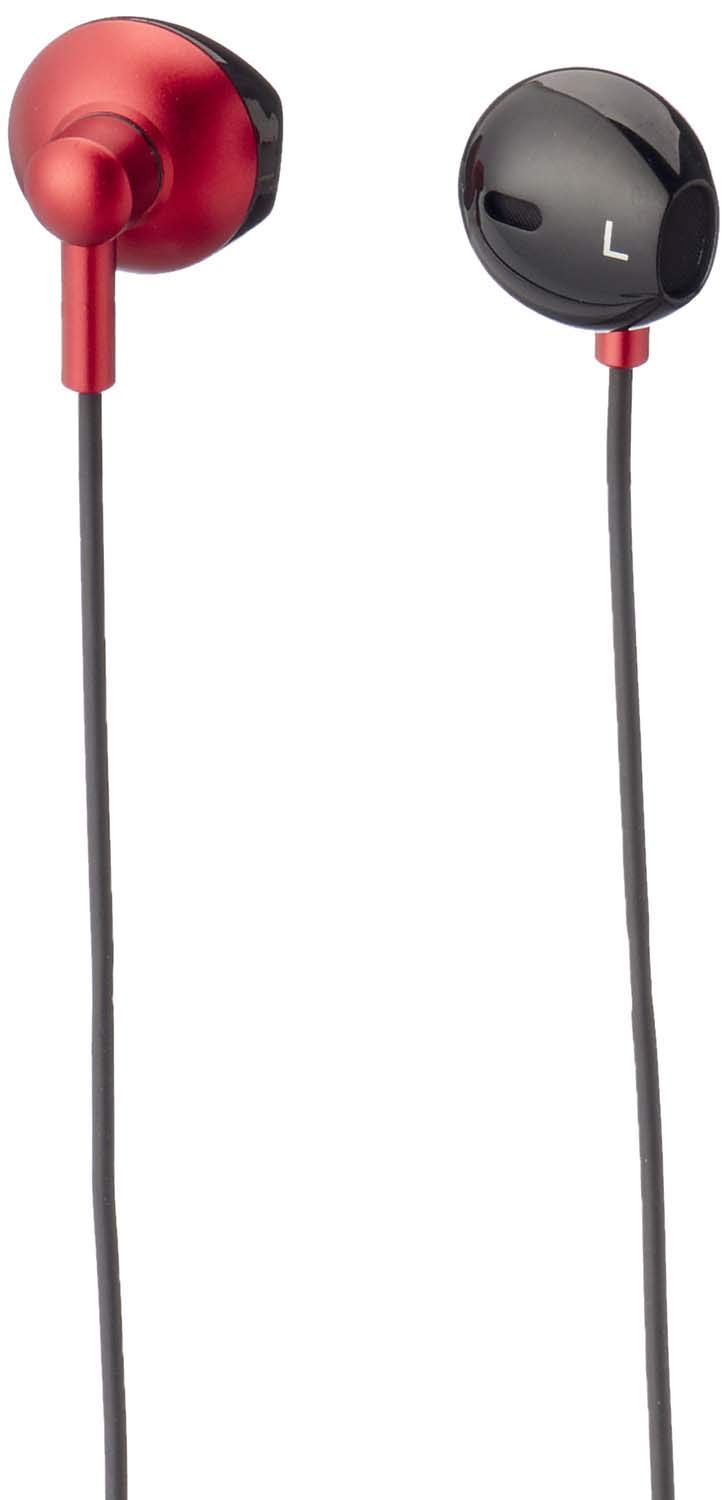
Gambar 1: Havit IX-102 Wired In-Ear Headphones. This image shows the complete set of in-ear headphones, featuring the earbuds, cable, and 3.5mm audio jack.

Gambar 2: Cable with Integrated Control Module. This image highlights the cable section that includes the microphone and a potential control button for managing audio and calls.

Gambar 3: 3.5mm Audio Jack. A close-up view of the standard 3.5mm connector used to plug the headphones into compatible audio devices.

Gambar 4: Replacement Ear Cushions. This image displays the various sizes of silicone ear cushions provided for a comfortable and secure fit.
Disetél
- Pilih Ear Cushions: Choose the ear cushion size that provides the most comfortable and secure fit for your ears. A good seal enhances sound quality and bass response. Gently attach the selected ear cushions to the earphone nozzles.
- Nyambung ka Alat: Insert the 3.5mm audio jack firmly into the headphone port of your audio device (smartphone, tablet, laptop, MP3 player, etc.). Ensure the jack is fully inserted to prevent audio issues.
- Maké Earphone: Place the earphones into your ears. Adjust them until they feel comfortable and provide a good seal.
Parentah Operasi
The Havit IX-102 headphones feature an in-line control module for basic audio and call management. Functionality may vary slightly depending on your connected device.
- Puter/Reureuh Musik: Press the button on the control module once to play or pause the current track.
- Ngajawab / mungkas Telepon: When a call comes in, press the button once to answer. During a call, press the button once to end the call.
- Nolak Telepon: Pencét terus tahan tombol éta salila kurang leuwih 2 detik pikeun nolak telepon asup.
- Lagu salajengna: Pencét tombol dua kali gancang pikeun skip ka lagu salajengna.
- Lagu Sateuacanna: Pencét tombol tilu kali gancang pikeun balik deui ka lagu saméméhna.
- Pamakéan mikropon: Mikropon anu terintegrasi ngamungkinkeun komunikasi tanpa nganggo leungeun nalika nelepon. Pastikeun mikropon diposisikan kalayan jelas pikeun pengambilan sora anu optimal.
Note: Volume control is typically managed directly on your connected audio device.
Pangropéa
Proper care will extend the life of your Havit IX-102 headphones.
- Ngabersihan bantal ceuli: Remove the silicone ear cushions and wash them gently with mild soap and water. Rinse thoroughly and allow them to air dry completely before reattaching.
- Cleaning Earphones: Use a soft, dry, lint-free cloth to wipe the earphone bodies. Do not use harsh chemicals or abrasive materials. Avoid getting moisture into the speaker grilles.
- Perawatan kabel: Avoid sharp bends, twists, or excessive pulling on the cable. Store the headphones neatly to prevent tangling.
- Panyimpenan: When not in use, store your headphones in a clean, dry place, away from extreme temperatures and direct sunlight.
Pamérésan masalah
Upami anjeun mendakan masalah sareng headphone anjeun, tingal masalah sareng solusi umum ieu:
| Masalah | Mungkin Cukang lantaranana | Solusi |
|---|---|---|
| Teu aya sora atanapi volume handap |
|
|
| Sora téh robah warna atawa pegat-pegat |
|
|
| Mikropon teu jalan |
|
|
spésifikasi
| merek | Havit |
| Nomer modél | IX-102 |
| Warna | Hideung jeung Beureum |
| Headphone Bentuk Faktor | Dina-Ceuli |
| Téhnologi konektipitas | Dikabel |
| Tipe Panyambung | 3.5mm Jack |
| Panjang kabel | 1.2 méter |
| Jenis Bahan | palastik |
| Item Beurat | 60 gram |
| Komponén Kaasup | Bantal Ceuli |
| Alat nu cocog | Multiple devices with 3.5mm audio jack |
Garansi sareng Rojongan
For warranty information or technical support, please refer to the documentation included with your purchase or contact Havit customer service directly. Contact details can typically be found on the manufacturer's official websitus atanapi bungkusan produk.
Simpen bukti pameseran anjeun pikeun klaim garansi.


