1. Bubuka
This manual provides essential information for the safe installation, operation, and maintenance of your EMOS A6003.0 LED Rotary Dimmer. Please read these instructions carefully before installation and retain them for future reference. This flush-mounted rotary dimmer is designed for controlling the brightness of compatible light sources.
2. Émbaran Kasalametan
- Bahaya listrik: Pamasangan kedah dilakukeun ku tukang listrik anu mumpuni saluyu sareng sadaya kode listrik lokal sareng nasional.
- Pegatkeun daya: Always disconnect power at the circuit breaker before installing, servicing, or removing the dimmer.
- Kasaluyuan: This dimmer is designed for use only with dimmable light sources. Using non-dimmable light sources may cause damage to the dimmer or the light source.
- Pamakéan jero rohangan wungkul: The dimmer has an IP20 protection class, making it suitable for indoor use in dry environments only. Do not expose to moisture or extreme temperatures.
- Wates beban: Do not exceed the specified maximum load for the dimmer.
3. Eusi Paket
Pastikeun yén sadaya komponén aya dina bungkusan:
- 1 x EMOS A6003.0 Rotary Dimmer
- Asesoris pamasangan
- Instruction Manual (English language)

Figure 3.1: EMOS A6003.0 Rotary Dimmer in its retail packaging.
4. Spésifikasi
| Fitur | Spésifikasi |
|---|---|
| Nomer modél | A6003.0 |
| Masukan Voltage | 230V, 50Hz |
| Output (Halogen/Fluorescent) | 7-110 W/VA |
| Output (Dimmable LED) | 3-60 W/VA |
| Kelas panyalindungan | IP20 (Pamakéan di jero rohangan) |
| Métode kontrol | Rotary Knob with Push Function |
| Ukuran (W x H x D) | 80 x 80 x 59 mm (kira-kira) |
| Beurat | 133 gram (kira-kira.) |
| minuhan | CE |
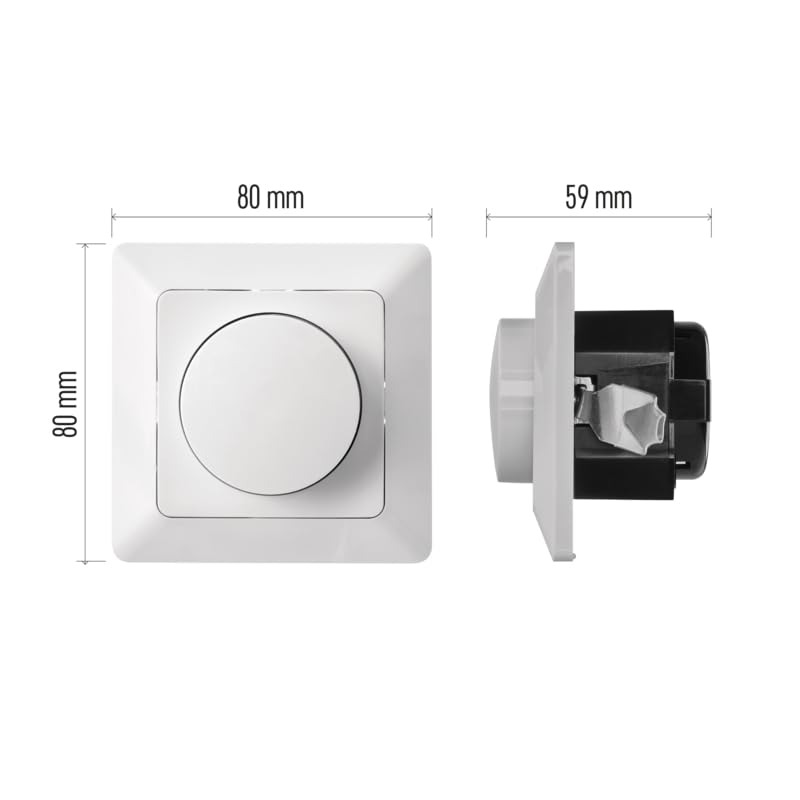
Figure 4.1: Approximate dimensions of the EMOS A6003.0 Dimmer.
5. Pamasangan
penting: Installation should only be carried out by a qualified electrician. Ensure the main power supply is switched off at the circuit breaker before commencing installation.
5.1 Diagram Wiring
The dimmer requires connection to the live (L) wire and the switched live (load) wire to the light fixture. Refer to the markings on the dimmer terminals for correct connection.

Gambar 5.1: Tukangeun view of the dimmer showing connection terminals. L1 is typically the incoming live, and the arrowed terminals are for the switched live to the load.
5.2 Pamasangan
- Pastikeun kakuatan pareum.
- Connect the wiring according to the diagram in Section 5.1.
- Carefully place the dimmer mechanism into a standard flush-mounted wall box.
- Secure the dimmer to the wall box using the provided mounting accessories.
- Attach the front plate and rotary knob.
- Balikkeun kakuatan dina circuit breaker.

Gambar 5.2: Hareupeun view of the EMOS A6003.0 Rotary Dimmer.
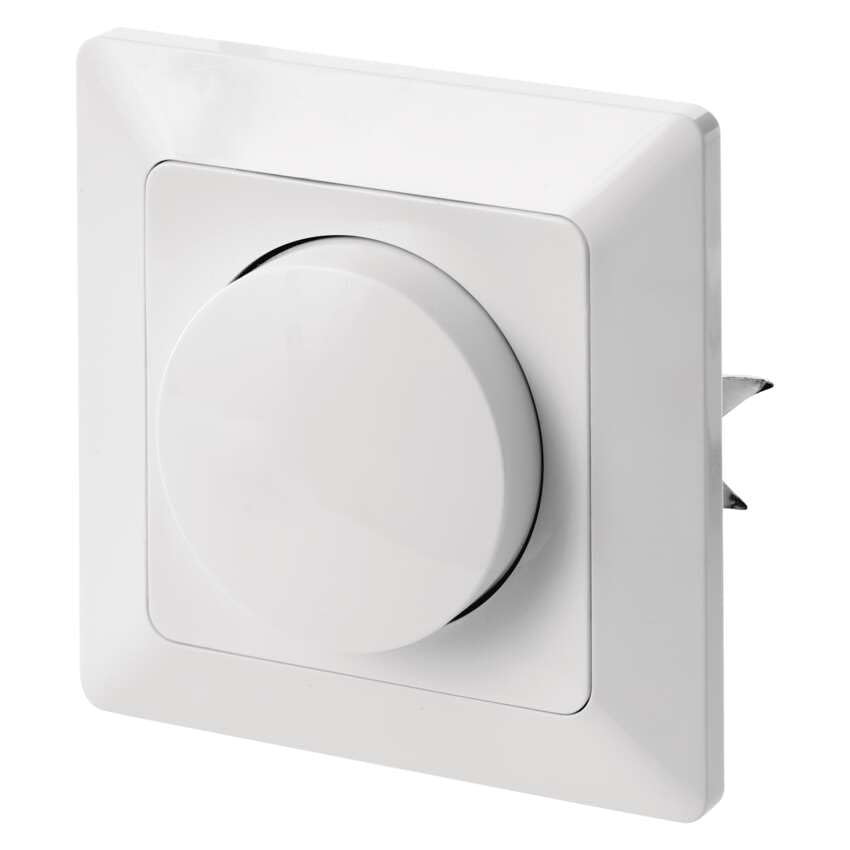
Gambar 5.3: Sisi view of the dimmer, illustrating its flush-mounted design.
6. Operasi
The EMOS A6003.0 dimmer features a simple rotary knob for control.
- Hurungkeun/Pareuman: Press the rotary knob to switch the connected light source on or off.
- Dimming: Puterkeun kenop searah jarum jam pikeun ningkatkeun kacaangan sareng ngalawan arah jarum jam pikeun ngirangan kacaangan.
- Minimum Brightness Adjustment: Some dimmable LED bulbs may require adjustment of the dimmer's minimum brightness setting to prevent flickering or ensure stable operation at low levels. Consult the dimmer's internal adjustment screw if available and necessary, following the manufacturer's guidelines.
7. Pangropéa
The EMOS A6003.0 LED Rotary Dimmer requires minimal maintenance.
- beberesih: To clean the dimmer, wipe the surface with a soft, dry cloth. Do not use abrasive cleaners, solvents, or excessive moisture, as these can damage the finish or internal components.
- Henteu aya Bagian anu Bisa Dilayanan Pamaké: Aya henteu bagian-pamaké-serviceable jero dimmer nu. Ulah nyobian muka atawa ngalereskeun unit sorangan.
8. Cara ngungkulan
If you encounter issues with your dimmer, refer to the following common problems and solutions:
| Masalah | Mungkin Cukang lantaranana | Solusi |
|---|---|---|
| Lampu henteu hurung. | No power, incorrect wiring, faulty bulb, dimmer failure. | Check circuit breaker. Verify wiring connections. Test with a known working bulb. If problem persists, consult a qualified electrician. |
| Light does not dim or flickers. | Non-dimmable bulb, incompatible bulb, load too low/high, minimum brightness not adjusted. | Ensure bulbs are explicitly marked as dimmable. Check if the total wattage of bulbs is within the dimmer's specified range (3-60W/VA for LED, 7-110W/VA for Halogen/Fluorescent). Adjust the dimmer's minimum brightness setting if applicable. |
| Dimmer karasana haneut. | Normal operation, overloaded circuit. | A slight warmth during operation is normal. If the dimmer becomes excessively hot, immediately disconnect power and check the total load connected to ensure it does not exceed the dimmer's maximum capacity. |
9. Garansi jeung Rojongan
For warranty information or technical support regarding your EMOS A6003.0 LED Rotary Dimmer, please refer to the warranty card included with your purchase or contact EMOS customer service directly. Contact details can typically be found on the EMOS official websitus atanapi dina dokuméntasi pameseran Anjeun.


