Bubuka
Hatur nuhun pikeun meuliasing the WorkPro™ LED USB Desk Lamp with Wireless Charger. This manual provides detailed instructions for the safe and efficient use of your new desk lampMangga baca heula buku panduan ieu kalawan saksama sateuacan dianggo sareng simpen kanggo rujukan ka hareup.
Émbaran Kasalametan penting
- Ulah ngalaan lamp ka cai atawa kaleuleuwihan Uap.
- Entong ngabongkar atanapi nyobian ngalereskeun lamp sorangan. Rujuk sadayana jasa ka tanaga anu mumpuni.
- Pastikeun sumber kakuatan cocog lamp's requirements (e.g., 7 watts).
- Tetep lamp jauh tina sumber panas sareng sinar panonpoé langsung.
- Use only the provided power adapter or a compatible one.
- Cabut colokan lamp nalika badai kilat atanapi nalika henteu dianggo kanggo waktos anu lami.
Naon dina Box
Saatos muka bungkusan, mangga pariksa yén sadaya komponén aya sareng henteu ruksak:
- Méja USB LED WorkPro™ Lamp
- Adaptor kakuatan
- Kadali jauh
- Manual pangguna (dokumén ieu)
Setup sareng Majelis
Ngabongkar Lamp
Sacara saksama miceun sadaya komponén tina bungkusan. Simpen bungkusan pikeun neundeun atanapi transportasi ka hareup.
Pasang Lamp
Teundeun lamp on a stable, flat surface, such as a desk or table. Ensure there is enough space around the lamp for proper ventilation and adjustment.

Image: The WorkPro LED USB Desk Lamp positioned on a desk, showcasing its sleek design and stable base.
Nyambungkeun Daya
Locate the power input port on the back of the lamp base. Insert the power adapter cable firmly into the port. Plug the other end of the power adapter into a standard electrical outlet.

Gambar: A close-up view tina lamp's base, highlighting the USB charging ports and the power input connection point.
Parentah Operasi
Lamp Controls (Touch Control)
Anu lamp features touch controls integrated into its base for easy operation.
- Hurungkeun/Pareuman: Lightly touch the power icon on the base to turn the lamp hurung atawa pareum.
- Penyesuaian Caang: Touch the brightness control area to cycle through 5 brightness levels.
- Penyesuaian Suhu Warna: Touch the color temperature control area to cycle through 5 color modes (3000K-6000K).
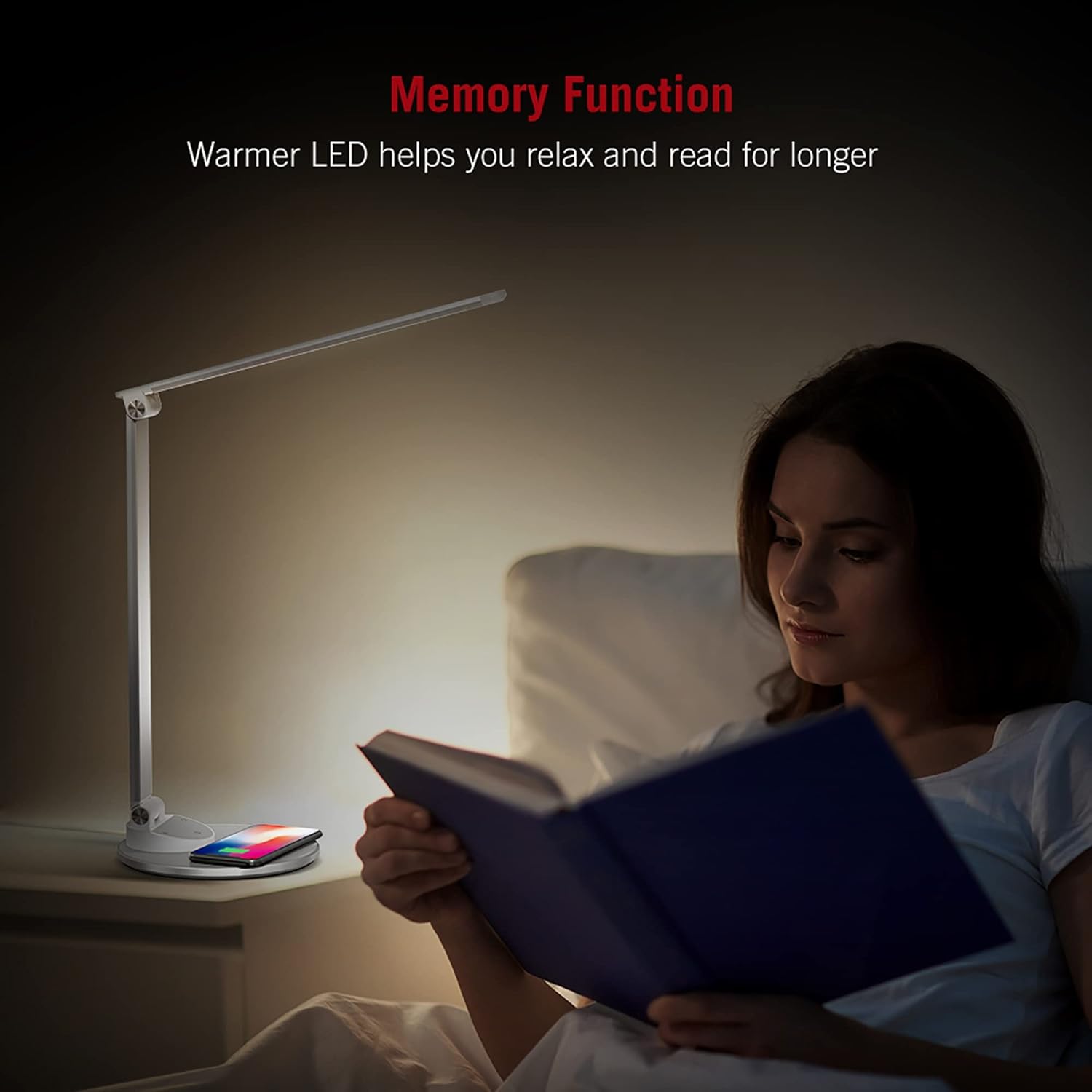
Image: An illustration demonstrating the five available color temperature modes (from warm to cool white) and five brightness levels of the WorkPro desk lamp.
Nyaluyukeun Lamp Panangan
Anu lamp features an adjustable arm for multi-angle lighting. Gently adjust the arm and head to your desired position. The lamp arm can be adjusted up to 135 degrees and the base arm up to 145 degrees.

Image: A diagram illustrating the adjustable angles of the lamp's arm (135 degrees) and its base (145 degrees), allowing for flexible positioning.
Fungsi Wireless Charging
Anu lamp base includes a built-in wireless charging pad. To use, place your Qi-compatible device (e.g., smartphone) centered on the charging pad. The device should begin charging automatically.
- Ensure your device supports Qi wireless charging.
- Remove any thick cases that might interfere with charging.
- A charging indicator (if present on your device) will confirm charging status.

Image: The WorkPro desk lamp with a smartphone resting on its integrated wireless charging pad, demonstrating the charging feature.
Port ngecas USB
Anu lamp also features USB ports for wired charging of other devices. Connect your device's USB cable to the port on the lamp dasar.
Gambar: A close-up view tina lamp's base, highlighting the USB charging ports and the power input connection point.
Fungsi mémori
Anu lamp is equipped with a memory function that recalls your last used brightness and color temperature settings when turned back on.

Image: A person reading in bed, illuminated by the WorkPro lamp, demonstrating how the warmer LED settings can aid relaxation and extended reading.
Pangropéa sareng Perawatan
- beberesih: Pegatkeun sambungan lamp tina listrik sateuacan dibersihkeun. Anggo lawon anu lemes sareng garing pikeun ngusapamp's surfaces. Do not use abrasive cleaners, solvents, or harsh chemicals.
- Panyimpenan: Lamun nyimpen lamp for an extended period, unplug it and store it in a cool, dry place, preferably in its original packaging.
- Lampu LED: The LED lights are integrated and not user-replaceable. Do not attempt to replace them.
Pamérésan masalah
| Masalah | Mungkin Cukang lantaranana | Solusi |
|---|---|---|
| Lamp henteu hurung. | Not plugged in; power outlet not working; power adapter faulty. | Ensure power adapter is securely plugged into lamp and outlet. Test outlet with another device. Try a different compatible power adapter. |
| Ngecas nirkabel teu jalan. | Device not Qi-compatible; device not properly aligned; thick phone case; foreign objects on pad. | Verify device supports Qi charging. Re-position device on the center of the pad. Remove phone case. Remove any metal objects or cards from the pad. |
| Lamp flickers or light is unstable. | Unstable power supply; faulty lamp. | Try plugging into a different outlet. If problem persists, contact customer support. |
Spésifikasi produk
| Fitur | Rincian |
|---|---|
| Nomer modél | WP2000S |
| merek | WorkPro |
| Tipe Sumber Cahaya | LED |
| Wattage | 7 watt |
| Modeu Warna | 5 (3000K-6000K) |
| Tingkat Caang | 5 |
| Métode kontrol | Toél |
| Fitur husus | Adjustable Arm, Energy Efficient, Wireless Charging, USB Charging Ports, Memory Function |
| Bahan | Metal, Porcelain |
| Dimensi produk | 17.75 x 8.5 x 3 inci |
| Item Beurat | 3.49 pon (1.59 Kilogram) |
| Sumber Daya | Kabel Listrik |
| Téhnologi konektipitas | USB |
| UPC | 735854860363 |
Émbaran jaminan
Rincian jaminan khusus biasana disayogikeun sareng dokuméntasi pameseran anjeun atanapi dina resmi produsén website. Please refer to the warranty card included in your product packaging or visit the WorkPro official websitus pikeun kawijakan jaminan paling up-to-date.
Rojongan Palanggan
For technical assistance, troubleshooting beyond this manual, or warranty claims, please contact WorkPro customer support:
- WorkPro Store on Amazon: Visit WorkPro Store
- Refer to your product packaging for direct contact information (phone number, email address) if available.


