Bubuka
This manual provides comprehensive instructions for the operation and maintenance of your STORM KOMBITRON Slate watch. The KOMBITRON is a unique timepiece featuring a dual time display, chronograph functionality, and a distinctive barrel movement. Crafted from stainless steel with a mesh strap, it is designed for durability and style, offering splash resistance for daily wear.
Disetél
1. Unboxing sareng Inspeksi Awal
Upon opening the packaging, carefully remove your STORM KOMBITRON watch. Inspect the watch for any visible damage. Ensure all protective films are removed from the watch face and strap.
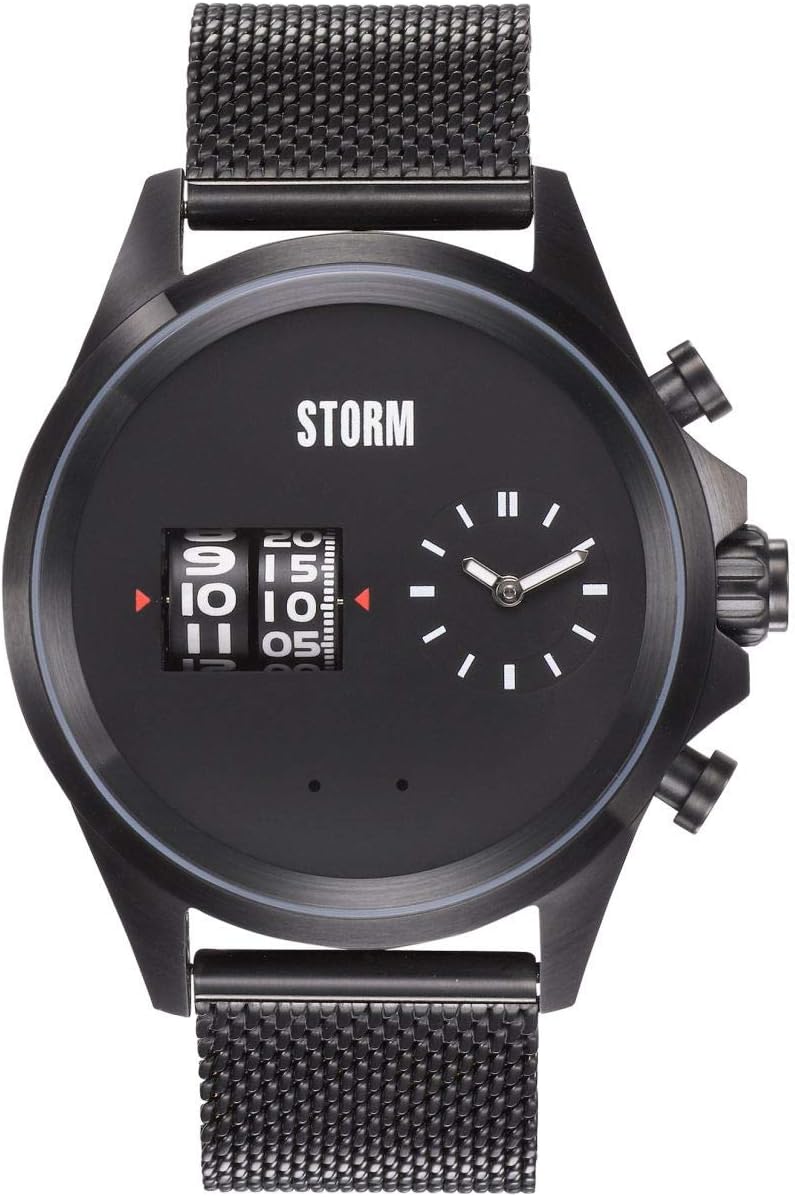
Gambar: Hareupeun view of the STORM KOMBITRON Slate watch, showcasing its unique dual time display and chronograph pushers. The watch features a black dial with white markings and a black mesh strap.
2. Netepkeun Waktos
The KOMBITRON features a dual time display. The main time is shown on the right sub-dial with traditional hands, while the second time zone is displayed digitally via rotating barrels on the left.
- Setting Main Time (Analog):
- Teang makuta di sisi katuhu wadah arloji.
- Gently pull the crown out to the first position.
- Rotate the crown clockwise or counter-clockwise to adjust the hour and minute hands to the desired time.
- Once set, push the crown back in to its original position to engage the movement.
- Setting Second Time (Digital Barrel Display):
- The specific mechanism for setting the barrel display may vary. Typically, a dedicated pusher or a second crown position is used. Refer to the watch's specific barrel adjustment mechanism.
- Press and hold the designated pusher (often the top or bottom pusher on the right side) or pull the crown to a second position (if available) to activate the barrel setting mode.
- Use the pushers to advance the hour and minute barrels to the desired second time zone.
- Once set, release the pusher or push the crown back in to lock the time.

Gambar: Hiji angled view of the STORM KOMBITRON Slate watch, highlighting the textured mesh strap and the side profile of the watch case with its pushers and crown.
3. Adjusting the Mesh Strap
The KOMBITRON features an easily adjustable mesh strap. To adjust the strap length:
- Tangtukeun tempat pangiket dina tali.
- Using a small flat-head screwdriver or a specialized tool, lift the locking plate on the clasp.
- Slide the clasp along the mesh strap to the desired length.
- Press the locking plate back down firmly to secure the clasp in place. Ensure it is fully closed to prevent accidental opening.

Gambar: Sisi profile of the STORM KOMBITRON Slate watch, showing the thickness of the case and the intricate weave of the mesh strap. The crown and pushers are visible on the right side.
Ngoperasikeun Watch
1. Reading the Dual Time Display
The STORM KOMBITRON displays time in two formats:
- Analog Display (Right Sub-dial): Standard hour and minute hands indicate the primary time zone.
- Digital Barrel Display (Left): Rotating barrels show a second time zone in a digital format. The top barrel indicates hours, and the bottom barrel indicates minutes. A red arrow typically points to the current time on the barrels.
2. Ngagunakeun Fungsi Chronograph
The chronograph function allows you to measure elapsed time. Your KOMBITRON watch is equipped with two pushers on the right side of the case, typically above and below the crown.
- Mimitian: Press the top pusher once to start the chronograph. The chronograph hands (if present, or a dedicated sub-dial) will begin to move.
- Eureun: Press the top pusher again to stop the chronograph. The elapsed time will be displayed.
- Reset: After stopping the chronograph, press the bottom pusher once to reset all chronograph hands or indicators to their zero positions.
- Lap/Split Time (if applicable): Some chronographs allow for lap or split times. If your model supports this, pressing the bottom pusher while the chronograph is running will freeze the display to read an intermediate time, while the chronograph continues to run in the background. Press the bottom pusher again to catch up the display to the running time.
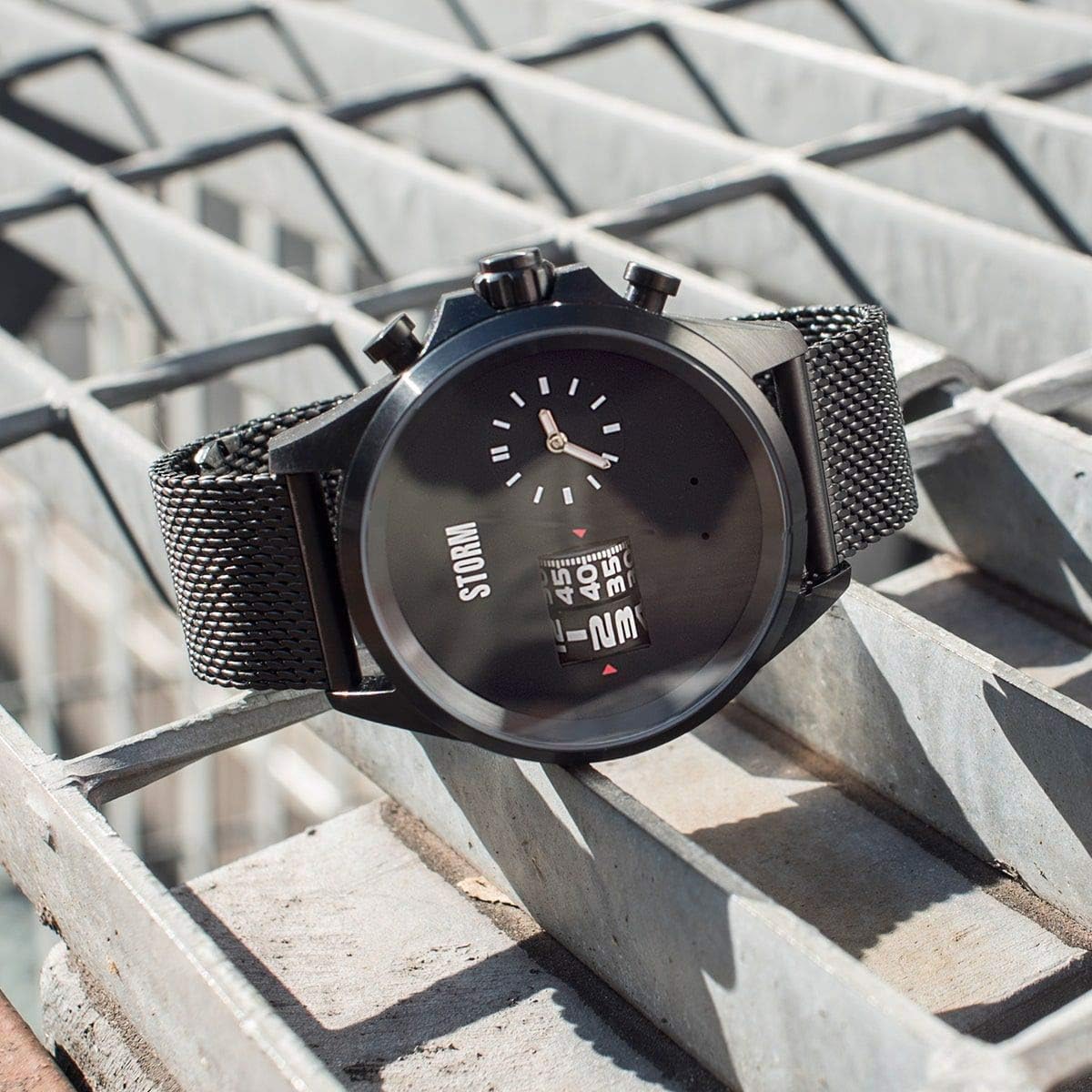
Gambar: The STORM KOMBITRON Slate watch displayed on a metal grate, showcasing its robust design and the interplay of light on its dark finish. The unique barrel display is clearly visible.
Pangropéa
1. Ngabersihan Arloji Anjeun
To maintain the appearance of your STORM KOMBITRON watch:
- Wipe the watch case and strap regularly with a soft, dry, lint-free cloth.
- Pikeun kokotor nekad, a rada damp lawon bisa dipaké, dituturkeun langsung ku lawon garing.
- Ulah make bahan kimia kasar, pangleyur, atawa bahan beberesih abrasive, sabab ieu bisa ngaruksak finish arloji urang.
2. Ngagantian batré
Your STORM KOMBITRON watch requires 1 LR44 battery (included). When the watch stops running or the time display becomes erratic, it is likely time for a battery replacement.
- Battery replacement should ideally be performed by a qualified watch technician to ensure proper sealing and prevent damage to the movement.
- Improper battery replacement can compromise the watch's water resistance.

Gambar: The back of the STORM KOMBITRON Slate watch, showing the stainless steel case back with "STORM" engraved on the clasp and "STAINLESS STEEL" and "SPLASH RESISTANT" markings.
3. Tahan cai
The STORM KOMBITRON watch is Tahan Splash. This means it can withstand minor splashes, rain, or hand washing. It is henteu suitable for showering, bathing, swimming, diving, or any activities involving prolonged water immersion or high-pressure water exposure. Always ensure the crown is fully pushed in to maintain splash resistance.
Pamérésan masalah
| Masalah | Mungkin Cukang lantaranana | Solusi |
|---|---|---|
| Arloji teu jalan / Leungeun eureun | Batré béak. | Replace the LR44 battery. Consult a professional watch technician. |
| Lepat waktos dipintonkeun | Time not set correctly; accidental crown movement. | Refer to "Setting the Time" section and reset both analog and digital displays. Ensure crown is fully pushed in. |
| Chronograph not resetting to zero | Chronograph not properly reset; internal mechanism issue. | Ensure the chronograph is stopped before pressing the reset pusher. If issue persists, seek professional service. |
| Uap cai di handapeun kristal | Compromised water resistance; exposure to excessive moisture. | Immediately take the watch to a professional for inspection and repair to prevent internal damage. Avoid further water exposure. |
spésifikasi
- merek: RIBUT
- model: KOMBITRON
- Jumlah modél: 47466/SL
- Ukuran produk: 5.4 x 4.5 x 1.53 cm
- beurat: 131 g
- Bahan Kasus: Beusi sténless
- Bahan Tali: Jaring Stainless Steel
- Gerakan: Unique Barrel Movement (Dual Time, Chronograph)
- Tahan cai: Tahan Splash
- Batré: 1 x LR44 (kaasup)

Gambar: The STORM KOMBITRON Slate watch worn on a person's wrist, demonstrating its size and fit. The black mesh strap and the watch face with its dual time display are clearly visible.
Garansi sareng Rojongan
For warranty information, service, or technical support regarding your STORM KOMBITRON watch, please refer to the warranty card included with your purchase or visit the official STORM websitus. Simpen bukti pameseran anjeun pikeun klaim garansi.
Catetan: Perbaikan atanapi modifikasi anu teu sah tiasa ngabatalkeun garansi anjeun.


