Bubuka
The Alecto DVM-64 Wireless Baby Monitor provides a secure and reliable way to monitor your baby. This system includes a baby unit (camera) and a parent unit (monitor) with a large display, offering features such as night vision, two-way communication, temperature monitoring, and lullabies. This manual provides detailed instructions for setting up, operating, maintaining, and troubleshooting your device.

Image: The Alecto DVM-64 baby monitor system, showing the white camera unit on the left and the parent monitor unit with a screen displaying a baby on the right.
Eusi pakét
Sateuacan ngamimitian, mangga pastikeun sadaya barang aya dina pakét:
- 1x Baby Unit (Camera)
- 1x Parent Unit (Monitor)
- 2x adaptor kakuatan
- Mounting Material (for camera)
- Manual Pamaké (dina sababaraha basa)
- Ilustrasi Gancang Mimitian Guide
- Peraturan Kasalametan Umum

Image: All components included in the Alecto DVM-64 package, including the baby unit, parent unit, power adapters, mounting hardware, and various instruction manuals.
Disetél
1. Ngecas Unit Induk
Connect one of the provided power adapters to the parent unit and plug it into a power outlet. Allow the parent unit to fully charge before first use to ensure optimal battery life. The parent unit features a rechargeable battery for portable use.
2. Ngahurungkeun Unit Orok (Kaméra)
Connect the second power adapter to the baby unit and plug it into a power outlet near your baby's crib or desired monitoring area. The baby unit requires continuous power to operate.
3. Nempatkeun Unit Orok
Place the baby unit on a flat, stable surface, or mount it to a wall for an optimal viewing angle. Ensure the camera has a clear, unobstructed view of your baby. The camera can be manually rotated and tilted to adjust the viewsudut ing.

Gambar: sababaraha views of the Alecto DVM-64 camera unit, showing its front, back, side, and bottom with mounting holes.

Image: The Alecto DVM-64 camera unit mounted on a wall, demonstrating its flexible placement options.
4. Positioning the Parent Unit
Place the parent unit in a convenient location where you can easily monitor your baby. The parent unit features a built-in kickstand for upright positioning. Ensure it is within the operational range of the baby unit.
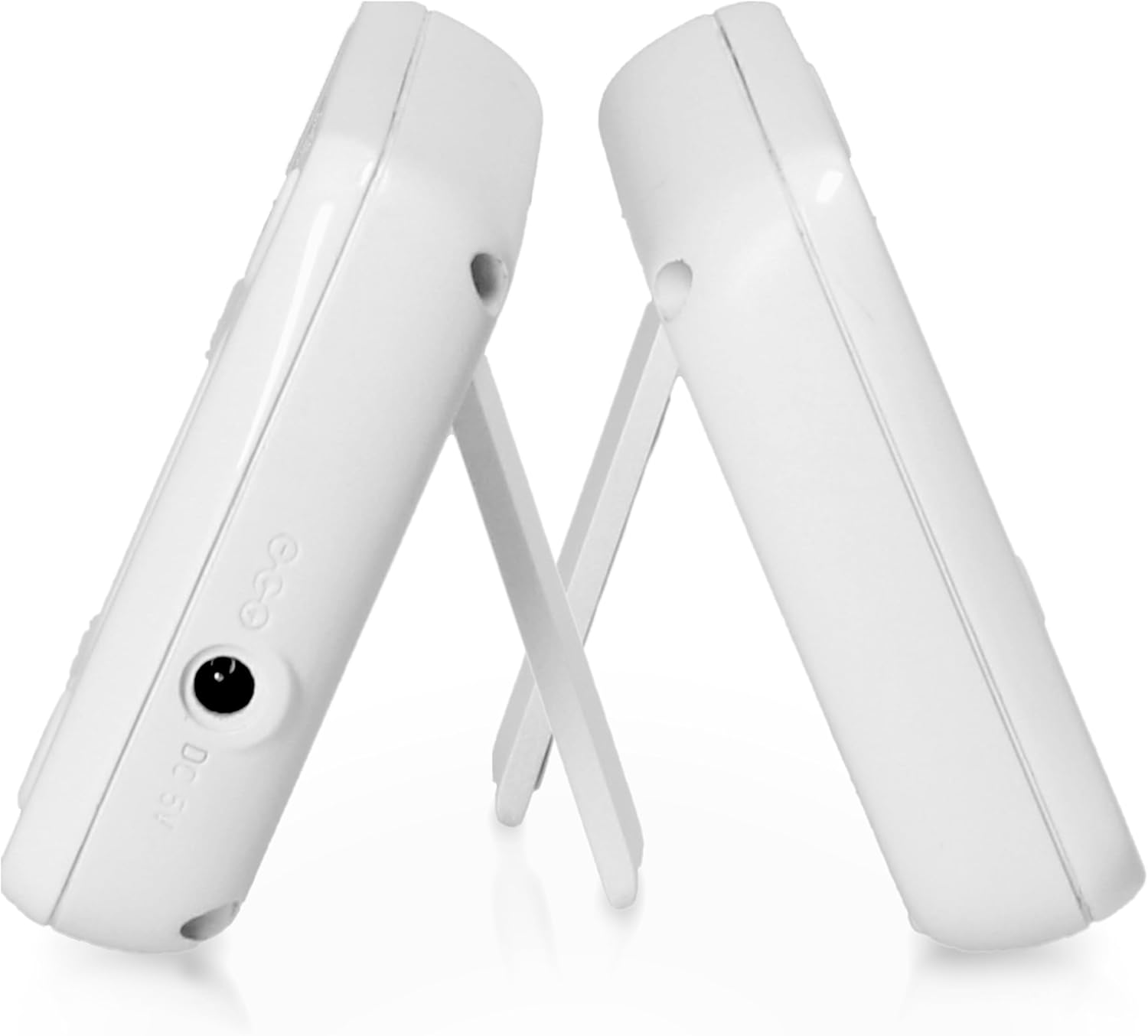
Gambar: Hiji sisi view of the Alecto DVM-64 parent unit, highlighting its integrated kickstand for stable placement.
5. Ngahurungkeun
Once both units are connected to power, press and hold the power button on each unit until the indicator lights illuminate. The units should automatically connect. If they do not, refer to the troubleshooting section.
Parentah Operasi
Pangimeutan Dasar
The parent unit's 2.4-inch (6.1 cm) color screen provides a clear video feed from the baby unit. The monitor automatically switches to night vision mode in low-light conditions, ensuring clear images even in darkness.

Image: The Alecto DVM-64 parent unit displaying a clear image of a baby on its 2.4-inch screen, illustrating the screen quality.
VOX Function (Voice Operated Exchange)
The VOX function conserves battery life by keeping the parent unit's screen off until sound is detected from the baby unit. When your baby makes a sound or cries, the screen will automatically activate. The sensitivity of the VOX function can be adjusted through the parent unit's menu.
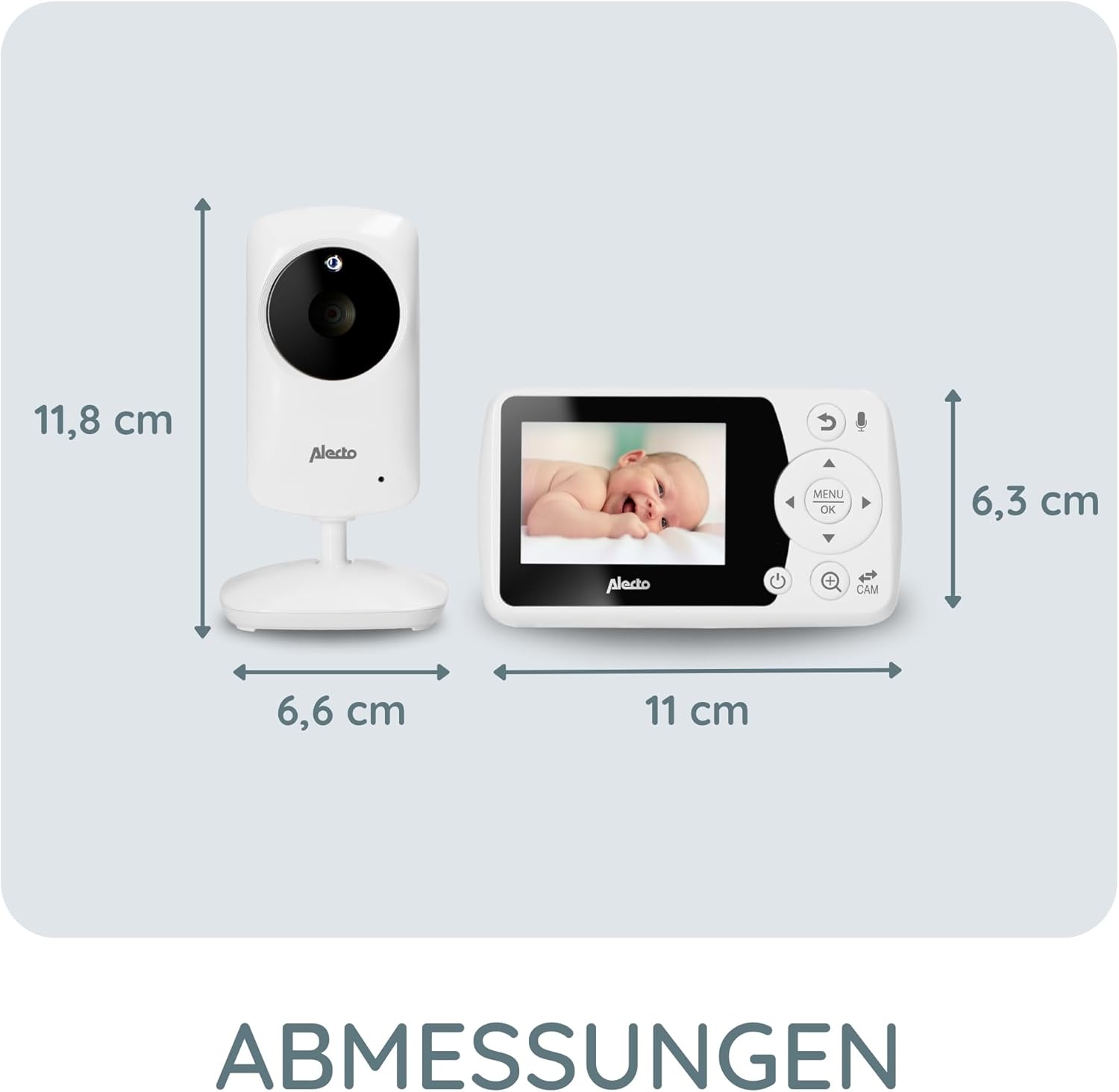
Image: The Alecto DVM-64 parent unit in a hand, illustrating the VOX function where the screen activates upon detecting sound.
Two-Way Talk (Intercom Function)
Press and hold the microphone button on the parent unit to speak to your baby through the baby unit's speaker. Release the button to hear your baby's sounds again.
Lullabies
The DVM-64 includes 8 integrated lullabies that can be played from the baby unit to soothe your baby. Access and control the lullabies through the parent unit's menu.
Pangimeutan Suhu
The parent unit displays the temperature of the baby's room, as measured by the baby unit. You can set an alarm to be notified if the temperature goes outside a predefined range.

Image: The Alecto DVM-64 parent unit showing the room temperature display on its screen, with an icon indicating temperature monitoring.
Range and Connectivity
The DVM-64 offers a secure and interference-free connection. The operational range is up to 50 meters indoors and up to 300 meters outdoors (line of sight). An out-of-range warning will alert you if the connection is lost.

Image: The Alecto DVM-64 camera unit with a Wi-Fi signal icon, illustrating its long range capabilities of up to 50m indoors and 300m outdoors.
Dukungan Multi-Kaméra
The Alecto DVM-64 system is expandable, allowing you to connect up to four DVM-64C cameras to a single parent unit. The parent unit can automatically scan and display feeds from connected cameras every 6 seconds.

Image: A visual representation showing the Alecto DVM-64 system's ability to connect up to four cameras to one parent unit, with a collage of multiple camera placements.
Pangropéa
beberesih
To clean the baby unit and parent unit, use a soft, dry cloth. Do not use abrasive cleaners or solvents. Ensure the devices are powered off and unplugged before cleaning.
Battery Care (Parent Unit)
To prolong the life of the parent unit's rechargeable Lithium-polymer battery:
- Hindarkeun sering-sering ngeusi batre.
- Charge the unit regularly, even if not in constant use.
- Store the unit in a cool, dry place if not used for extended periods.
Pamérésan masalah
| Masalah | Mungkin Cukang lantaranana | Solusi |
|---|---|---|
| Teu aya gambar/sora dina unit induk | Unitna aya di luar jangkauan atanapi teu dihurungkeun. | Ensure both units are powered on and within range. Check power adapters are securely connected. |
| Kualitas gambar henteu saé | Low light conditions (night vision should activate), interference, or camera lens is dirty. | Ensure night vision is enabled. Move units away from other electronic devices. Clean the camera lens gently. |
| batré Unit indungna drains gancang | Battery not fully charged, or VOX function is off. | Fully charge the parent unit. Enable VOX function to conserve battery. |
| Teu aya fungsi obrolan dua arah | Microphone button not pressed or held correctly. | Ensure you are pressing and holding the microphone button on the parent unit while speaking. |
spésifikasi
| Fitur | Rincian |
|---|---|
| Nomer modél | DVM-64 |
| merek | Alecto |
| Resolusi Video | 1080 p |
| Warna | Bodas |
| Ukuran (L x W x H) | 6.6 x 6.6 x 11.8 cm (Camera Unit) |
| Beurat | 295 gram |
| Téhnologi nirkabel | Wifi |
| Input kakuatan | 5V DC |
| Batré (Unit Induk) | Lithium-polymer (rechargeable, up to 10 hours standby) |
| Ukuran layar | 2.4 inci / 6.1 cm |
| Rentang jero rohangan | Nepi ka 50 méter |
| Rentang luar | Nepi ka 300 méter (garis pandang) |
| Fitur husus | Night Vision, Two-Way Talk, Temperature Display with Alarm, 8 Lullabies, VOX Function, Adjustable Sensitivity, Expandable to 4 Cameras (DVM-64C) |
| Produsén | Lenco GmbH |
| Negara asal | Cina |
Garansi sareng Rojongan
For warranty information and technical support, please refer to the documentation included in your product package or visit the official Alecto websitus. Simpen bukti pameseran anjeun pikeun klaim garansi.
Alecto Baby is committed to providing reliable products and support. For further assistance, please contact Alecto customer service.


