1. Bubuka
The Urbanears Luma True Wireless Earbuds offer a seamless audio experience with intuitive controls and a portable charging case. This manual will guide you through setup, operation, maintenance, and troubleshooting to ensure optimal use of your device.
Naon dina Box
- Earbuds Wireless Leres
- Kasus Ngecas Nirkabel
- Kabel Ngecas USB-C
- Quick Start Guide (Refer to this manual for detailed instructions)
- Legal and Safety Manual

Image description: The Urbanears Luma True Wireless Earbuds in their Ultra Violet color, neatly placed inside their matching charging case, which is closed. The case features the 'URBANEARS' logo.
2. Setélan
2.1. Ngecas Earbuds jeung Case
Before first use, fully charge your Urbanears Luma earbuds and charging case.
- Lebetkeun earbud kana wadah ngecas. Pastikeun éta dipasang kalayan leres.
- Sambungkeun kabel ngecas USB-C ka port ngecas dina case jeung ka sumber kakuatan.
- Alternatively, place the charging case on a compatible wireless charging pad.
- The LED indicator on the case will show charging status. A full charge provides up to 25 hours of total playtime (5 hours in earbuds + 4 additional charges from case).
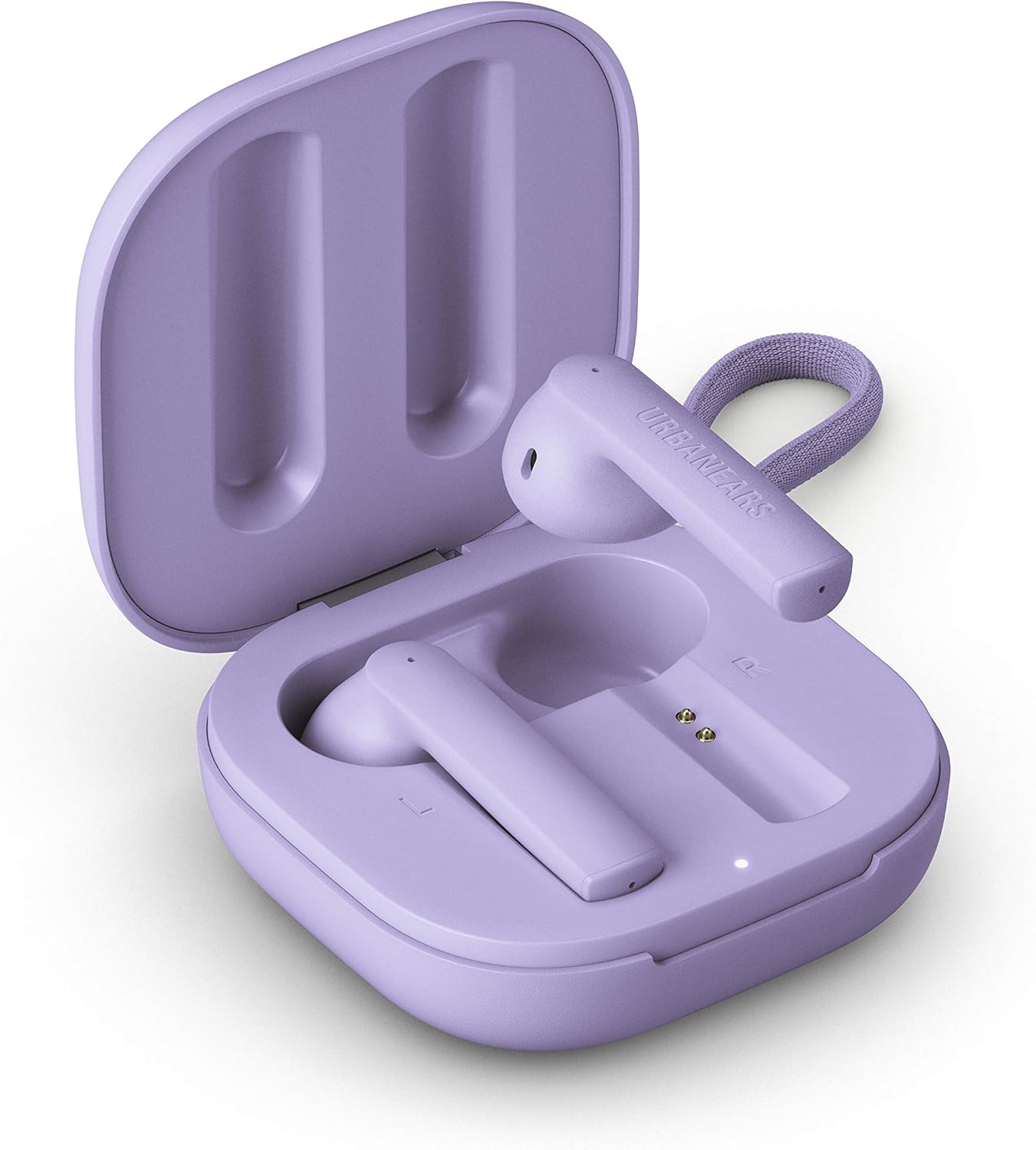
Image description: The Urbanears Luma charging case in Ultra Violet, shown open with both earbuds inside. The charging contacts and an LED indicator are visible.
2.2. Papasangan awal
- Pastikeun yén earbuds dieusi.
- Buka wadah ngecas. Earbuds bakal otomatis asup kana mode papasangan.
- Dina alat anjeun (smartphone, tablet, komputer), buka setélan Bluetooth.
- Select "Urbanears Luma" from the list of available devices.
- Sakali nyambung, anjeun bakal ngadangu konfirmasi audio.

Image description: A side view of the two Urbanears Luma True Wireless Earbuds in Ultra Violet, positioned next to each other, ready for use or pairing.
3. Nyuping
3.1. Toél Kontrol
The Urbanears Luma earbuds feature intuitive touch controls on each earbud.
- Puter / Reureuh: Ketok boh earbud sakali.
- Lagu salajengna: Ketok dua kali earbud katuhu.
- Lagu Sateuacanna: Ketok dua kali earbud kénca.
- Ngajawab / mungkas Telepon: Ketok boh earbud sakali.
- Nolak Telepon: Pencét jeung tahan boh earbud salila 2 detik.
- Aktipkeun Asisten Sora: Ketok tilu kali boh earbud.
The earbuds also feature wear-detect sensors that automatically pause music when removed and resume when re-inserted.

Image description: A close-up of a person wearing an Urbanears Luma earbud in Ultra Violet, demonstrating its in-ear fit and discreet design.
3.2. Nyieun jeung Nampa Telepon
The Luma earbuds are equipped with noise-filtering dual microphones for clear call quality.
- To answer an incoming call, tap either earbud once.
- To end an active call, tap either earbud once.
- Pikeun nampik telepon asup, pencét jeung tahan boh earbud salila 2 detik.
4. Pangropéa
4.1. beberesih
Pikeun ngajaga kinerja sareng kabersihan anu optimal:
- Lembut usap earbuds sareng wadah ngecas ku lawon anu lemes, garing, teu aya serat.
- Ulah make bahan kimia kasar, pangleyur beberesih, atawa detergents kuat.
- Pastikeun ngecas kontak dina duanana earbuds jeung wadahna beresih jeung bébas tina lebu.
4.2. Tahan cai
The Urbanears Luma earbuds have an IPX4 water-splash resistant design. This means they are protected from splashing water from any direction.
- Ulah beuleum earbuds dina cai.
- Do not expose them to pressurized water or high-velocity water, such as during showering or swimming.
- Kasus ngecas henteu tahan cai.
- If earbuds get wet, dry them thoroughly before placing them back in the charging case.
5. Cara ngungkulan
If you encounter issues with your Urbanears Luma earbuds, refer to the following common solutions:
5.1. Earbuds Teu Nyapasangkeun
- Pastikeun duanana earbud parantos dicas sareng disimpen kalayan leres dina wadah ngecas.
- Close the case, wait a few seconds, then open it again to re-enter pairing mode.
- On your device, forget "Urbanears Luma" from your Bluetooth settings and attempt to pair again.
- Try restarting your device's Bluetooth function or the device itself.
5.2. Only One Earbud Working
- Lebetkeun deui dua earbud kana wadah ngecas teras tutupkeun tutupna.
- Open the lid and check if both earbuds connect.
- Pastikeun kadua earbuds dicas cekap.
- If the issue persists, try resetting the earbuds (refer to the full user guide if available for specific reset instructions).
5.3. Low Volume or Poor Sound Quality
- Pastikeun yén earbuds dipasang leres dina ceuli anjeun.
- Pariksa tingkat polumeu dina alat Anjeun nu disambungkeun tur earbuds.
- Bersihkeun sagala lebu tina speaker earbud.
- Cobi pegatkeun sambungan teras sambungkeun deui earbud kana alat anjeun.
5.4. Masalah Ngecas
- Pastikeun kabel USB-C parantos nyambung kalayan pageuh kana casing sareng kana sumber daya.
- Coba kabel USB-C atanapi adaptor kakuatan anu sanés.
- Pastikeun kontak pangisi daya dina earbud sareng jero wadahna bersih.
- If using wireless charging, ensure the case is correctly positioned on a compatible charger.
6. Spésifikasi
| Fitur | Rincian |
|---|---|
| Ngaran modél | Luma |
| Konektipitas | Bluetooth |
| Komunikasi Nirkabel | Bluetooth |
| Kahirupan Batré Earbud | 5 Jam |
| Total Playtime (kalawan kasus) | 25 Jam |
| Waktu Ngecas | 5 Hours (for case, approximate) |
| Tahan cai | IPX4 (Water-splash resistant) |
| Métode kontrol | Toél |
| Mikropon | Dual, noise-filtering |
| Item Beurat | 18 Gram (0.635 ons) |
| Dimensi produk | 0.79 x 1.97 x 1.97 inci |
| Produsén | Zound Industries |
| Batré | 3 batré Litium Ion (kaasup) |
7. Garansi jeung Rojongan
For detailed warranty information, please refer to the official warranty document provided with your product or accessible online.
- Warranty Information (PDF)
- For further assistance or support, please visit the Urbanears official websitus atanapi ngahubungan layanan palanggan.


