1. Bubuka
This manual provides detailed instructions for the safe and effective use of your Elecom LBT-TWS05BK True Wireless Bluetooth Earphones. Please read this manual thoroughly before using the product and retain it for future reference.
The Elecom LBT-TWS05BK earphones are designed for stable connectivity, superior comfort, and high usability, delivering rich audio performance. They feature an ergonomic design, advanced communication technology, and convenient smart features.
2. Émbaran Kasalametan
Pikeun mastikeun operasi anu aman sareng nyegah karusakan, punten perhatikeun pancegahan ieu:
- Ulah ngantepkeun earphone atanapi wadah ngecas ka suhu, kalembaban, atanapi cairan anu ekstrim.
- Hindarkeun ragrag atanapi ngagentoskeun alat kana tabrakan anu kuat.
- Ulah nyobian ngabongkar atanapi ngarobih produk. Ieu bakal ngabatalkeun garansi.
- Jauhkeun tina jangkauan barudak sareng piaraan.
- Dengekeun dina tingkat polumeu sedeng pikeun nyegah karuksakan dédéngéan.
- Be aware of your surroundings when using the earphones, especially in traffic or dangerous situations.
3. Eusi Paket
Pastikeun yén sadaya item aya dina pakét produk anjeun:
- Elecom LBT-TWS05BK True Wireless Bluetooth Earphones (Left and Right)
- Ngecas Case
- USB Charging Cable (Type-A to Type-C)
- Ear Caps (XS, S, M, L sizes; M size pre-installed)
- Instruksi Manual
4. Produk Langkungview
Familiarize yourself with the components of your Elecom LBT-TWS05BK earphones.

Gambar: Deukeut view of the Elecom LBT-TWS05BK true wireless earbuds, showcasing their sleek black design and the ELECOM branding.

Image: The Elecom LBT-TWS05BK earbuds placed inside their compact charging case, ready for storage or charging.
The earphones feature a compact design with a 6.0mm diameter external magnetic dynamic driver for clear sound. The charging case is designed for single-handed operation with a push-button lid.
5. Setélan
5.1. Ngecas Earphone jeung Case
- Connect the supplied USB Type-A to Type-C cable to the charging case's USB Type-C port and a USB power source.
- The LED indicators on the charging case will show the charging status. Four LEDs indicate a full charge.
- Lebetkeun earphone kana wadah ngecas. Éta bakal mimiti ngecas sacara otomatis.
- A 15-minute charge provides approximately 1 hour of music playback. A full charge of the earphones allows for about 5 hours of continuous music playback or 4.5 hours of talk time. The charging case can recharge the earphones up to 2.5 times, providing a total of about 17.5 hours of use.
5.2. Papasangan awal
The Elecom LBT-TWS05BK supports auto-pairing and Google Fast Pair for compatible Android devices.

Image: An illustration demonstrating the Google Fast Pair feature, where simply opening the charging case near a compatible smartphone prompts a pairing notification. Also shows the one-push open mechanism of the case.
- Pastikeun Bluetooth smartphone anjeun diaktipkeun.
- Buka wadah ngecas. Earphone bakal otomatis asup kana mode papasangan.
- For Android devices with Google Fast Pair, a notification will appear on your screen. Tap to connect.
- For other devices, go to your device's Bluetooth settings and select "LBT-TWS05BK" from the list of available devices.
- Once paired, the earphones will automatically connect to the last paired device when removed from the case.
5.3. Nyocogkeun Earbuds
The earphones feature an ergonomic design for optimal fit and stability.
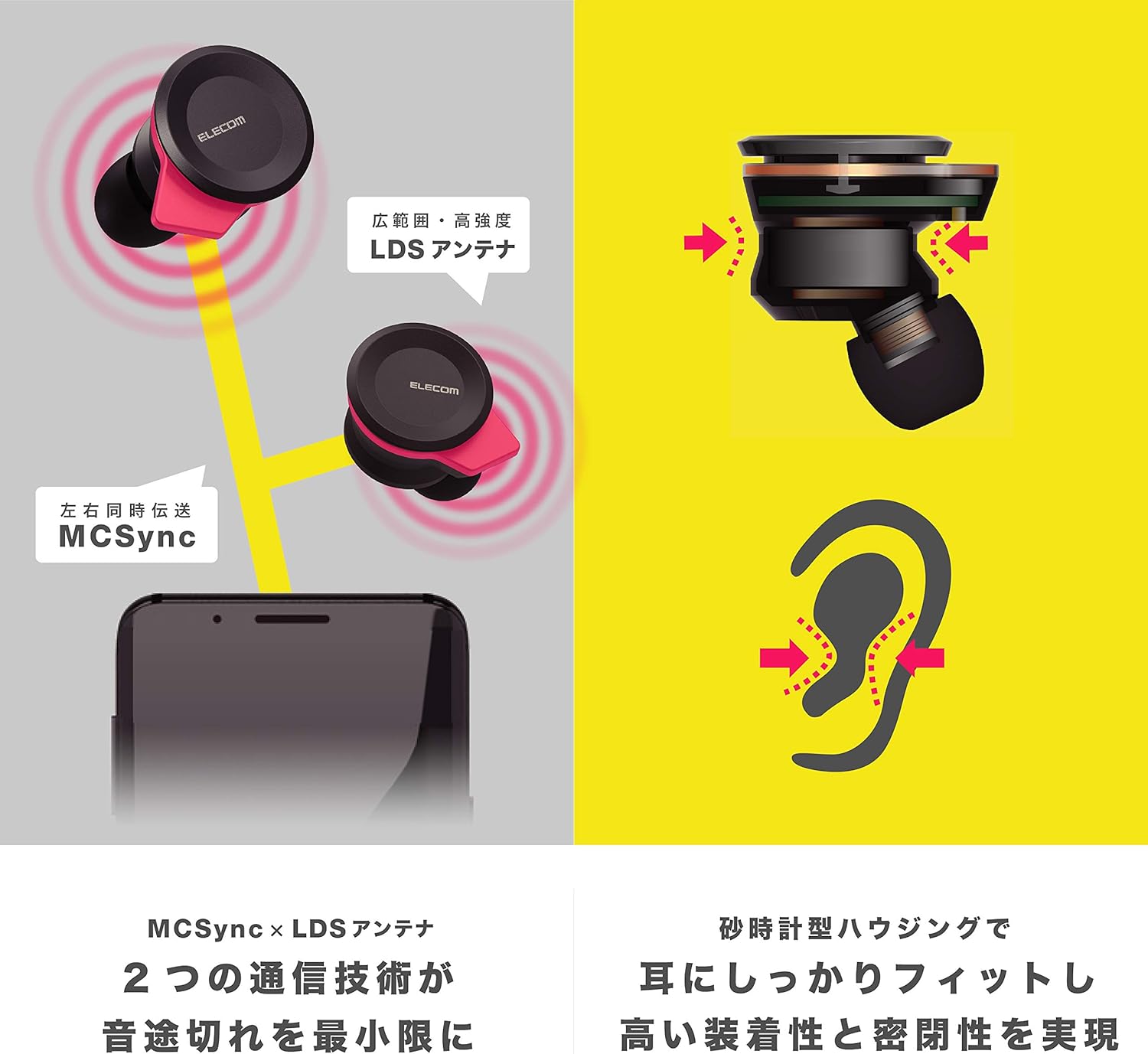
Image: An illustration showing the ergonomic hourglass shape of the earbud designed to fit securely in the ear, alongside a diagram explaining the MCSync and LDS antenna technologies for stable communication.
- Select the ear caps that provide the best seal and comfort from the four included sizes (XS, S, M, L). The M size is pre-installed.
- Lembut selapkeun earbud kana saluran ceuli anjeun.
- Adjust the earbud so that the hourglass shape is firmly seated between your ear tragus and anti-tragus for a stable fit.
6. Parentah Operasi
The Elecom LBT-TWS05BK earphones offer various functions for audio playback, calls, and smart assistant interaction.
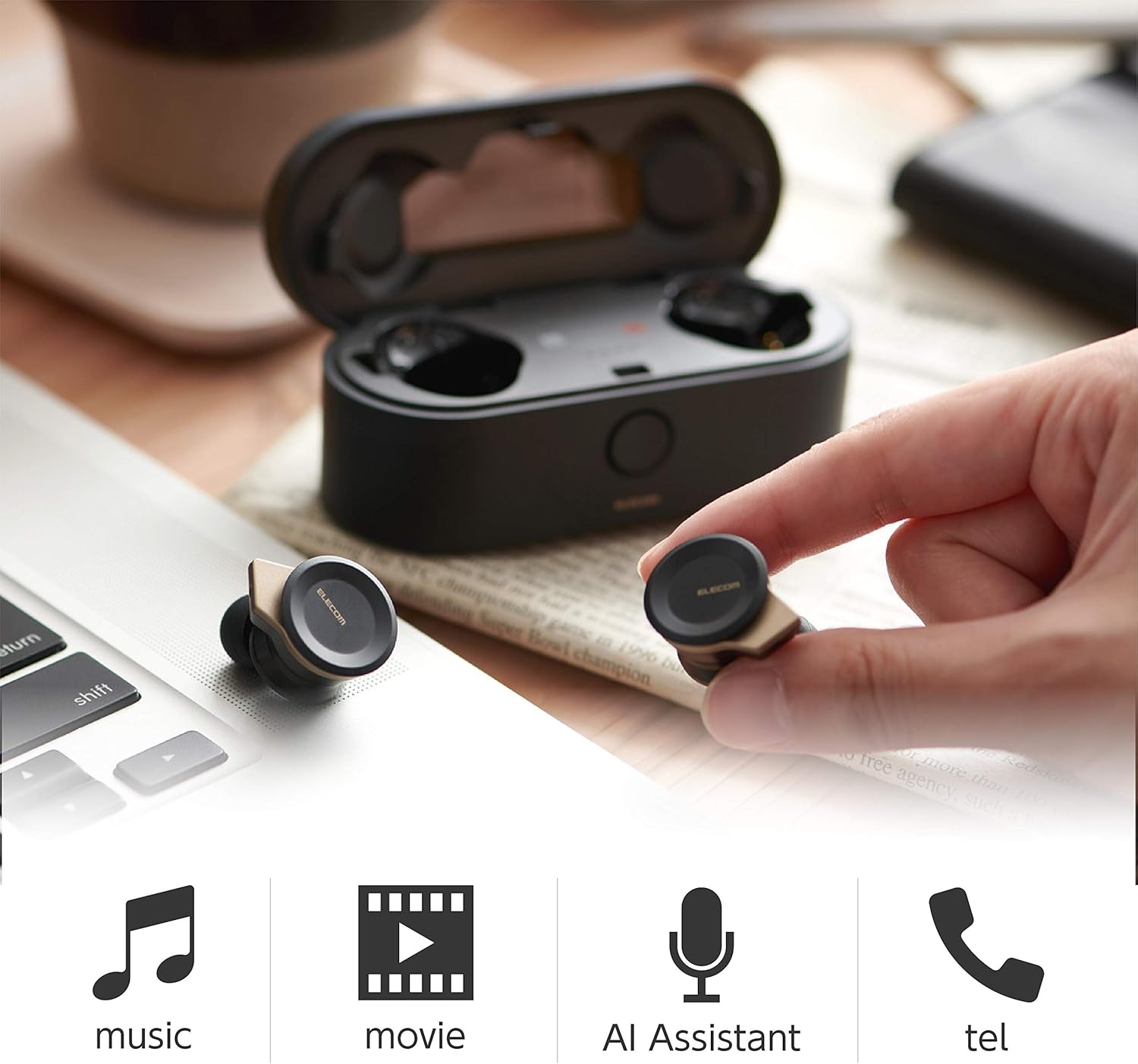
Image: The Elecom LBT-TWS05BK earbuds displayed with icons representing their versatile uses: music playback, movie watching, AI assistant activation, and phone calls.
6.1. Daya Hurung / Pareum
- Daya Hurung: Remove the earphones from the charging case. They will power on automatically.
- Pareum listrik: Place the earphones back into the charging case. They will power off automatically.
6.2. Puterkeun Musik
Use the buttons on the earphones to control music playback (specific button functions may vary, refer to quick start guide for exact mapping):
- Puter / Reureuh: Pencét sakali dina salah sahiji earbud.
- Lagu salajengna: Pencét dua kali dina earbud katuhu.
- Lagu Sateuacanna: Pencét dua kali dina earbud kénca.
- Kontrol volume: Adjust via your connected device or voice assistant.
6.3. Télépon Nanganan
The right earbud supports calls and voice AI functions.
- Ngajawab / mungkas Telepon: Single press on the right earbud.
- Nolak Telepon: Pencet jeung tahan earbud katuhu pikeun 2 detik.
6.4. Voice AI Activation
Compatible with voice AI assistants like Siri and Google Assistant.
- Activate Voice AI: Triple press on the right earbud.
6.5. External Sound Capture Function
This function allows you to hear surrounding sounds while wearing the earphones.
- Aktipkeun / Nonaktipkeun: Pencet sareng tahan earbud kénca salami 2 detik.
7. Pangropéa
Pangropéa anu leres mastikeun umur panjang sareng kinerja earphone anjeun.
- beberesih: Anggo kaén anu lembut sareng garing pikeun ngabersihan earphone sareng wadah ngecas. Ulah make cleaners abrasive atawa pangleyur.
- Tutup Ceuli: Remove and clean ear caps regularly with water and mild soap. Ensure they are completely dry before reattaching.
- Panyimpenan: Lamun teu dipake, nyimpen earphones dina wadah ngecas maranéhanana pikeun ngajaga eta tina lebu jeung karuksakan.
- Perawatan batré: Ulah sering ngecas batréna nepi ka pinuh. Cas sacara rutin pikeun ngajaga kaséhatan batréna.
8. Cara ngungkulan
If you encounter issues with your Elecom LBT-TWS05BK earphones, refer to the following common solutions:
- Henteu aya Masalah Sora/Koneksi:
- Ensure earphones are charged and powered on.
- Pariksa naha Bluetooth diaktipkeun dina alat anjeun.
- Coba pasangkeun deui earphone sareng alat anjeun.
- Ensure earphones are within the 10m transmission distance.
- Earphone Teu Ngecas:
- Pastikeun kabel ngecas tos aman disambungkeun ka casing sareng sumber listrik.
- Check if the charging case has sufficient battery.
- Ensure the earphones are correctly seated in the charging case.
- Kualitas Sora goréng:
- Ensure ear caps provide a good seal in your ear.
- Ngabersihan sagala lebu tina nozzles earbud.
- Pindah ngadeukeutan ka alat Anjeun nu disambungkeun pikeun ngaronjatkeun kakuatan sinyal.
- Voice AI/Calls Not Working on Left Earbud:
- Note that calls and voice AI functions are only compatible with the right earbud.
9. Spésifikasi
| Fitur | Spésifikasi |
|---|---|
| Nomer modél | LBT-TWS05BK |
| Métode Komunikasi | Bluetooth Standard Version 5.0 |
| Kaluaran | Daya Bluetooth Kelas 1 |
| Jarak Transmisi Maksimum | Kira-kira. 10m |
| Pita frékuénsi | 2.4GHz |
| Métode Modulasi | FHSS (Frékuénsi Hopping Spéktrum Nyebarkeun) |
| Didukung Bluetooth Profiles | A2DP, AVRCP, HFP, HSP |
| A2DP Compatible Codec | SBC, AAC |
| A2DP Compatible Content Protection | SCMS-T |
| Maximum Registration Capacity | 8 alat |
| Multipoint (Simultaneous Standby) | Teu cocog |
| Tipe Supir | 6.0mm diameter external magnetic dynamic driver (ETEMDriver) |
| Téknologi Komunikasi | MCSync (MultiCast Synchronization), LDS Antenna |
| Mikropon | High-quality MEMS microphone with HDVoice |
| Kontinyu Talk Time | Kira-kira. 4.5 jam |
| Continuous Music Playback Time | Kira-kira. 5 jam |
| Total Waktu Putar Ulang (kalayan wadah ngecas) | Kira-kira. 17.5 jam |
| Port ngecas | USB Tipe-C |
| Ngecas Gancang | 15 min charge for 1 hour playback |
| Beurat | 61 Gram (beurat total pakét) |
| Bahan | palastik |
| Tingkat Résistansi Cai | Tahan cai |
| Alat nu cocog | Smartphones, Tablets, iOS Devices, Android Devices |
10. Garansi jeung Rojongan
For warranty information and customer support, please refer to the official ELECOM websitus atanapi ngahubungan pangecér lokal Anjeun. Simpen bukti pameseran anjeun pikeun klaim garansi.


