Buku Panduan Pangguna Kipas Menara DC NU NYIEUN/NGIRINGKEUN
Model: 901ac5f5-3fab-4ab6-92cb-7ef7d8ca7a54
1. Bubuka
Thank you for choosing the CREATE/COOL DC Tower Fan. This bladeless tower fan is designed to provide efficient and quiet air circulation with its advanced DC motor and 9-speed settings. Featuring a sleek design, remote control, and 90-degree oscillation, it offers optimal comfort for any room.
Please read this manual thoroughly before operating the device to ensure safe and proper use. Keep this manual for future reference.
2. Parentah Kasalametan
- Salawasna cabut kipas tina stop kontak sateuacan beberesih atanapi ngalakukeun perawatan naon waé.
- Ulah ngoperasikeun kipas upami kabel atanapi colokanna rusak. Upami kabel atanapi colokanna rusak, hubungi petugas servis anu mumpuni.
- Do not place the fan near water or in excessively humid environments.
- Keep fingers, hair, and loose clothing away from the fan's openings during operation.
- Pastikeun kipas disimpen dina permukaan datar anu stabil pikeun nyegah tipping.
- Alat ieu henteu dimaksudkeun pikeun dianggo ku jalma (kalebet murangkalih) anu ngirangan kamampuan fisik, indrawi atanapi mental, atanapi kirang pangalaman sareng pangaweruh, kecuali aranjeunna dipasihan pangawasan atanapi petunjuk ngeunaan panggunaan alat ku jalma anu tanggung jawab kana kasalametanana.
- Barudak kedah diawaskeun pikeun mastikeun yén aranjeunna henteu maén sareng alatna.
- Ulah nyelapkeun objék naon wae kana bukaan kipas.
- Ulah nutupan kipas salila operasi.
3. Eusi Paket
Pastikeun yén sadaya item aya dina bungkusan:
- CREATE/COOL DC Tower Fan Unit
- Kadali jauh
- Kabel Daya (terintegrasi)
- Manual pangguna (dokumén ieu)
4. Setélan
- Buka bungkus kipas: Carefully remove the tower fan and all accessories from the packaging.
- panempatan: Tempatkeun kipas dina permukaan anu teuas sareng rata. Pastikeun aya rohangan anu cekap di sakitar kipas pikeun sirkulasi hawa sareng osilasi anu leres.
- Sambungkeun Kakuatan: Insert the power plug into a standard electrical outlet. Ensure the voltage cocog sarat kipas urang (230V).
- Batré Kadali Jauh: The remote control may require batteries (not included). Open the battery compartment and insert the correct type and number of batteries, observing polarity.
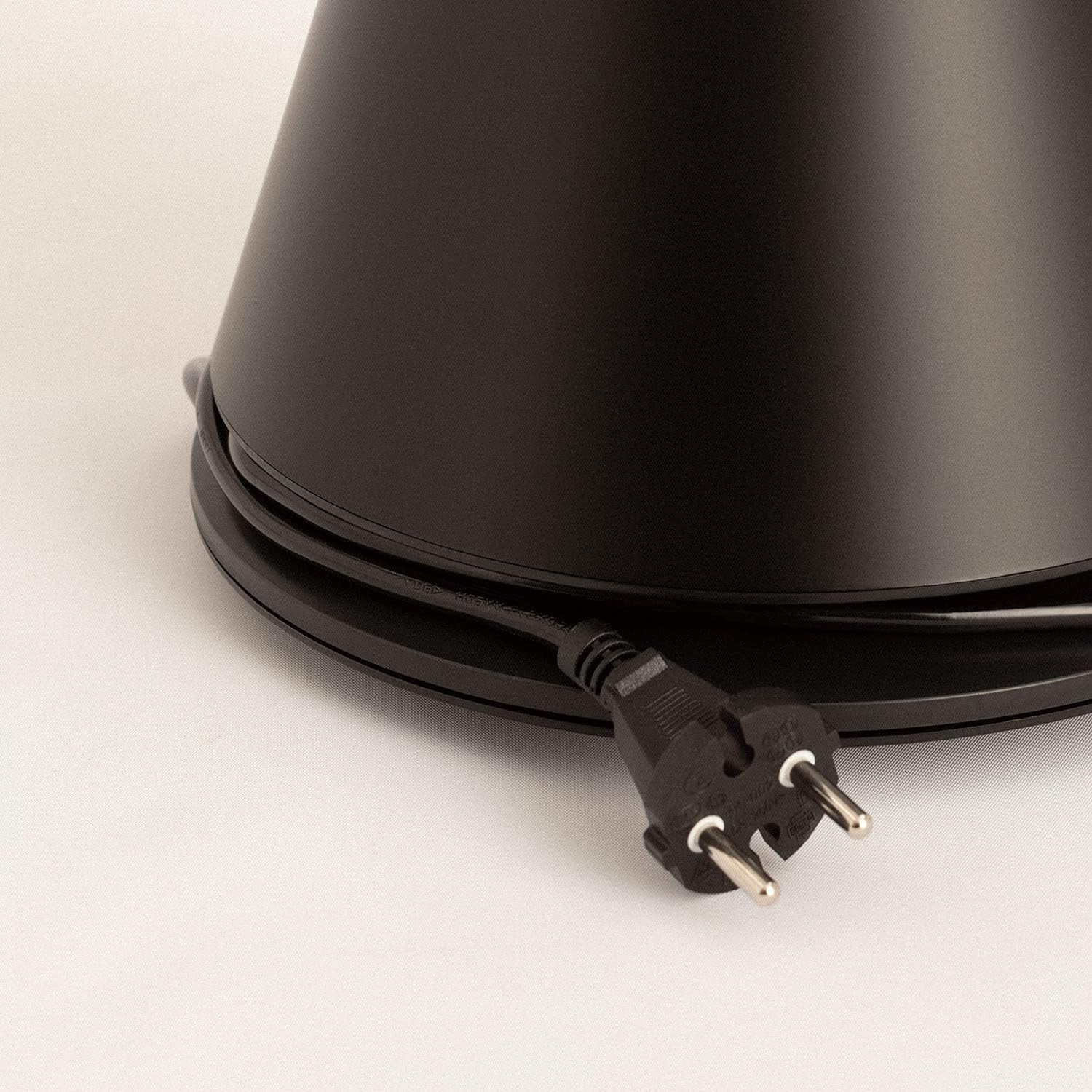
Image: Power cord connected to the fan base.
This image shows the integrated power cord and plug, ready for connection to a wall outlet. The cord is neatly wrapped around the base for storage.
5. Parentah Operasi
Control Panel (Digital Display Touch-System)
The fan features a digital display touch-system on its top, which also serves as the integrated remote control storage. Touch the icons to control the fan.
Kadali jauh
The magnetic remote control can be stored conveniently on top of the fan. It provides full functionality for operating the fan from a distance.

Image: Remote control for the tower fan.
This image displays the compact remote control with clearly labeled buttons for power, speed adjustment, mode selection, and oscillation control.
fungsi:
- Hurungkeun/Pareuman: Pencét tombol kakuatan (⏻) pikeun ngahurungkeun atanapi mareuman kipas.
- Pangaluyuan Kacepetan: The fan has 9 speed levels. Use the '+' and '-' buttons to increase or decrease the fan speed.
- Modeu angin: Select between 2 wind modes (e.g., Normal, Sleep, Natural - specific modes may vary). Press the mode button to cycle through available modes.
- Osilasi: Pencét tombol osilasi (↻) to activate or deactivate the 90-degree oscillation feature, which distributes air evenly across the room.
- Timer: Set the fan to automatically turn off after a specified period. Refer to the display for timer settings (e.g., 1-12 hours).

Image: Tower fan placed in a bedroom.
This image shows the sleek black tower fan positioned in a modern bedroom, demonstrating its compact footprint and aesthetic integration into a living space.
6. Pangropéa
Pembersihan rutin bakal ngabantosan ngajaga kinerja kipas sareng manjangkeun umurna.
- Ngabersihan Luar: Ngusap permukaan luar kipas kalayan lemes, damp lawon. Ulah make cleaners abrasive atawa pangleyur.
- Ngaleungitkeun lebu: Use a vacuum cleaner with a brush attachment or compressed air to remove dust from the air intake and outlet grilles.
- Panyimpenan: Upami nyimpen kipas kanggo waktos anu lami, cabut colokanna, bersihan tuntas, teras simpen di tempat anu tiis sareng garing, langkung saé dina bungkus aslina.
- Ulah neuleumkeun kipas dina cai atawa cairan séjén.
7. Cara ngungkulan
| Masalah | Mungkin Cukang lantaranana | Solusi |
|---|---|---|
| Kipas angin teu hurung. | Teu plugged di; stop kontak listrik teu jalan; Tombol daya teu dipencet. | Pastikeun kipas dicolokkeun kana stop kontak anu tiasa dianggo. Pencét tombol daya. |
| Aliran hawa lemah. | Low speed setting; Air inlets/outlets blocked by dust. | Increase the fan speed. Clean the air inlets and outlets. |
| Kipas angin ribut. | Fan not on a level surface; Internal obstruction; High speed setting. | Place the fan on a flat, stable surface. Check for any obstructions. Reduce fan speed. |
| Kadali jauh teu jalan. | Batteries dead or incorrectly inserted; Obstruction between remote and fan. | Replace batteries, ensuring correct polarity. Remove any obstructions. Ensure remote is pointed at the fan. |
8. Spésifikasi
| Fitur | Rincian |
|---|---|
| merek | NYIPTA |
| Nomer modél | 901ac5f5-3fab-4ab6-92cb-7ef7d8ca7a54 |
| Dimensi produk | 102 x 23 x 102 cm (approx. 23D x 23W x 102H cm) |
| Beurat | 2.6 kg |
| Warna | Hideung |
| Sumber Daya | Kabel Listrik |
| Voltage | 230 volt |
| Wattage | 26 Watt |
| Tingkat Noise | 2 dB (Note: This value seems unusually low based on customer reviews, typical fan noise is higher. Please refer to actual product performance.) |
| Jumlah Speeds | 9 |
| Fitur husus | Oscillating, Lightweight, DC Motor, Timer, Remote Control |
9. Garansi jeung Rojongan
CREATE products are manufactured to the highest quality standards. For information regarding warranty coverage, please refer to the warranty card included with your purchase or visit the official CREATE websitus.
For technical support, troubleshooting assistance, or spare parts, please contact CREATE customer service. Contact details can typically be found on the product packaging or the official brand websitus.
Websitus: CREATE Official Store


