1. Bubuka
Thank you for choosing the Glorious Model O- (Minus) Gaming Mouse. This manual provides essential information for setting up, operating, and maintaining your new gaming mouse. The Model O- (Minus) is engineered for competitive e-sports, featuring an ultralight design, a flexible Ascended Cord, and customizable RGB lighting to enhance your gaming experience.
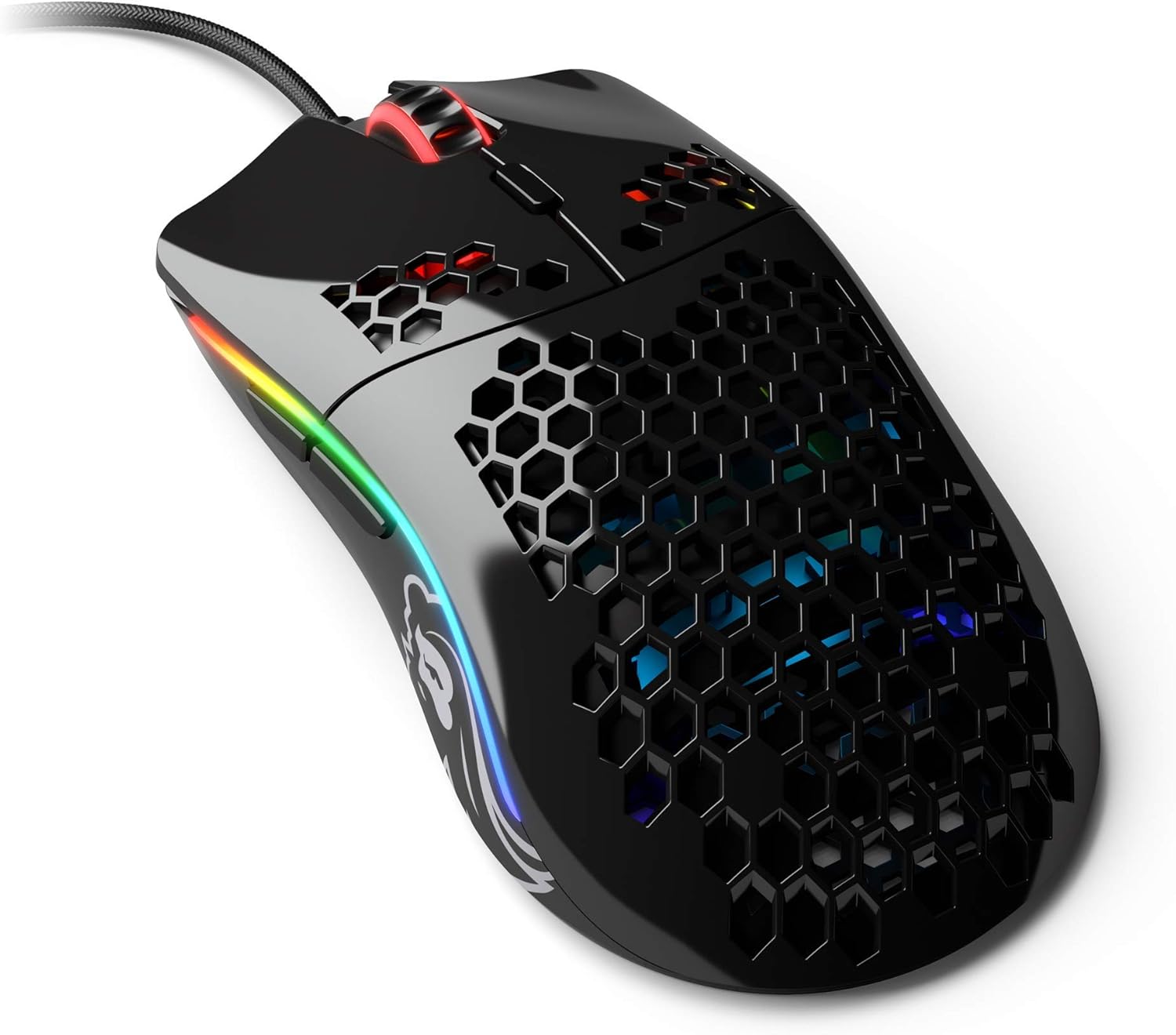
Image: The Glorious Model O- (Minus) Gaming Mouse in Glossy Black, showcasing its honeycomb shell design and RGB lighting.
2. Setélan
2.1 Eusi pakét
Sateuacan neraskeun, pastikeun sadaya komponén aya:
- Glorious Model O- (Minus) Gaming Mouse
- Ascended Cord (attached)
- Pituduh Mimiti Gancang (dokumén ieu)
2.2 Nyambungkeun Mouse
- Teangan hiji port USB sadia dina komputer Anjeun.
- Plug the USB connector of the Glorious Model O- (Minus) into the USB port.
- Mouse ieu tiasa dipasang sareng dianggo sacara otomatis sareng kedahna tiasa dikenal ku sistem operasi anjeun.

Image: The Glorious Ascended Cord, a lightweight and flexible USB cable designed to minimize drag.
2.3 Software Installation (Glorious Core)
For advanced customization of DPI settings, button assignments, and RGB lighting, download the Glorious Core software from the official Glorious websitus (www.gloriousgaming.com/pages/glorious-core). Follow the on-screen instructions for installation.

Image: Screenshot of the Glorious Core software interface, demonstrating options for lighting and key binding customization for the mouse.
3. Parentah Operasi
3.1 Fungsi Dasar Beurit
- Klik Kénca: Tombol aksi primér.
- Klik katuhu: Tombol aksi sekundér, biasana pikeun menu kontéks.
- Gulung kabayang: Scrolls content up/down. Can also be clicked for middle-click functionality.
- Kancing samping: Programmable buttons, typically for forward/back navigation in browsers or in-game actions.
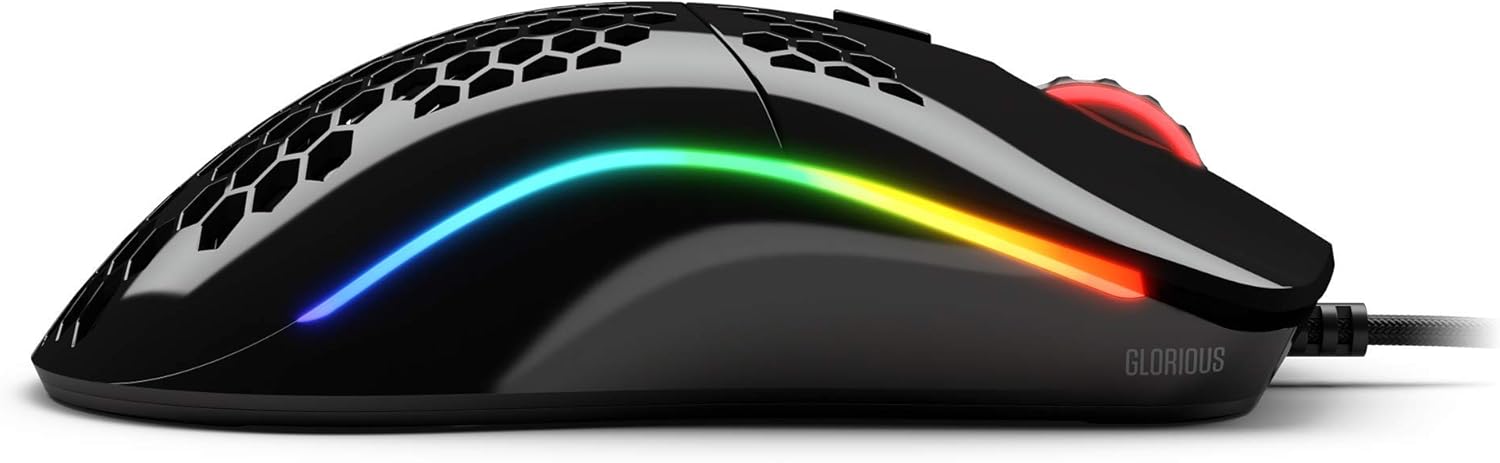
Gambar: Sisi view of the Glorious Model O- (Minus) mouse, highlighting the two programmable side buttons and the vibrant RGB lighting strip.
3.2 DPI adjustment
The Model O- (Minus) features a dedicated DPI button on the underside of the mouse. Press this button to cycle through pre-set DPI stages. The default DPI stages can be customized using the Glorious Core software.
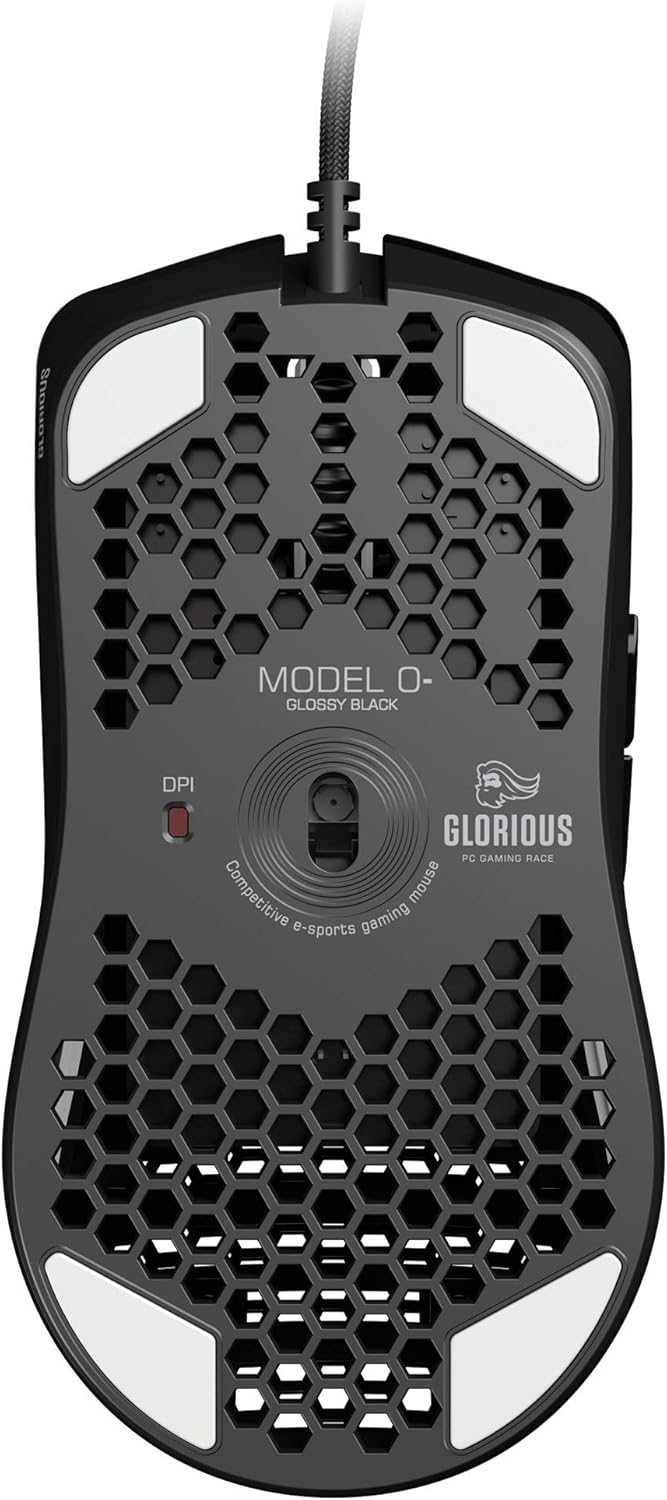
Image: The underside of the Glorious Model O- (Minus) mouse, clearly showing the DPI switch button and the optical sensor.
3.3 Kustomisasi Lampu RGB
The RGB lighting on your Glorious Model O- (Minus) can be fully customized using the Glorious Core software. You can select from various effects, colors, and brightness levels to match your setup or mood.
4. Pangropéa
4.1 Ngabersihan Beurit
- Pastikeun beurit dipegatkeun sambungan tina komputer sateuacan beberesih.
- Anggo kaén anu lemes sareng teu aya serat anu hampang dampku cai atawa solusi beberesih hampang pikeun ngusap beungeut beurit.
- Pikeun sénsor optik, paké sapuan kapas anu hampang dampened with isopropyl alcohol to gently clean the lens. Avoid excessive moisture.
- Do not use harsh chemicals or abrasive materials, as these can damage the mouse's finish or internal components.
4.2 Perawatan Kabel
The Ascended Cord is designed to be lightweight and flexible. Avoid sharp bends or excessive pulling on the cable to prevent damage. Use a cable tie or management system to keep the cable tidy and prevent tangles.
5. Cara ngungkulan
5.1 Beurit Teu Ngabales
- Pastikeun kabel USB tos aman dicolokkeun kana port USB anu tiasa dianggo dina komputer anjeun.
- Coba colokkeun beurit ka port USB anu béda.
- Balikan deui komputer anjeun.
- Uji beurit dina komputer anu sanés pikeun nangtukeun naha masalahna aya dina beurit atanapi sistem anjeun.
5.2 Inconsistent Tracking or Cursor Movement
- Ngabersihan sensor optik sakumaha dijelaskeun dina bagian Pangropéa.
- Pastikeun anjeun nganggo beurit dina permukaan anu bersih sareng seragam (contona, alas beurit). Hindarkeun permukaan anu réfléktif atanapi transparan.
- Check DPI settings using the DPI button or Glorious Core software.
- Update your mouse drivers or Glorious Core software to the latest version.
5.3 RGB Lighting Not Working Correctly
- Ensure Glorious Core software is installed and up to date.
- Check the lighting settings within Glorious Core to ensure RGB is enabled and configured as desired.
- Balikan deui komputer anjeun.
6. Spésifikasi
| Fitur | Rincian |
|---|---|
| Dimensi produk | 4.72 x 2.48 x 1.42 inci |
| Item Beurat | 2.08 ons |
| Téhnologi konektipitas | USB (Kabel) |
| Téhnologi Deteksi Gerakan | Optik |
| Warna | Herang Hideung |
| Fitur husus | Desain ambidextrous |
| Produsén | Glorious PC Gaming Race |
7. Jaminan & Dukungan
7.1 Émbaran jaminan
The Glorious Model O- (Minus) Gaming Mouse comes with a 2-Taun Garansi. This warranty covers manufacturing defects and ensures hassle-free return and replacement on all Glorious electronic devices. Please retain your proof of purchase for warranty claims.
7.2 Rojongan Palanggan
If you encounter any issues not covered in this manual or require further assistance, please contact Glorious customer support through their official websitus:
- Websitus: www.gloriousgaming.com/pages/support
- Our dedicated support team is available to assist with any questions or concerns you may have.


