1. Produk Langkungview
The Imou ZL1 ZigBee Smart Water Leak Sensor is designed to detect water leaks and alert you to potential flooding, helping to prevent water damage in your home or office. This compact and discreet sensor uses ZigBee technology for reliable wireless communication with your compatible smart home hub.
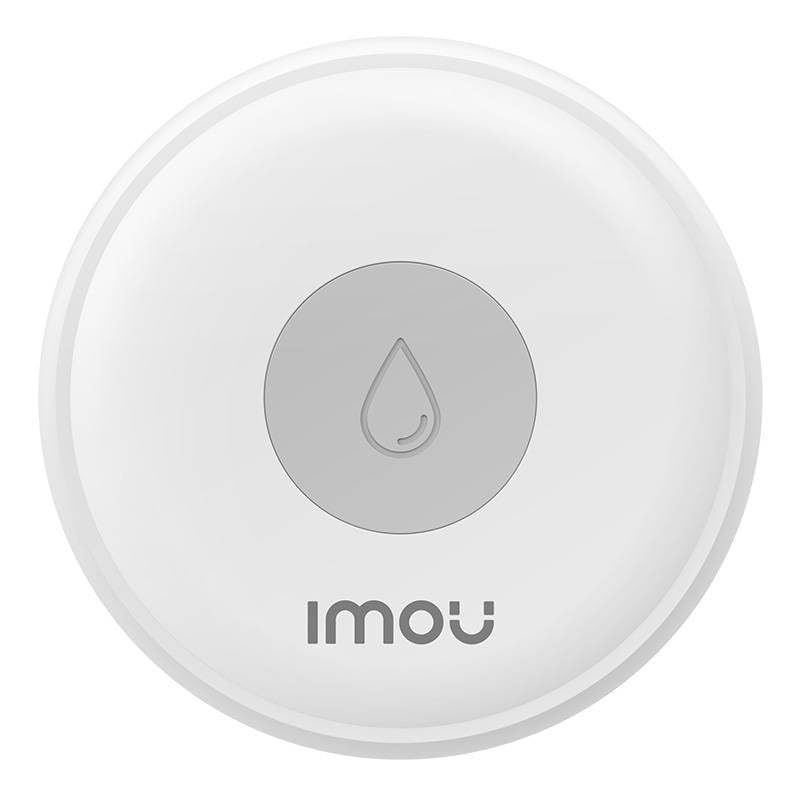
2. Parentah Setup
Follow these steps to set up your Imou ZL1 Smart Water Leak Sensor:
- Nyiapkeun Lingkungan anjeun: Ensure you have a compatible ZigBee hub (e.g., Imou Smart Hub) and the Imou Life app installed on your smartphone. Make sure your Wi-Fi network is 2.4GHz.
- Selapkeun Batré: The sensor requires batteries (not included). Open the sensor's casing (refer to the diagram below for battery compartment location) and insert the required batteries, ensuring correct polarity.
- Open Imou Life App: Launch the Imou Life app on your smartphone and log in to your account.
- Tambahkeun Alat: Tap the '+' icon or 'Add Device' option in the app. Select 'Sensor' or 'Water Leak Sensor' from the device list.
- Pair with Hub: Follow the on-screen instructions to put your ZigBee hub into pairing mode. Then, activate the sensor's pairing mode (usually by pressing a button inside the battery compartment or on the device itself for a few seconds until an indicator light flashes).
- Konfirmasi sambungan: Once the sensor is detected and paired, the app will confirm the successful connection. You may be prompted to name the sensor and assign it to a specific room.
- panempatan: Place the sensor on a flat surface in areas prone to water leaks, such as near water heaters, washing machines, sinks, or in basements. Ensure the contact points on the bottom of the sensor are facing downwards and can come into contact with water.
Video: Imou Home Alarm Kit Interaction (General Sensor Pairing)
3. Parentah Operasi
Once your Imou ZL1 sensor is set up and paired with your ZigBee hub, it will continuously monitor for water leaks.
- Deteksi cai: When the sensor's contact points detect water, it will trigger an alert.
- Bewara Aplikasi: You will receive instant notifications on your smartphone via the Imou Life app when a water leak is detected.
- Otomatisasi: Through the Imou Life app, you can set up smart automations, such as triggering an alarm siren (if connected to an Imou alarm system) or sending alerts to other family members when a leak is detected.
- Pariksa Status: You can check the current status of your water leak sensor (e.g., battery level, last detection) at any time through the Imou Life app.
4. Pangropéa
Regular maintenance ensures optimal performance of your water leak sensor:
- Ngagantian batré: The sensor is battery-powered. When the battery level is low, you will receive a notification in the Imou Life app. Replace the batteries promptly to ensure continuous protection. Use the specified battery type (refer to the sensor's internal markings or packaging).
- beberesih: Periodically clean the sensor's exterior and especially the water contact points with a soft, dry cloth. Avoid using abrasive cleaners or solvents.
- Uji coba: It is recommended to periodically test the sensor by placing its contact points in a small amount of water to ensure it triggers an alert correctly.
5. Cara ngungkulan
If you encounter issues with your Imou ZL1 Smart Water Leak Sensor, try the following:
- Sénsor Teu Nyambung:
- Ensure your ZigBee hub is powered on and connected to your network.
- Verify that the sensor has fresh batteries installed.
- Move the sensor closer to the ZigBee hub to improve signal strength.
- Try resetting the sensor (refer to the device's specific reset procedure, usually a small button press) and re-pairing it with the app.
- No Alerts on Water Detection:
- Check the sensor's battery level in the Imou Life app.
- Ensure the sensor's contact points are clean and free from debris.
- Verify that app notifications are enabled for the Imou Life app on your smartphone.
- Confirm that the sensor is still paired and online in the Imou Life app.
- Alarm palsu:
- Ensure the sensor is placed on a dry, stable surface and not in an area where it might accidentally come into contact with moisture or condensation.
- Clean the sensor's contact points thoroughly.
6. Spésifikasi
| Fitur | Spésifikasi |
|---|---|
| Rujukan modél | IOT-ZL1-EU |
| merek | Imou |
| Métode kontrol | Aplikasi |
| Tipe Pamasangan | Lantai Gunung |
| Téknologi Sénsor | Sénsor kontak |
| Sumber Daya | Battery Powered (Batteries required, not included) |
| Bahan | Akrilik |
| Bérés | Herang |
| Warna | Bodas |
7. Garansi jeung Rojongan
For warranty information, please refer to the documentation included with your product or visit the official Imou website. For technical support, troubleshooting assistance, or to access the latest user guides, please visit the Imou support page or contact their customer service directly.


