1. Bubuka
This manual provides detailed instructions for the installation, operation, and maintenance of your Imou IPC-G22P 2MP WiFi IP Bullet Camera. This device is designed for reliable surveillance, offering 2-megapixel live monitoring, efficient H.265 video compression, and robust IP67 weather resistance for various environmental conditions.

Image 1.1: The Imou IPC-G22P Bullet Camera, showcasing its weather-resistant design suitable for outdoor use.

Image 1.2: The Imou IPC-G22P camera is suitable for diverse installation environments, including residential and commercial outdoor settings.
2. Émbaran Kasalametan
Please read and follow all safety instructions carefully to prevent damage to the device or injury to yourself. Keep this manual for future reference.
- Sasayogian tanaga: Use only the power adapter provided with the camera. Ensure the power source meets the camera's voltage syarat.
- Pamasangan: Install the camera securely on a stable surface. Avoid placing it in areas with extreme temperatures, high humidity, or direct exposure to corrosive substances.
- Paparan cai: While the camera is IP67 rated for weather resistance, avoid submerging it in water or exposing it to high-pressure water jets.
- beberesih: Pegatkeun sambungan kakuatan saméméh beberesih. Paké lawon lemes, garing. Entong nganggo pembersih cair atanapi aerosol.
- Palayanan: Entong nyobian ngabongkar atanapi ngalereskeun kaméra nyalira. Rujuk sadayana jasa ka tanaga anu mumpuni.
3. Setélan
3.1 Instalasi fisik
Mount the camera in your desired location using the provided mounting hardware. Ensure the camera has a clear field of view and is within range of your Wi-Fi network or close to an Ethernet port for wired connection.
3.2 Sambungan Daya
Connect the power adapter to the camera's power input and then plug it into a standard electrical outlet. The camera will power on automatically.
3.3 Sambungan Jaringan
The Imou IPC-G22P supports both Wi-Fi and wired LAN connectivity, offering flexibility for installation.

Image 3.1: The camera supports both wireless (2.4GHz Wi-Fi) and wired (LAN) network connections for flexible installation and stable data transmission.
- Sambungan Wi-Fi: For wireless setup, ensure your Wi-Fi network is 2.4GHz. The camera features an upgraded 4.5dBi antenna for stronger and more stable signal reception.
- Sambungan LAN: For a more stable and reliable connection, connect an Ethernet cable from your router to the camera's LAN port.
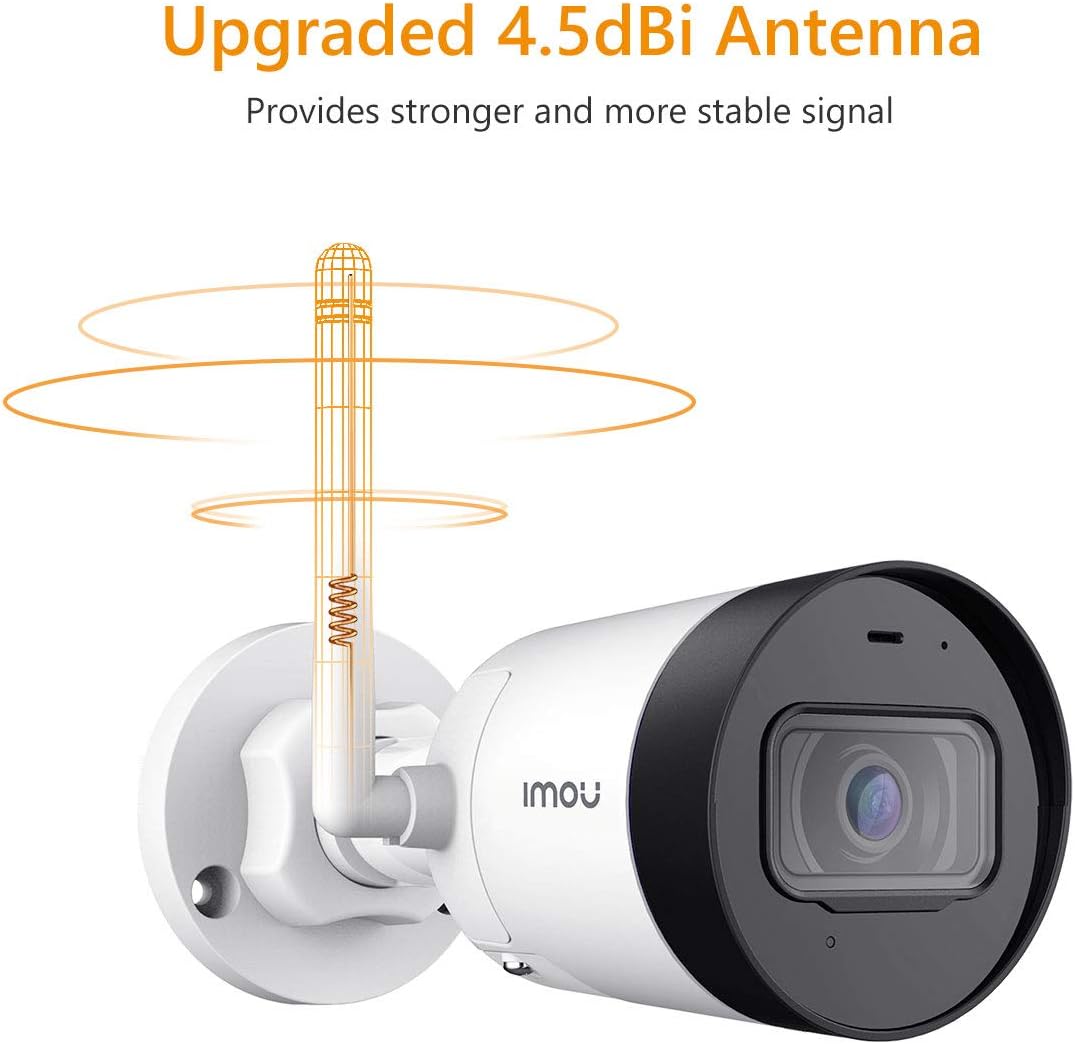
Image 3.2: The camera's 4.5dBi antenna enhances Wi-Fi signal strength and stability.
3.4 Pamasangan Aplikasi sareng Pamasangan Alat
- Unduh Imou Kahirupan aplikasi ti toko aplikasi smartphone anjeun (sayogi pikeun Android sareng iOS).
- Jieun akun atanapi log in upami anjeun parantos gaduh.
- Follow the in-app instructions to add your new camera. This typically involves scanning a QR code on the camera or manually entering its serial number.
- Complete the network configuration within the app.
4. Parentah Operasi
4.1 Hirup View jeung Rékam
Once connected, you can access the live video feed from your camera via the Imou Life app. The camera provides 2-megapixel resolution and utilizes H.265 compression to optimize bandwidth and storage usage while maintaining video quality.
4.2 Deteksi Gerak sareng Siaga
The camera is equipped with motion detection capabilities. When movement is detected, the camera can send instant alerts to your smartphone, allowing you to monitor activity in real-time.

Image 4.1: The Imou camera provides instant alerts to your smartphone upon detecting movement, enhancing security monitoring.
4.3 Pemantauan Audio
The built-in microphone allows you to listen to audio from the camera's vicinity through the Imou Life app.

Image 4.2: The camera includes a built-in microphone for audio monitoring of the surveillance area.
4.4 Visi Peuting
The camera features integrated night vision functionality, providing clear video monitoring even in low-light or complete darkness conditions.
4.5 Manajemén Panyimpenan
The Imou IPC-G22P offers multiple options for video storage:
- Kartu SD Mikro: Supports local storage on a Micro SD card, up to 128GB.
- Awan Imou: Cloud storage service for secure, remote access to your recordings.
- NVR (Network Video Recorder): Compatible with NVR systems for continuous recording and centralized management.

Image 4.3: The camera provides flexible storage solutions including Micro SD card, Imou Cloud, and NVR compatibility.
5. Pangropéa
5.1 beberesih
To maintain optimal performance, periodically clean the camera lens and housing. Use a soft, lint-free cloth. For stubborn dirt, slightly dampen lawon jeung cai. Hindarkeun pembersih abrasive atanapi pangleyur.
5.2 Apdet firmware
Regularly check for and install firmware updates via the Imou Life app. Firmware updates often include performance improvements, new features, and security enhancements.
5.3 Résistansi Cuaca
The Imou IPC-G22P is IP67 certified, meaning it is protected against dust ingress and can withstand immersion in water up to 1 meter for 30 minutes. This rating ensures reliable operation in various outdoor weather conditions, including rain and snow.
6. Cara ngungkulan
- Henteu aya kakuatan:
Ensure the power adapter is securely connected to both the camera and a working electrical outlet. Verify the outlet is supplying power. - No Network Connection / Frequent Disconnections:
Check your Wi-Fi signal strength at the camera's location. If using Wi-Fi, ensure the camera is within range of your 2.4GHz router. If using LAN, verify the Ethernet cable is properly connected and functional. Restart your router and the camera. - Imou Life App Issues (Slow Loading, Playback Delays):
Ensure your smartphone has a stable internet connection. Close and reopen the app. Clear the app's cache or reinstall it if issues persist. Network congestion can also affect app performance. - Masalah Kualitas Gambar:
Ngabersihan lénsa kaméra. Pastikeun teu aya halangan dina widang kaméra view. Check network bandwidth, as low bandwidth can affect streaming quality. - Camera Heats Up During Use:
It is normal for electronic devices to generate some heat during operation. If the camera becomes excessively hot to the touch or exhibits abnormal behavior, disconnect power and contact support. - Lensa dibereskeun Viewdina Angle:
The Imou IPC-G22P features a fixed lens. The viewing angle cannot be adjusted remotely. Ensure the camera is physically mounted at the desired angle during installation.
7. Spésifikasi
| Fitur | Spésifikasi |
|---|---|
| Ngaran modél | Imou IPC G22PIMOU (Bullet Lite) |
| Nomer Pabrikan | IPC-G22P |
| Resolusi | 2 megapiksel |
| Téhnologi konektipitas | Nirkabel (Wi-Fi), Kabel (LAN) |
| Frékuénsi Wi-Fi | 2.4 GHz |
| Pamakéan jero rohangan / outdoor | Outdoor (IP67 certified) |
| Fitur husus | Night Vision, Motion Detection, Built-in Microphone |
| Alat nu cocog | Smartphone, Tablet |
| Sumber Daya | Kabel Listrik |
| Dimensi produk | 8.5 x 7 x 16.5 cm |
| Item Beurat | 260 g |
| Batré Diperlukeun | 1 AA batteries (for remote, not camera operation) |
| Produsén | Imou |
8. Garansi jeung Rojongan
Kanggo inpormasi garansi sareng dukungan téknis, mangga tingal Imou resmi websitus atanapi ngahubungan pangecér lokal Anjeun. Simpen resi pameseran anjeun salaku bukti pameseran.
For further assistance, you may visit the Imou support page or contact their customer service directly.


