Bubuka
This manual provides instructions for the Mars Gaming MCPTKLES RGB Combo, which includes a gaming keyboard and mouse. This combo is designed for optimal desktop space utilization and is compatible with multiple platforms, including Windows, Mac, PlayStation 4, Xbox One, and Nintendo Switch. The keyboard features RGB Breathing and RGB Flow lighting, H-Mech technology, and anti-ghosting capabilities. The mouse is equipped with a 3200 DPI optical sensor, RGB Flow lighting, and durable HUANO mechanical buttons.
Eusi pakét
- Mars Gaming MCPTKLES TKL RGB Keyboard
- Mars Gaming MCPTKLES RGB Mouse
- Manual pangguna (dokumén ieu)
Disetél
Connecting the Combo
The Mars Gaming MCPTKLES combo uses a standard USB connection for both the keyboard and mouse. No additional drivers are typically required for basic functionality on supported operating systems.
- Milarian port USB anu sayogi dina komputer atanapi konsol kaulinan.
- Plug the USB connector from the keyboard into the USB port.
- Plug the USB connector from the mouse into another available USB port.
- Sistem operasi anjeun kedah otomatis ngadeteksi sareng masang panggerak anu diperyogikeun.
- The RGB lighting on both devices should illuminate upon successful connection.
Kasaluyuan Multi-Platform
This combo is designed to work with:
- Sistem operasi Windows
- Mac operating systems
- PlayStation 4
- Xbox One
- Nintendo Pindah
Note: Specific game or console settings may be required for full functionality on gaming consoles. Refer to your console's user manual for peripheral setup.
Parentah Operasi
Keyboard Functions (TKL Design)
The TKL (Tenkeyless) design of the keyboard omits the numeric keypad, offering a more compact form factor. It features H-Mech technology for a smooth and precise typing experience.
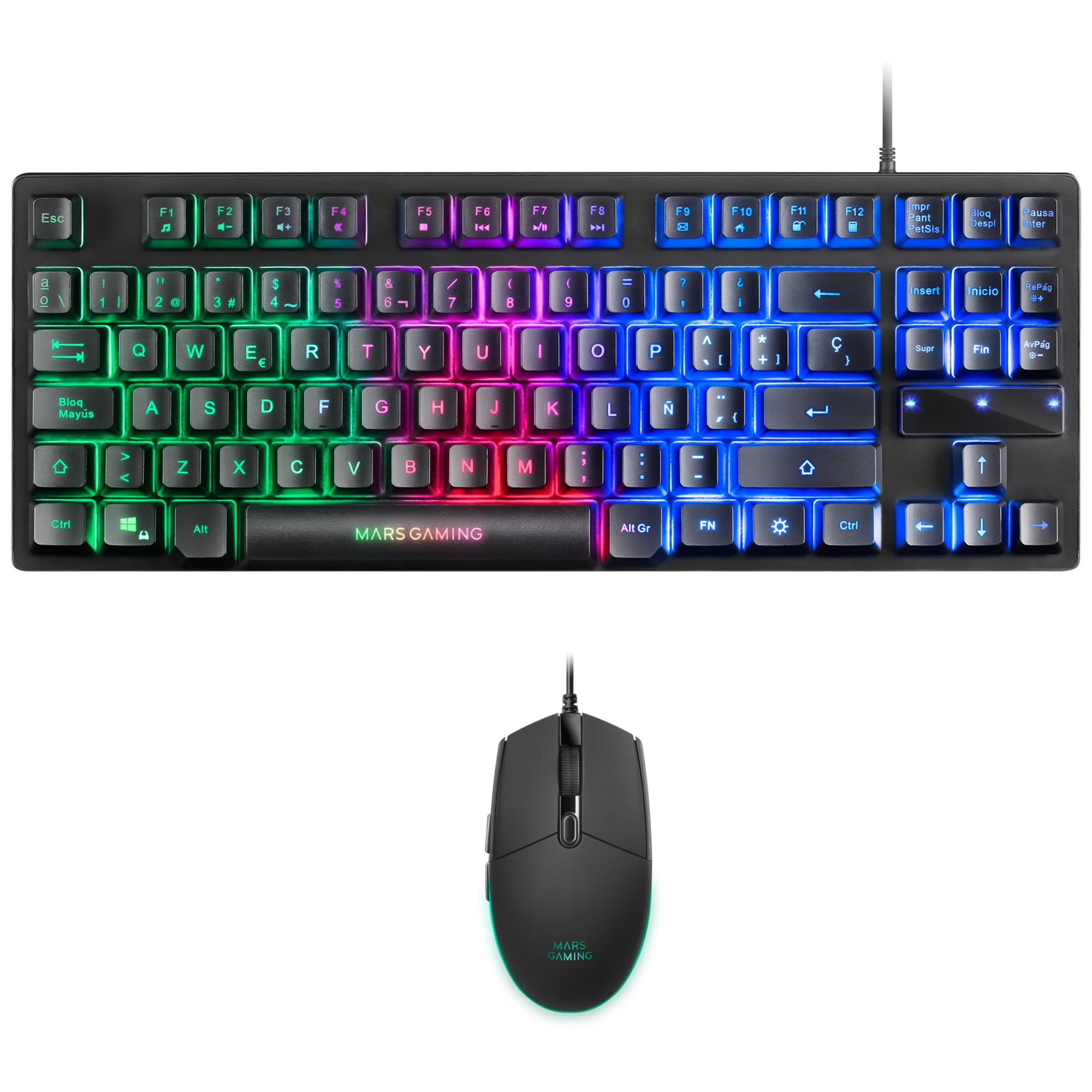
Image: Mars Gaming MCPTKLES TKL RGB Keyboard. This image shows the compact tenkeyless design of the keyboard with its RGB backlighting.
Kontrol Lampu RGB
The keyboard features RGB Control lighting. Specific key combinations allow you to cycle through different lighting modes and effects. Refer to the keyboard's function keys (Fn) combined with other keys for lighting adjustments. Common controls include:
- Fn + [Konci]: To change lighting modes (e.g., static, breathing, wave).
- Fn + [Konci Panah]: To adjust brightness or speed of effects.

Image: Close-up of Mars Gaming MCPTKLES Keyboard RGB Keys. This image highlights the individual keys and their vibrant RGB backlighting.
Anti Ghosting
The keyboard is equipped with anti-ghosting technology, which ensures that multiple key presses are registered simultaneously without conflict, crucial for fast-paced gaming.
Fungsi Mouse
The lightweight mouse features an optical sensor with adjustable sensitivity up to 3200 DPI, RGB Flow lighting, and 6 programmable buttons with high-quality HUANO mechanical switches.

Image: Mars Gaming MCPTKLES RGB Mouse Top View. This image displays the top of the mouse, showing the scroll wheel and main buttons.
DPI Adjustment (On-the-fly)
Use the dedicated DPI button (often located near the scroll wheel) to cycle through different sensitivity levels (DPI - Dots Per Inch). This allows for quick adjustments to mouse speed without interrupting gameplay.

Image: Mars Gaming MCPTKLES RGB Mouse Side View. This image shows the ergonomic shape and side buttons of the mouse.
Tombol Programmable
The mouse features 6 buttons. While basic functionality is plug-and-play, advanced customization and macro programming may require specific software from Mars Gaming, if available. Visit the official Mars Gaming websitus pikeun ngundeur software.

Image: Mars Gaming MCPTKLES RGB Mouse with RGB Flow Lighting. This image illustrates the dynamic RGB lighting effects on the mouse.
Pangropéa
beberesih
- Pegatkeun sambungan keyboard sareng beurit tina komputer sateuacan beberesih.
- Anggo lawon anu lemes, garing, sareng henteu buluan pikeun ngusap permukaanana.
- Keur kokotor bandel, rada dampen lawon ku cai atawa solusi beberesih hampang. Hindarkeun Uap kaleuleuwihan.
- Ulah make bahan kimia kasar, cleaners abrasive, atawa pangleyur.
- For the keyboard, use compressed air to remove dust and debris from between the keys.
Panyimpenan
Simpen alat-alat di tempat anu tiis sareng garing, jauh tina sinar panonpoé langsung sareng suhu anu ekstrim upami henteu dianggo salami waktos anu lami.
Pamérésan masalah
Kibor atawa Beurit Teu Ngabales
- Ensure both USB cables are securely plugged into the computer or console.
- Coba colokkeun alat-alat ka port USB anu béda.
- Pareuman terus hurungkeun deui komputer atanapi konsol anjeun.
- Test the devices on another computer to determine if the issue is with the combo or your system.
Lampu RGB Teu Gawé
- Verify the devices are properly connected and powered.
- Check if the lighting has been turned off via keyboard shortcuts (Fn + lighting control keys).
- Ensure no software conflicts are present if you are using third-party lighting control applications.
Mouse Cursor Jumps or is Inaccurate
- Clean the mouse sensor area on the underside of the mouse.
- Ensure you are using the mouse on a clean, uniform surface (a mouse pad is recommended).
- Adjust the DPI settings using the mouse's DPI button.
spésifikasi
| Fitur | Rincian |
|---|---|
| merek | Mars Kaulinan |
| Nomer modél | MCPTKLES |
| Téhnologi konektipitas | USB (Kabel) |
| Tata perenah kibor | Spanish (TKL - Tenkeyless) |
| Fitur kibor | H-Mech Technology, RGB Control Lighting, Anti-Ghosting |
| Sénsor beurit | Optik |
| Mouse DPI | Up to 3200 DPI (On-the-fly adjustable) |
| Tombol Beurit | 6 (with HUANO mechanical switches) |
| Lampu Mouse | Aliran RGB |
| Alat nu cocog | Linux, Mac, PS4, Windows, XBOX ONE |
| Dimensi produk | 44 x 15.9 x 4.4 cm (Keyboard) |
| Item Beurat | 400 g |
| Warna | Hideung |
Garansi sareng Rojongan
Kanggo inpormasi garansi sareng dukungan téknis, mangga tingal ka Mars Gaming resmi. websitus atanapi ngahubungan layanan palanggan maranéhna. Simpen bukti pameseran anjeun pikeun klaim garansi.
Official Mars Gaming Websitus: www.marsgaming.eu


