Bubuka
The Wicked Audio Driftr True Wireless Earbuds offer a seamless audio experience with easy pairing and comfortable wear. Designed for convenience, these earbuds provide clear sound and intuitive controls, making them ideal for everyday use.
Naon dina Box
- Wicked Audio Driftr True Wireless Earbuds (Left and Right)
- Ngecas Case
- Kabel Ngecas USB
- Manual Pamaké (Dokumén ieu)
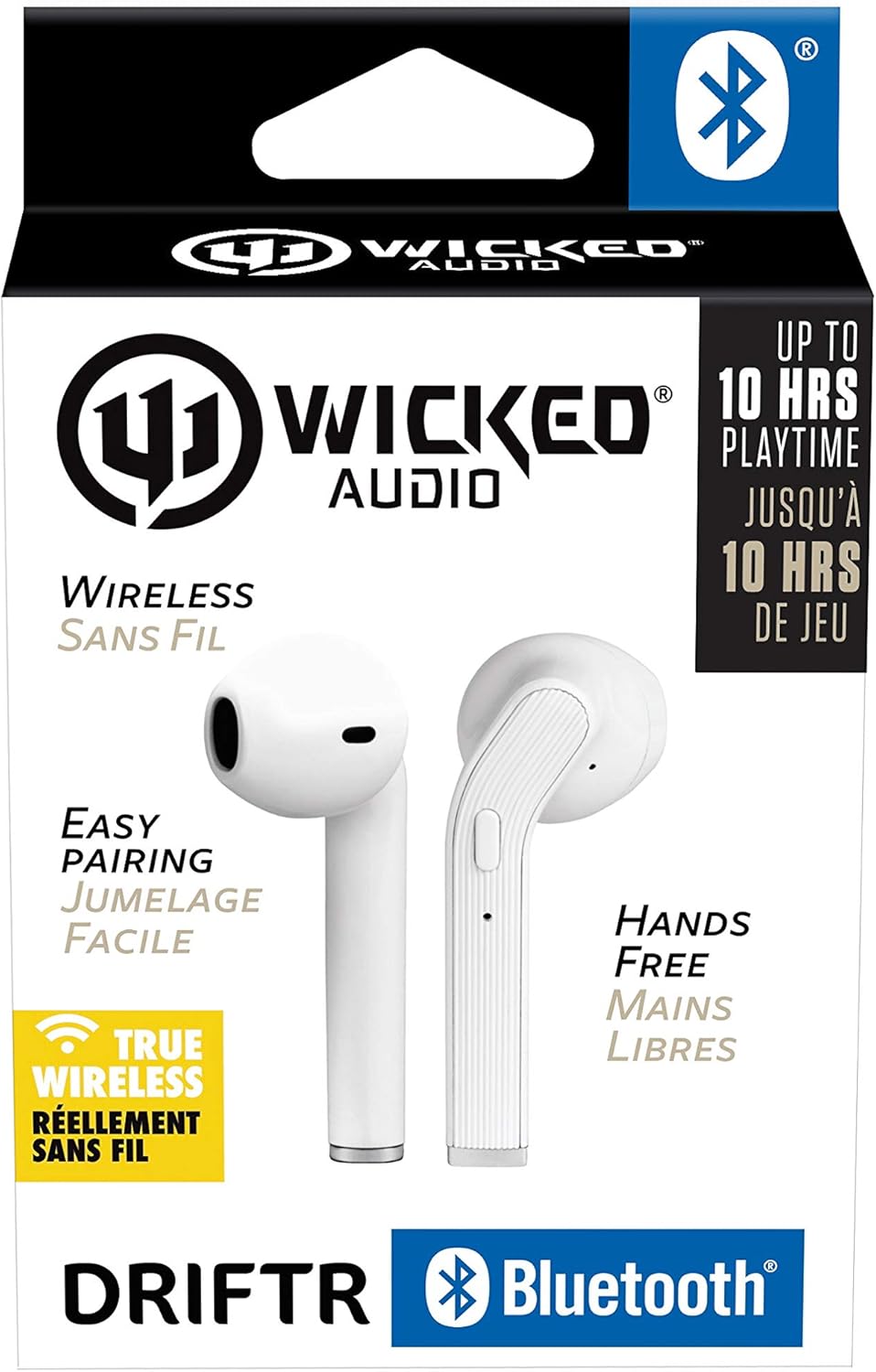
Image: Product packaging showing the earbuds and charging case.
Produk Leuwihview
The Driftr earbuds feature an angled housing design for a comfortable fit. Each earbud includes touch controls for managing audio playback and calls, along with a built-in microphone for hands-free communication. The compact charging case provides additional battery life on the go.

Image: White Wicked Audio Driftr True Wireless Earbuds resting inside their open charging case.

Gambar: Deukeut view of the left and right Wicked Audio Driftr True Wireless Earbuds, showing their angled design and control surfaces.

Image: A person wearing a white Wicked Audio Driftr True Wireless Earbud in their ear, demonstrating the fit.
Disetél
1. Ngecas Earbuds jeung Case
Before first use, fully charge the earbuds and the charging case. Connect the provided USB charging cable to the charging port on the case and plug the other end into a USB power source (e.g., computer, wall adapter). The charging indicator light on the case will show charging status. A full charge takes approximately 1 hour for both the earbuds and the case.
2. Papasangan Gampang
- Pastikeun yén earbuds dieusi.
- Buka wadah ngecas. Earbuds bakal otomatis hurung tur asup kana mode papasangan.
- Dina alat anjeun (smartphone, tablet, laptop), buka setélan Bluetooth.
- Select "Wicked Audio Driftr" from the list of available devices.
- Saatos nyambung, anjeun bakal ngadangu pesen audio, sareng lampu indikator dina earbud bakal robih.
The earbuds are designed for straightforward, no-nonsense pairing in one easy step. After the initial pairing, they will automatically connect to your last paired device when removed from the case.
Parentah Operasi
Toél Kontrol
The Driftr earbuds feature intuitive touch controls for various functions:
- Puter / Reureuh: Ketok tunggal dina boh earbud.
- Lagu salajengna: Ketok dua kali dina earbud katuhu.
- Lagu Sateuacanna: Ketok dua kali dina earbud kénca.
- Ngajawab / mungkas Telepon: Ketok tunggal dina boh earbud nalika aya telepon asup.
- Nolak Telepon: Pencet jeung tahan boh earbud salila telepon asup.
- Aktipkeun Asisten Sora: Ketok tilu kali dina boh earbud (contona, Siri, Asisten Google).
Ngagem Earbuds
Insert the earbuds into your ears with the angled housing pointing slightly forward for a secure and comfortable fit. Adjust as needed to ensure optimal sound quality and passive noise cancellation.
Pangropéa
To ensure the longevity and optimal performance of your Wicked Audio Driftr earbuds, follow these maintenance guidelines:
- beberesih: Lap earbud sareng wadah ngecas sacara rutin nganggo lawon anu lemes, garing, sareng henteu ngaganggu. Entong nganggo bahan kimia anu kasar atanapi bahan anu kasar.
- Panyimpenan: Lamun teu dipake, sok nyimpen earbuds dina wadah ngecas maranéhanana pikeun ngajaga eta jeung tetep dicas.
- Hindarkeun Uap: The earbuds are not water resistant. Avoid exposure to water, sweat, and high humidity.
- Suhu: Do not expose the earbuds or case to extreme temperatures (hot or cold).
Pamérésan masalah
If you encounter issues with your Driftr earbuds, try the following solutions:
- Earbuds teu dipasangkeun:
- Pastikeun kadua earbuds dicas.
- Lebetkeun deui dua earbud kana wadah ngecas, tutup tutupna, antosan sababaraha detik, teras buka deui tutupna.
- On your device, forget "Wicked Audio Driftr" from your Bluetooth settings and attempt to pair again.
- Taya sora tina hiji earbud:
- Ensure both earbuds are charged and properly seated in the case.
- Coba setel deui earbud ku cara nempatkeun kana wadahna teras nyabutna.
- Earbuds teu ngecas:
- Pariksa kabel ngecas jeung sumber kakuatan.
- Pastikeun yén kontak ngecas dina earbuds sareng di jero wadahna beresih sareng bébas tina lebu.
- Kualitas sora goréng:
- Pastikeun yén earbuds dipasang leres dina ceuli anjeun.
- Check the audio source and volume levels on your device.
- Deukeutkeun ka alat nu disapasangkeun pikeun ngahindarkeun gangguan.
spésifikasi
| Fitur | Rincian |
|---|---|
| Ngaran modél | Wicked Audio Driftr (WITW2151) |
| Téhnologi konektipitas | Nirkabel (Bluetooth 5.0) |
| Rentang Bluetooth | Nepi ka 32 Feet |
| Kahirupan batré | Nepi ka 10 Jam (earbud) |
| Waktu Ngecas | Approx. 1 Hour (earbuds and case) |
| Ukuran Supir Audio | 13 milimeter |
| Réspon Frékuénsi | 20 Hz - 20,000 Hz |
| Sensitipitas | 15 dB |
| Impedansi | 32 ohm |
| Kontrol bising | Pembatalan Noise Pasip |
| Métode kontrol | Toél |
| Tingkat Résistansi Cai | Henteu Tahan Cai |
| Item Beurat | 2.11 ons |
| Dimensi produk | 1.5 x 3 x 5.5 inci |
| UPC | 712949012265 |
Garansi sareng Rojongan
Wicked Audio products are designed for durability and performance. For specific warranty information and support inquiries, please refer to the official Wicked Audio websitus atanapi ngahubungan layanan palanggan maranéhanana langsung. Simpen bukti pameseran anjeun pikeun klaim garansi.
Pikeun pitulung salajengna, buka di Wicked Audio Store on Amazon.


