1. Bubuka
The Inrico S100 is a robust 4G Push-to-Talk (PoC) radio designed for professional communication across 2G/3G/4G/WLAN networks. Featuring a 2.8-inch screen, compact design, and essential functions like GPS, Bluetooth, and SOS, it provides reliable and clear voice communication for various applications.

Figure 1.1: Inrico S100 4G POC Radio
2. Eusi Paket
Mangga cék kotak pikeun item di handap ieu:
- Inrico S100 Handheld POC Radio
- Batré (4000 mAh Litium Ion)
- Manual pamaké
- Micro USB Ngecas Cable
- Klip sabuk
- Lanyard
- Assembly Kit (screwdriver, screws)

Figure 2.1: Inrico S100 Package Contents
3. Fitur Produk
The Inrico S100 is equipped with a range of features to enhance communication and usability:
- 4G PoC Radio: Operates across 2G/3G/4G/WLAN networks for global communication.
- Layar HD 2.8 inci: Clear screen with touchscreen capabilities.
- Sistem Operasi Android 8.1: Provides a familiar and flexible user interface.
- GPS/AGPS/Beidou Navigation: For precise location tracking.
- Konektipitas Bluetooth: For wireless accessories.
- Fungsi SOS: Dedicated button for emergency alerts.
- Kaméra ganda: Front 2.0MP and Rear 13.0MP for image and video capture.
- Audio Nyaring sareng Jelas: Features a 036mm large speaker with noise cancellation.
- Peunteun tahan cai IP67: Durable and resistant to dust and water immersion.
- Batré 4000 mAh: Offers up to 21 hours talk time and 25 hours standby.
- Tombol anu tiasa diprogram: All buttons can be customized via the Inrico App.

Gambar 3.1: Fitur konci Leuwihview
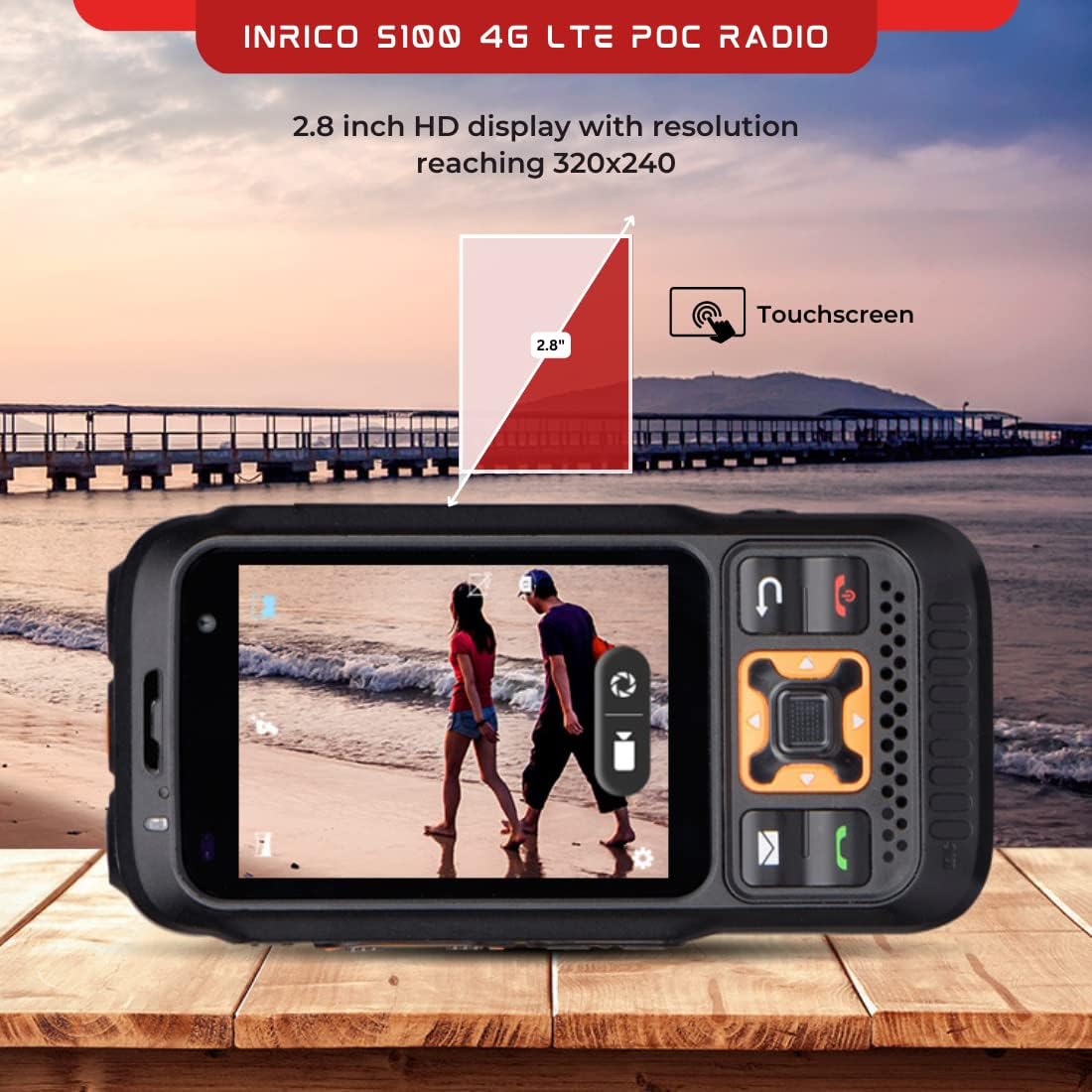
Figure 3.2: 2.8-inch HD Display

Figure 3.3: 4000 mAh Battery

Figure 3.4: Loud Speaker
4. Setélan
4.1 Pamasangan batré
- Tangtukeun lokasi kompartemen batré dina tonggong radio.
- Slide the battery lock (refer to Figure 4.1) to the unlocked position.
- Insert the 4000 mAh Lithium Ion battery, ensuring the contacts align correctly.
- Slide the battery lock back to the locked position to secure the battery.
4.2 Pamasangan Kartu SIM
The Inrico S100 supports 4G network connectivity. Insert your Nano-SIM card into the designated slot, typically located under the battery or on the side of the device. Ensure the SIM card is inserted with the correct orientation.
4.3 Ngecas Awal
Before first use, fully charge the device. Connect the Micro USB charging cable to the charging port on the side of the radio and plug the other end into a power adapter. The charging indicator will show the charging status.
4.4 Powering on / Pareum
- Daya Hurung: Press and hold the Power button (usually on the side or top) until the screen illuminates.
- Pareum listrik: Press and hold the Power button until a power-off menu appears. Select 'Power Off' to shut down the device.

Figure 4.1: Inrico S100 Ports and Controls
5. Parentah Operasi
5.1 Push-to-Talk (PTT) Operation
The dedicated PTT button on the side of the radio allows for instant communication:
- Select the desired contact or group on the display.
- Press and hold the PTT button to transmit your voice.
- Release the PTT button to listen for replies.
5.2 Navigasi sareng Menu
Navigate the device using the physical keypad and the 2.8-inch touchscreen. The Android 8.1 operating system provides a familiar interface for accessing applications, settings, and contacts.
5.3 Nelepon jeung Narima Telepon
The Inrico S100 supports group calls, private calls, and dispatch center communication. Use the on-screen interface to initiate or answer calls.
5.4 Fungsi SOS
In an emergency, press the dedicated SOS button. This will send an alert to pre-configured contacts or a dispatch center, often including your current GPS location.
5.5 GPS and Location Sharing
Utilize the built-in GPS, AGPS, and Beidou navigation for accurate location services. The device supports location sharing with other users or a central dispatch system.
5.6 Pamakéan kaméra
The radio features a 2.0MP front camera and a 13.0MP rear camera. Access the camera application from the main menu to capture photos or videos as needed for documentation or communication.
6. Pangropéa
6.1 beberesih
Pikeun ngabersihkeun alat, paké lemes, damp lawon. Hindarkeun ngagunakeun bahan kimia kasar atawa bahan abrasive nu bisa ngaruksak layar atawa casing. Ensure all ports are closed before cleaning to maintain the IP67 rating.
6.2 Perawatan Batré
- Charge the battery regularly, but avoid overcharging or completely draining it to prolong its lifespan.
- Simpen alat sareng batré dina tempat anu tiis sareng garing upami henteu dianggo.
- If the battery performance significantly degrades, consider replacing it with an official Inrico battery.
6.3 Tahan Cai sareng Lebu (IP67)
The Inrico S100 is rated IP67, meaning it is protected from dust ingress and can withstand immersion in water up to 1 meter for 30 minutes. Ensure all port covers are securely closed to maintain this protection.
7. Cara ngungkulan
| Masalah | Mungkin Cukang lantaranana | Solusi |
|---|---|---|
| Alat teu hurung | Low battery; Battery not installed correctly; Software issue | Charge the battery; Reinstall battery; Perform a soft reset (hold power button for 10 seconds) |
| Taya sinyal jaringan | Out of network coverage; SIM card not installed or faulty; Network settings incorrect | Move to an area with better coverage; Reinstall SIM card; Check network settings in Android OS |
| Kualitas audio goréng | Speaker/microphone obstructed; Low network signal; Volume too low | Clean speaker/microphone; Move to an area with better signal; Adjust volume settings |
| GPS teu jalan | GPS disabled; Poor satellite reception | Enable GPS in settings; Move to an open area away from obstructions |
8. Spésifikasi
| Fitur | Spésifikasi |
|---|---|
| merek | Inrico |
| Ngaran modél | S100 |
| Sistem operasi | Android 8.1 |
| Chipset | MT 6739 |
| Ukuran tampilan | 2.8 inci |
| Tipe tampilan | LCD |
| Kaméra hareup | 2.0 MP |
| Kaméra tukang | 13.0 MP |
| Kapasitas batré | 4000 mAh Litium Ion |
| Waktu Ngobrol | 21 Jam |
| Waktu sayaga | 25 Jam |
| Diménsi | 129.2 x 67.5 x 26 mm |
| Beurat | 481 g |
| Peunteun IP | IP67 |
| Napigasi | GPS, AGPS, Beidou |
| Konektipitas | 4G, Bluetooth |
| Sertifikasi | FCC, CE, RoHS |
9. Garansi jeung Rojongan
Inrico products typically come with a standard manufacturer's warranty. Please refer to the warranty card included in your package or contact Inrico customer support for specific details regarding warranty coverage and service.
For technical support, troubleshooting assistance, or inquiries about your Inrico S100, please visit the official Inrico websitus atanapi hubungi departemén layanan palangganna. Simpen resi pameseran sareng nomer seri produk anjeun nalika milarian dukungan.


