Bubuka
The POLY Voyager Focus UC is a stereo Bluetooth headset designed for professionals. It offers seamless connectivity between PC/Mac and smartphones, featuring active noise canceling to enhance focus in various environments.
Fitur konci:
- Wireless connectivity to PC/Mac via USB-A Bluetooth adapter and mobile phones via Bluetooth.
- Certified for Microsoft Teams and compatible with other leading collaboration platforms.
- Active Noise Canceling (ANC) for reduced background distractions.
- Three noise-canceling microphones for clear voice transmission.
- Up to 12 hours talk time (10 hours with ANC) and 15 hours listening time (12 hours with ANC).
- Roaming range of up to 98 feet (30 meters).
- Plush ear cushions for extended comfort.
Naon dina Box
- POLY Voyager Focus UC Headset
- USB-A adaptor Bluetooth
- Kabel Ngecas (USB)
- Carrying Case (if included with specific variant)
Note: Specific contents may vary based on product variant and region.
Disetél
1. Muatan Awal
Before first use, fully charge your headset. Connect the included USB charging cable to the headset's charging port and to a powered USB port on your computer or a USB wall adapter. The LED indicator on the headset will show charging status.
2. Daya Hurung / Pareum
To power on the headset, slide the Power switch located on the right earcup. To power off, slide the switch back to the off position.
3. Connecting to PC/Mac (USB-A Adapter)
- Insert the USB-A Bluetooth adapter into an available USB port on your computer.
- LED adaptor bakal kedip-kedip biru, teras janten biru padet nalika disambungkeun ka headset.
- Ensure the headset is powered on and in pairing mode (if not already paired).
- Your computer should automatically recognize the headset. Select "POLY Voyager Focus UC" as your audio device in your system settings and communication applications (e.g., Microsoft Teams, Zoom).
4. Nyambungkeun ka Telepon Sélulér (Bluetooth)
- With the headset powered on, slide and hold the Power switch towards the Bluetooth icon until the LED flashes red and blue.
- On your mobile phone, go to Bluetooth settings and select "POLY Voyager Focus UC" from the list of available devices.
- Once paired, the headset LED will stop flashing and you will hear a voice prompt confirming the connection.
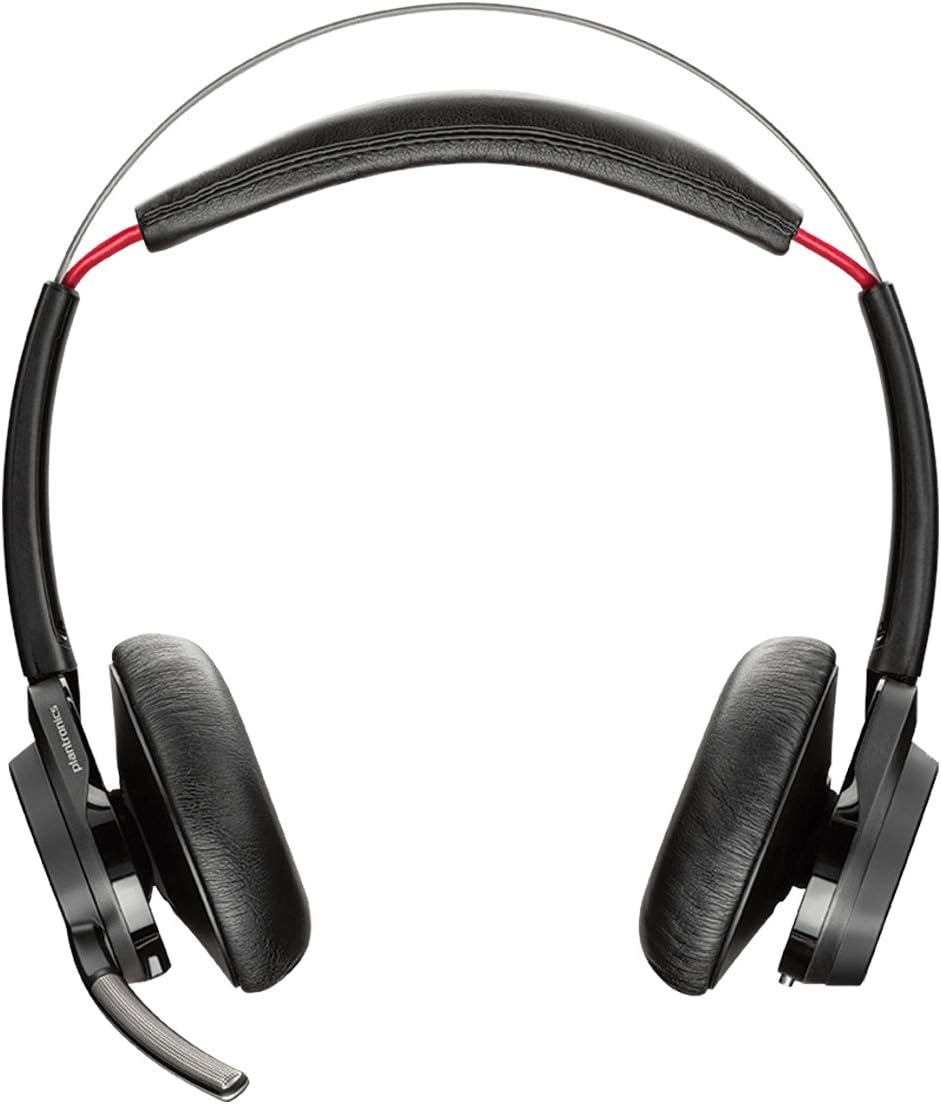
Gambar 1: Hareupeun view of the POLY Voyager Focus UC Headset, showing the dual earcups and adjustable boom microphone.
Parentah Operasi
1. Manajemén nelepon
- Ngajawab / mungkas Telepon: Press the Call button on the right earcup.
- Ngajempékeun/Nganonaktipkeun: Press the Mute button on the boom microphone or lift/lower the boom mic.
- Kontrol volume: Rotate the volume wheel on the right earcup up or down.
2. Pangurangan Bising Aktif (ANC)
To activate or deactivate Active Noise Canceling, slide the ANC switch located on the left earcup. ANC helps reduce ambient background noise for improved focus.
3. Média Playback
- Puter / Reureuh: Press the Play/Pause button on the right earcup.
- Lagu salajengna: Pencét tombol Maju.
- Lagu Sateuacanna: Press the Backward button.
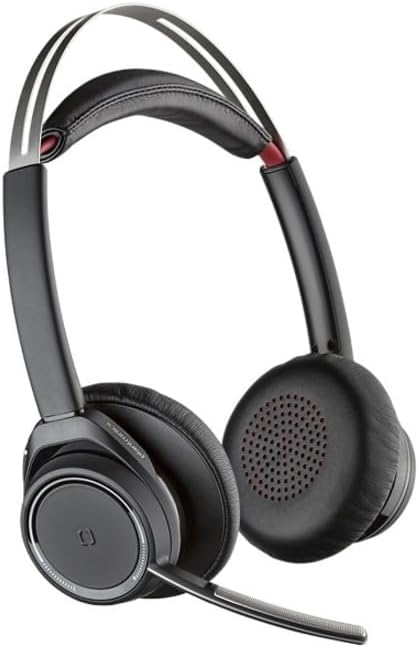
Figure 2: Close-up of the right earcup, illustrating the call, media, and volume controls.
Pangropéa
- beberesih: Use a soft, dry cloth to clean the headset. Avoid using abrasive cleaners or solvents.
- Panyimpenan: Store the headset in its carrying case when not in use to protect it from dust and damage.
- Perawatan batré: To prolong battery life, avoid fully discharging the battery frequently. Charge the headset regularly, even if not in constant use.
Pamérésan masalah
Henteu aya Audio / Kualitas Audio Miskin
- Pastikeun headset dihurungkeun tur dicas pinuh.
- Verify the headset is correctly paired and connected to your device (PC/Mac or mobile phone).
- Check your device's audio settings to ensure the "POLY Voyager Focus UC" is selected as the output and input device.
- If using the USB-A adapter, try plugging it into a different USB port.
- Balikan deui komputer atanapi alat sélulér anjeun.
Mikropon Teu Gawé
- Ensure the microphone boom is lowered and not muted.
- Check your application's (e.g., Teams, Zoom) microphone settings to confirm the headset is selected.
- Adjust the microphone position closer to your mouth.
Masalah Sambungan Bluetooth
- Ensure the headset is within the 98 feet (30 meters) operating range of your device.
- Clear previous Bluetooth pairings on your device and re-pair the headset.
- Avoid sources of interference such as Wi-Fi routers, microwaves, or other Bluetooth devices.
spésifikasi
| Fitur | Rincian |
|---|---|
| Ngaran modél | Voyager Pokus UC |
| Téhnologi konektipitas | Nirkabel (Bluetooth) |
| Téknologi Komunikasi Nirkabel | Bluetooth 4.0 |
| Kontrol bising | Pembatalan Noise aktip |
| Waktu Ngobrol | Up to 12 hours (10 hours with ANC on) |
| Waktos Dengekeun | Up to 15 hours (12 hours with ANC on) |
| Rentang Bluetooth | Nepi ka 30 méter (98 suku) |
| Alat nu cocog | PCs, Macs, Mobile Phones, VoIP and Conferencing Applications |
| Item Beurat | 0.634 ons |
| Dimensi produk | 8.4 x 7.3 x 2.3 inci |
| Bahan | palastik |
Garansi sareng Rojongan
Produk ieu hadir kalawan a 2-taun jaminan global. For warranty claims or technical support, please visit the official POLY support websitus atanapi ngahubungan layanan palanggan maranéhna. Simpen bukti pameseran anjeun pikeun validasi jaminan.
For further assistance, refer to the official POLY websitus: www.poly.com


