1. Bubuka
The Seagate One Touch 4TB External Hard Drive provides portable storage for your digital files. This device is designed for easy use with both PC and Mac computers, offering a simple solution for backing up and accessing your data.

Image 1.1: Seagate One Touch 4TB External Hard Drive. This image displays the silver-colored external hard drive with its minimalist design, suitable for various environments.
2. Eusi Paket
Pastikeun yén sadaya item aya dina bungkusan:
- Seagate One Touch 4TB External Hard Drive
- USB 3.0 kabel
- Pituduh Mimiti Gancang (dokumén ieu)
3. Setup jeung Connection
The Seagate One Touch drive is designed for plug-and-play operation. Follow these steps to connect your device:
- Connect the small end of the included USB 3.0 cable to the USB port on the Seagate One Touch drive.
- Connect the larger end of the USB 3.0 cable to an available USB port on your computer (PC or Mac).
- The drive will automatically power on and be detected by your operating system.
Catetan: For Mac users, reformatting may be required for full compatibility with Time Machine backup software. Refer to your Mac's documentation for reformatting instructions.

Image 3.1: Universal Compatibility. This image illustrates the connection of the USB 3.0 cable to the drive and highlights its compatibility with both Windows and Mac operating systems.
4. Ngoperasikeun Alat
4.1 Panyimpenan sareng Transfer Data
Once connected, the Seagate One Touch drive will appear as an external storage device on your computer. You can drag and drop files ka sareng ti drive, atanapi nganggo sistem operasi anjeun file management tools to organize your data.
4.2 Backup Features
The drive supports various backup methods:
- Single-Click Backup: Utilize the included software (if applicable) or your operating system's backup utility for immediate data backup.
- Scheduled Backups: Configure automatic daily, weekly, or monthly backups to ensure your data is regularly protected.
4.3 Included Software Features
The Seagate One Touch drive may include access to software subscriptions designed to enhance your digital experience:
- Nyiptakeun Mylio: A one-year complimentary subscription to Mylio Create is included, allowing you to organize and protect your photos and videos across multiple devices.
- Rencana Fotografi Awan Kreatif Adobe: A four-month membership to the Adobe Creative Cloud Photography plan is included, providing access to photo editing tools like Adobe Photoshop and Lightroom.
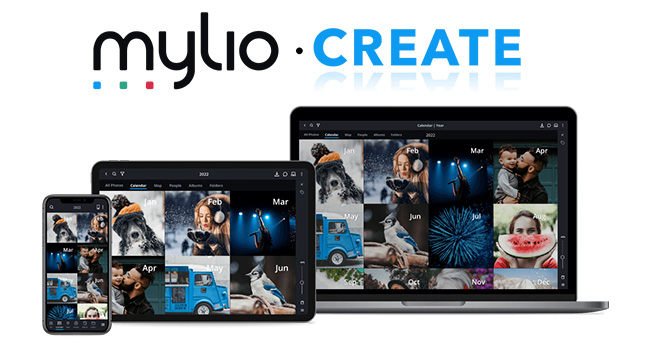
Image 4.1: Mylio Create Interface. This image shows the Mylio Create application running on various devices, demonstrating its capability to organize and display photos.
5. Pangropéa sarta perawatan
To ensure the longevity and optimal performance of your Seagate One Touch drive, follow these guidelines:
- Penanganan fisik: Handle the drive with care. Avoid dropping it or subjecting it to strong impacts, as this can damage internal components.
- Kaayaan Lingkungan: Jauhkeun drive tina suhu ekstrim, sinar panonpoé langsung, sareng kalembaban anu luhur.
- beberesih: Anggo kaén anu lembut sareng garing pikeun ngabersihan bagian luar drive. Ulah make cleaners cair atawa pangleyur.
- Ejection aman: Salawasna kaluarkeun drive tina sistem operasi komputer anjeun kalayan aman sateuacan nyabut kabel USB pikeun nyegah karusakan data.
6. Cara ngungkulan
If you encounter issues with your Seagate One Touch drive, refer to the following common solutions:
6.1 Drive Teu Dideteksi
- Pariksa sambungan kabel: Pastikeun kabel USB disambungkeun pageuh kana drive sareng komputer anjeun.
- Coba port USB anu béda: Connect the drive to another USB port on your computer.
- Coba kabel anu béda: If available, use a different USB 3.0 cable to rule out a faulty cable.
- Balikan deui Komputer: Sometimes a simple computer restart can resolve detection issues.
- Check Disk Management (Windows) / Disk Utility (Mac): Verify if the drive appears in your operating system's disk management tools. If it appears but is unformatted, you may need to format it (this will erase all data).
6.2 Speeds mindahkeun slow
- Anggo Port USB 3.0: Ensure the drive is connected to a USB 3.0 port on your computer for optimal speeds. USB 2.0 ports will result in slower transfers.
- Ulah Nganggo Alat USB Anu Sanés: Disconnect other high-bandwidth USB devices during large transfers.
- Pariksa Kaséhatan Drive: Run a disk check utility on your computer to identify any potential issues with the drive.
Pikeun pitulung salajengna, mangga buka rojongan resmi Seagate websitus.
7. Spésifikasi
| Fitur | Rincian |
|---|---|
| Nomer modél | STKC4000401 |
| Kapasitas Panyimpenan | 4TB (4000 GB) |
| Tipe Hard Drive | Mékanis Hard Disk |
| Panganteur | USB 3.0 |
| Kasaluyuan | PC, Mac |
| Ukuran (L x W x H) | 5.59 x 4.02 x 1.65 inci |
| Item Beurat | 9.5 ons |
| Warna | pérak |
8. Garansi jeung Rojongan
8.1 Garansi kawates
Your Seagate One Touch drive is covered by a limited warranty. Please refer to the warranty information provided with your product or visit the official Seagate websitus pikeun detil ngeunaan istilah jeung kaayaan jaminan.
8.2 Layanan Pamulihan Data
Most Seagate drives include Rescue Data Recovery Services with their warranty. These services are designed to help protect against data loss due to power outages, natural disasters, user error, viruses, and other unforeseen events. With an industry-leading success rate, these services provide peace of mind for your stored files.

Image 8.1: Seagate Rescue Data Recovery Services. This image highlights the availability of data recovery services to protect against data loss.
8.3 Rojongan Téknis
For technical assistance, product registration, or to access additional resources, please visit the official Seagate support websitus: www.seagate.com/support


