1. Bubuka
This manual provides detailed instructions for the safe and efficient use of your DigiLand DL1036 Android Tablet. Please read this manual thoroughly before operating the device and keep it for future reference. The DigiLand DL1036 is a 10.1-inch Android tablet designed for versatile use, featuring a quad-core processor, HD IPS touchscreen, and dual cameras.
2. Émbaran Kasalametan
To ensure proper operation and avoid damage, please observe the following safety precautions:
- Ulah ngalaan tablet kana suhu anu ekstrim, sinar panonpoé langsung, atanapi kalembaban anu luhur.
- Hindarkeun ngaragragkeun atanapi nahan tablet kana dampak anu kuat.
- Use only the charger and charging cable provided with the tablet.
- Do not disassemble, repair, or modify the tablet yourself. Refer to qualified service personnel.
- Jauhkeun tablet tina cai sareng cairan sanésna.
- Miceun tablet sareng batréna kalayan tanggung jawab numutkeun peraturan lokal.
3. Naon dina Box
Carefully unpack your DigiLand DL1036 Tablet and ensure all items are present:
- DL1036 Tablet
- Charger
- Kabel Ngecas
- Manual pangguna (dokumén ieu)

Image: The DigiLand DL1036 Tablet shown with its included charger and charging cable, alongside the user manual.
4. Produk Langkungview
Biasakeun diri sareng komponén fisik tablet anjeun.
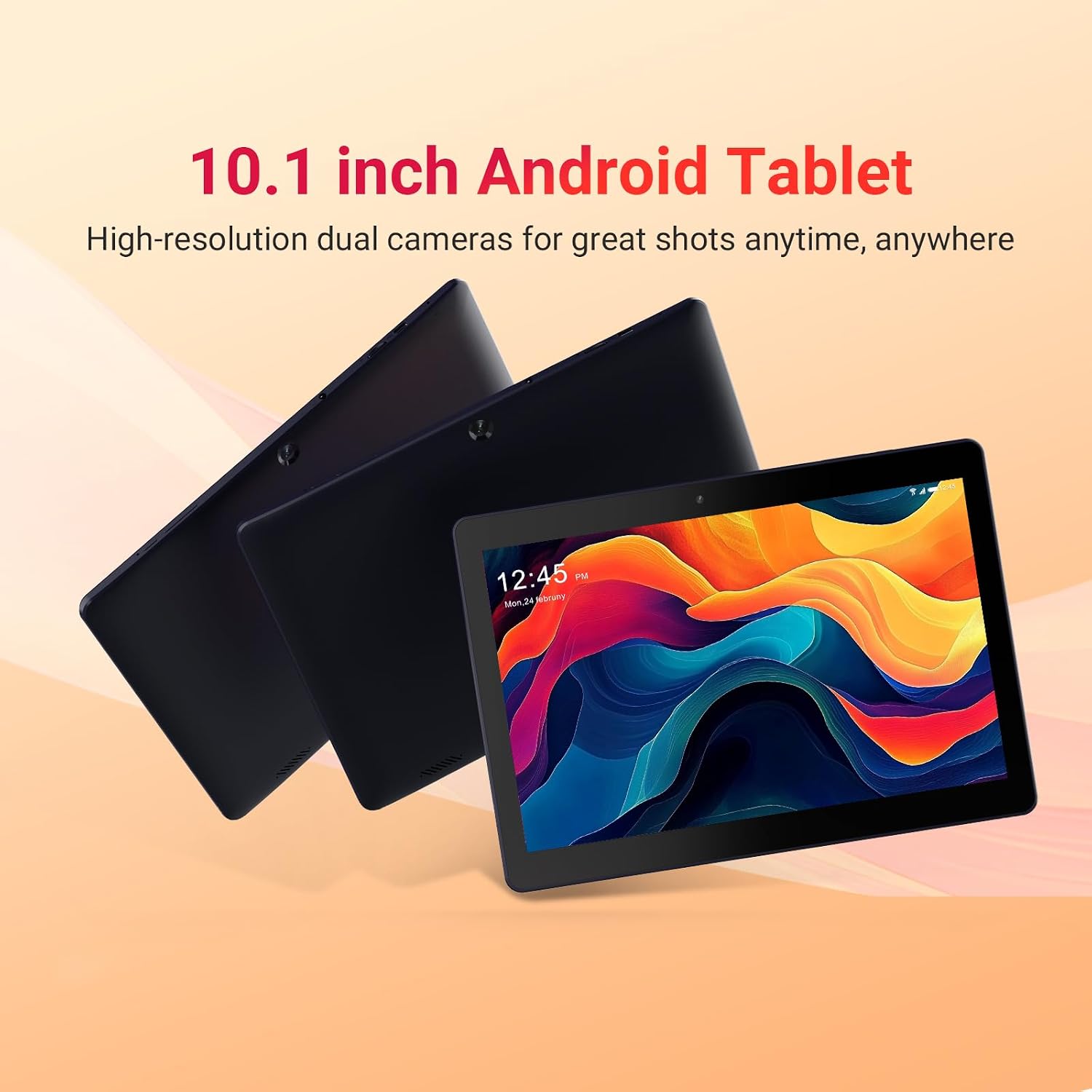
Image: Three DigiLand DL1036 tablets displayed from different angles, showcasing nu langsing profile and rear camera placement.
4.1. palabuhan sarta Tombol
- Tombol Daya: Located on the side, used to turn the tablet on/off or put it to sleep/wake it up.
- Tombol Volume: Saluyukeun polumeu audio.
- Palabuhan USB-C: Pikeun ngecas sareng mindahkeun data.
- Jack headphone: 3.5mm kaluaran audio.
- Slot Kartu MicroSD: Pikeun ngalegaan panyimpenan nepi ka 256GB.
- Kaméra hareup: Pikeun nelepon video sareng selfies.
- Kaméra tukang: Pikeun nyandak poto sareng pidéo.
- Panyatur: Pikeun kaluaran audio.

Gambar: A close-up view of the DigiLand DL1036 tablet's side, highlighting the USB-C charging port and the MicroSD card slot.
5. Setélan
5.1. Ngecas Tablet
Before first use, fully charge the tablet. Connect the provided charging cable to the USB-C port on the tablet and the other end to the charger. Plug the charger into a power outlet. The battery indicator on the screen will show charging status.
5.2. Powering on / Pareum
- Pikeun Ngahurungkeun: Press and hold the Power button until the DigiLand logo appears.
- Pikeun mareuman: Pencét jeung tahan tombol Daya nepi ka menu pilihan daya nembongan. Pilih "Pareuman" sareng pastikeun.
- Saré / Hudang: Pencét sakeudeung tombol Daya pikeun ngaréngsékeun tablet atanapi ngahudangkeunana.
5.3. Setup Awal
Nalika mimiti diaktipkeun, tablet bakal nungtun anjeun dina prosés pangaturan awal:
- Pilihan Basa: Pilih basa anu anjeun pikaresep.
- Sambungan Wi-Fi: Select your Wi-Fi network and enter the password. A stable internet connection is recommended for setup.
- Akun Google: Lebet nganggo akun Google anjeun anu tos aya atanapi jieun anu énggal. Ieu diperyogikeun pikeun ngaksés Google Play Store sareng layanan Google anu sanésna.
- Tanggal & Waktos: Setel tanggal sareng waktos anu leres, atanapi hayu jaringan nyetelna sacara otomatis.
- Kaamanan: Setel konci layar (PIN, pola, atawa kecap akses) pikeun kaamanan.
6. Ngoperasikeun Tablet
6.1. Navigasi sareng Gerakan
The DigiLand DL1036 uses a touch-sensitive screen for navigation:
- Ketok: Pikeun milih hiji item atawa muka aplikasi.
- Toel & Tahan: Pikeun ngaksés ménu kontékstual atanapi mindahkeun ikon.
- Gesek: Pikeun ngagulung kaca atawa daptar.
- Ciwit-pikeun-Zoom: Pikeun ngazum gede atawa leutik dina gambar atawa web kaca.
6.2. Nyambungkeun ka Wi-Fi
Pikeun nyambung ka jaringan Wi-Fi:
- Pindah ka Setélan > Jaringan & internét > Wifi.
- Hurungkeun Wi-Fi.
- Pilih jaringan anu dipikahoyong tina daptar.
- Lebetkeun kecap akses upami dipenta teras ketok Nyambung.

Image: A graphic illustrating the 2.4G WiFi capability of the DigiLand DL1036 tablet, along with camera and charging details.
6.3. Ngundeur Aplikasi
Access the Google Play Store to download and install applications:
- Ketok dina Play Store ikon dina layar utama anjeun atanapi laci aplikasi.
- Milarian pikeun the app you want to install.
- Ketok Pasang tur turutan parentah dina-layar.

Image: The DigiLand DL1036 tablet screen filled with various application icons, demonstrating its compatibility with Google Play Store apps.
6.4. Pamakéan kaméra
The tablet features a 2MP front camera and a 2MP rear camera.
- Buka na Kaméra aplikasi.
- Ketok ikon switch kaméra pikeun pindah antara kaméra hareup jeung pungkur.
- Ketok tombol jepret pikeun nyandak poto atanapi ngamimitian/ngeureunkeun ngarékam pidéo.

Gambar: Pintonan grafis anu lengkepasing the dual 2MP cameras of the DigiLand DL1036 tablet, emphasizing its photo and video capabilities.
6.5. Manajemén gudang
The tablet comes with 32GB of internal storage and supports expansion up to 256GB via a MicroSD card. To manage storage:
- Pindah ka Setélan > Panyimpenan ka view pamakéan gudang.
- Insert a MicroSD card into the designated slot to expand storage for photos, videos, and other files.

Image: A visual representation of the DigiLand DL1036 tablet's 2GB RAM and 32GB ROM, indicating ample space for photos, videos, and music.
6.6. Kahirupan batré
The tablet is equipped with a 5000mAh battery, providing extended usage time. To optimize battery life:
- Ngurangan kacaangan layar.
- Pareuman Wi-Fi atanapi Bluetooth nalika teu dianggo.
- Tutup aplikasi anu henteu dianggo jalan di latar tukang.

Image: A graphic highlighting the 5000mAh battery capacity of the DigiLand DL1036 tablet, emphasizing its long-lasting power.
7. Pangropéa
7.1. beberesih
Use a soft, lint-free cloth to clean the tablet screen and body. Do not use liquid cleaners or aerosols directly on the tablet.
7.2. Apdet parangkat lunak
Pariksa apdet sistem sacara périodik pikeun mastikeun kinerja sareng kaamanan anu optimal:
- Pindah ka Setélan > Sistim > Pembaruan sistem.
- Turutan parentah dina-layar pikeun ngundeur tur masang sagala apdet sadia.
7.3. Storage Optimization
Pikeun ngajaga kinerja anu lancar, rutin bersihan anu teu perlu files and apps:
- Copot pamasangan aplikasi anu anjeun henteu dianggo deui.
- Hapus data cache pikeun aplikasi dina Setélan > Aplikasi & bewara > [Ngaran Aplikasi] > Panyimpenan & cache.
- Transfer ageung files (poto, pidéo) kana kartu MicroSD atanapi panyimpenan awan.
8. Cara ngungkulan
Upami anjeun ngalaman masalah sareng tablet anjeun, tingali solusi umum ieu:
| Masalah | Solusi |
|---|---|
| Tablet teu hurung | Ensure the battery is charged. Connect the charger and wait a few minutes before attempting to power on again. If still unresponsive, perform a forced restart by holding the Power button for 10-15 seconds. |
| Masalah sambungan Wi-Fi | Check if Wi-Fi is enabled in Settings. Restart your Wi-Fi router. Forget the network and reconnect. |
| Tablet laun atanapi teu responsif | Close unused apps. Clear app cache. Restart the tablet. Check for system updates. If issues persist, consider a factory reset (backup data first). |
| Aplikasi nuju ngadat | Clear the app's cache and data (Settings > Apps & notifications > [App Name] > Storage & cache). Reinstall the app. Ensure the tablet's software is up to date. |
| Layar teu ngaréspon | Pareuman terus hurungkeun deui tablet. Pastikeun layarna bersih sareng garing. |
8.1. Reset pabrik
Reset pabrik bakal ngahapus sadaya data tina tablet anjeun sareng mulangkeun kana setélan pabrik aslina. Jieun cadangan sadaya data penting sateuacan neraskeun.
- Pindah ka Setélan > Sistim > Reset pilihan.
- Pilih Hapus sadaya data (reset pabrik).
- Konpirmasikeun kaputusan anjeun sareng lebetkeun PIN/pola/sandi upami dipenta.
9. Spésifikasi
Key technical specifications for the DigiLand DL1036 Tablet:

Image: A comprehensive graphic detailing the DigiLand DL1036 tablet's core specifications including display, battery, processor, OS, RAM, and ROM.
| Fitur | Spésifikasi |
|---|---|
| Ngaran modél | DL1036 |
| Ukuran Layar | 10.1 inci |
| Resolusi layar | 1280 x 800 IPS |
| Prosesor | 2 GHz Quad-core (MediaTek) |
| Ram | 2 GB |
| Panyimpenan internal | 32 GB |
| Panyimpenan Expandable | Nepi ka 256GB (MicroSD) |
| Sistem operasi | Android 11 Go |
| Tukangeun WebResolusi cam | 2 MP |
| Hareupeun WebResolusi cam | 2 MP |
| Kahirupan Batré (Rata-rata) | 10 Jam |
| Kapasitas batré | 5000 mah |
| Tipe Wireless | 802.11g (2.4G WiFi) |
| Item Beurat | 1.06 pon |
| Dimensi produk | 9.6 x 6.8 x 0.3 inci |
| Warna | Biru |
10. Garansi jeung Rojongan
DigiLand products are covered by a limited warranty. For specific warranty terms and conditions, please refer to the warranty card included with your product or visit the official DigiLand website. If you encounter any issues or require technical assistance, please contact DigiLand customer support through the contact information provided on our website or in your product packaging. Please have your model number (DL1036) and purchase information ready when contacting support.


