1. Bubuka
This user manual provides essential information for operating your XIAOMI Poco C85 4G LTE smartphone. Please read this manual carefully before using your device to ensure proper functionality and to maximize its features. The Poco C85 combines a large immersive display, a powerful processor, and a long-lasting battery to deliver a reliable mobile experience.
2. Naon dina Box
Upon unboxing your XIAOMI Poco C85, you should find the following items:
- Smartphone XIAOMI Poco C85
- Kabel Tipe-C USB
- Kasus Telepon
- Alat ngaluarkeun SIM
- Gancang Mimitian Guide
Note: The power adapter (charger) is not included in the box and must be purchased separately.

3. Produk Langkungview
3.1. Desain sareng Tampilan
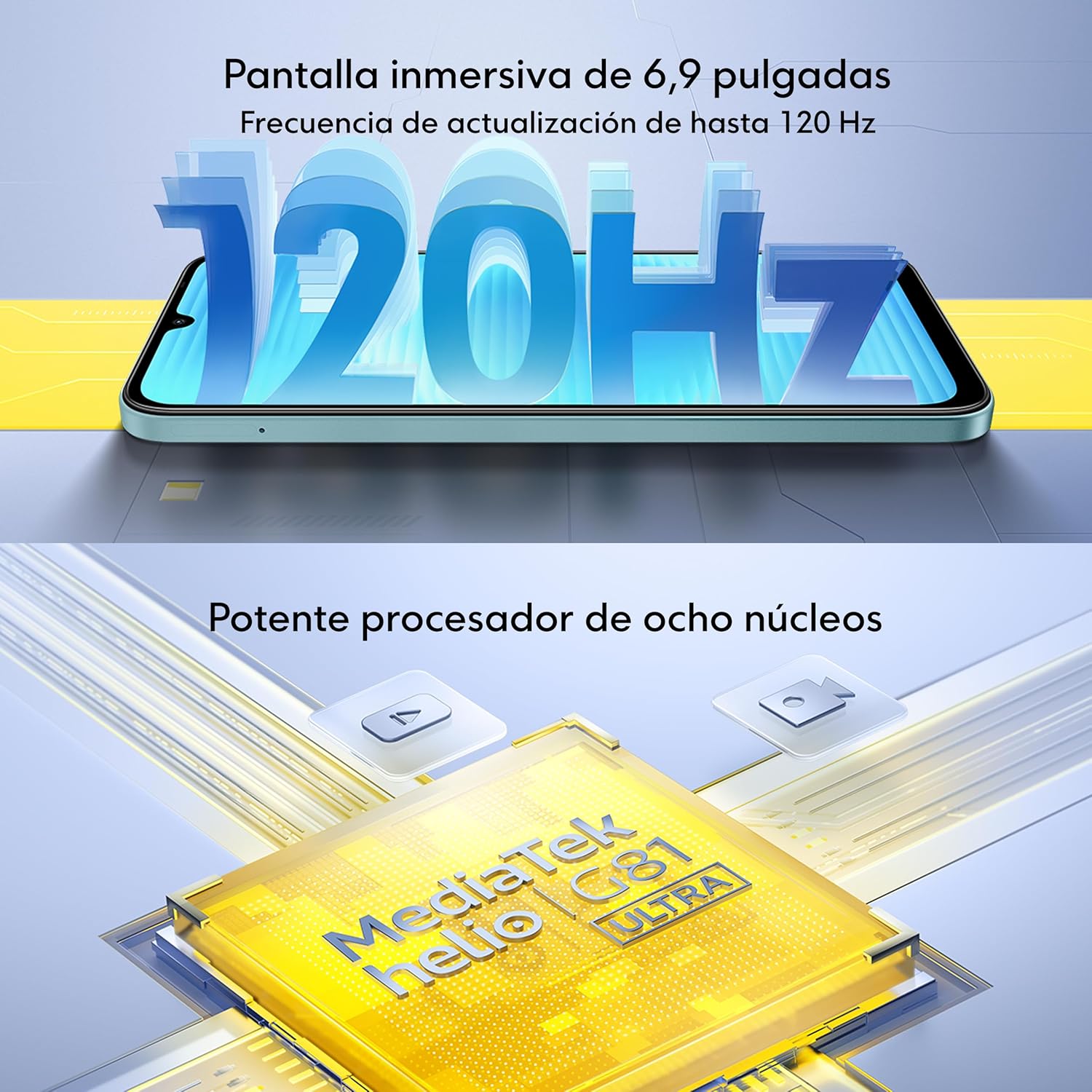
The Poco C85 features a quad-curved back and a slim case designed for comfortable handling. It boasts an immersive 6.9-inch Dot Drop display with a resolution of 1600x720 pixels and an adaptive refresh rate of up to 120Hz for smooth visuals. The display offers 660 nits (typical) and 810 nits HBM brightness, a 1200:1 contrast ratio, and 8-bit color depth with 16.7 million colors. It is TÜV Rheinland Low Blue Light (Software Solution) Certified, Circadian Friendly Certified, and Flicker Free Certified, ensuring a comfortable viewpangalaman.


3.2. Kinerja
The device is powered by the MediaTek Helio G81-Ultra octa-core processor, featuring Cortex-A75 and Cortex-A55 cores with a maximum CPU frequency of 2.0GHz and a Mali-G52 MC2 GPU. This configuration ensures smooth performance for daily applications, multitasking, and light gaming.

3.3. Durability
The Poco C85 is rated IP64, meaning it is resistant to splash and dust under specific laboratory conditions. This provides a degree of protection against everyday elements.

4. Setélan
4.1. Nyelapkeun Kartu SIM sareng Kartu Micro SD
- Tangtukeun lokasi baki kartu SIM di sisi alat Anjeun.
- Selapkeun alat SIM eject kana liang leutik gigireun baki jeung dorong gently nepi baki pops kaluar.
- Place your Nano SIM cards (up to two) and/or a Micro SD card into the designated slots on the tray. Ensure the gold contacts are facing down.
- Dorong baki deui kana alat sacara ati-ati dugi ka rata sareng sisina.
4.2. Powering on / Pareum
- Pikeun Ngahurungkeun: Pencét terus tahan tombol Daya (anu aya di sisi) dugi ka logo XIAOMI nembongan dina layar.
- Pikeun mareuman: Pencét terus tahan tombol Daya nepi ka menu daya nembongan, teras ketok 'Pareuman'.
- Pikeun ngamimitian deui: Pencét terus tahan tombol Daya nepi ka menu daya nembongan, teras ketok 'Restart'.
4.3. Setup Awal
The first time you power on your device, you will be guided through an initial setup process. Follow the on-screen instructions to:
- Pilih basa sareng daérah anjeun.
- Nyambung ka jaringan Wi-Fi.
- Asup jeung akun Google Anjeun atawa jieun nu anyar.
- Setel konci layar (PIN, pola, kecap akses, sidik jari, atanapi muka konci raray).
- Review sareng nampi sarat sareng kaayaan.
5. Parentah Operasi
5.1. Napigasi Dasar
Your Poco C85 uses a touchscreen for most interactions. Common gestures include:
- Ketok: Toél layar sakali pikeun milih item atanapi muka aplikasi.
- Toel jeung tahan: Press and hold an item for a few seconds to access more options.
- Gesek: Sered ramo Anjeun nyilangan layar pikeun ngagulung atanapi napigasi antara layar.
- Ciwit: Pake dua ramo pikeun ngazum gede atawa leutik dina poto jeung web kaca.
5.2. Fitur Kaamanan
- Sénsor Sidik Rear: Register your fingerprints in the Security settings to unlock your device quickly and securely.
- AI Face Unlock: Set up face recognition in the Security settings to unlock your phone by looking at the front camera.
5.3. Tombol jeung palabuhan
- Tombol Daya: Press to turn the screen on/off, press and hold for power options.
- Tombol Volume: Atur volume média, volume nada dering, sareng volume bewara.
- Port USB Tipe-C: Dipaké pikeun ngecas jeung mindahkeun data.
- Jack Headphone 3.5mm: Sambungkeun headphone kabel.
6. Fitur kaméra
The Poco C85 is equipped with a versatile camera system to capture your moments.
6.1. Sistim kaméra pungkur
- Kaméra utama: 50MP nganggo lénsa 5P sareng aperture f/1.8.
- Lénsa Bantu: Enhances depth and detail.
- Ngarékam pidéo: Ngarojong 1080p (1920x1080) ngarékam pidéo HD dina 30 fps sareng 720p (1280x720) ngarékam pidéo HD dina 30 fps.
6.2. Kaméra Hareup
- Resolusi: 8MP kalayan aperture f/2.
- Ngarékam pidéo: Ngarojong 1080p (1920x1080) ngarékam pidéo HD dina 30 fps sareng 720p (1280x720) ngarékam pidéo HD dina 30 fps.
6.3. Modeu sareng Fitur Kaméra
Jelajahi rupa-rupa modeu pikeun ningkatkeun kualitas fotografi anjeun:
- filmCamera: Apply cinematic filters to your photos.
- HDR mode: Capture more detail in both bright and dark areas.
- Soft-light ring: Utilize the screen as a soft fill light for selfies.
- Mode Potrét: Jieun poto anu katingalina profésional kalayan latar tukang anu burem.
- Selang waktos: Record accelerated videos of slow-moving events.

7. Konektipitas
The Poco C85 offers comprehensive connectivity options:
- Kasaluyuan Jaringan: Compatible with T-Mobile and Mint Mobile in the USA (requires previous SIM card activation). Supports 4G VoLTE worldwide unlocked dual Nano SIM.
- Band:
- 2G GSM: 2/3/5/8
- 3G WCDMA: 1/5/8
- 4G LTE FDD: 1/2/3/4/5/7/8/20/28
- 4G LTE TDD: 38/40/41
- Wifi: Ngarojong jaringan Wi-Fi 2.4GHz sareng 5GHz.
- Bluetooth: Bluetooth 5.1 pikeun nyambungkeun asesoris nirkabel.
- Napigasi: GPS terpadu, AGPS, GLONASS, Beidou, sareng Galileo pikeun jasa lokasi anu akurat.
8. Batré jeung Ngecas
The Poco C85 is equipped with a large capacity battery to support extended usage.
- Kapasitas batré: 6000mAh (khas).
- Ngecas: Supports USB Type-C charging.
- Catetan: The charger is not included with the device. For optimal charging, use a compatible 33W charger.

9. Pangropéa
To ensure the longevity and optimal performance of your Poco C85, follow these maintenance guidelines:
- beberesih: Anggo lawon anu lemes sareng henteu aya bulu pikeun ngabersihkeun layar sareng awak alat. Hindarkeun nganggo bahan kimia anu keras atanapi bahan anu kasar.
- Apdet parangkat lunak: Rutin pariksa sareng pasang apdet sistem pikeun mastikeun alat anjeun gaduh fitur panganyarna, patch kaamanan, sareng perbaikan kinerja. Pindah ka Setelan > Ngeunaan telepon > Vérsi MIUI pikeun mariksa apdet.
- Perlindungan Lingkungan: While the device has an IP64 rating for splash and dust resistance, avoid prolonged exposure to water or dusty environments. Do not submerge the device in water.
- Perawatan batré: Hindarkeun suhu anu ekstrim. Ulah sering-sering ngosongkeun batréna.
10. Cara ngungkulan
If you encounter issues with your Poco C85, try the following basic troubleshooting steps:
- Alat Teu Ngabales: Pencét jeung tahan tombol Daya salila kira 10-15 detik pikeun maksa balikan deui.
- Aplikasi ngadat / katirisan: Close the problematic app and reopen it. If the issue persists, clear the app's cache and data (Settings > Apps > Manage apps > [App Name] > Clear data).
- Masalah Konektipitas Jaringan: Toggle Wi-Fi or mobile data off and on. Restart your device. Check your SIM card insertion.
- Batré gancang ngucur: Check for background apps consuming power. Reduce screen brightness. Disable unnecessary features like GPS or Bluetooth when not in use.
- Overheating: Close demanding applications. Avoid using the phone while charging in hot environments.
- Pabrik Reset: Salaku jalan pamungkas, upami masalah parangkat lunak masih aya, anjeun tiasa ngalakukeun reset pabrik. Awas: Ieu bakal mupus sadaya data dina alat Anjeun. Nyadangkeun data penting sateuacan neraskeun. Pindah ka Setelan > Ngeunaan telepon > Reset pabrik.
11. Spésifikasi
| Fitur | Spésifikasi |
|---|---|
| Ngaran modél | 25078PC3EG |
| Sistem operasi | Xiaomi HyperOS dumasar kana Android 15 |
| Modél CPU | MediaTek Helio G81-Ultra Octa-core (Maks. 2.0GHz) |
| Mémori RAM | 6 GB |
| Panyimpenan internal | 128 GB |
| Ukuran layar | 6.9 inci |
| Resolusi | 720 x 1600 |
| Refresh Laju | Nepi ka 120Hz |
| Kaméra Utama | 50MP AI Dual kaméra |
| Kaméra hareup | 8MP |
| Kapasitas batré | 6000 mAh (biasa) |
| Konektipitas | 4G LTE, Wi-Fi, Bluetooth 5.1, GPS |
| Audio Jack | 3.5 mm |
| Cai / Tahan Lebu | IP64 |
| Item Beurat | 6 ons |
12. Garansi jeung Rojongan
For warranty information and customer support, please refer to the documentation included with your device or visit the official XIAOMI websitus. Simpen bukti pameseran anjeun pikeun klaim garansi.


