1. Émbaran Kasalametan
Please read all safety instructions carefully before operating this device. Keep this manual for future reference.
- Do not overload wall outlets or extension cords beyond their rated capacity. Overloading can cause electric shock or fire.
- Hindarkeun ngalaan unit ka hujan atanapi lembab pikeun nyegah bahaya seuneu atanapi kejutan listrik.
- Ulah muka lomari. Rujuk ngalayanan ka tanaga anu mumpuni wungkul.
- Pastikeun kabel listrik henteu diciwit atanapi dijalankeun.
2. Produk Langkungview
The DANFI AUDIO DF TE-2017 is a versatile 3-speed record player with built-in speakers, Bluetooth input, and USB recording capabilities. It supports 7", 10", and 12" vinyl records.

Gambar 2.1: Hareupeun view of the DANFI AUDIO DF TE-2017 Record Player with the dust cover open, showing the platter and tone arm.
Komponén Kaasup:
- DANFI AUDIO DF TE-2017 Record Player
- 45 RPM Adaptor
- Kabel listrik & adaptor
- Replacement Needle (Stylus)
- Turntable Slipmat
- Manual pangguna (dokumén ieu)
3. Parentah Setup
3.1 Ngabongkar sareng Nempatkeun
- Kaluarkeun pamuter piringan hideung tina bungkusna kalawan ati-ati.
- Simpen unit dina permukaan anu stabil sareng rata, jauh tina sinar panonpoé langsung, sumber panas, sareng lebu atanapi geteran anu kaleuleuwihi.
- Pastikeun ventilasi nyukupan di sabudeureun unit.
3.2 Majelis Awal
- Panutup lebu: The removable dust cover can be placed on top of the unit to protect the platter and tone arm when not in use.
- Alas Tikar: Place the provided turntable slipmat onto the platter.
- Protéksi Stylus: Remove the clear plastic stylus protector from the needle before first use. Be careful not to damage the stylus.
3.3 Sambungan Daya
- Connect the power adapter to the DC IN port on the back of the record player.
- Colokkeun adaptor kakuatan kana stop kontak témbok nu cocog.
4. Parentah Operasi

Image 4.1: Diagram illustrating the various controls and components of the record player, including the 45 RPM adapter, tone arm, tone arm lifter, auto stop control, speed switch, ON/OFF button (volume control), and cartridge.
4.1 Basic Turntable Operation
- Daya Hurung/Pareuman & Volume: Rotate the ON/OFF/VOLUME knob clockwise to power on the unit and adjust the volume.
- Pilih Speed: Set the speed switch (33, 45, or 78 RPM) to match the record you are playing. For 45 RPM records, place the 45 RPM adapter on the spindle.
- Rékam tempat: Place your vinyl record on the turntable platter.
- Lift Tone Arm: Use the tone arm lifter to gently raise the tone arm.
- Panangan Nada Posisi: Manually move the tone arm over the desired starting groove of the record.
- Panangan Nada Handap: Gently lower the tone arm using the lifter. The music will begin to play.
- Eureun Otomatis: The turntable features an auto-stop function that will stop the platter rotation automatically when the record finishes playing. Ensure the 'Auto Stop Control' switch is engaged for this feature.
- Tungtung Playback: When the record finishes, use the tone arm lifter to raise the tone arm, return it to its rest, and secure it with the clip.
4.2 Bluetooth Input Mode
This record player can receive audio wirelessly from Bluetooth-enabled devices like smartphones or tablets.

Image 4.2: A smartphone displaying its Bluetooth settings, connected to the TE-2017 record player, demonstrating wireless music streaming.
- Pilih Mode Bluetooth: Press the 'M' button on the front panel until 'BT' appears on the display. The unit will enter pairing mode.
- Aktipkeun Bluetooth dina Alat: Dina smartphone atanapi tablet anjeun, aktipkeun Bluetooth sareng milarian alat anu sayogi.
- Pasangkeun Alat: Select 'TE-2017' from the list of devices. Once paired, you will hear a confirmation sound.
- Puter Musik: You can now stream music from your device through the record player's built-in speakers.
Note: This unit functions as a Bluetooth receiver only and cannot connect to external Bluetooth speakers.
4.3 USB Recording (Vinyl to Digital)
Convert your vinyl records into digital audio files (WAV format) directly onto a USB flash drive.
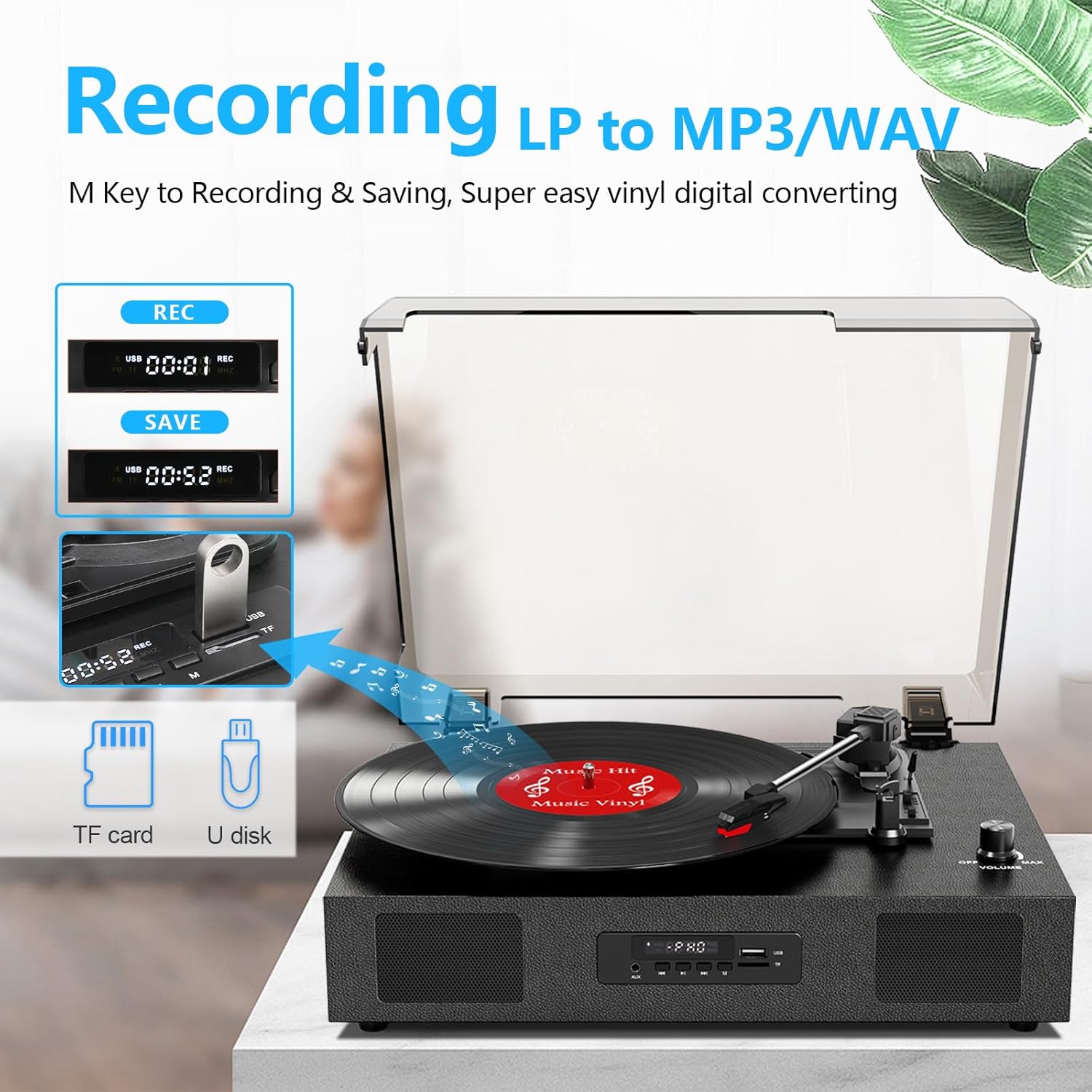
Image 4.3: The record player's display showing 'REC' and a timer, with a USB flash drive inserted, indicating the USB recording function.
- Lebetkeun Drive USB: Insert a USB flash drive (formatted to FAT32) into the USB port on the front panel.
- Mimitian Playback: Begin playing your vinyl record as described in section 4.1.
- Mimitian Ngarékam: Press the 'REC' button on the front panel. The display will show 'REC' and a timer, indicating recording has started.
- Eureun Rekaman: Press the 'REC' button again to stop recording. The recorded file will be saved to your USB drive.
- Aksés Files: You can access the recorded WAV files on your computer. If MP3 format is desired, conversion can be done using computer software.
4.4 RCA Line-Out Connection
Connect the record player to external powered speakers or a home audio system for enhanced sound.
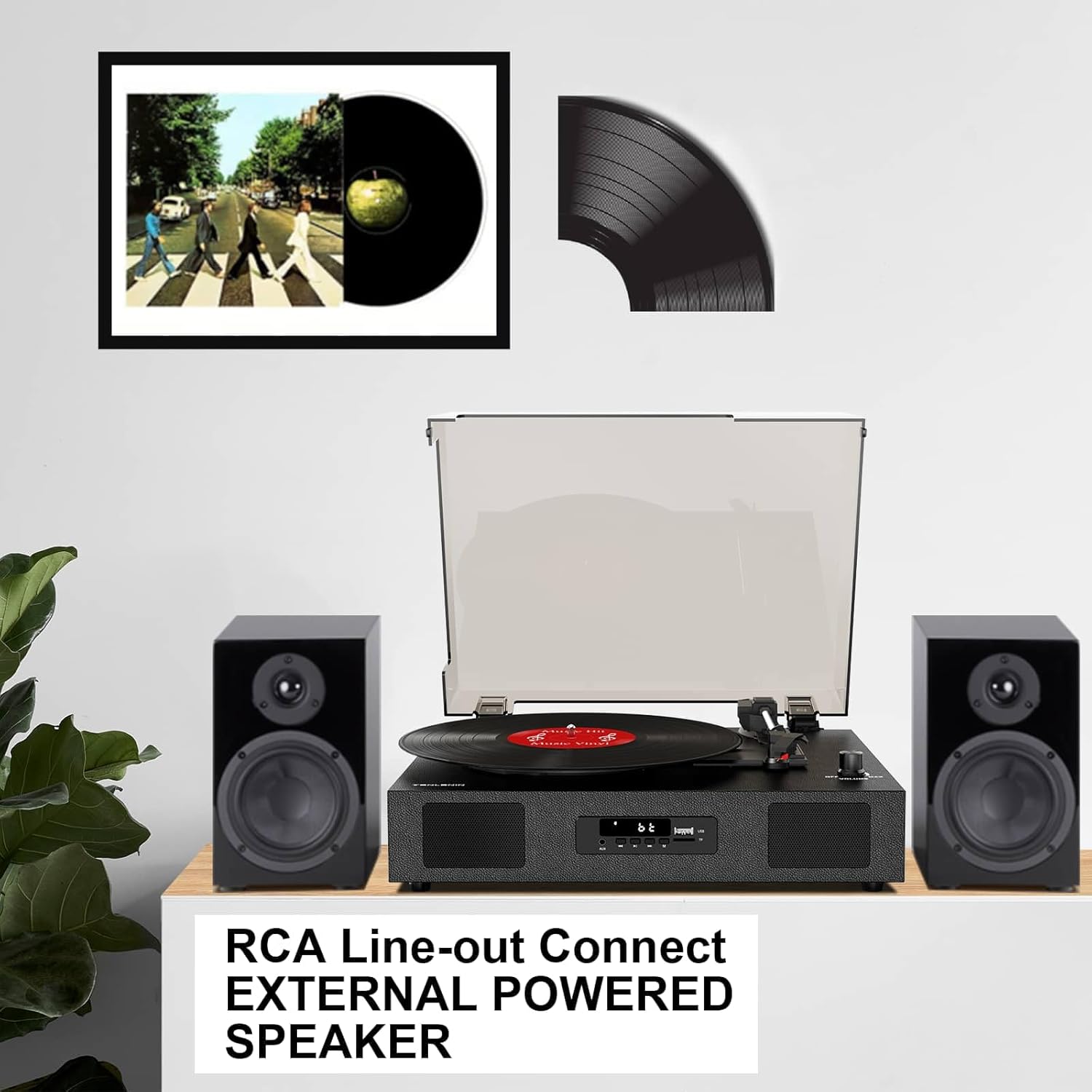
Image 4.4: The record player connected via RCA cables to a pair of external powered speakers, demonstrating the line-out functionality.
- Sambungkeun kabel: Use RCA audio cables (not included) to connect the RCA L/R output jacks on the back of the record player to the corresponding input jacks on your external amplifier atanapi speaker Powered.
- Saluyukeun Volume: Control the volume primarily through your external audio system. The record player's volume knob will still affect the output level.
4.5 AUX Line-In
Connect external audio devices (e.g., MP3 players) via the AUX IN port.
- Sambungkeun kabel: Use a 3.5mm audio cable (not included) to connect your external device to the AUX IN port on the front panel.
- Pilih Modeu AUX: Press the 'M' button until 'AUX' appears on the display.
- Puter Audio: Play audio from your connected device. The sound will be output through the record player's speakers.
5. Pangropéa
5.1 Ngabersihan Unit
- Ngusap bagian luar unit nganggo kaén anu lembut sareng garing. Ulah make cleaners abrasive atawa pangleyur.
- Keep the dust cover clean to prevent dust from settling on the platter and records.
5.2 Perawatan sareng Panggantian Stylus
- Stylus (jarum) mangrupikeun komponén anu sénsitip. Ati-ati nalika ngurusna.
- Bersihkeun stylus sacara périodik nganggo sikat lemes, sikat lalaunan ti tukang ka hareup.
- A worn stylus can damage records and degrade sound quality. Replace the stylus after approximately 300-500 hours of playback, or if you notice a decrease in sound quality or increased skipping.
- To replace the stylus, refer to the instructions provided with the replacement needle.
5.3 Kamanusaan sarta Studi Rékam
- Always handle records by their edges to avoid transferring oils from your skin.
- Simpen rékaman sacara vertikal dina selongsongna di tempat anu tiis sareng garing.
- Bersihkeun rékaman sacara rutin nganggo sikat atanapi larutan pembersih rékaman khusus pikeun miceun lebu sareng statis.
6. Cara ngungkulan
If you experience issues with your record player, consult the following troubleshooting guide.
- Henteu aya kakuatan:
- Pastikeun adaptor kakuatan disambungkeun sacara aman ka unit sareng stopkontak listrik anu tiasa dianggo.
- Check if the ON/OFF/VOLUME knob is turned clockwise to power on.
- Henteu aya sora:
- Increase the volume using the ON/OFF/VOLUME knob.
- Ensure the correct input mode (PHONO, BT, AUX) is selected.
- If using RCA output, ensure external speakers are powered on and correctly connected, and their volume is adjusted.
- Check if the stylus protector has been removed.
- Ngalangkungan Rékaman:
- Pastikeun pamuter piringan hideung aya dina permukaan anu stabil sareng rata.
- Clean the record to remove dust or debris.
- Check the stylus for damage or wear; replace if necessary.
- Some records, especially new or heavier pressings, may be more prone to skipping.
- USB Recording Issues (e.g., skipping, corrupted files):
- Ensure the USB drive is formatted to FAT32. Other formats like exFAT may not be compatible for recording.
- Try a different USB flash drive.
- Ensure the record is clean and playing smoothly during recording.
- Bluetooth Disconnecting/Resetting:
- If the Bluetooth player is paused for an extended period, the unit may revert to another mode. Re-select Bluetooth mode using the 'M' button.
- Ensure your Bluetooth device is within range.
7. Spésifikasi
| Ngaran modél | TE-2017 |
| merek | DANFI AUDIO DF |
| Dimensi produk | 14.1 x 11.2 x 4.9 inci |
| Item Beurat | 4.85 pon |
| Bahan | Kai direkayasa, Plastik |
| Laju rotasi maksimum | 78 rpm |
| Speeds Dirojong | 33 1/3, 45, 78 RPM |
| Fitur husus | Built-In Bluetooth Receiver, Digital Display, Digital Recorder, RCA Output |
| Alat nu cocog | Headphone, Pamuter MP3, Komputer Pribadi, Smartphone, Tablet |
8. Garansi jeung Rojongan
DANFI AUDIO DF offers a 30-day money-back or replacement policy for this product. For any inquiries or assistance, please contact customer service. Support is available 24 hours a day.
For further support or warranty claims, please refer to your purchase documentation or contact the seller directly.


