Bubuka
This manual provides essential information for the proper use and care of your Philips USB-C Wired Earbuds, Model TAE5008/38. Please read these instructions carefully before using the product to ensure optimal performance and longevity. This document covers setup, operating instructions, maintenance, troubleshooting, and product specifications.
Eusi pakét
Pastikeun yén sadaya item anu didaptarkeun di handap kalebet kana pakét produk anjeun:
- Philips USB-C Wired Earbuds (Model TAE5008/38)
- Interchangeable Rubber Ear Tips (3 sizes: Small, Medium, Large)
- Manual Pitunjuk (dokumén ieu)
Produk Leuwihview
The Philips USB-C Wired Earbuds are designed for clear audio and convenient communication. They feature a USB-C connector for direct compatibility with modern devices, an in-line remote for control, and a built-in microphone.

Gambar 1: Philips USB-C Wired Earbuds, displaying the earbuds, in-line remote, USB-C connector, and product packaging.
Komponén
- Earbuds: In-ear design with 10mm drivers for audio output.
- Jarak Jauh In-line: Integrated control unit on the cable for media and call management.
- Mikropon: Built into the in-line remote for hands-free calls.
- Konektor USB-C: For connecting to compatible devices.
- Kabel: 1.2 meters in length, connecting the earbuds to the USB-C connector.

Gambar 2: Pahareup-hareup view of the in-line remote control, indicating the '+' button for volume up, the '-' button for volume down, and the central button for track control and call handling.
Disetél
Nyambungkeun Earbuds
Follow these steps to connect your earbuds to a compatible device:
- Identify the USB-C port on your device (smartphone, tablet, laptop, etc.).
- Insert the USB-C connector of the earbuds firmly into the device's USB-C port.
- Ensure the connection is secure. Your device should automatically recognize the earbuds.

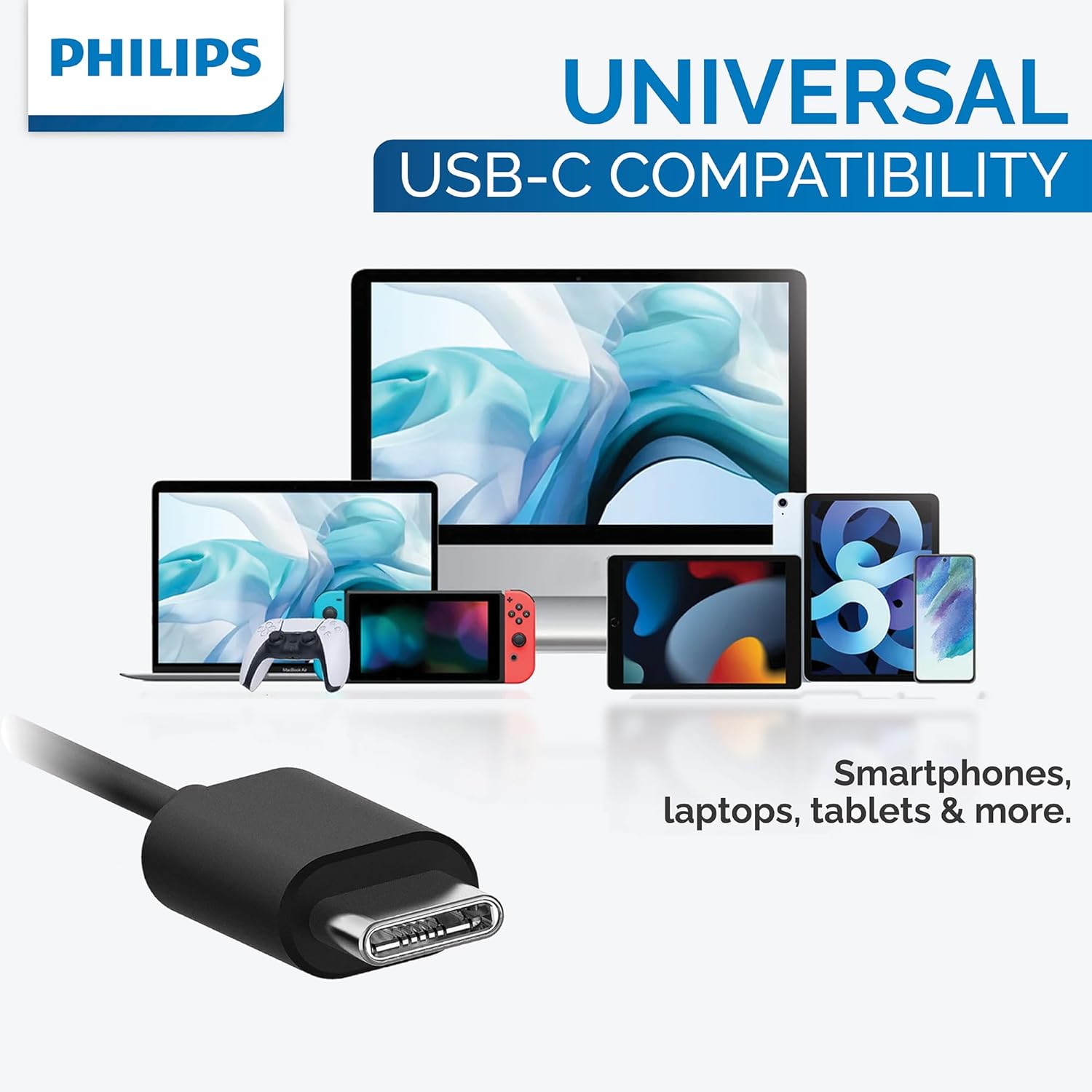
Gambar 3: The USB-C connector provides universal compatibility with a range of devices including smartphones, laptops, and tablets.
Milih Tips Ceuli
For optimal sound quality, noise isolation, and comfort, choose the ear tip size that best fits your ears. Three sizes (Small, Medium, Large) are provided to ensure a secure and comfortable seal.
Gambar 4: This image illustrates the three different sizes of interchangeable rubber ear tips provided with the earbuds, designed to ensure a comfortable and secure fit for various ear canal sizes.
Parentah Operasi
Playback Audio
Use the in-line remote to control your music:
- Puter / Reureuh: Pencét tombol tengah sakali.
- Lagu salajengna: Pencét tombol tengah dua kali gancang.
- Lagu Sateuacanna: Pencét tombol tengah tilu kali gancang.
- Volume Up: Pencét tombol '+'.
- Volume Turun: Pencét tombol '-'.
Manajemén Telepon
Use the in-line remote to manage phone calls:
- Ngajawab / mungkas Telepon: Pencét tombol tengah sawaktos keur nelepon asup atawa keur nelepon aktip.
- Nolak Telepon: Pencet jeung tahan tombol tengah salila kurang leuwih 2 detik dina mangsa telepon asup.
Asisten sora
To activate your device's voice assistant (e.g., Google Assistant, Siri), press and hold the center button for approximately 2 seconds when not on a call.
Pangropéa
Pangropéa anu leres mastikeun umur panjang sareng kinerja earbud anjeun:
- beberesih: Gently wipe the earbuds and cable with a soft, dry cloth. Do not use abrasive cleaners or immerse the earbuds in water.
- Panyimpenan: Store the earbuds in a clean, dry place when not in use to prevent tangling and damage. Avoid extreme temperatures.
- Tips ceuli: Remove and clean ear tips periodically with mild soap and water. Rinse thoroughly and ensure they are completely dry before reattaching them to the earbuds.
Pamérésan masalah
If you encounter issues with your earbuds, refer to the following table for common problems and solutions:
| Masalah | Mungkin Cukang lantaranana | Solusi |
|---|---|---|
| Taya sora tina earbuds. | Earbud teu nyambung kalawan bener. | Ensure the USB-C connector is fully inserted into the device's port. |
| Taya sora tina earbuds. | Volume alatna leutik teuing atanapi dibisukeun. | Increase the volume on your device or using the in-line remote. |
| Mikropon teu jalan. | Earbuds not selected as input device. | Check your device's audio settings to ensure the earbuds are selected for microphone input. |
| Kualitas sora henteu saé. | Ear tips are not providing a good seal. | Try different sizes of ear tips to find the best fit for your ears. |
spésifikasi
Detailed technical specifications for the Philips USB-C Wired Earbuds (Model TAE5008/38):
| Fitur | Nilai |
|---|---|
| Ngaran modél | TAE5008/38 |
| Téhnologi konektipitas | Kabel (USB-C) |
| Ukuran Supir Audio | 10 mm |
| Impedansi | 16 ohm |
| Sensitipitas | 101 dB |
| Panjang kabel | 1.2 méter |
| Mikropon | Diwangun-di |
| Tipe Kontrol | 3-button in-line remote (Media Control) |
| Alat nu cocog | Laptops, Tablets, Smartphones with USB-C port |
| Item Beurat | 0.517 ons (kira-kira 14.66 gram) |
| Warna | Hideung |
| Tingkat Résistansi Cai | Henteu Tahan Cai |
Garansi sareng Rojongan
For detailed warranty information and customer support, please refer to the documentation included with your original purchase. You may also visit the official Philips website for further assistance and product registration. Please retain your proof of purchase for any warranty claims.


