Bubuka
This manual provides essential information for the proper setup, operation, and maintenance of your PiPo X10s All-in-One Mini PC. Please read this manual thoroughly before using the device to ensure optimal performance and safety.
The PiPo X10s is a versatile 10.1-inch tablet computer designed as an all-in-one mini PC, featuring a Windows 10 operating system, Intel Celeron J4105 Quad Core processor, 6GB RAM, and 64GB ROM. It supports various connectivity options including WiFi, Bluetooth, TF Card, and RJ45 Ethernet.

Image: The PiPo X10s Mini PC, showcasing desain kompak sareng tampilan terpadu.
Émbaran Kasalametan
- Entong ngalaan alat ka suhu anu ekstrim, sinar panonpoé langsung, atanapi kalembaban anu luhur.
- Hindarkeun ragrag atanapi ngagentoskeun alat kana tabrakan anu kuat.
- Anggo ngan ukur adaptor daya asli anu disayogikeun sareng alat ieu.
- Ulah nyobian ngabongkar atawa ngalereskeun alat sorangan. Rujuk ka tanaga jasa anu mumpuni.
- Jauhkeun alat tina cai sareng cairan sanés.
- Pastikeun ventilasi ditangtoskeun pikeun nyegah overheating.
Produk Leuwihview
Familiarize yourself with the various ports and components of your PiPo X10s Mini PC.

Image: Detailed diagram of the PiPo X10s ports and controls.
- Tombol pareum: Hurungkeun/pareuman alat.
- Volume up and down keys: Saluyukeun volume audio.
- USB interface (x4): Connect USB devices such as keyboards, mice, or external storage.
- panganteur audio 3.5mm: Sambungkeun headphone atanapi spéker éksternal.
- stop kontak kartu TF: Insert a TF (MicroSD) card for expanded storage (up to 32GB, not included).
- panganteur HDMI: Connect to an external display or TV.
- RJ45 network interface: Connect to a wired Ethernet network.
- DC 12V power interface: Sambungkeun adaptor kakuatan.
- panganteur RS232: Serial port for specific industrial or legacy connections.
Disetél
Mimiti Power-On
- Connect the provided 12V / 2.4A power adapter to the DC 12V power interface on the device.
- Colokkeun adaptor kakuatan kana stop kontak témbok.
- Press and hold the "Off button" (Power button) located on the side of the device until the screen lights up.
- Turutan pitunjuk dina layar pikeun ngarengsekeun setelan awal Windows 10, kalebet pilihan basa, sambungan jaringan, sareng nyiptakeun akun pangguna.
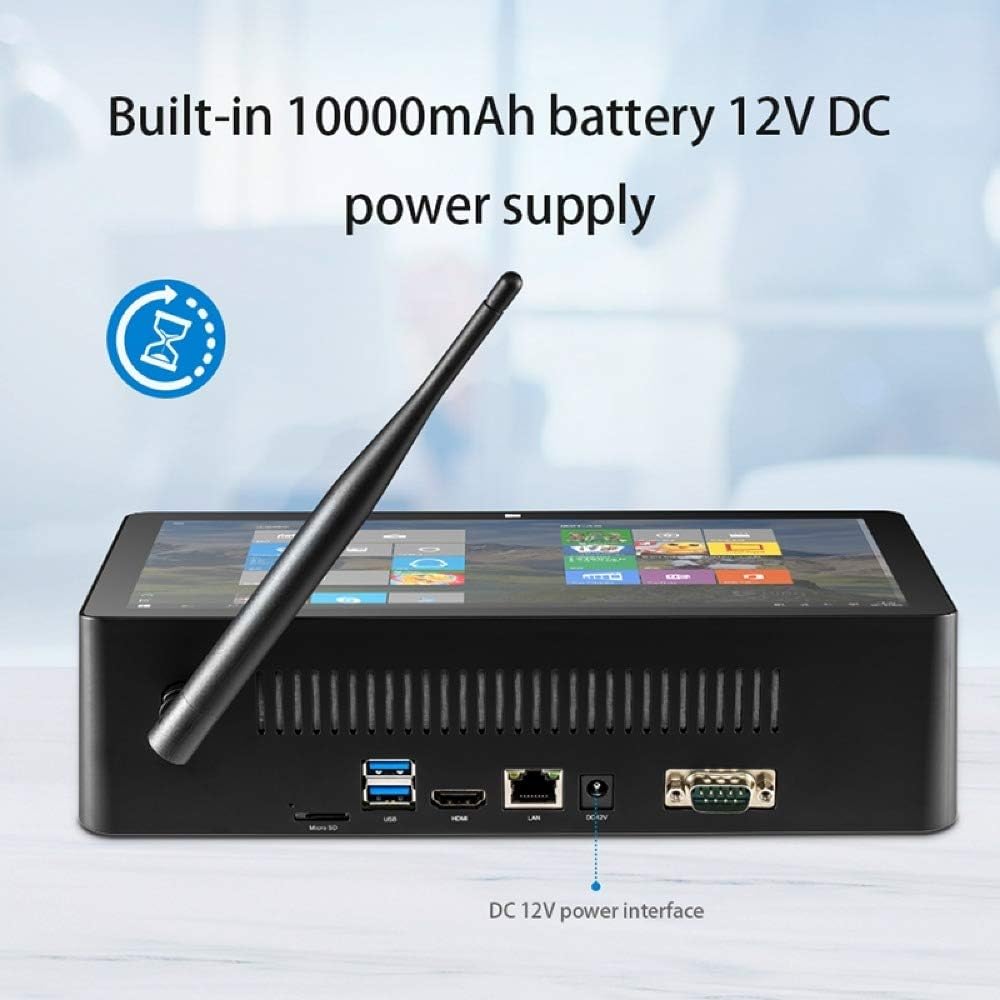
Image: The DC 12V power interface on the rear of the device.
Ngoperasikeun
Operasi Dasar
- Hurungkeun/Pareuman: Press the power button to turn on. To turn off, click the Start button in Windows, then Power > Shut down. A short press of the power button will put the device to sleep.
- Interaksi Layar: The 10.1-inch IPS capacitive screen supports touch input. Navigate Windows 10 by tapping, swiping, and pinching.
- Kontrol volume: Use the dedicated volume up and down buttons on the device, or adjust volume through the Windows taskbar.
Windows 10 Environment
Your PiPo X10s comes pre-installed with Windows 10. You can customize settings, install applications, and manage files just like on a standard desktop PC. The system supports multi-languages, which can be downloaded and installed via Windows settings.
Konektipitas
Sambungan Wi-Fi
- Click the Wi-Fi icon in the Windows taskbar.
- Pilih jaringan nu Anjeun hoyongkeun tina daptar jaringan nu sadia.
- Lebetkeun kecap akses jaringan upami dipenta teras klik "Sambungkeun".
Sambungan Bluetooth
- Buka Setélan Windows > Alat > Bluetooth & alat nu sejen.
- Pastikeun Bluetooth dihurungkeun "Aktif".
- Klik "Tambahkeun Bluetooth atawa alat sejen" tur pilih "Bluetooth".
- Choose your Bluetooth device from the list and follow the pairing instructions.
Wired Ethernet (LAN)
Connect an Ethernet cable from your router or network switch to the RJ45 network interface on the device. The device will automatically detect and connect to the wired network.
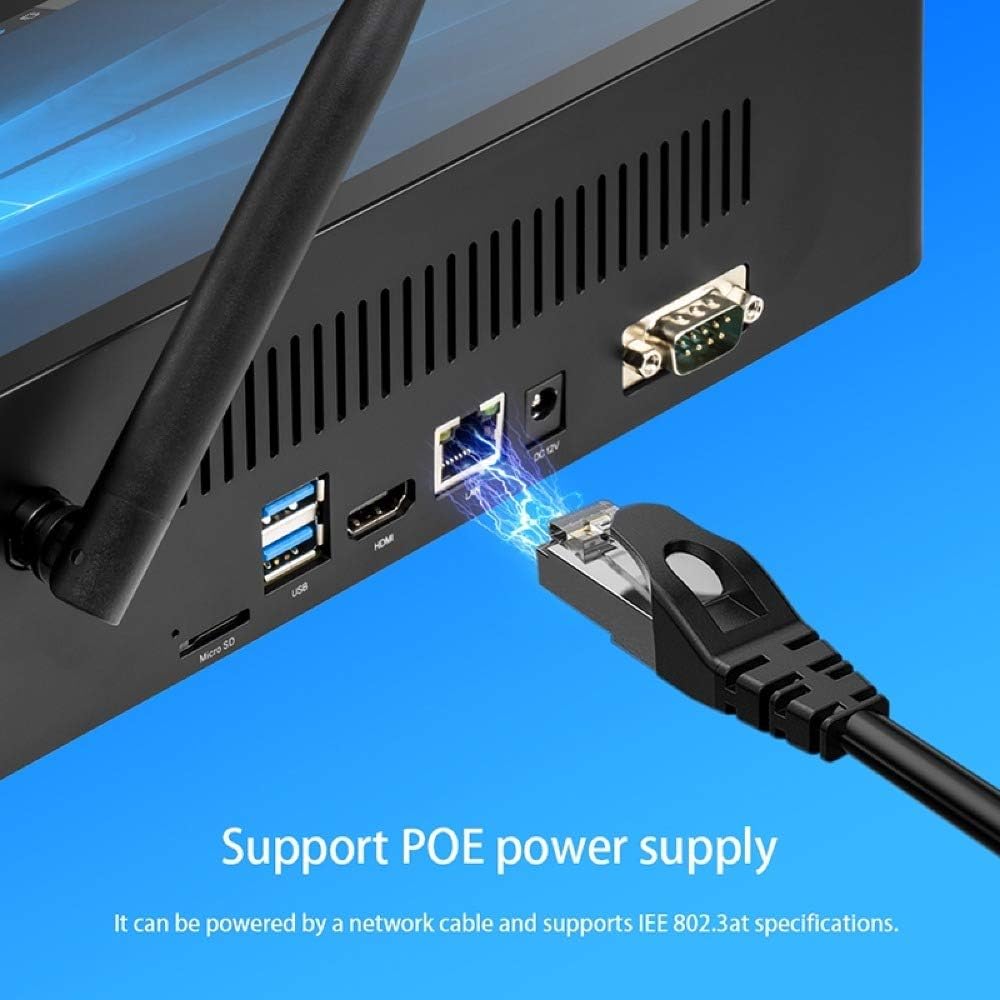
Image: Connecting an Ethernet cable to the RJ45 port.
External Display (HDMI)
Connect an HDMI cable from the HDMI interface on the device to an HDMI input on your monitor or TV. Windows will automatically detect the external display. You can configure display settings (duplicate, extend, second screen only) via Windows Display Settings.
USB Devices and TF Card
- Port USB: Plug in USB keyboards, mice, flash drives, or other peripherals into any of the four USB 2.0 ports.
- Kartu TF: Insert a TF (MicroSD) card into the TF card slot for additional storage. The device supports cards up to 32GB.
Pangropéa
- beberesih: Anggo kaén anu garing sareng lemes pikeun ngabersihan layar sareng luar. Pikeun tanda nekad, rada dampbilas lawon ku cai. Hindarkeun bahan kimia anu keras.
- Apdet parangkat lunak: Regularly check for Windows updates to ensure your system has the latest security patches and performance improvements. Go to Windows Settings > Update & Security > Windows Update.
- Manajemén Panyimpenan: Périodik jelas samentara files and unnecessary applications to maintain optimal performance. Windows Disk Cleanup utility can assist with this.
Pamérésan masalah
| Masalah | Solusi anu mungkin |
|---|---|
| Alat teu hurung. | Ensure the power adapter is securely connected to both the device and a working power outlet. Check if the power outlet is active. The built-in battery might be depleted; allow it to charge for a few minutes before attempting to power on again. |
| Teu aya sambungan Wi-Fi. | Check if Wi-Fi is enabled in Windows settings. Ensure you are within range of a Wi-Fi network. Verify the Wi-Fi password is correct. Restart the device and your Wi-Fi router. |
| Layar teu ngaréspon. | Pareuman terus hurungkeun deui alatna. Upami masalahna terus lumangsung, pastikeun layarna bersih sareng bébas tina kokotor. |
| kinerja lalaunan. | Close unnecessary applications. Check for and install Windows updates. Run Disk Cleanup to free up storage space. Consider reducing the number of startup programs. |
| External display not detected. | Ensure the HDMI cable is securely connected to both the device and the external display. Verify the external display is set to the correct HDMI input. Try restarting both devices. |
spésifikasi
Detailed technical specifications for the PiPo X10s All-in-One Mini PC:
| Fitur | Rincian |
|---|---|
| Modél | PiPo X10s |
| Sistem operasi | Windows 10 |
| CPU | Intel Celeron J4125 Quad-core, 1.5-2.5 GHz |
| GPU | Intel Graphics UHD 600 |
| Ram | 6GB |
| ROM (Panyimpenan Internal) | 64GB |
| Mémori éksternal | Kartu TF dugi ka 32GB (teu kalebet) |
| Ukuran layar | 10.1 inci |
| Tipe Layar | IPS Capacitive Screen |
| Resolusi tampilan | 1920 x 1200 |
| Wifi | 802.11a/b/g/n |
| Bluetooth | V4.0 |
| Kapasitas batré | 3.7 V 10000 mAh |
| Input kakuatan | 12V / 2.4A |
| Antarbeungeut | 1 x TF Card Slot, 1 x 3.5mm Earphone Port, 1 x DC Port, 1 x HDMI Port, 1 x RJ45 Jack, 4 x USB 2.0 Ports, 1 x RS232 DB9 |
| Ukuran (L x W x H) | 274 x 162 x 68 mm |
| Beurat | 1025g |

Image: Physical dimensions of the PiPo X10s.
Garansi sareng Rojongan
For warranty information and technical support, please refer to the documentation included with your purchase or visit the official Pipo websitus. Simpen bukti pameseran anjeun pikeun klaim garansi.
For common issues, please consult the Troubleshooting section of this manual. If you require further assistance, contact Pipo customer support.


