1. Bubuka
This manual provides detailed instructions for the operation and maintenance of your MYPIN Bluetooth Cassette Player. Please read this manual thoroughly before using the device to ensure proper function and to maximize your listening experience.
2. Fitur Produk
- Kaluaran Bluetooth: Transmit tape music wirelessly to Bluetooth headphones or speakers.
- Otomatis Balik: Automatically plays both sides of a cassette tape without manual flipping.
- Desain portabel: Compact and lightweight for easy transport and use anywhere.
- Stereo Audio Quality: Supports high-quality stereo L/R output.
- Pasokan Daya Ganda: Operates on 2 AA batteries or via USB power.
- Jack Headphone 3.5mm: For wired headphone connection or AUX output to car speakers.
3. Eusi Paket
Pastikeun yén sadaya item aya dina pakét anjeun:
- MYPIN Bluetooth Cassette Player
- Kabel Daya USB
- Wired Headphones (3.5mm jack)
- Manual pangguna (dokumén ieu)

Image: The MYPIN Bluetooth Cassette Player shown with its included USB power cable and wired headphones.
4. Diagram produk jeung kontrol

Image: A detailed diagram of the cassette player highlighting its various buttons, ports, and overall dimensions.
- ULIN: Press to start tape playback.
- EUREUN: Press to stop tape playback.
- REW (Mundur): Pencét pikeun ngabalikkeun pita.
- FF (Maju Gancang): Pencét pikeun ngamajukeun gancang pita.
- Otomatis Balik: Slide switch to enable or disable automatic tape side reversal.
- DIR (Direction): Press to manually change tape playback direction (Side A to Side B or vice versa).
- DC 5V: USB power input port.
- AUX: 3.5mm audio output jack for wired headphones or external speakers.
- Volume +/-: Rotary dial to adjust the audio output volume.
5. Power Supply
The MYPIN Bluetooth Cassette Player can be powered by two methods:
- 2 x AA Batteries: Open the battery compartment on the back of the device and insert two AA batteries (not included), ensuring correct polarity.
- USB Power: Connect the provided USB cable to the DC 5V port on the player and to a USB power source (e.g., computer, USB wall adapter).
Note: Do not use both power sources simultaneously unless specified. Remove batteries if using USB power for extended periods to prevent leakage.

Image: The cassette player illustrating its two power options: 2 AA batteries and a USB DC 5V input.
6. Operasi dasar
6.1. Inserting a Cassette Tape
- Gently slide the OPEN switch to open the cassette compartment door.
- Insert a cassette tape with the desired side facing up.
- Tutup panto kompartemen nepi ka klik aman.
6.2. Muterkeun Kaset Tape
- Ensure the device is powered on (via batteries or USB).
- Pencét éta ulin tombol pikeun ngamimitian playback.
- Saluyukeun polumeu nganggo Jilid +/- dial.
- Pikeun ngeureunkeun putereun deui, pencét éta EUREUN kancing.
- Paké REW or FF buttons for rewinding or fast-forwarding.
- To change tape side, press the DIR button or enable Otomatis Ngabalikeun.

Image: A visual guide demonstrating the three basic steps for using the cassette player: inserting a tape, connecting to Bluetooth, and pressing play.
7. Sambungan Bluetooth
The MYPIN Bluetooth Cassette Player can transmit audio to compatible Bluetooth receivers such as headphones or speakers.
- Ensure the cassette player is powered on and a tape is inserted.
- Turn on your Bluetooth headphones or speaker and set them to pairing mode. Refer to your Bluetooth device's manual for specific pairing instructions.
- The cassette player will automatically search for Bluetooth receivers. The indicator light will flash during searching and turn solid blue once connected.
- If connection is not established, you may need to initiate pairing on your Bluetooth receiver.
Note: The device does not currently support Bluetooth 5.0. Avoid using two Bluetooth receivers simultaneously.

Image: The cassette player wirelessly connected to a pair of over-ear Bluetooth headphones, indicating its Bluetooth transmission capability.
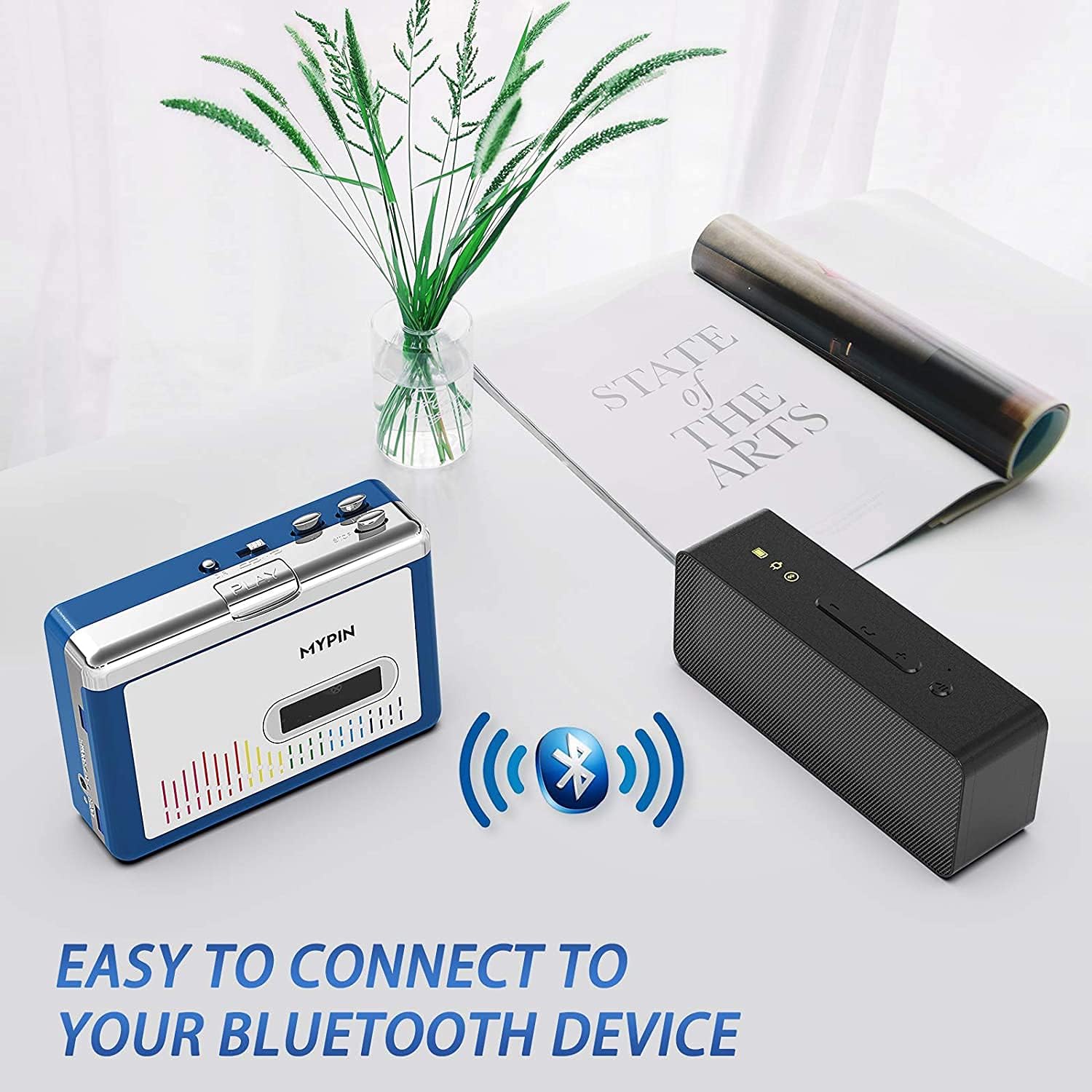
Image: The cassette player wirelessly connected to a portable Bluetooth speaker, demonstrating its ability to output audio to external speakers.
8. Using with Wired Headphones or AUX Output
For a wired listening experience or connecting to an external audio system, use the 3.5mm AUX jack:
- Plug the provided wired headphones (or your own 3.5mm headphones) into the AUX jack.
- Alternatively, connect an AUX cable (not included) from the player's AUX jack to the audio input of your car stereo or home audio system.
- Saluyukeun polumeu nganggo Jilid +/- dial on the player and/or the volume controls on your connected audio device.

Image: The cassette player with wired headphones plugged into its 3.5mm AUX jack, illustrating direct audio output.
9. Émbaran Kasalametan
- Use only recommended batteries (2 AA) and ensure correct polarity.
- Jaga alat tetep garing sareng jauh tina suhu anu ekstrim.
- Avoid disassembling the device, as this may void the warranty and cause damage.
- Be aware of potential wireless interference when using Bluetooth in certain environments.
- Ulah ngalaan alat ka cai atawa beueus.
- Jauhkeun tina jangkauan barudak.
10. Pangropéa
- Bersihkeun alatna nganggo lawon anu lemes sareng garing. Entong nganggo pembersih cair atanapi pelarut.
- Regularly clean the tape head and pinch rollers with a cotton swab lightly dampdilebur ku alkohol isopropil pikeun mastikeun kualitas sora anu optimal sareng nyegah karusakan pita.
- Cabut batréna upami alat moal dianggo salami waktos anu lami pikeun nyegah bocor batréna.
- Simpen alat dina tempat anu tiis sareng garing jauh tina sinar panonpoé langsung.
11. Cara ngungkulan
| Masalah | Mungkin Cukang lantaranana | Solusi |
|---|---|---|
| Taya kakuatan | Batteries are dead or incorrectly inserted; USB cable not connected properly. | Replace batteries, check polarity; ensure USB cable is securely connected to a working power source. |
| Taya sora | Volume too low; headphones/speakers not connected; Bluetooth not paired; dirty tape head. | Increase volume; check headphone/AUX connection; re-pair Bluetooth device; clean tape head. |
| Kasetna teu diputer/gerak | Tape jammed; mechanism dirty; tape damaged. | Open compartment and check tape; clean mechanism; try a different tape. |
| Bluetooth teu nyambung | Bluetooth device not in pairing mode; too far from player; interference. | Ensure Bluetooth device is in pairing mode; move closer to player; reduce other wireless devices. |
12. Spésifikasi
- Ukuran produk: 4.45 x 3.35 x 1.26 inci
- Beurat barang: 8.8 ons
- Pabrikan: MYPIN
- Fitur husus: Noise Cancelling
- Téknologi konektipitas: Auxiliary, Bluetooth, USB
- Sumber Daya: Battery Powered (2 x AA) or USB DC 5V
- Bahan: palastik
- Audio Sample Rates: 44.1 and 48kHz@16-bit
13. Video Produk Resmi
Video: A demonstration of the MYPIN Bluetooth Cassette Player's features and operation, provided by the seller.
14. Garansi jeung Rojongan
For warranty information and customer support, please refer to the documentation included with your purchase or contact MYPIN customer service directly. Keep your proof of purchase for any warranty claims.


