Bubuka
This manual provides comprehensive instructions for the Inrico T522A 4G/LTE Network Radio. Designed for reliable communication, this device integrates 4G/LTE connectivity with Zello and ZelloWork platforms, offering long-range, clear audio transmission. Please read this manual thoroughly before operating the device to ensure proper usage and optimal performance.
Produk Leuwihview
The Inrico T522A is a robust network radio built for demanding environments. It features a durable design, including waterproof and dustproof capabilities (IP66 rating), and supports various network functionalities for seamless communication.
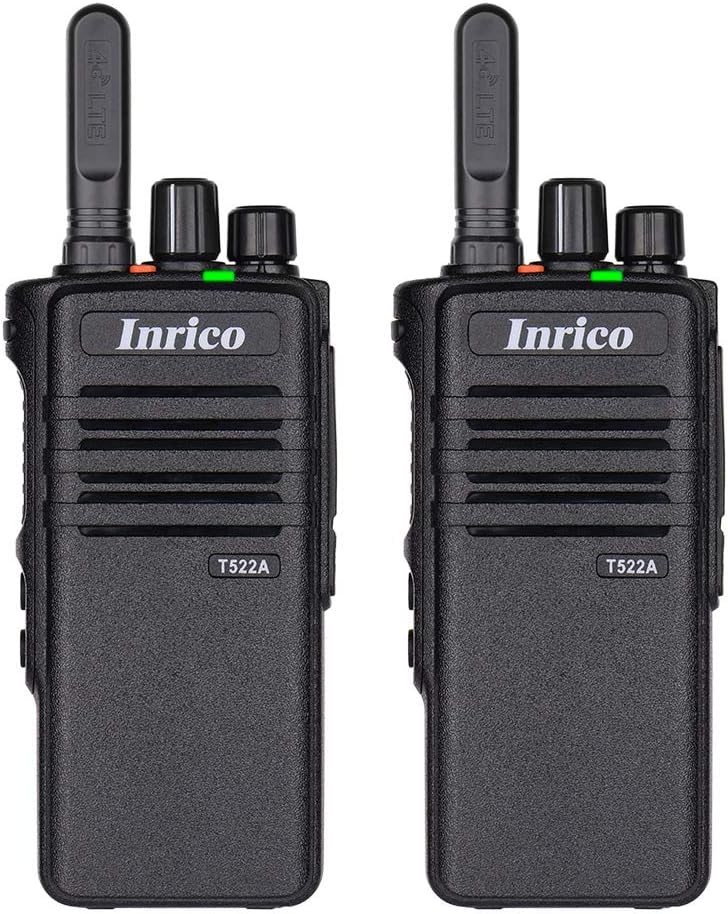
Gambar 1: Hareupeun view of two Inrico T522A network radios, showing the Inrico branding and T522A model number.

Figure 2: Various angles of the Inrico T522A radio, including front, side, and back views, highlighting its compact design and belt clip.
Komponén konci:
- anteneu: For 4G/LTE signal reception.
- Kenop Daya/Volume: To turn the device on/off and adjust volume.
- Channel/Function Knob: For selecting channels or functions.
- Tombol PTT (Push-to-Talk): For initiating voice transmissions.
- Speaker/Mikropon: Integrated for audio input and output.
- Kompartemen batré: Houses the removable battery.
- Klip sabuk: Pikeun merenah dibawa.
- Ngecas Kontak: Located at the bottom for cradle charging.
Disetél
1. Pamasangan batré:
- Pastikeun radiona pareum.
- Tangtukeun lokasi kompartemen batré dina tonggong radio.
- Align the battery with the contacts and gently push it into place until it clicks.
- Secure the battery cover if applicable.
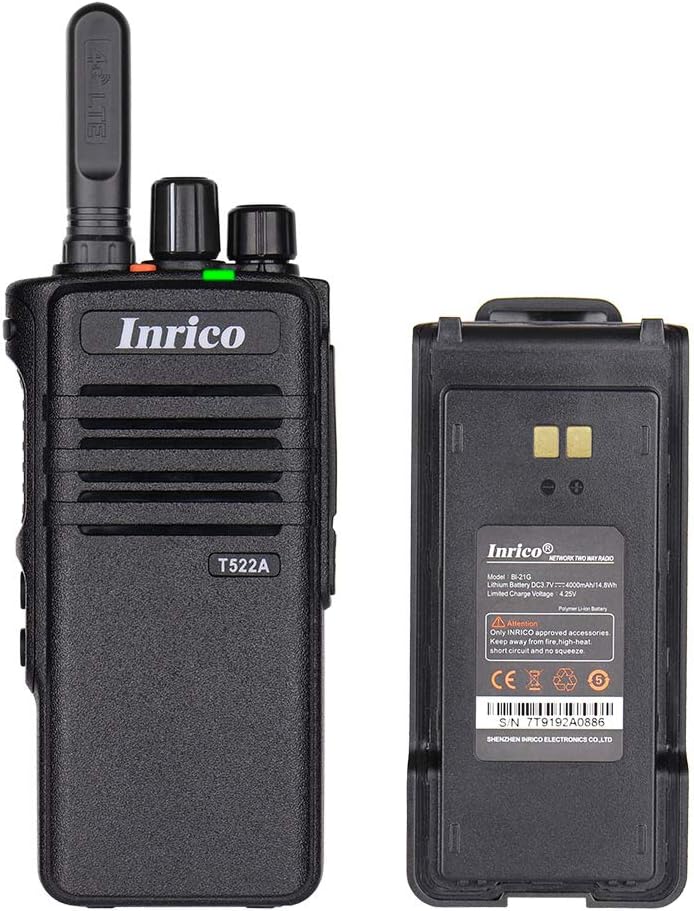
Figure 3: The Inrico T522A radio shown alongside its removable battery pack, illustrating the battery's connection points.
2. Ngecas Batré:
Sateuacan dianggo heula, ngeusi batre sapinuhna.
- Place the radio into the charging cradle, ensuring the charging contacts align.
- Connect the charging cradle to a power source using the provided adapter.
- The charging indicator light will illuminate (typically red) during charging and change color (typically green) when fully charged.

Figure 4: The Inrico T522A radio securely placed in its dedicated charging cradle, ready for power replenishment.
3. Konektipitas Jaringan:
The T522A supports 4G/LTE and WLAN connectivity. Ensure a valid SIM card is inserted for 4G/LTE operation, or configure Wi-Fi settings for WLAN use.

Figure 5: The Inrico T522A radio depicted with "4G LTE" and Android logos, indicating its cellular and operating system capabilities.

Figure 6: The Inrico T522A radio shown with a WLAN (Wi-Fi) symbol, indicating its wireless local area network connectivity.
Parentah Operasi
Hurungkeun/Pareuman:
- Pikeun ngahurungkeun, puter kenop Daya/Volume saarah jarum jam nepi ka anjeun ngadéngé klik.
- Pikeun mareuman, puter kenop Daya/Volume ka arah anu sabalikna tina jarum jam dugi ka anjeun ngadangu sora klik.
Nyaluyukeun Volume:
- Puterkeun kenop Daya/Volume searah jarum jam pikeun ningkatkeun volume sareng berlawanan arah jarum jam pikeun ngirangan volume.
Using Zello/ZelloWork:
The Inrico T522A is optimized for Zello and ZelloWork applications.
- Ensure the Zello or ZelloWork application is installed and configured on the device.
- Log in to your Zello/ZelloWork account.
- Select the desired channel or contact.
- Press and hold the PTT button to transmit your voice. Release the PTT button to listen.
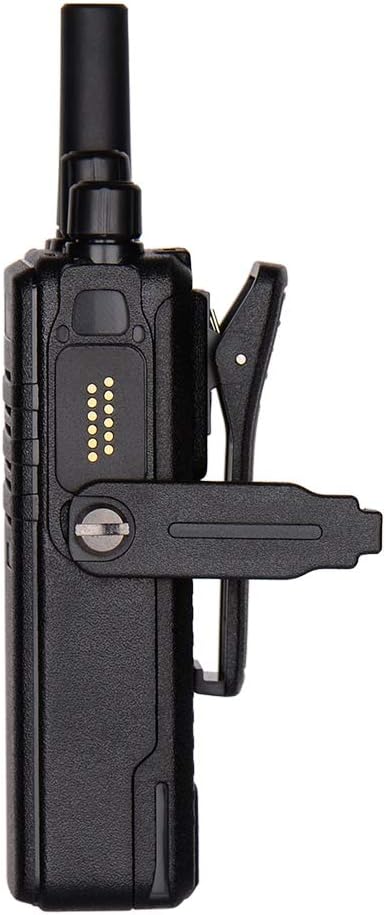
Figure 7: Two Inrico T522A radios displayed in front of a computer monitor showing a dispatch system interface, illustrating their integration with communication platforms.
Pangropéa
- beberesih: Ngagunakeun lemes, damp lawon pikeun ngabersihkeun bagian luar radio. Entong nganggo bahan kimia anu kasar atanapi pembersih anu abrasif.
- Perawatan batré: Pikeun manjangkeun umur batré, ulah sering-sering ngosongkeun batréna. Simpen radio sareng batréna di tempat anu tiis sareng garing upami henteu dianggo salami lami.
- Perlindungan Lingkungan: While the radio is waterproof and dustproof (IP66), avoid prolonged exposure to extreme temperatures or direct sunlight.
Pamérésan masalah
| Masalah | Mungkin Cukang lantaranana | Solusi |
|---|---|---|
| Radio teu hurung. | Batré lemah atawa teu dipasang bener. | Cas batréna atanapi pasang deui kalayan pageuh. |
| Henteu aya audio tina spiker. | Volume is too low; speaker is blocked; network issue. | Increase volume; check for obstructions; verify network connection. |
| Cannot transmit/receive. | No network signal; Zello/ZelloWork not logged in; incorrect channel. | Check network signal strength; log into Zello/ZelloWork; select correct channel. |
| Kualitas audio goréng. | Weak network signal; interference. | Move to an area with better signal; avoid sources of interference. |
spésifikasi
| Fitur | Rincian |
|---|---|
| merek | Inrico |
| Modél | T522A |
| Konektipitas | 4G/LTE, WLAN |
| Alat nu cocog | Zello, ZelloWork, 4G/LTE devices on the same frequency band, internet-capable devices |
| Tingkat Résistansi Cai | Waterproof (IP66) |
| Fitur husus | Long Range, Waterproof, Dust Proof |
| Komponén Kaasup | 2 x Radio (as per product listing) |
| Warna | Hideung |
Garansi sareng Rojongan
For warranty information and technical support, please refer to the official Inrico websitus atanapi ngahubungan dealer otorisasi Anjeun. Simpen resi pameseran anjeun salaku bukti pameseran.
Pabrikan: Inrico


