Bubuka
This user manual provides detailed instructions for the operation and maintenance of your HOTT MP3 Player, model HA09. Please read this manual thoroughly before using the device to ensure proper functionality and to prevent damage.
Émbaran Kasalametan
- Entong ngalaan alat ka suhu anu ekstrim, sinar panonpoé langsung, atanapi kalembaban anu luhur.
- Hindarkeun ragrag atanapi ngagentoskeun alat kana tabrakan anu kuat.
- Do not disassemble or attempt to repair the device yourself. Contact qualified service personnel for assistance.
- Jauhkeun alat tina cai sareng cairan sanés.
- Anggo ngan ukur asesoris ngecas anu ditangtukeun.
Eusi pakét
Mangga parios pakét kanggo barang-barang ieu:
- HOTT MP3 Player (HA09)
- Kabel Ngecas USB
- Earphone
- Manual pangguna (dokumén ieu)
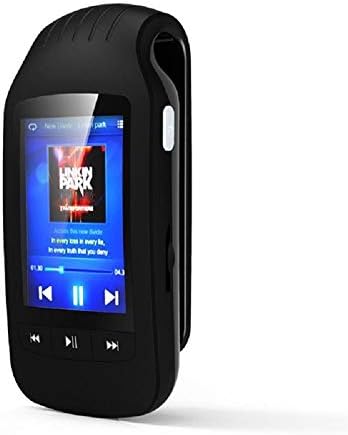
Figure 1: HOTT MP3 Player HA09 with its standard accessories, including charging cables and earphones.
Produk Leuwihview
The HOTT MP3 Player HA09 features a compact design with a 1.8-inch screen and intuitive controls for easy navigation.
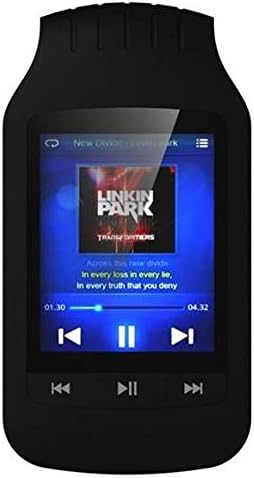
Gambar 2: Hareupeun view of the HOTT MP3 Player HA09, showing the display and control buttons.
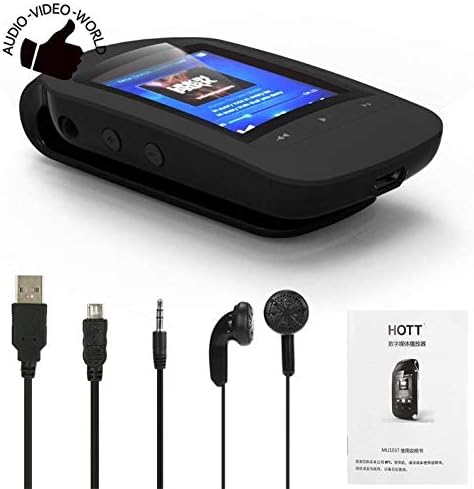
Gambar 3: Sisi view of the HOTT MP3 Player HA09, illustrating its clip design for portability.
Komponén konci:
- Layar 1.8 inci: For navigating menus, viewing track information, e-books, and images.
- Tombol kontrol: Play/Pause, Next/Previous Track, Volume Up/Down, Menu, Back.
- Port USB: Pikeun ngecas sareng mindahkeun data.
- Jack headphone: For connecting earphones.
- Klip terpadu: Ngamungkinkeun kantétan gampang kana pakean atawa tas.
Disetél
Ngecas Alat:
- Sambungkeun tungtung leutik kabel ngecas USB kana port USB dina pamuter MP3.
- Sambungkeun tungtung kabel USB anu sanés ka adaptor kakuatan USB (teu kalebet) atanapi port USB komputer.
- Indikator batré dina layar bakal némbongkeun status ngecas. Ngecas pinuh biasana peryogi waktos sakitar 2-3 jam.
Hurungkeun/Pareuman:
- Pikeun ngahurungkeun, pencét terus tombol Daya dugi ka layar hurung.
- To power off, press and hold the Power button until the "Power Off" prompt appears, then confirm.
Mindahkeun Files:
- Sambungkeun pamuter MP3 ka komputer anjeun nganggo kabel USB.
- Alat éta bakal nembongan salaku drive disk anu tiasa dicabut dina komputer anjeun.
- Sered jeung leupaskeun audio nu dipikahayang files (MP3, WMA, WAV, APE, FLAC), e-books (TXT), or images into the appropriate folders on the device.
- Cabut alat tina komputer anjeun kalayan aman sateuacan nyabut kabel USB.
Parentah Operasi
Puteran musik:
Navigate to the "Music" menu to browse and play your audio files. The player supports MP3, WMA, WAV, APE, and FLAC formats.
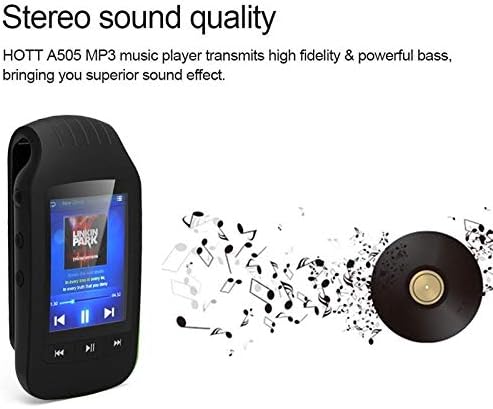
Figure 4: The HOTT MP3 Player HA09 delivers high-fidelity stereo sound for an enhanced listening experience.
- Use the navigation buttons to select a song or album.
- Pencét tombol Play/Reureuh pikeun ngamimitian atawa ngareureuhkeun playback.
- Use the Next/Previous buttons to skip tracks.
- Saluyukeun polumeu nganggo tombol polumeu khusus.
Konektipitas Bluetooth:
The device supports Bluetooth for wireless audio streaming to compatible headphones or speakers.
- Go to the "Bluetooth" menu in the settings.
- Hurungkeun Bluetooth.
- Milarian pikeun available devices and select your Bluetooth headphones/speaker to pair.
Radio FM:
Connect your earphones (which act as an antenna) to use the built-in FM radio.
- Access the "FM Radio" option from the main menu.
- Anggo fungsi scan otomatis pikeun milarian sareng nyimpen stasiun anu sayogi.
- Manually tune to specific frequencies if desired.
Rékam sora:
Record audio using the integrated microphone. Recordings are saved in MP3 or WAV format.
- Select "Recorder" from the main menu.
- Pencét tombol rékaman pikeun ngamimitian ngarékam.
- Press the stop button to end and save the recording.
Pamaca e-buku:
View TXT format e-books directly on the device.
- Transfer TXT files to the "E-book" folder on the device.
- Open the "E-book" application and select your desired book.
Pedometer and Stopwatch:
Track your steps and exercise duration with the built-in pedometer and stopwatch functions.
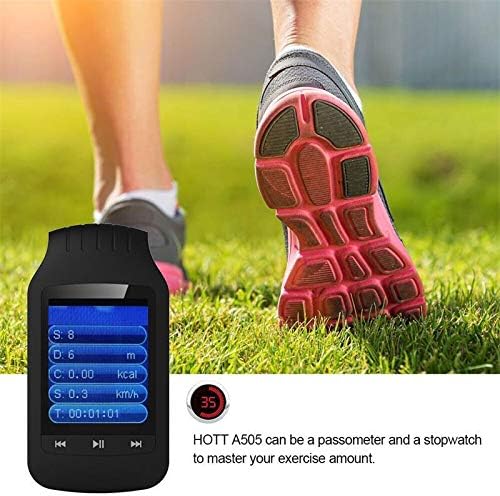
Figure 5: The HOTT MP3 Player HA09 functions as a pedometer and stopwatch, helping users monitor their exercise.
- Access these features from the main menu.
- Follow on-screen prompts to start, pause, and reset tracking.
Gambar Vieweh:
View gambar anu disimpen dina alat éta.
- Transfer image files to the "Pictures" folder.
- Open the "Image Viewer" application to browse your photos.
Pangropéa
- beberesih: Anggo kaén anu lemes sareng garing pikeun ngabersihan alat. Ulah make cleaners cair atawa aerosol.
- Panyimpenan: Simpen alat dina tempat anu tiis sareng garing jauh tina sinar panonpoé langsung sareng suhu anu ekstrim.
- Perawatan batré: Pikeun manjangkeun umur batre, ulah miceun batre pinuh. Ngeusi batre alat sacara rutin, sanajan henteu dianggo kanggo waktos anu lami.
Pamérésan masalah
| Masalah | Mungkin Cukang lantaranana | Solusi |
|---|---|---|
| Alat teu hurung. | Batré béak. | Ngecas alat pikeun sahenteuna 30 menit. |
| Teu bisa mindahkeun files. | Incorrect USB connection or driver issue. | Pastikeun kabel USB nyambung pageuh. Cobi port USB atanapi komputer anu sanés. |
| Taya sora tina earphone. | Earphones not properly connected or volume too low. | Check earphone connection. Increase volume. Test with different earphones. |
| Alat Bluetooth teu dipasangkeun. | Alat henteu dina mode papasangan atanapi jauh teuing. | Ensure the Bluetooth device is in pairing mode and within range. Restart both devices. |
spésifikasi
| Fitur | Rincian |
|---|---|
| Nomer modél | HA09 |
| merek | PANAS |
| Ukuran layar | 1.8 inci |
| Panyimpenan internal | 8 GB |
| Rojongan Panyimpenan éksternal | Up to 64 GB (MicroSD card, not included) |
| Bahan Awak | palastik |
| Format Audio | MP3, WMA, WAV, APE, FLAC |
| Format Recorder | MP3, WAV |
| Format e-buku | TXT |
| Rasio Signal-to-Noise | ≥89dB |
| Konektipitas | Bluetooth, USB |
| Fungsi tambahan | FM Radio, Stopwatch, Pedometer, Image Viewer |
| Basa anu Dirojong | 24 languages (e.g., English, German, French, Italian, Dutch, Portuguese, Spanish, Russian) |
| Warna | Hideung |
Garansi sareng Rojongan
For warranty information and technical support, please refer to the warranty card included with your product or visit the official HOTT websitus. Simpen resi pameseran anjeun salaku bukti pameseran pikeun klaim garansi.
Catetan: Sarat jeung katangtuan garansi husus bisa béda-béda di unggal wilayah.


