1. Produk Langkungview
The LaView LV-PYN11B-G32-2PK is a 1080P HD wireless security camera designed for outdoor use. It features a 9600mAh rechargeable battery, providing up to 180 days of battery life under typical usage conditions. The camera includes AI motion detection, night vision capabilities, two-way audio, and supports cloud storage as well as local storage via an included 32GB SD card. Its IP65 weatherproof rating ensures durability in various environmental conditions.

Image: Two LaView outdoor security cameras with their respective wall mounts, showcasing desain produkna.
Fitur konci:
- Video HD lengkep 1080P: Nyadiakeun foo video jelas tur lengkeptage.
- Kahirupan Batré 180 Dinten: Powered by a 9600mAh rechargeable battery for extended operation.
- 100% Wire-Free Installation: Easy setup without the need for power cables.
- IP65 Tahan Cuaca: Designed to withstand rain, dust, and extreme temperatures.
- AI Motion Detection & Real-time Alerts: Intelligent detection with instant notifications to your mobile device.
- Audio Dua Arah: Diwangun-di mikropon jeung spiker pikeun komunikasi.
- Visi Peuting: Infrared night vision up to 33 ft for clear monitoring in low-light conditions.
- 140 ° Wide-Angle View: Captures a broad area for comprehensive surveillance.
- Cloud & SD Card Storage: Supports secure US-based cloud storage and includes a 32GB microSD card for local storage.
- Babagi Multi-Pamaké: Ngamungkinkeun nepi ka 20 pamaké pikeun view eupan kaméra sakaligus.
2. Naon dina Box
Upon unboxing your LaView Security Camera system, you should find the following components:
- 2 x LaView Kaméra Kaamanan
- 2 x 32GB SD Cards (pre-installed or included separately)
- 2 x Wall Mounts (with mounting screws)
- 1 x Manual Pamaké (dokumén ieu)
- 1 x Kabel Ngecas USB
3. Setup Guide
3.1 Ngecas kaméra
Before initial use, fully charge the camera's built-in 9600mAh battery. Connect the camera to a standard USB power adapter (not included) using the provided USB charging cable. The charging indicator light will typically show red while charging and turn blue or off when fully charged. A full charge can take several hours.
3.2 Installing the SD Card (if not pre-installed)
Locate the microSD card slot on the camera. Gently insert the provided 32GB microSD card into the slot until it clicks into place. Ensure the card is inserted in the correct orientation as indicated by the camera's design.
3.3 Unduh Aplikasi sareng Pendaptaran Akun
- Unduh LaView app from your smartphone's app store (iOS App Store or Google Play Store).
- Open the app and register for a new account using your email address or phone number.
- Follow the on-screen instructions to complete the registration process and set up your password.
3.4 Nyambungkeun Kaméra ka Wi-Fi
The LaView camera connects to a 2.4GHz Wi-Fi network. It is not compatible with 5.0GHz Wi-Fi networks.
- Dina LaView app, tap the '+' icon to add a new device.
- Select your camera model from the list of devices.
- Power on the camera. The camera will enter pairing mode, usually indicated by a flashing LED light.
- Follow the app's instructions to connect the camera to your 2.4GHz Wi-Fi network. This typically involves scanning a QR code displayed on your phone with the camera lens.
- Once connected, the camera's LED indicator will change to a solid color (e.g., blue) to confirm successful pairing.
3.5 Masang kaméra
The camera can be mounted using the included wall mounts. Consider the desired field of view (140 degrees) and Wi-Fi signal strength when choosing a location.

Image: A diagram illustrating the magnetic attachment of the camera to its wall mount, simplifying installation.
- Milih lokasi ningkatna cocog nu nyadiakeun jelas view and good Wi-Fi reception.
- Use the provided screws to securely attach the wall mount to the desired surface.
- Attach the camera to the mount. The camera often uses a magnetic base or a screw-in mechanism for easy adjustment.
- Saluyukeun sudut kaméra pikeun nutupan wewengkon panjagaan nu dipikahoyong.
4. Parentah Operasi
4.1 Hirup View jeung Rékam
Once the camera is connected, you can access the live feed through the LaView app anytime, anywhere.
- Buka LaView app and select your camera from the device list.
- The live video stream will appear. You can manually record video or take screenshots from this interface.
4.2 Deteksi Gerakan sareng Peringatan AI
The camera features advanced AI human detection to minimize false alarms and send relevant real-time alerts.

Image: An illustration of AI human detection, highlighting a person in a monitored area and a smartphone displaying a motion detection alert from the LaView aplikasi.
- Enable motion detection and push notifications in the app settings for your camera.
- When motion is detected, you will receive a real-time alert on your smartphone.
- Recorded events triggered by motion detection are stored in the cloud or on the SD card.
4.3 Audio Dua Arah
Communicate with visitors or deter intruders using the camera's built-in microphone and speaker.

Image: A scenario demonstrating two-way audio, where a delivery person speaks to the camera and a user responds via their smartphone app.
- Ti live view screen in the app, tap the microphone icon to speak through the camera.
- Ketok ikon spiker pikeun ngadangukeun audio ti caket kaméra.
4.4 Visi Peuting
Kaméra sacara otomatis ngalih ka visi peuting infra red dina kaayaan cahaya reueuk, nyayogikeun gambar hideung bodas anu jelas.tage nepi ka 33 kaki.

Image: A split image comparing a clear daytime view with a detailed night vision view, both captured by the camera.
4.5 Cloud Storage and Multi-User Sharing
Your video data is securely stored on US-based cloud servers, ensuring privacy and accessibility. You can also share camera access with family members.

Image: An illustration emphasizing privacy protection through a USA cloud server and the benefit of an included 32GB SD card for local storage.
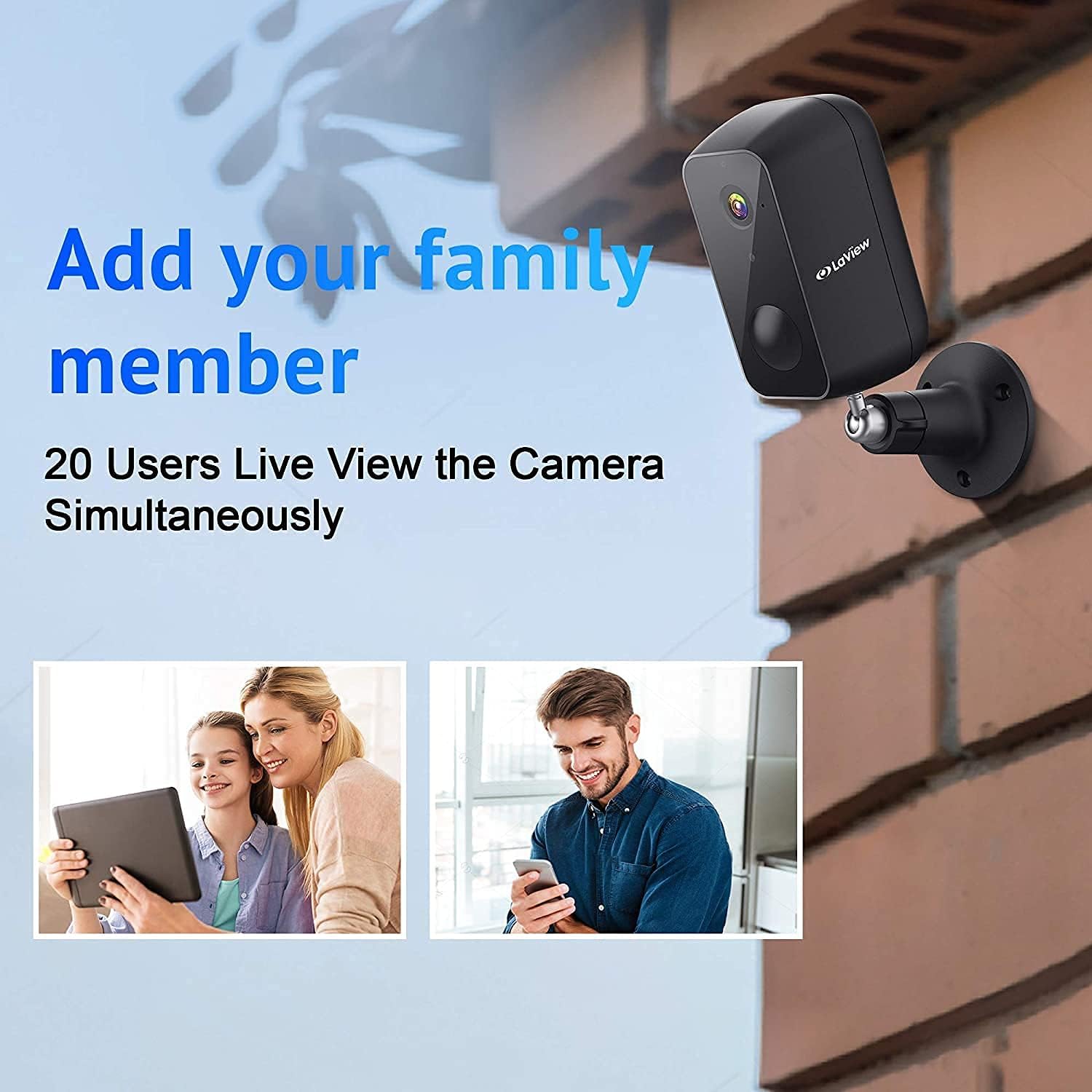
Image: A diagram illustrating how the camera feed can be shared and viewed by up to 20 different users simultaneously on various devices.
- Aksés dirékam footage from the cloud via the LaView aplikasi.
- To share access, navigate to the camera settings in the app and follow the instructions for adding family members or other users. Up to 20 users can view the feed concurrently.
4.6 Amazon Alexa Compatibility
The camera is compatible with Amazon Alexa, allowing for voice control and integration into your smart home ecosystem. Refer to the Alexa app for specific setup instructions.
5. Pangropéa
5.1 Manajemén batré
The camera's 9600mAh battery provides up to 180 days of operation (based on 10 triggers per day). Battery life can vary based on usage frequency, recording duration, and environmental factors.

Gambar: Hiji ngabeledug view of the camera revealing its internal 9600mAh battery, illustrating its large capacity and the claim of 180-day battery life.
- Monitor the battery level through the LaView aplikasi.
- Recharge the camera promptly when the battery level is low to ensure continuous operation.
- Pake kabel USB nu disadiakeun pikeun ngecas.
5.2 Résistansi Cuaca
The camera has an IP65 weatherproof rating, meaning it is protected against dust ingress and low-pressure water jets from any direction. This makes it suitable for outdoor installation in most weather conditions.

Image: The camera mounted outdoors, with rain falling on it, visually confirming its IP65 waterproof and weatherproof design.
- Periodically clean the camera lens with a soft, dry cloth to ensure clear image quality.
- Avoid using harsh chemicals or abrasive materials that could damage the lens or casing.
6. Cara ngungkulan
This section addresses common issues you might encounter with your LaView security camera. For more detailed troubleshooting, please refer to the full user manual PDF or contact customer support.
6.1 Kaméra Teu Nyambung ka Wi-Fi
- Check Wi-Fi Band: Ensure your router is broadcasting a 2.4GHz Wi-Fi signal. The camera does not support 5.0GHz networks.
- Kakuatan sinyal: Verify the camera is within range of your Wi-Fi router. Move the camera closer to the router or consider a Wi-Fi extender if necessary.
- Sandi: Pariksa deui yén anjeun ngasupkeun sandi Wi-Fi anu bener.
- Reset kaméra: If issues persist, try resetting the camera to factory settings (refer to the full manual for reset button location and procedure) and attempt the setup process again.
6.2 Kualitas Gambar Miskin
- Lensa bersih: Ensure the camera lens is clean and free from dust, dirt, or smudges.
- Laju jaringan: A slow Wi-Fi connection can affect streaming quality. Check your internet speed.
- Pencahayaan: Ensure adequate lighting during the day. For night vision, confirm the infrared LEDs are not obstructed.
6.3 Hirup batré pondok
- Frequent Triggers: High traffic areas or frequent motion detections will consume battery faster. Adjust motion detection sensitivity or detection zones in the app.
- Hirup View Pamakéan: Aksés anu sering pikeun hirup view streams will drain the battery more quickly.
- Suhu: Extreme cold can reduce battery performance.
6.4 Peringatan Gerakan Palsu
- Saluyukeun sensitipitas: Lower the motion detection sensitivity in the app settings.
- Zona deteksi: Set specific detection zones to ignore areas with irrelevant motion (e.g., busy roads, swaying trees).
- Deteksi Manusa AI: Ensure AI human detection is enabled to filter out non-human movements.
7. Spésifikasi
| Fitur | Spésifikasi |
|---|---|
| Ngaran modél | LV-PYN11B-G32-2PK |
| Resolusi Capture Video | 1080p lengkep HD |
| widang View | 140 darajat |
| Wengi Sawangan Sawangan | Nepi ka 33 Feet |
| Kapasitas batré | 9600mAh Litium Ion |
| Kahirupan batré | Up to 180 Days (10 triggers/day) |
| Téhnologi konektipitas | Nirkabel (Wi-Fi) |
| Frékuénsi Wi-Fi | 2.4GHz (teu cocog sareng 5.0GHz) |
| Panyimpenan | Cloud Storage, MicroSD Card (up to 32GB included) |
| Pamakéan jero rohangan / outdoor | Luar |
| Peunteun Protection Internasional | IP65 |
| Tipe Controller | Amazon Alexa |
| Tipe Pamasangan | Tembok Gunung |
| Dimensi produk | 8 x 7 x 6 inci |
| Item Beurat | 2.7 pon |
| UPC | 192728012103 |
8. Garansi jeung Rojongan
8.1 Émbaran jaminan
Specific warranty details for your LaView product may vary. Please refer to the warranty card included with your purchase or visit the official LaView websitus pikeun kawijakan jaminan paling up-to-date.
8.2 Rojongan Palanggan
For technical assistance, troubleshooting, or any product-related inquiries, please contact LaView customer support. Customer support is known to be responsive and helpful.
- Dukungan Online: Visit the official LaView websitus pikeun FAQs, artikel rojongan, sarta formulir kontak.
- Rojongan Email: Check the LaView website or your product packaging for a support email address.
Anjeun ogé tiasa mendakan Manual Pangguna resmi dina format PDF Ieuh.


