
1. Bubuka
Thank you for choosing the Pipishell Full Motion TV Monitor Wall Mount. This manual provides detailed instructions for the safe and proper installation, operation, and maintenance of your PISF1 or PIMF2 wall mount. Please read this manual thoroughly before installation to ensure correct setup and to prevent damage or injury.
Émbaran Kasalametan penting
- Entong ngamimitian pamasangan sateuacan anjeun parantos maca sareng ngartos sadaya pitunjuk sareng peringatan anu aya dina manual ieu.
- Pastikeun permukaan pemasangan tiasa nahan beurat gabungan tina dudukan sareng layar kalayan aman.
- Always use a stud finder to locate wood studs. Do not mount to drywall alone.
- If mounting to concrete or brick, ensure appropriate anchors are used and the wall is structurally sound.
- Use all provided hardware. Do not substitute parts.
- If you have any questions or require assistance, contact Pipishell customer support.
2. Fitur Produk
The Pipishell Full Motion TV Monitor Wall Mounts (PISF1 & PIMF2) offer versatile viewing options and robust construction.
- multi-Viewdina Angle: Allows for tilt adjustment (5° upward, 15° downward) to reduce glare and swivel (up to 90° left or right, depending on TV size) for optimal viewti rupa-rupa posisi.
- Extend and Retract: Extends the TV up to 17 inches from the wall and retracts back to 2.2 inches, providing flexibility for viewmerenah sareng ngahémat rohangan.
- Stable and Reliable Construction: Constructed with premium alloy steel materials, featuring ultra-strong arms for durability and flexibility. Stress-tested to hold 4 times its rated weight capacity.
- Universal TV Compatibility:
- PISF1: Compatible with most 13"-42" TVs/monitors with VESA patterns from 75x75mm to 200x200mm. Max. weight capacity up to 44 lbs.
- PIMF2: Compatible with most 13"-55" TVs with VESA patterns from 75x75mm to 400x400mm. Max. weight capacity up to 66 lbs.
- Diverse Wall Compatibility: Can be mounted to single wood stud walls and solid concrete/brick walls (anchors included). Entong dipasang nepi ka drywall nyalira.
- Pamasangan Gampang: Designed for quick and straightforward installation with provided hardware and a detailed graphical guide.

Image: Key design details of the PIMF2 mount, emphasizing its sturdy build and single stud compatibility.
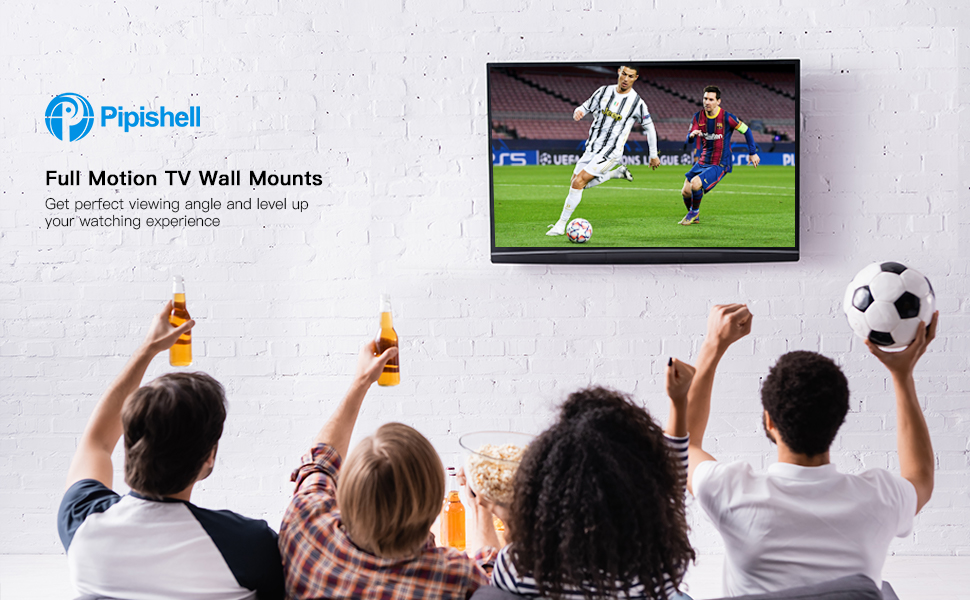
Image: A group of people enjoying a soccer game on a TV mounted with a Pipishell full motion mount, showcasing the enhanced viewpangalaman.
3. Eusi Paket
Please verify that all components are present and undamaged before proceeding with installation. If any parts are missing or damaged, do not attempt to install and contact customer support.
Typical Components Included:
- Rakitan Pelat Dinding (x1)
- TV Bracket Arms (x2 or x4, depending on model)
- Pakakas Pemasangan (rupa-rupa sekrup, ring, spacer pikeun TV sareng témbok)
- Concrete/Brick Anchors (if applicable)
- Bubble Level (x1)
- Hex Key / Wrench (x1)
- Manual Instalasi (dokumén ieu)
4. Pitunjuk Instalasi
Follow these steps carefully for a secure and successful installation.
4.1 Cék Pra-Pamasangan
- Check TV Compatibility: Verify your TV's size, weight, and VESA pattern (the four mounting holes on the back of your TV) are within the limits of your specific Pipishell mount model (PISF1 or PIMF2).
- PISF1 VESA: 75x75mm, 100x100mm, 100x200mm, 200x100mm, 200x200mm. Max 44 lbs.
- PIMF2 VESA: 75x75mm, 100x100mm, 200x100mm, 200x200mm, 300x200mm, 300x300mm, 400x200mm, 400x300mm, 400x400mm. Max 66 lbs.
- Nangtukeun Jenis Tembok: Identify if your wall is a wood stud wall, solid concrete, or brick. This will determine the appropriate mounting hardware and procedure.
- Alat ngumpulkeun: You will need a drill, stud finder (for wood studs), level, pencil, and a Phillips head screwdriver.

Image: VESA compatibility chart for the PISF1 mount, indicating supported hole patterns and maximum weight/size.

Image: VESA compatibility chart for the PIMF2 mount, detailing various supported hole patterns.
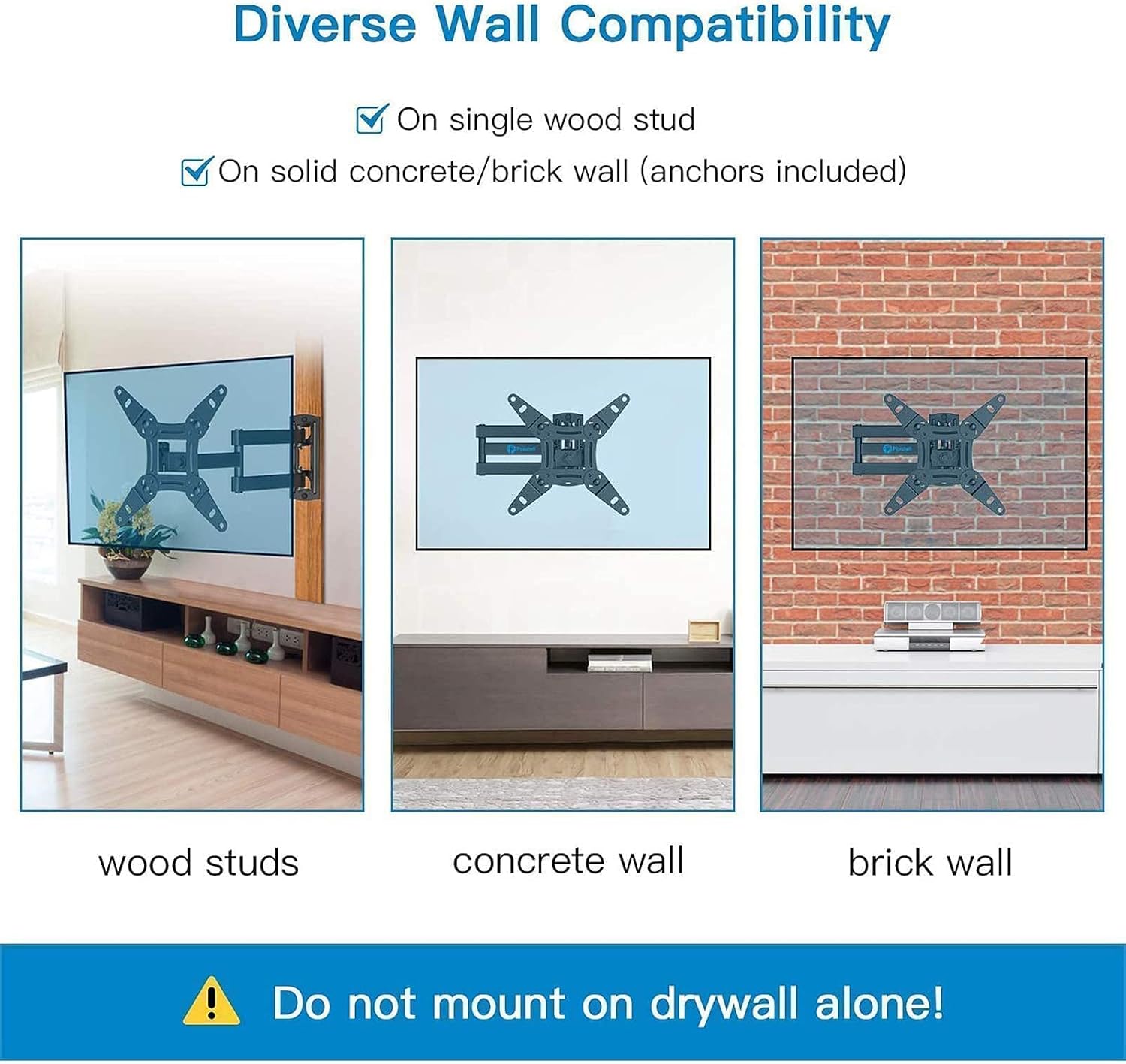
Gambar: Examples of PISF1 mount installation on different wall types: wood studs, concrete, and brick. A warning states not to mount on drywall alone.
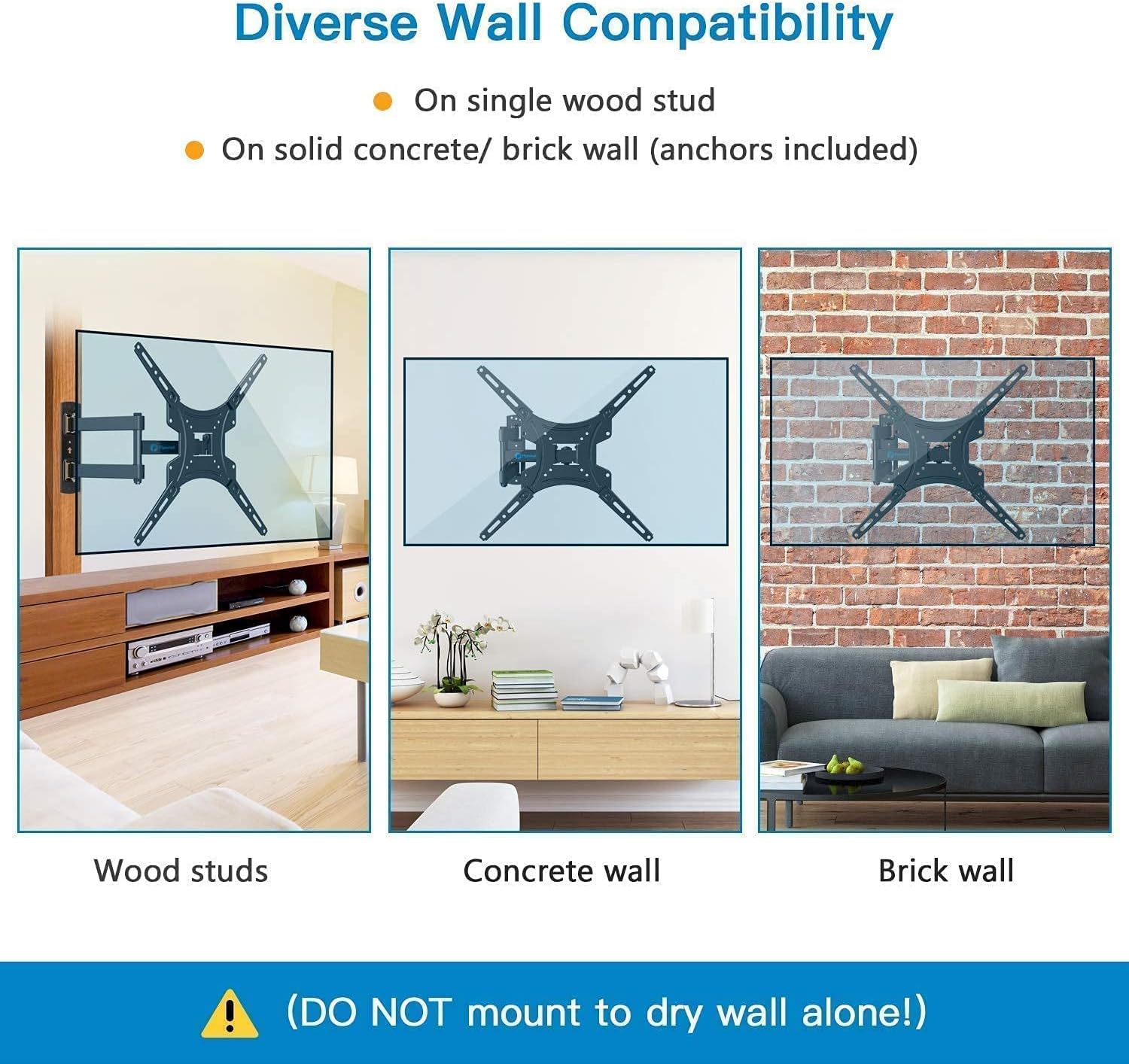
Gambar: Examples of PIMF2 mount installation on different wall types: wood studs, concrete, and brick. A warning states not to mount on drywall alone.
4.2 Mounting Steps (3-in-1 Easy Installation)
The installation process is simplified into three main steps:

Image: A visual guide to the three-step installation process: attaching brackets to the TV, installing the wall plate, and hanging the TV onto the wall plate.
- Gantelkeun kurung kana TV: Carefully place your TV face down on a soft, clean surface. Align the TV bracket arms with the VESA mounting holes on the back of your TV. Select the correct screws, washers, and spacers from the hardware kit that fit your TV. Secure the brackets to the TV, ensuring they are firmly attached but do not overtighten.
- Pasang Plat Tembok:
- Pikeun Tembok Stud Kayu: Use a stud finder to locate the center of a single wood stud at your desired mounting height. Mark the drill holes. Drill pilot holes (refer to manual for specific drill bit size). Secure the wall plate to the stud using the provided lag bolts and washers. Use a level to ensure the wall plate is perfectly horizontal before tightening all bolts.
- Pikeun Témbok Beton/Bata: Mark the drill holes at your desired mounting height. Drill pilot holes (refer to manual for specific drill bit size). Insert the concrete anchors into the drilled holes. Secure the wall plate to the wall using the provided lag bolts and washers, ensuring the anchors are fully engaged. Use a level to ensure the wall plate is perfectly horizontal before tightening all bolts.
- Hang TV: With assistance, carefully lift the TV with the attached brackets and hook them onto the wall plate. Ensure the TV is securely seated on the wall plate. Some models may have safety screws or locking mechanisms to prevent accidental dislodging; engage these as per the specific instructions for your mount.
5. Operating Your TV Mount
Your Pipishell full motion mount allows for various adjustments to achieve the best viewpangalaman.
5.1 Nyaluyukeun Viewdina Angles
- Penyesuaian Dengdekkeun: The mount allows for tilting the TV 5° upward and 15° downward. Loosen the tilt adjustment knobs/bolts on the TV brackets, adjust to the desired angle to reduce glare, and then re-tighten securely.
- Penyesuaian puteran: The articulating arm allows you to swivel the TV left or right up to 90° (maximum angle depends on TV size and distance from wall). Gently push or pull the TV to the desired swivel position.
- Ékstensi sareng Rétraksi: Extend the TV away from the wall for greater flexibility or retract it back to a minimum distance of 2.2 inches to save space. Gently pull or push the TV to extend or retract the arm.

Image: Illustrations demonstrating the 360° rotation capability for portrait or landscape viewing and the 180° swivel for flexible positioning.

Image: Visual representation of the mount's extension range (2.2" to 14.5") and tilt adjustment (+5° to -15°) for anti-glare viewing.

Gambar: Detil view of the PIMF2 mount's full motion capabilities, including extension up to 17 inches, tilt from +5° to -15°, and 90° swivel.
6. Pangropéa
Pangropéa rutin mastikeun umur panjang sareng operasi anu aman tina dudukan TV anjeun.
- beberesih: Dust the mount regularly with a soft, dry cloth. For stubborn marks, use a slightly damp cloth and mild detergent, then wipe dry. Avoid abrasive cleaners or solvents.
- Pariksa sambungan: Periodically (e.g., every 6 months) check all screws and bolts to ensure they are still tight and secure. Do not overtighten.
- Pariksa Karusakan: Visually inspect the mount for any signs of wear, corrosion, or damage. If any damage is found, do not use the mount and contact customer support.
7. Cara ngungkulan
Upami anjeun ngalaman masalah nalika atanapi saatos pamasangan, tingali masalah sareng solusi umum ieu.
| Masalah | Mungkin Cukang lantaranana | Solusi |
|---|---|---|
| TV teu tingkat sanggeus instalasi. | Wall plate not level; TV brackets not adjusted correctly. | Ensure the wall plate is perfectly level during installation. Some mounts have a post-installation leveling adjustment feature on the TV brackets; consult your specific model's instructions. |
| Dudukanna karasana leupas atanapi oyag. | Mounting bolts not fully tightened; incorrect wall anchors used; wall not strong enough. | Re-check and tighten all mounting bolts. Ensure correct anchors were used for your wall type. If the wall is insufficient, consult a professional. |
| TVna teu pas kana dudukanana. | Incorrect VESA pattern; TV too heavy or too large. | Verify your TV's VESA pattern, weight, and size against the mount's specifications. Ensure you have the correct Pipishell model (PISF1 or PIMF2) for your TV. |
| Kasusah nyaluyukeun kemiringan/puteran. | Adjustment bolts are too tight. | Slightly loosen the adjustment bolts/knobs, make the adjustment, then re-tighten to secure the position. Do not loosen excessively. |
8. Spésifikasi
| Fitur | Spésifikasi |
|---|---|
| merek | Pipis cangkang |
| Model katutupan | PISF1, PIMF2 |
| Tipe Pamasangan | Tembok Gunung |
| Jinis Gerakan | Ngagulung, Miring, Ngagerakkeun |
| Bahan | Alloy Steel |
| Warna | Hideung |
| Ukuran Cocog Minimum | 13 inci |
| Maximum Compatible Size (PISF1) | 42 inci |
| Maximum Compatible Size (PIMF2) | 55 inci |
| Max. Weight Capacity (PISF1) | 44 pon |
| Max. Weight Capacity (PIMF2) | 66 pon |
| VESA Compatibility (PISF1) | 75x75mm ka 200x200mm |
| VESA Compatibility (PIMF2) | 75x75mm ka 400x400mm |
| Sudut Dengdekkeun | +5 ° ka -15 ° |
| Sudut Putar | Up to 90° left/right (TV size dependent) |
| Ékstensi ti Témbok | 2.2 inci (ditarik) nepi ka 17 inci (dipanjangkeun) |
| Alat nu cocog | Monitor, Television |
9. Émbaran jaminan
Pipishell products are manufactured with quality and care. This product is covered by a limited warranty against defects in materials and workmanship. For specific warranty terms and conditions, please refer to the warranty card included with your product or visit the official Pipishell websitus. Simpen resi pameseran anjeun salaku bukti pameseran.
10. Rojongan Palanggan
If you have any questions, require technical assistance, or need to report missing/damaged parts, please contact Pipishell customer support. Our team is available to help you with your product.
- Websitus: Visit the official Pipishell websitus pikeun FAQs jeung sumber rojongan.
- Surélék: Refer to your product packaging or the Pipishell websitus pikeun kontak email layanan palanggan.
- Telepon: Refer to your product packaging or the Pipishell website for customer service phone contact.
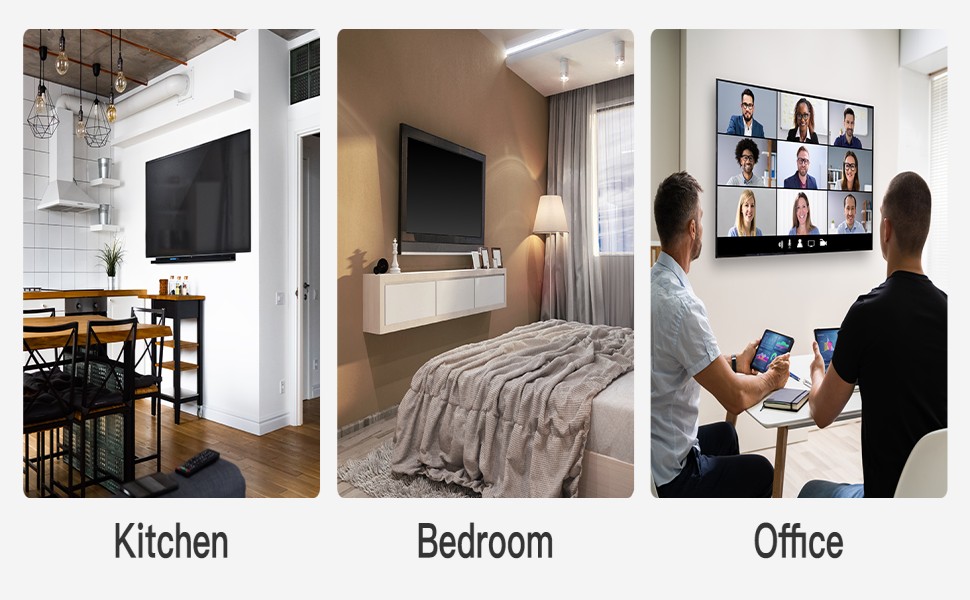
Gambar: Examples of Pipishell TV mounts in various home and office settings, demonstrating their versatility.


