1. Bubuka
Thank you for choosing the ETA Rotary Handheld Vacuum Cleaner. This manual provides essential information for the safe and efficient use, maintenance, and troubleshooting of your new appliance. Please read these instructions carefully before first use and keep them for future reference.
2. Parentah Kasalametan
Pikeun mastikeun operasi anu aman, mangga perhatoskeun pedoman kaamanan ieu:
- Sok pegatkeun sambungan alat tina catu daya sateuacan beberesih atanapi pangropéa.
- Do not immerse the appliance, charger, or battery in water or other liquids.
- Perkakas ieu dimaksudkeun pikeun pamakéan rumah tangga wungkul. Ulah make eta keur kaperluan komérsial atawa industri.
- Ulah vakum cair, lebu panas, objék seukeut, atawa bahan kaduruk/ngabeledug.
- Jauhkeun rambut, pakean longgar, ramo, sareng sadaya bagian awak tina bukaan sareng bagian anu obah.
- Do not operate the vacuum cleaner without the dust container and filter properly installed.
- Simpen alat dina tempat anu garing, jauh tina jangkauan barudak.
- Use only the original charger and accessories supplied with the appliance.
3. Eusi Paket
Pastikeun yén sadaya komponén aya dina bungkusan:
- ETA Rotary Handheld Vacuum Cleaner
- Electric Rotary Brush Attachment
- Cengkareng Nozzle
- Furniture Brush (fine bristles)
- Wall-mounted Charging Station
- Power Adapter for Charging Station
- Manual pamaké

Image 1: Main unit of the ETA Rotary Handheld Vacuum Cleaner with the electric rotary brush attachment.
4. Setélan
4.1 Ngecas Awal
- Buka bungkus sadaya komponén sareng cabut bahan bungkusan.
- Mount the charging station to a wall in a convenient location, or place it on a stable, flat surface.
- Connect the power adapter to the charging station and plug it into a suitable power outlet.
- Place the handheld vacuum cleaner onto the charging station. Ensure it is correctly seated and the charging indicator light illuminates.
- Allow the vacuum cleaner to charge completely before first use. A full charge takes approximately 5 hours. The 14.4V Li-Ion battery provides up to 25 minutes of runtime.

Image 2: The ETA Rotary Handheld Vacuum Cleaner positioned on its charging station, ready for charging.
4.2 Ngalampirkeun Asesoris
The electric rotary brush, crevice nozzle, and furniture brush can be easily attached to the main unit's suction opening. Simply push the desired attachment firmly into place until it clicks securely.

Gambar 3: Deukeut view of the electric rotary brush attachment, designed for efficient cleaning.
5. Parentah Operasi
5.1 Powering on / Pareum
Press the power button located on the handle to turn the vacuum cleaner on. Press it again to turn it off. The power button can be locked in the 'on' position for continuous operation, eliminating the need to hold it down during use.
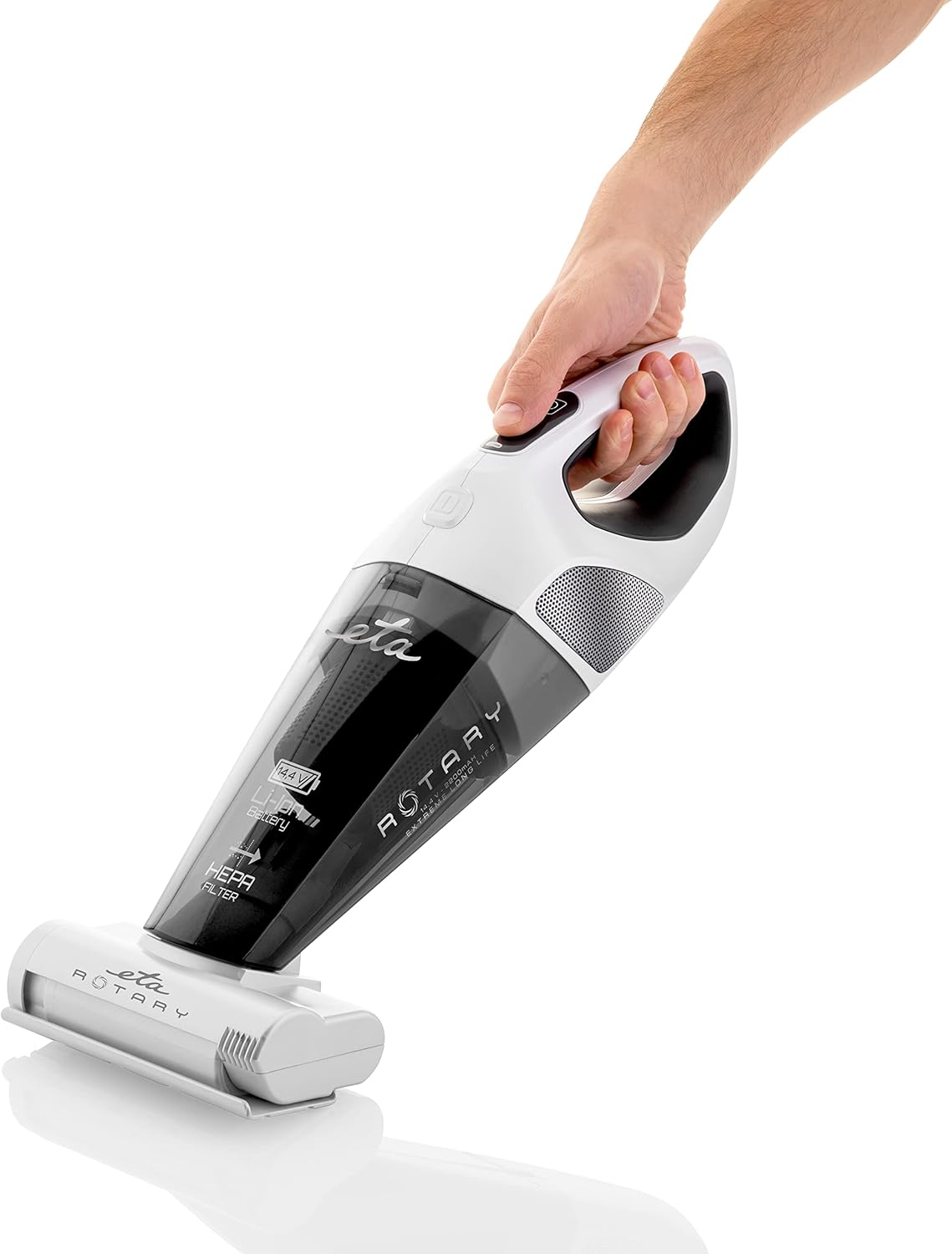
Image 4: A hand demonstrating the ergonomic grip and power button location on the handheld vacuum cleaner.
5.2 Ngagunakeun Kantétan
- Electric Rotary Brush: Ideal for deep cleaning carpets, rugs, and upholstery, effectively removing dirt and pet hair.
- Nov Crevice: Sampurna pikeun ngahontal rohangan anu heureut, juru, sareng sapanjang sisi.
- Sikat jati: Use for delicate surfaces, curtains, and furniture to gently remove dust and cobwebs.

Image 5: The handheld vacuum cleaner being used to clean upholstery, demonstrating its versatility.

Image 6: The lightweight design allows for easy cleaning of various surfaces, including vertical ones like mirrors.
6. Pangropéa
Pangropéa rutin ngajamin kinerja anu optimal sareng manjangkeun umur vacuum cleaner anjeun.
6.1 Ngosongkeun Wadah Lebu
- Ensure the vacuum cleaner is turned off and disconnected from the charging station.
- Locate the dust container release button (refer to product diagrams if available).
- Press the release button and carefully detach the dust container from the main unit.
- Empty the contents of the dust container into a waste bin.
- Reattach the dust container securely to the main unit.
6.2 Ngabersihan Filter HEPA
Saringan HEPA kedah dibersihkeun sacara rutin, gumantung kana panggunaanana, pikeun ngajaga daya sedotna.
- Cabut wadahna lebu sapertos anu dijelaskeun di luhur.
- Cabut saringan HEPA tina wadah lebu kalayan ati-ati.
- Tap the filter gently over a waste bin to dislodge accumulated dust.
- If necessary, rinse the filter under cool running water. Ensure the filter is completely dry before reinserting it into the vacuum cleaner. Do not use detergents or hot water.
- Reinsert the dry HEPA filter into the dust container and reattach the container to the main unit.

Image 7: Regular cleaning of the dust container and filter is essential for maintaining effective suction, as demonstrated by the debris on the rug.
6.3 Cleaning the Electric Rotary Brush
Periodically check the rotary brush for tangled hair or fibers. Use scissors to carefully cut and remove any obstructions.
7. Cara ngungkulan
If you encounter any issues with your ETA Rotary Handheld Vacuum Cleaner, refer to the table below for common problems and solutions.
| Masalah | Mungkin Cukang lantaranana | Solusi |
|---|---|---|
| Vacuum cleaner teu hurung. | Batré discharged. | Cas batréna nepi ka pinuh (kira-kira 5 jam). |
| Ngurangan kakuatan nyeuseup. | Dust container is full. Filter is clogged. Obstruction in nozzle/hose. | Empty the dust container. Clean or replace the HEPA filter. Check and clear any blockages. |
| Electric rotary brush stops rotating. | Hair or debris tangled in the brush. | Turn off the vacuum, remove the brush, and carefully remove any tangled material. |
| Indikator ngecas teu hurung. | Power adapter not connected. Vacuum not properly seated. | Ensure power adapter is securely plugged in. Re-seat the vacuum cleaner firmly on the charging station. |
8. Spésifikasi
| Fitur | Spésifikasi |
|---|---|
| merek | ETA |
| Nomer modél | ETA 142590000 |
| Warna | Bodas |
| Ukuran produk (L x W x H) | 15 x 17 x 43 cm |
| Voltage | 14.4 volt |
| Jenis Batré | Li-Ion |
| Runtime | Nepi ka 25 menit |
| Waktu Ngecas | Kurang leuwih 5 jam |
| Jenis Filter | Kartrid HEPA |
| Sumber Daya | Batré Powered |
| Faktor Bentuk | Dicekel |
| Dianjurkeun Mangpaat | Upholstery cleaning, general spot cleaning |
9. Garansi jeung Rojongan
For warranty information, please refer to the warranty card included with your purchase or visit the official ETA website. If you require technical support or have questions not covered in this manual, please contact ETA customer service through their official channels.


