1. Bubuka
This manual provides detailed instructions for the installation, programming, operation, and maintenance of your LaView LV-D01-R Electronic Deadbolt Lock. Please read this guide thoroughly before installation and use to ensure proper function and security.

Figure 1: LaView LV-D01-R Electronic Deadbolt Lock (Exterior and Interior Units)
2. Daptar pariksa Pra-Pasang
Sateuacan ngamimitian pamasangan, pastikeun panto anjeun nyumponan spésifikasi ieu:
- Diaméterna liang panto: 2-1/8 inches (54 mm).
- Backset: Adjustable to either 2-3/8 inches (60 mm) or 2-3/4 inches (70 mm).
- Diaméter liang Tepi panto: 1 inch (25 mm).
- Ketebalan Panto: 1-3/8 inches to 2 inches (35 mm to 50 mm).
If drilling is required, refer to the provided cutout template in your product packaging.

Figure 2: Door Measurement and Component Diagram
3. Pitunjuk Instalasi
Turutan léngkah ieu pikeun instalasi suksés:
- Atur Kait (upami diperyogikeun): The latch can be adjusted for 2-3/8" (60mm) or 2-3/4" (70mm) backsets. Rotate and pull the backset as instructed to extend the latch if needed.
- Pasang Latch: Insert the latch into the door edge hole. Ensure the latch plate is flush with the door edge and secure with screws.
- Pasang Majelis Luar: Place the exterior keypad assembly onto the door, aligning the spindle through the latch.
- Pasang Plat Pemasangan: Ngamankeun piring ningkatna interior ka assembly exterior ngagunakeun screws disadiakeun.
- Sambungkeun kabel: Carefully connect the cable from the exterior assembly to the interior assembly.
- Pasang Majelis Interior: Attach the interior assembly to the mounting plate, ensuring the thumb turn spindle engages correctly. Secure with screws.
- Pasang Batré: Selapkeun 4 batré AA kana kompartemen batré.
- Operasi tés: Test the lock with the default master code and the physical key to ensure smooth operation.
4. Programming jeung Operasi
The default master PIN code is 12345678. For security, you will be prompted to change this code before adding any other user codes.
4.1 Robah Kodeu Master
To change the master code:
- Pencét **.
- Enter the current master code (default: 12345678).
- Pencét #.
- Pencét 1.
- Pencét #.
- Lebetkeun kode master anyar anjeun (4-10 angka).
- Pencét #.
- Re-enter your new master code to verify.
- Pencét # to store the new master code.
A green indicator light confirms successful setting; a red light indicates failure.
4.2 Add User Codes
You can program up to 20 unique user codes (4-10 digits) for family and friends.
- Pencét **.
- Lebetkeun kode induk.
- Pencét #.
- Pencét 2.
- Pencét #.
- Enter a new user code (4-10 digits).
- Pencét #.
- Re-enter the new user code to verify.
- Pencét # to store the user code.
4.3 Add One-Time Codes
One-time codes are useful for temporary access and expire after a single use.
- Pencét **.
- Lebetkeun kode induk.
- Pencét #.
- Pencét 7.
- Pencét #.
- Enter a new one-time code (4-10 digits).
- Pencét #.
- Re-enter the new one-time code to verify.
- Pencét # to add the one-time code.
The one-time code will expire after unlocking the lock once.
4.4 Enable/Disable Auto-Lock
The Auto-Lock function automatically locks the door after 30 seconds of inactivity. It is disabled by default.
- To Enable Auto-Lock: Pencét ** + Kodeu Master + # + 51 + #.
- To Disable Auto-Lock: Pencét ** + Kodeu Master + # + 52 + #.

Figure 3: Auto-Lock Feature
4.5 Enable Vacation Mode
Vacation mode provides enhanced security when you are away. If the lock is unlocked by key or thumb turn in this mode, it will beep for 1 minute.
- Pencét **.
- Lebetkeun kode induk.
- Pencét #.
- Pencét 6.
- Pencét # to enable Vacation Mode.
To disable Vacation Mode, repeat the same steps.
4.6 Key Override
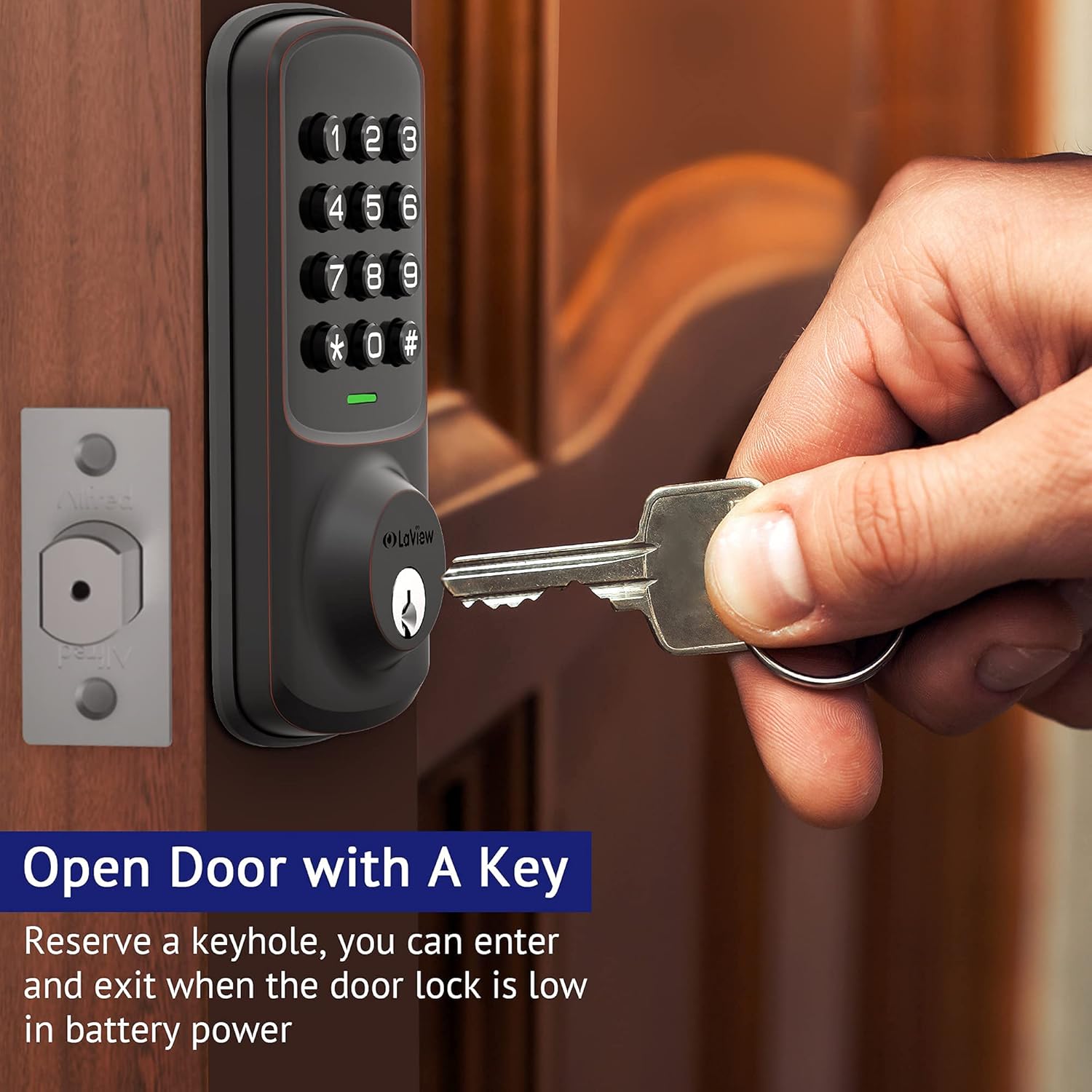
The lock includes a physical key override for manual access, especially useful if batteries are depleted.

Figure 4: Key Override for Manual Access
5. Pangropéa
5.1 Ngagantian batré
The lock is powered by 4 AA batteries. A low battery indicator will alert you when replacement is needed.
Gambar 5: Peringatan Batré Lemah
To replace batteries, remove the interior cover, replace the old batteries with new ones, and reattach the cover.
5.2 beberesih
Rapihkan bagian luar konci dengan lembut, damp lawon. Hindarkeun cleaners abrasive atawa pangleyur nu bisa ngaruksak finish atawa komponén éléktronik.
6. Spésifikasi
| Fitur | Rincian |
|---|---|
| Produsén | LaView |
| Nomer modél | LV-D01-R |
| Dimensi produk | 17.78 x 12.7 x 10.16 cm |
| Item Beurat | 454 g |
| Warna | Perunggu |
| Bahan | logam |
| Tipe Konci | Papan tombol |
| Fitur husus | Keyless Entry, Auto Lock, 20 User Codes, 1-Touch Motorized Locking |
| Batré Diperlukeun | Muhun (4 batré AA) |
| Komponén Kaasup | Backup Key*1, Deadbolt/Latch*1, Exterior Assembly*1, Mounting Plate*1, Strike Screws*2, Strike*1 |
7. Cara ngungkulan
- Konci Teu Ngabales: Check battery levels. Replace batteries if the low battery indicator is active.
- Éntri Kodeu Salah: Ensure you are pressing the correct sequence and the '#' key after each code entry.
- Setting Failure: If the indicator light flashes red after attempting a setting change, the operation was unsuccessful. Re-attempt the steps carefully.
- Konci Fisik Teu Gawé: Ensure the key is fully inserted and turned correctly. Check for any obstructions in the keyway.
- Karusakan Konci Otomatis: Verify that the Auto-Lock function is enabled (refer to section 4.4).
8. Garansi jeung Rojongan
LaView offers lifetime technical support from the date of purchase. For any concerns or assistance, please contact their customer service team:
- Online Phone Calls: Monday to Friday, 9 am to 5 pm PDT.
- 24/7 Online After-Sales Email Service.
Refer to your product packaging or the official LaView websitus pikeun detil kontak husus.


