1. Bubuka
Produk Leuwihview
The CALEX Smart Aroma Diffuser is a versatile device designed to enhance your home environment. It functions as an aroma diffuser, humidifier, air purifier, and ambient light source. With WiFi connectivity, you can control its features, including fragrance diffusion, humidification, and RGB lighting, directly from the free Calex application on your smartphone. This manual provides comprehensive instructions for safe and effective use of your device.
Fitur konci:
- Smart App Control (Calex App)
- Konéktipitas WiFi
- Aroma Diffusion
- Asor
- Purifikasi hawa
- Customizable RGB Ambient Lighting (100+ options)
- Programmable Timers and Scenarios
2. Warnings Kasalametan
Please read all safety warnings carefully before using the device.
- Hindarkeun kontak langsung sareng kulit sareng minyak atsiri anu teu diéncérkeun.
- Simpen alat sareng minyak atsiri jauh tina jangkauan barudak sareng piaraan.
- Ensure adequate ventilation in the area where the diffuser is used.
- Unplug the device from the power outlet when not in use or during maintenance.
- Do not exceed the maximum water fill line.
- Use only clean tap water or distilled water.
- Do not tilt or move the device when it is operating or contains water.
- Ulah neuleumkeun alat dina cai atawa cairan séjén.
- Ulah meungpeuk outlet halimun.
3. Produk Langkungview
Familiarize yourself with the components of your CALEX Smart Aroma Diffuser.

Gambar 3.1: Hareupeun view of the CALEX Smart Aroma Diffuser, showing the wood-grain base, translucent top, and control buttons (ON/OFF, +, -, LIGHT).

Image 3.2: The CALEX Smart Aroma Diffuser in operation, emitting a fine mist, placed on a stack of magazines next to a vase of flowers.
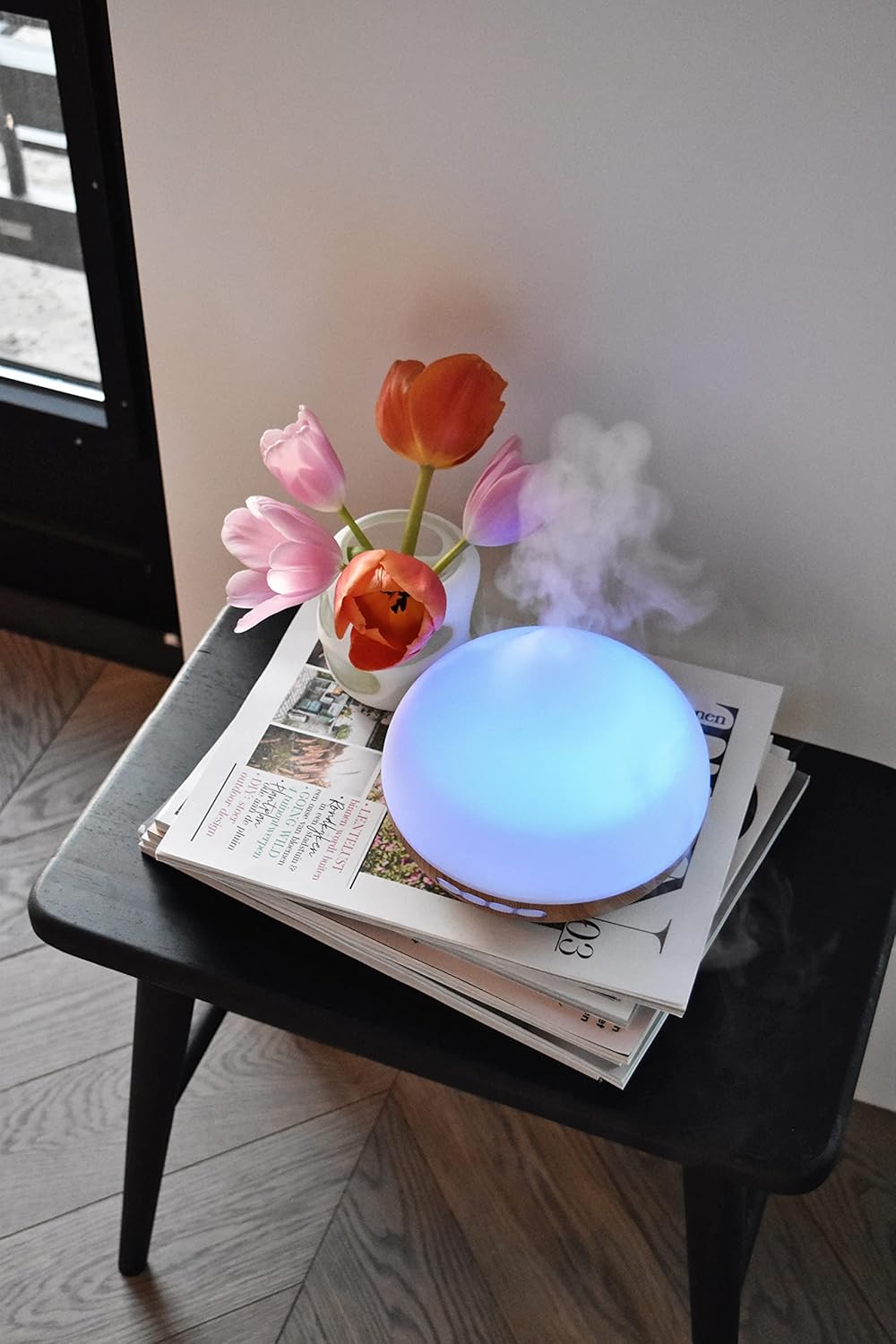
Image 3.3: The CALEX Smart Aroma Diffuser displaying a blue ambient light, placed on a table with flowers and magazines.

Image 3.4: The CALEX Smart Aroma Diffuser displaying a warm yellow ambient light, emitting mist, placed on a table with flowers and magazines.
4. Parentah Setup
- Buka bungkus diffuser: Sacara saksama miceun sadaya komponén tina bungkusan.
- Pasangkeun Diffuser: Position the diffuser on a flat, stable, and water-resistant surface.
- Sambungkeun Kakuatan: Colokkeun adaptor daya kana input daya diffuser, teras colokkeun adaptor kana stop kontak listrik standar.
- Eusian ku cai: Remove the top cover. Fill the water tank with clean tap water or distilled water up to the indicated maximum fill line (300 ml capacity). Do not overfill.
- Add Essential Oil (Optional): Add a few drops of your preferred essential oil or fragrance to the water.
- Ganti panutup: Pasangkeun deui panutup luhur kalayan pageuh kana diffuser.
- Download Calex App: Download the free Calex app from your smartphone's app store (available for iOS and Android).
- Nyambung ka WiFi: Follow the in-app instructions to connect your diffuser to your home WiFi network. This typically involves putting the diffuser into pairing mode (refer to app for specific steps) and selecting your WiFi network.
5. Ngoperasikeun diffuser
5.1 Operasi Dasar
- Hurungkeun/Pareuman: Press the "ON/OFF" button on the diffuser or use the Calex app to turn the device on or off.
- Kontrol halimun: Use the "+" and "-" buttons on the diffuser to adjust the mist intensity (if applicable) or control via the app.
- Kontrol cahaya: Press the "LIGHT" button on the diffuser to cycle through light colors or turn the light off. For full RGB control and advanced options, use the Calex app.
5.2 Smart App Control
The Calex app provides extensive control over your smart aroma diffuser:
- Kadali jauh: Operate the diffuser from anywhere with an internet connection.
- Setélan halimun: Adjust mist output levels and set continuous or intermittent diffusion modes.
- Lampu RGB: Choose from over 100 color options, adjust brightness, and select dynamic lighting effects to match your mood or decor.
- Timers and Schedules: Set specific times for the diffuser to turn on/off, change light settings, or adjust mist output. Create personalized scenarios for different routines (e.g., "Wake Up," "Relax," "Sleep").
- Kontrol sora: Integrate with smart home assistants like Amazon Alexa or Google Assistant for hands-free control (e.g., "Alexa, turn on the diffuser light").

Image 5.1: Screenshot of the Calex app displaying color and brightness controls for the smart diffuser's RGB lighting.

Image 5.2: Screenshot of the Calex app's main screen, showing the "My Home" section where connected smart devices are managed.
6. Pangropéa sarta perawatan
Beberesih rutin mastikeun kinerja anu optimal sareng manjangkeun umur diffuser anjeun.
- Pangropéa poéan:
- Kosongkeun cai sésana tina tanki.
- Lap jero tangki cai ku lawon anu bersih sareng lemes.
- Eusian deui ku cai bersih sateuacan dianggo.
- Beberesihan Mingguan:
- Cabut colokan diffuser tina stop kontak listrik.
- Cabut panutup luhur teras kosongkeun tangki cai.
- Add a small amount of white vinegar (about 10 ml) to the water tank and let it sit for 10-15 minutes to loosen mineral buildup.
- Gently wipe the inside of the tank and the ultrasonic disc with a soft brush or cotton swab. Avoid scrubbing forcefully.
- Rinse the tank thoroughly with clean water, ensuring no vinegar residue remains.
- Ngusap bagian luar diffuser ku lemes, damp lawon.
- Ngidinan sadaya bagian ka hawa garing lengkep sateuacan reassembling atanapi nyimpen.
- Panyimpenan: If storing the diffuser for an extended period, ensure it is clean and completely dry. Store it in a cool, dry place away from direct sunlight.
7. Cara ngungkulan
If you encounter issues with your CALEX Smart Aroma Diffuser, refer to the following common problems and solutions:
| Masalah | Mungkin Cukang lantaranana | Solusi |
|---|---|---|
| Taya halimun atawa kaluaran halimun low | Low water level; Water tank dirty; Ultrasonic disc blocked; Diffuser tilted. | Add water to the tank; Clean the water tank and ultrasonic disc; Ensure diffuser is on a flat surface. |
| Alat teu hurung | Not plugged in; Power adapter faulty; No power from outlet. | Check power connection; Try a different outlet; Contact support if adapter is faulty. |
| Masalah sambungan aplikasi | Incorrect WiFi password; Diffuser too far from router; Router issues; App not updated. | Verify WiFi password; Move diffuser closer to router; Restart router; Update Calex app. |
| Light not working correctly | App settings; Internal fault. | Check light settings in the Calex app; Restart the diffuser. |
8. Spésifikasi produk
| Fitur | Spésifikasi |
|---|---|
| merek | CALEX |
| Nomer modél | 429262 |
| Warna | White/Wood look |
| Ukuran produk (L x W x H) | 14 x 16.8 x 14 cm |
| Item Beurat | 305 gram |
| Kapasitas | 300 mililiter |
| Kakuatan | 10 Watt |
| Voltage | 240 volt |
| Bahan | Reeds (wood-look base) |
| Fungsi Pareum Otomatis | Sumuhun |
| Fitur husus | Aroma Diffuser, Humidifier, Timer |
| Wewengkon Cakupan | Approximately 10 square meters |
9. Garansi jeung Rojongan
For warranty information and customer support, please refer to the documentation included with your purchase or visit the official CALEX websitus. Simpen bukti pameseran anjeun pikeun klaim garansi.
Sumberdaya Online:


