1. Bubuka
The Apogee Duet 3 is a 2-channel USB audio interface designed for high-quality recording, streaming, and podcasting on Mac, PC, and iOS devices. It features world-class preamps and onboard DSP for zero-latency recording with Apogee DSP plugins. Its ultra-compact design and bus-powered operation make it ideal for both studio and mobile use.
2. Naon dina Box
- Apogee Duet 3 unit
- Cable breakout
- Kasus Travel
- USB Type C / Type A Cable

Image: The Apogee Duet 3, its breakout cable, and USB cables neatly packed in the included travel case.
3. Setélan
The Apogee Duet 3 is designed for easy setup and portability.
3.1. Sarat Sistim
- Sistem operasi: macOS 10.14 or above, Windows 10
- Antarmuka Hardware: USB
- Alat anu cocog: Laptop, iOS devices (iPhone, iPad)
3.2. Connecting Your Duet 3
The Duet 3 is completely bus-powered via USB, eliminating the need for an external power cable.
- Connect the Duet 3 to your computer or iOS device using the provided USB Type C or Type A cable.
- Attach the breakout cable to the Duet 3. This cable provides XLR inputs for microphones and 1/4-inch inputs for instruments (guitars, keyboards).
- Connect your microphones, instruments, and headphones/speakers to the appropriate ports on the breakout cable.

Image: The Apogee Duet 3 connected to a laptop, showcasing its compact setup with the breakout cable managing various audio inputs.

Gambar: Poto close-up, ti luhur ka handap view of the Apogee Duet 3, highlighting its main control knob and input/output indicators.

Image: The Apogee Duet 3 integrated into a desktop setup, connected to a laptop and external monitor, demonstrating its role in a recording environment.
3.3. Pamasangan supir
For optimal performance, download and install the latest drivers and control software from the official Apogee website. This software allows you to manage settings, monitor levels, and access the onboard DSP features.
4. Operating the Duet 3
4.1. Crystal Clear Audio
The Duet 3 features world-class preamps with up to 65dB of gain and 48V phantom power, ensuring clean and precise capture of any audio source, even with demanding microphones. Apogee's AD/DA converters deliver pristine sound quality for both recording and playback.
4.2. Onboard DSP for Zero-Latency Recording
Utilize the onboard hardware DSP to run Apogee DSP plugins, such as the Symphony ECS Channel Strip (sold separately), directly on the interface. This allows for zero-latency recording, enabling you to monitor your sound with effects in real-time without burdening your computer's CPU.
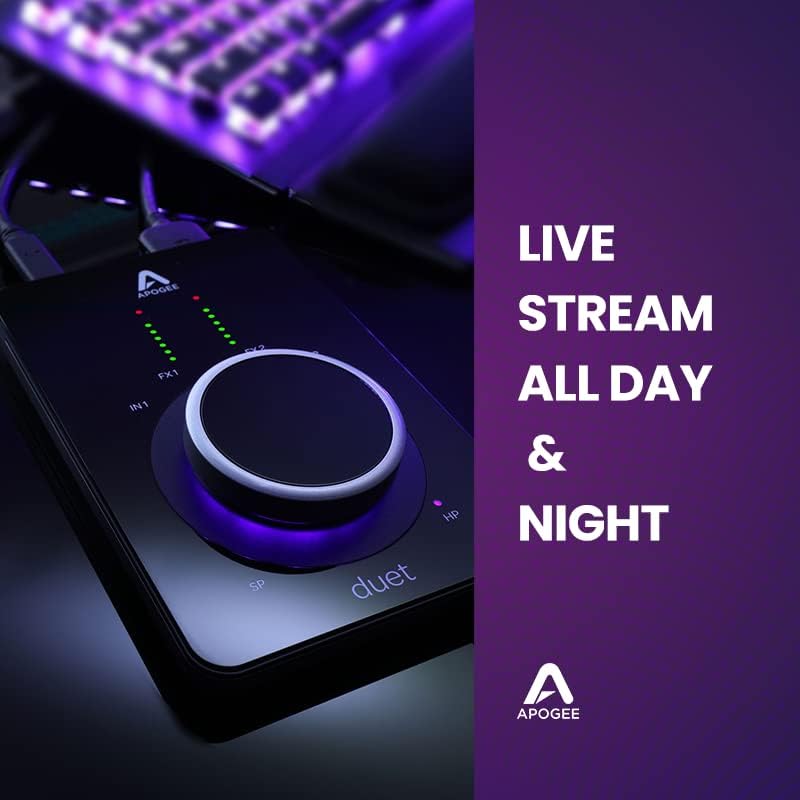
Image: The Apogee Duet 3 positioned on a desk with a microphone and headphones, illustrating a typical recording setup.
4.3. Kontrol jeung pangimeutan
The large control knob on the Duet 3 allows for quick adjustments of input gain, output levels, and other parameters. LED meters provide visual feedback on input and output levels.
4.4. Aplikasi serbaguna
The Duet 3 is suitable for a wide range of applications:
- Recording Vocals & Instruments: Capture high-fidelity audio from microphones, guitars, and keyboards.
- Live Streaming: Ensure professional audio quality for your live broadcasts.
- Podcasting: Record clear and crisp dialogue.
- Mixing & Mastering: Monitor your audio with exceptional clarity.
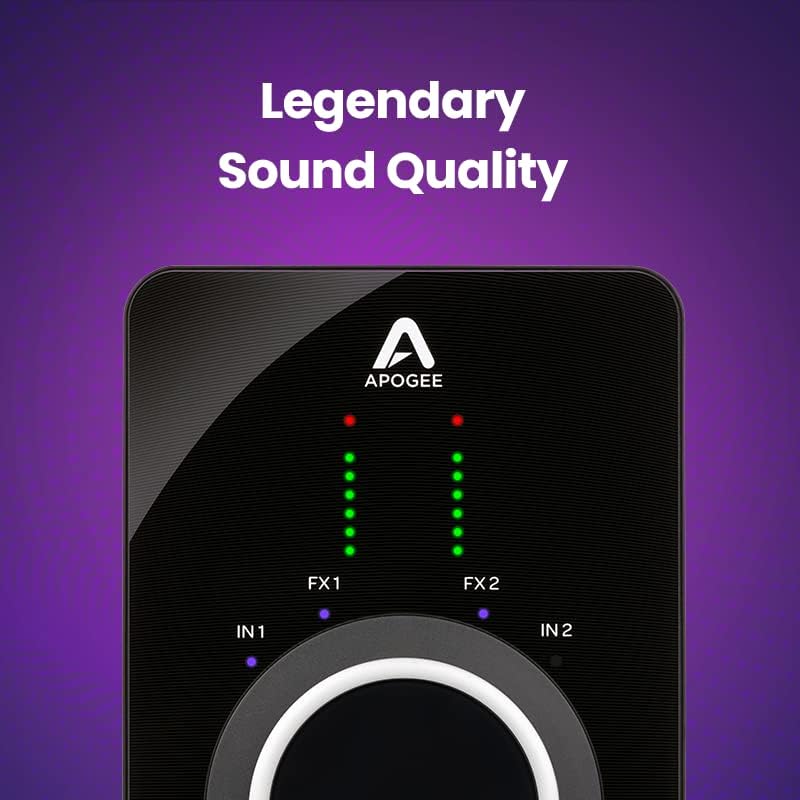
Image: A close-up of the Apogee Duet 3 with text emphasizing its "Legendary Sound Quality," highlighting its audio fidelity.

Image: The Apogee Duet 3 integrated into a professional studio setup, featuring a laptop and studio monitors, indicating its use in high-quality audio production.
4.5. Video Produk Resmi
Explore the following official product videos from Apogee Electronics Corp. for more insights into the Duet 3's features and capabilities:
Video: B Martin | Apogee Duet 3. This video features artist B Martin discussing his experience with the Apogee Duet 3, highlighting its sound quality, portability, and zero-latency recording capabilities.
Video: Meet Duet 3. A concise introduction to the Apogee Duet 3, showcasing its design, features, and ease of use for various audio applications.
Video: India Carney & Jaime Woods | Apogee Duet 3. This video features artists India Carney and Jaime Woods using the Apogee Duet 3 for vocal recording, emphasizing its high-fidelity audio capture.
Video: TaRon Lockett | Recording Drums with Duet 3 and Hype MiC. Drummer TaRon Lockett demonstrates recording drums using the Apogee Duet 3, showcasing its input capabilities and sound clarity for percussive instruments.
Video: Sophia Gripari - "Dancing Alone" | Apogee Duet 3. Artist Sophia Gripari performs "Dancing Alone" using the Apogee Duet 3, demonstrating its suitability for vocal and instrument recording in a musical context.
5. Pangropéa
To ensure the longevity and optimal performance of your Apogee Duet 3, follow these maintenance guidelines:
- beberesih: Use a soft, dry, lint-free cloth to clean the exterior of the unit. Avoid abrasive cleaners or solvents.
- Panyimpenan: When not in use, store the Duet 3 in its provided travel case to protect it from dust, scratches, and impacts.
- Perawatan kabel: Handle the breakout cable and USB cables with care to prevent damage to connectors and wiring. Avoid sharp bends or excessive pulling.
- Pembaruan firmware: Regularly check the Apogee website for firmware updates to ensure your device has the latest features and performance enhancements.
6. Cara ngungkulan
If you encounter issues with your Apogee Duet 3, consider the following troubleshooting steps:
- Teu Aya Sora/Koneksi:
- Verify all cables (USB, breakout) are securely connected.
- Ensure the Duet 3 is recognized by your computer's operating system and chosen as the default audio device in your DAW or system settings.
- Check the volume levels on the Duet 3, your computer, and your monitoring devices (headphones/speakers).
- Restart your computer and the Duet 3.
- Masalah Latensi:
- Utilize the onboard DSP for zero-latency monitoring when recording with plugins.
- Adjust the buffer size in your DAW's audio settings. A lower buffer size reduces latency but requires more CPU power.
- Tutup aplikasi anu teu perlu jalan di latar tukang pikeun ngosongkeun sumber daya sistem.
- Audio distort:
- Check input gain levels to ensure they are not clipping (indicated by red LEDs on the Duet 3). Reduce gain if necessary.
- Ensure your microphones or instruments are properly connected and functioning.
- Test with different cables or inputs to rule out faulty connections.
- Masalah Parangkat Lunak/Supir:
- Reinstall the latest drivers and control software from the Apogee websitus.
- Pastikeun sistem operasi anjeun up to date.
- Sambungan Intermittent:
- Coba port USB anu béda dina komputer anjeun.
- Pastikeun kabel USB teu ruksak.
- Upami nganggo hub USB, cobian sambungkeun langsung ka komputer.
For further assistance, refer to the official Apogee support resources.
7. Spésifikasi
| Fitur | Rincian |
|---|---|
| Nomer modél | Duet 3 |
| Item Beurat | 2 pon |
| Dimensi produk | 10 x 7 x 3 inci |
| Jumlah Saluran | 2 |
| Panganteur Hardware | USB |
| Praamps | Up to 65dB gain, 48V phantom power |
| DSP | Onboard hardware DSP for zero-latency recording |
| Kasaluyuan | macOS 10.14+, Windows 10, iOS devices |
| Kakuatan | Bus Powered (USB) |
8. Garansi jeung Rojongan
For detailed warranty information and technical support, please visit the official Apogee websitus atanapi ngahubungan layanan palanggan maranéhna. Simpen bukti pameseran anjeun pikeun klaim garansi.
9. Sumberdaya tambahan
Kanggo inpormasi lengkep sareng apdet produk, mangga buka Apogee Store on Amazon.


