1. Bubuka
This manual provides essential instructions for the safe and efficient operation, setup, and maintenance of your GBC AutoFeed+ 300M Micro-Cut Paper Shredder. Please read this manual thoroughly before using the shredder to ensure proper function and to prevent damage or injury. This shredder is designed for office use to securely dispose of confidential documents.

Gambar 1.1: Hareupeun view of the GBC AutoFeed+ 300M Micro-Cut Paper Shredder.
2. Parentah Kasalametan
Perhatikeun tindakan pencegahan kaamanan ieu pikeun ngirangan résiko kahuruan, sengatan listrik, atanapi tatu:
- Jaga leungeun, buuk, jeung pakean anu leupas jauh tina liang asupna kertas.
- Ulah ngantep barudak atawa piaraan deukeut mesin penghancur batu.
- Cabut colokan mesin penghancur nalika teu dianggo atanapi sateuacan dibersihkeun.
- Do not shred wet or adhesive materials, as this can cause jams or damage.
- Do not spray aerosols or flammable products into or near the shredder.
- Pastikeun mesin penghancur disimpen dina permukaan anu stabil sareng rata.
- Do not attempt to service the shredder yourself. Refer to qualified service personnel.
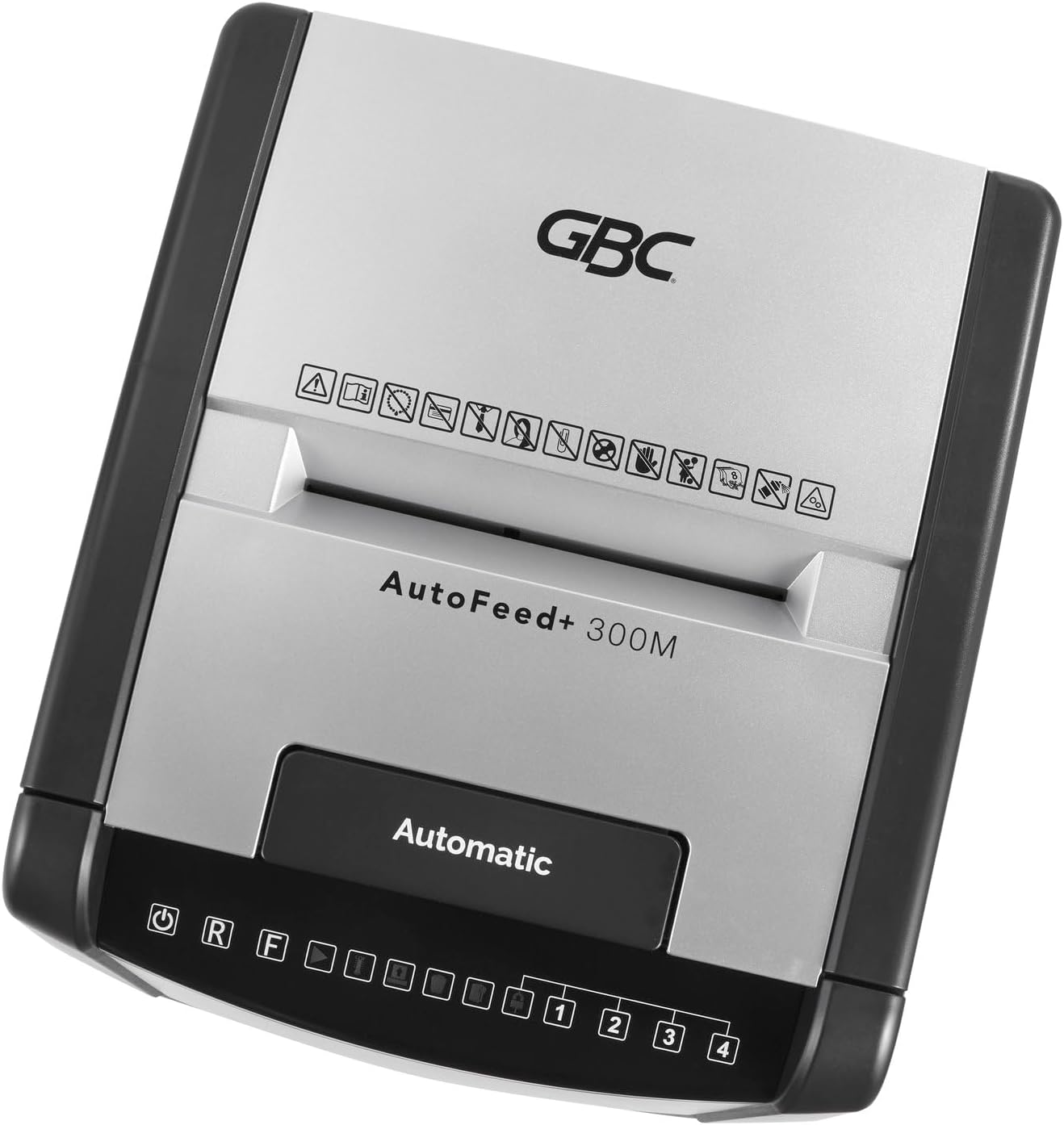
Gambar 2.1: Luhur view of the shredder control panel, showing safety warning icons.
3. Eusi Paket
Pastikeun yén sadaya item aya dina bungkusan:
- GBC AutoFeed+ 300M Shredder Unit
- Waste Bin (16 Gallon Capacity)
- Manual Pitunjuk (dokumén ieu)
4. Setélan
- Unpack the shredder and remove all packaging materials.
- Place the shredder on a flat, stable surface. Ensure adequate space around the unit for ventilation.
- Insert the waste bin securely into the shredder cabinet. The shredder will not operate if the bin is not correctly seated.
- Sambungkeun kabel listrik ka outlet listrik grounded.
- Turn on the main power switch, usually located on the back or side of the unit.
5. Parentah Operasi
5.1. Auto-Feed Operation
The auto-feed feature allows for hands-free shredding of multiple sheets.
- Buka panutup baki asupan otomatis.
- Stack up to 300 sheets of paper neatly into the auto-feed chamber. Ensure papers are free of folds or creases.
- Close the auto-feed tray cover. The shredder will automatically begin processing the documents.
- The shredder can process documents containing paper clips and staples in the auto-feed.

Image 5.1: Illustration of the auto-feed process: stacking papers, closing the lid, and the shredder operating.

Image 5.2: User placing a stack of documents into the auto-feed tray.
5.2. Manual Feed Operation
For smaller quantities of paper or credit cards, use the manual feed slot.
- Pastikeun mesin penghancur geus dihurungkeun.
- Insert up to 8 sheets of paper into the manual feed slot.
- For credit cards, insert one card at a time into the designated manual feed slot.
- The shredder will automatically detect the paper or card and begin shredding.

Image 5.3: Visual comparison of auto-feed (left) and manual feed (right) shredding options.
5.3. Tingkat Kaamanan
This shredder produces micro-cut particles, offering P-5 level security. This ensures highly confidential information is securely destroyed.

Image 5.4: Illustration of micro-cut particle size (3/32" x 5/8") compared to a US quarter for P-5 security level.
6. Pangropéa
6.1. Ngosongkeun Tempat Sampah
The shredder features a 16-gallon waste bin. Empty the bin regularly to prevent jams and ensure optimal performance. The shredder has a bin full sensor that will indicate when emptying is required.
- Turn off and unplug the shredder.
- Pull out the waste bin from the front of the unit.
- Buang bahan anu tos diiris-iris.
- Reinsert the waste bin firmly until it clicks into place.

Image 6.1: The shredder with its 16-gallon waste bin pulled out, illustrating its capacity and dimensions.
6.2. Oiling the Shredder
Regular oiling of the shredder blades is crucial for maintaining performance and extending the life of the unit. Use GBC shredder oil or a compatible vegetable-based shredder oil.
- Apply a thin line of shredder oil across the paper entry slot.
- Run a few sheets of paper through the manual feed to distribute the oil.
- Perform this maintenance after every 30 minutes of continuous shredding or when emptying the waste bin.
7. Cara ngungkulan
| Masalah | Mungkin Cukang lantaranana | Solusi |
|---|---|---|
| Shredder teu bisa dihurungkeun. | No power; waste bin not properly inserted; overheating. | Check power connection; ensure bin is fully inserted; allow shredder to cool down for 30-60 minutes. |
| Kertas macét. | Too many sheets; paper folded or creased; non-shreddable material. | Use the reverse function (R button on control panel) to clear the jam. Reduce sheet count for future shredding. |
| Shredder eureun nalika operasi. | Overheating; waste bin full. | Allow shredder to cool down; empty the waste bin. |
8. Spésifikasi
- model: WSM1757609
- Jenis Parut: Micro-Cut
- Tingkat Kaamanan: P-5
- Kapasitas Otomatis-Eupan: Ngantos 300 lambar
- Kapasitas Feed Manual: Ngantos 8 lambar
- Kapasitas Tong Sampah: 16 galon
- Waktu Ngajalankeun Terus-terusan: 60 menit
- Ancur: Paper, paper clips, staples, credit cards (manual feed only)
- Ukuran (L x W x H): 19 x 17 x 29 inci
- Beurat barang: 55.9 pon
- Pabrikan: merek ACCO
9. Garansi jeung Rojongan
For warranty information and customer support, please refer to the official GBC websitus atanapi hubungi pangecér anjeun. Simpen resi pameseran anjeun salaku bukti pameseran pikeun klaim garansi.
Resmi GBC Websitus: www.gbc.com


