Bubuka
This user manual provides comprehensive instructions for the safe and efficient operation, maintenance, and troubleshooting of your hOmeLabs 1,500 Sq. Ft Energy Star Dehumidifier. Please read this manual thoroughly before using the appliance and retain it for future reference.
Émbaran Kasalametan
Pikeun nyegah tatu ka pamaké atawa batur jeung karuksakan harta, parentah di handap ieu kudu dituturkeun. Operasi anu salah kusabab teu malire paréntah tiasa nyababkeun cilaka atanapi karusakan.
- Always ensure the dehumidifier is placed on a level, stable surface to prevent tipping.
- Ulah ngajalankeun unit ku kabel kakuatan ruksak atawa colokan.
- Jaga saluran asup jeung kaluarna hawa tetep bébas tina halangan pikeun mastikeun aliran hawa lancar.
- Ulah ngasupkeun ramo atawa objék asing kana liang hawa.
- Cabut dehumidifier sateuacan ngabersihkeun atanapi ngalakukeun perawatan naon waé.
- Perkakas ieu dirancang pikeun pamakéan padumukan wungkul.
- Entong nganggo dehumidifier di daérah dimana gas atanapi cairan anu gampang kaduruk disimpen.
Produk Leuwihview
Familiarize yourself with the main components and features of your hOmeLabs Dehumidifier.
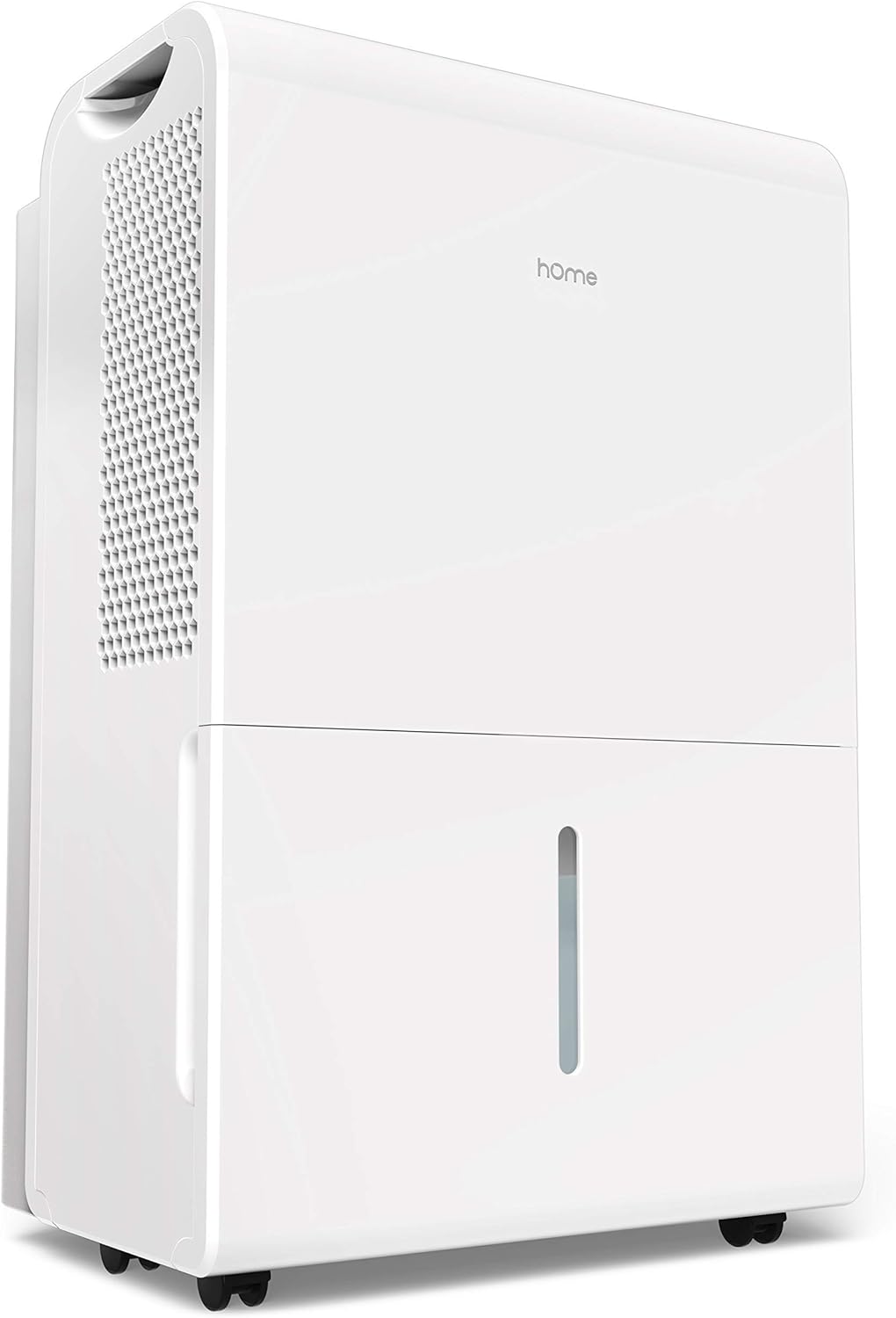
Gambar 1: Hareup-katuhu view of the hOmeLabs 1,500 Sq. Ft Dehumidifier, showcasing desain anu ringkes sareng tangki cai na.

Gambar 2: Ti luhur ka handap view of the control panel, highlighting the Comfort, Continuous, and Turbo operating modes. The display shows the current humidity level.

Gambar 3: Samping view illustrating the compact dimensions of the dehumidifier: approximately 19.7 inches in height, 15.2 inches in width, and 10 inches in depth.

Gambar 4: Pahareup-hareup view of the integrated wheels, designed for easy movement and positioning of the dehumidifier.

Gambar 5: The removable water tank, shown partially extracted, allows for convenient manual emptying of collected moisture.

Gambar 6: A jelas view of the water level indicator on the front of the dehumidifier, allowing users to easily monitor the water tank's fill status.
Disetél
Unpacking sarta panempatan
- Sacara saksama piceun dehumidifier tina bungkusanna. Nyimpen bahan bungkusan pikeun neundeun atanapi transportasi ka hareup.
- Place the unit upright on a firm, level surface in the area where dehumidification is desired.
- Ensure there is at least 8 inches (20 cm) of space around all sides of the unit for proper air circulation. Do not block the air inlet or outlet.
- Ulah neundeun alat ieu di deukeut sumber panas, sinar panonpoé langsung, atanapi di tempat anu kakeunaan suhu beku.
Sambungan Daya
- Colokkeun kabel listrik kana stop kontak listrik grounded. Pastikeun voltage and frequency match the specifications on the unit's rating label.
Parentah Operasi
Fungsi Panel Control
The control panel allows you to manage the dehumidifier's settings and modes.
- Tombol Daya: Pencét pikeun ngahurungkeun atanapi mareuman unit.
- Tombol Setelan Kalembaban (Panah Luhur/Handap): Adjust the desired humidity level between 35% RH and 85% RH in 5% increments.
- Tombol Mode: Ngaliwatan modeu operasi:
- Modeu kanyamanan: Automatically sets a comfortable and healthy humidity level based on the ambient temperature.
- Mode Kontinyu: The unit will continuously dehumidify regardless of the set humidity level. This is the default setting when turned on. To adjust humidity, turn off Continuous mode.
- Modeu Turbo: Increases fan speed to high for maximum moisture removal and odor reduction.
- Tombol Timer: Set a timer for automatic ON/OFF operation (e.g., 2 hours, 4 hours, etc.).
- Tombol saringan: Illuminates to indicate when the air filter needs cleaning. Press to reset after cleaning.
Kontinyu Drainase Setup
For continuous operation without manually emptying the water tank, you can set up continuous drainage.
- Locate the drainage outlet on the back or side of the unit (refer to product diagram if available).
- Attach a standard garden hose (not included) to the drainage outlet. Ensure a secure connection to prevent leaks.
- Direct the other end of the hose to a floor drain or a suitable container where water can be continuously discharged. Ensure the hose is sloped downwards to allow gravity drainage.
Pangropéa
Pangropéa rutin ngajamin kinerja optimal sareng manjangkeun umur dehumidifier anjeun.
Ngosongkeun Tangki Cai
- When the water tank is full, the unit will automatically shut off and an indicator light will illuminate.
- Taliti tarik kaluar tank cai ti hareup unit.
- Kosongkeun cai anu dikumpulkeun kana tilelep atanapi solokan.
- Geser deui tangki kosong kana unit dugi ka ngaklik dina tempatna. Unit bakal beroperasi deui.
Ngabersihan Saringan Udara
The air filter should be cleaned every two weeks or when the "Filter" indicator light illuminates.
- Pareuman dehumidifier sareng cabut colokan tina stop kontak listrik.
- Locate the air filter (usually on the back or side of the unit). Gently pull it out.
- Clean the filter with warm, soapy water. Rinse thoroughly and allow it to air dry completely before reinserting. Do not use a dishwasher.
- Once the filter is dry, slide it back into its slot.
- Plug in the unit and press the "Filter" button to reset the indicator.
Ngabersihan Luar
- Ngusap bagian luar unit kalayan lemes, damp lawon. Ulah make bahan kimia kasar atawa cleaners abrasive.
Pamérésan masalah
Sateuacan ngahubungi dukungan palanggan, mangga tingal tabel di handap ieu pikeun masalah umum sareng solusina.
| Masalah | Mungkin Cukang lantaranana | Solusi |
|---|---|---|
| Dehumidifier teu hurung. | No power; Power cord loose; Water tank full or not properly seated. | Check power outlet; Ensure power cord is securely plugged in; Empty and re-seat water tank. |
| Unit jalan tapi henteu ngumpulkeun cai. | Setélan kalembaban anu luhur teuing; Suhu kamar rendah teuing; Saringan hawa mampet. | Turunkeun setélan kalembaban anu dipikahoyong; Pastikeun suhu rohangan di luhur 41°F (5°C); Bersihkeun saringan hawa. |
| Unit ribut. | Unit henteu dina permukaan anu rata; Saringan hawa mampet. | Place unit on a firm, level surface; Clean air filter. |
| Cai bocor tina unit. | Water tank not properly seated; Continuous drainage hose loose or clogged. | Re-seat water tank; Check continuous drainage hose connection and ensure it's not blocked. |
spésifikasi
Key technical specifications for the hOmeLabs 1,500 Sq. Ft Dehumidifier.
| Fitur | Rincian |
|---|---|
| merek | hOmeLabs |
| Panutup Wewengkon Lantai | 1500 suku pasagi |
| Warna | Bodas |
| Fitur husus | Manual, Tiasa diprogram |
| Dianjurkeun Paké | Parumahan |
| Komponén Kaasup | Dehumidifier, Manual Pamaké |
| Bahan | palastik |
| Modeu Operasi | Terus-terusan |
| Dimensi produk | 15.2 x 10.2 x 19.7 inci |
| ASIN | B095WHXJ9R |
| UPC | 656942065036 |
Garansi sareng Rojongan
For warranty information or technical support, please refer to the warranty card included with your product or visit the official hOmeLabs website. You may also contact hOmeLabs customer service directly for assistance with product operation, parts, or service inquiries.
Note: This product is listed as "Renewed". Please refer to the specific warranty terms provided by the seller for renewed products, as they may differ from new product warranties.


