Bubuka
The Steca Solarix PLI is a comprehensive hybrid inverter solution designed for photovoltaic island systems. It integrates an MPPT solar charge controller, a 230V pure sine wave inverter, and an integrated battery charger into a single unit. This device enables the creation of an independent 230V power grid using a solar generator and battery bank. It also supports recharging batteries via generator or grid connection.
The Solarix PLI functions as a grid-guided UPS hybrid inverter with zero export capability and blackout protection. In grid-connected operation, solar power helps reduce electricity costs. In the event of a power outage, the battery seamlessly takes over power supply within 10 milliseconds, ensuring continuous operation of essential loads.
Parentah Kasalametan
Mangga baca sadaya pitunjuk kaamanan kalayan saksama sateuacan dipasang sareng dioperasikeun. Upami henteu nuturkeun pitunjuk ieu tiasa nyababkeun sengatan listrik, kahuruan, atanapi tatu parah.
- Pamasangan kedah dilakukeun ku personel anu mumpuni wungkul.
- Pastikeun sadaya sumber daya dicabut sateuacan ngalakukeun kabel atanapi pangropéa.
- Do not expose the inverter to rain, snow, spray, or any liquids.
- Do not disassemble the unit. There are no user-serviceable parts inside. Refer all servicing to qualified service personnel.
- Mastikeun ventilasi ditangtoskeun sabudeureun inverter pikeun nyegah overheating.
- Connect the inverter only to battery systems with the correct voltage (24V for this model).
- Always use appropriate overcurrent protection devices (fuses/breakers) for all circuits connected to the inverter.
- Keep children away from the inverter and its connections.
Produk Leuwihview
The Steca Solarix PLI unit features a robust design with a clear display and intuitive controls for monitoring and configuration.
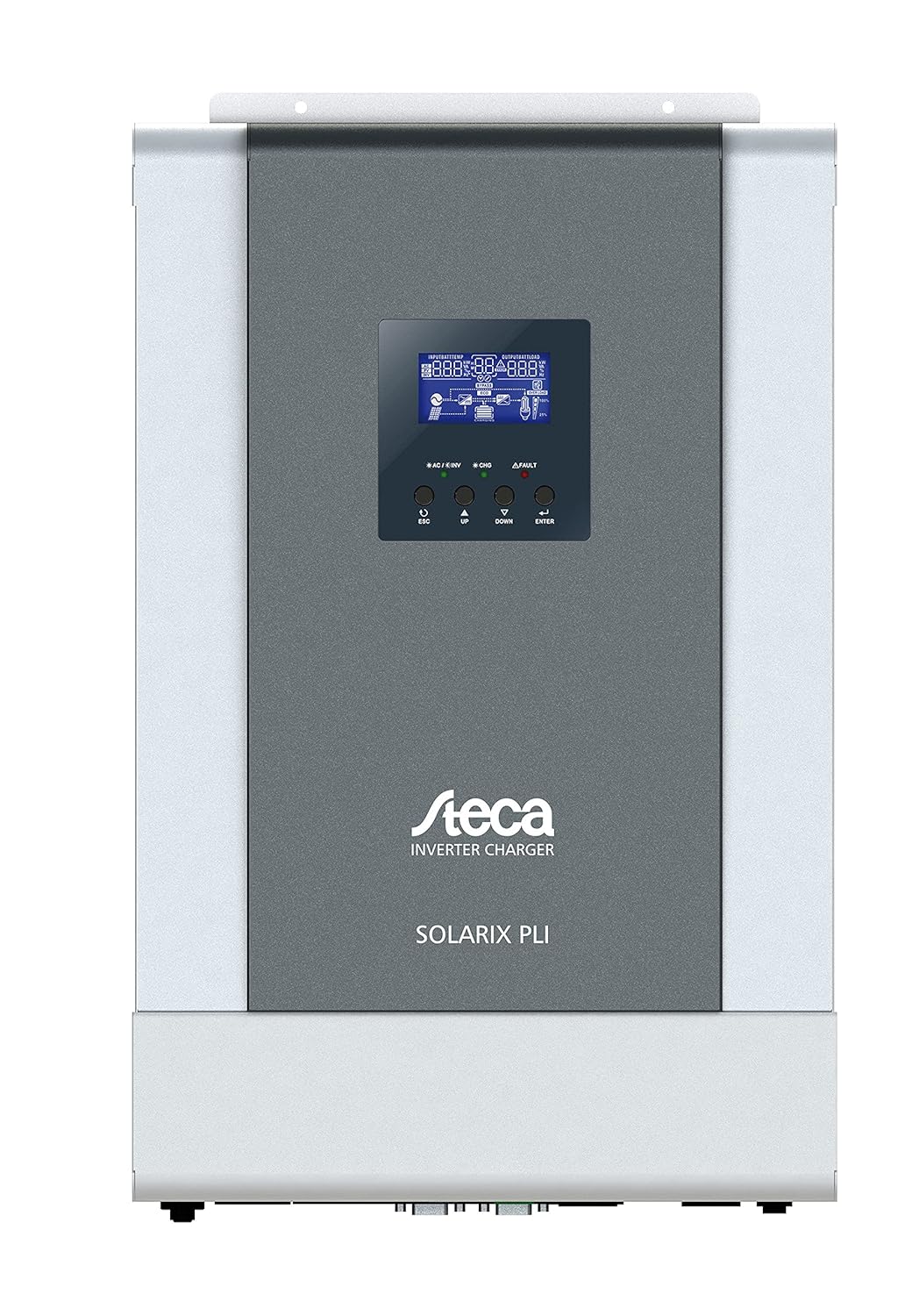
Gambar 1: Hareupeun view of the Steca Solarix PLI 2400-24V Hybrid Inverter. The central display shows operational status, while buttons below allow navigation and setting adjustments.
Komponén konci kalebet:
- Layar LCD: Shows real-time system data, operating status, and error codes.
- Tombol kontrol: Used for navigating menus and adjusting settings (ESC, UP, DOWN, ENTER).
- Terminal Input/Output AC: For connecting to the grid and supplying AC loads.
- Terminal batré: For connecting to the battery bank.
- PV Input Terminals: For connecting to the solar panel array.
- Palabuhan Komunikasi: For external monitoring and control (e.g., USB, RS232).

Figure 2: Dimensional drawing of the Steca Solarix PLI, indicating its physical size and mounting points. Dimensions are provided in millimeters.
Disetél
Proper installation is crucial for the safe and efficient operation of your Solarix PLI inverter. Follow these general steps:
- Pamasangan: Select a suitable location for mounting the inverter. It should be indoors, dry, well-ventilated, and away from direct sunlight or heat sources. Ensure the mounting surface can support the inverter's weight (approx. 9.01 kg).
- Sambungan batré: Connect the battery bank to the inverter's battery terminals. Ensure correct polarity (+ to + and - to -). Use appropriately sized cables and fuses. This model is designed for 24V battery systems.
- PV Array Connection: Connect the solar panel array to the PV input terminals. Observe correct polarity and ensure the PV array voltage and current are within the inverter's specifications.
- AC Input Connection (Grid/Generator): If connecting to the utility grid or a generator, connect the AC input cable to the designated terminals. Ensure proper grounding.
- AC Output Connection (Loads): Connect your AC loads (appliances, circuits) to the AC output terminals of the inverter.
- Power-Up mimiti: Once all connections are secure and verified, switch on the battery breaker, then the PV array breaker (if applicable), and finally the AC input breaker. The inverter display should power on.
- Konfigurasi: Use the control buttons and LCD display to configure operating parameters such as battery type, charging current, output voltage, and operating modes according to your system requirements.
Refer to the detailed wiring diagrams and specific instructions in the full user manual for precise connection procedures and safety precautions.
Ngoperasikeun
The Steca Solarix PLI offers various operating modes to optimize energy flow. The LCD display provides real-time information on input voltage, kaluaran voltage, battery status, charging current, and load power.
Pintonan sareng Napigasi
The LCD display shows various screens cycling through system parameters. Use the UP and DOWN buttons to manually cycle through screens or adjust values in settings. The ENTER button confirms selections, and ESC returns to the previous menu or screen.
Modeu Operasi
- Utility Priority (UPS Mode): The inverter primarily uses grid power to supply loads and charge batteries. Solar power is used when available to supplement or reduce grid consumption. In case of grid failure, it switches to battery power.
- Prioritas Surya: Solar power is prioritized for loads and battery charging. Grid power is only used when solar power is insufficient or batteries are low.
- Prioritas Batré: Loads are primarily supplied by battery power. Solar charges the battery. Grid power is used as a last resort when battery voltage turun di handap ambang batas anu ditetepkeun.
Standby Functionality
The inverter features a standby mode to conserve energy. It typically enters standby when the load is below a certain threshold (e.g., <40W) and reactivates when the load increases (e.g., >100W). This threshold may be configurable in advanced settings.
Pangropéa
Regular maintenance ensures the longevity and optimal performance of your Steca Solarix PLI inverter.
- beberesih: Bersihkeun bagian luar inverter sacara berkala nganggo lawon anu garing sareng lemes. Entong nganggo pembersih cair atanapi pelarut. Pastikeun liang ventilasi bébas tina lebu sareng runtah.
- Pariksa sambungan: Annually inspect all electrical connections (battery, PV, AC input/output) for tightness and signs of corrosion. Loose connections can cause overheating and damage.
- Ventilasi: Pastikeun daérah di sakitar inverter tetep bersih pikeun ngamungkinkeun aliran hawa sareng pembuangan panas anu leres.
- Kaséhatan batré: Monitor your battery bank's health according to the battery manufacturer's recommendations. Ensure proper charging and discharge cycles.
Always disconnect all power sources before performing any maintenance or inspection.
Pamérésan masalah
This section addresses common issues you might encounter with your Steca Solarix PLI inverter.
| Masalah | Mungkin Cukang lantaranana | Solusi |
|---|---|---|
| No 230V output / Error Code 09 (Soft Start Failure) | Internal main board defect. | This often indicates a hardware failure that cannot be user-repaired. Contact Steca customer support or a qualified service technician. |
| Inverter does not activate from standby with low loads. | Load is below the inverter's standby activation threshold (e.g., <100W). | Increase the load connected to the inverter above the activation threshold. Check if the standby threshold is configurable in the settings. |
| Persistent warning tone. | Indicates a system warning (e.g., low battery, overload, high temperature). | Check the LCD display for specific error codes or warning messages. Address the underlying issue (e.g., reduce load, check ventilation, charge batteries). While the tone can be disabled, it's recommended to address the cause. |
| Display/Menu navigation buttons (UP/DOWN) seem reversed. | Minor firmware quirk or design choice. | Adapt to the button behavior. It does not affect functionality. |
| Inverter not charging batteries from PV. | Insufficient solar input, PV connection issue, or charge controller settings. | Check PV array connections and ensure sufficient sunlight. Verify PV input voltage on the display. Check charge controller settings (e.g., battery type, charging current). |
For issues not listed here or if solutions do not resolve the problem, please contact Steca customer support.
spésifikasi
| Atribut | Nilai |
|---|---|
| merek | STECA |
| Nomer modél | 4250852802154 |
| Item Beurat | 9.01 kg |
| Dimensi produk | 49.6 x 47.79 x 23 cm (Packing) |
| Warna | Hideung |
| Kandel produk | 130 milimeter |
| Tipe Drive | Battery, Solar |
| Voltage | 230 volt |
| Wattage | 5700 Watt (Max. PV Generator) |
| Komponén Kaasup | Inverter Hibrid |
| Batré Diperlukeun | No (for inverter operation, but requires external battery bank for energy storage) |
| Tanggal Sadia munggaran | 16 Juni 2021 |
| Faktor Bentuk | Rak |
Garansi sareng Rojongan
The Steca Solarix PLI typically comes with a manufacturer's warranty. Based on available information, the warranty period for this product is generally 2 taun ti tanggal beuli. Punten tahan bukti pameseran anjeun pikeun klaim garansi.
For technical support, troubleshooting beyond this manual, or warranty service, please contact Steca customer service. You may need to provide your product model number (4250852802154) and serial number (if applicable).
Note: Warranty terms may vary by region and retailer. Always refer to the official warranty documentation provided with your product for precise details.


