1. Bubuka
Hatur nuhun pikeun meuliasing the Blaupunkt BSR 20 Portable Bluetooth Jobsite Radio. This device is designed to provide robust and reliable audio entertainment in demanding environments. It features FM radio, Bluetooth connectivity, and an AUX-IN port, all housed in a durable, splash-proof casing. Please read this manual thoroughly to ensure proper use and to maximize the lifespan of your product.
2. Parentah Kasalametan
- Sumber Daya: Anggo ngan ukur adaptor daya atanapi batré anu ditangtukeun. Pastikeun voltasetage cocog sarat alat.
- Cai sareng Uap: While the device is IPX5 splash-proof, do not immerse it in water or expose it to heavy rain. Keep the battery compartment dry.
- Ventilasi: Ulah ngahalangan liang ventilasi. Pastikeun aliran hawa di sabudeureun alat cekap.
- Panas: Jauhkeun alat tina sumber panas sapertos radiator, register panas, kompor, atanapi aparat sanésna (kalebet ampLiifiers) anu ngahasilkeun panas.
- beberesih: Cabut dayana sateuacan dibersihkeun. Anggo lawon anu lemes sareng garing. Entong nganggo pembersih cair atanapi pembersih aerosol.
- Palayanan: Entong nyobian ngalayanan produk ieu nyalira. Rujuk sadayana ngalayanan ka tanaga jasa anu mumpuni.
- Batré: Dispose of used batteries according to local regulations. Do not expose batteries to excessive heat or fire.
3. Fitur Produk
- Audio anu kuat: 5W RMS output for clear sound in noisy environments.
- Konéktipitas nirkabel: Bluetooth 4.2 for streaming music from smartphones and other compatible devices.
- Konektipitas kabel: Integrated AUX-IN (3.5mm jack) for connecting MP3 players or other audio sources.
- Radio FM: Digital FM tuner with up to 20 station presets.
- Desain awét: Shock-resistant, splash-proof, dust-proof, and dirt-resistant (IPX5 rated).
- Portability: Lightweight (2.5 kg) with an integrated foldable carrying handle.
- Kontrol anu ramah-pamaké: Robust buttons designed for use even with work gloves.
- Pilihan Daya: Operates via mains power or 6x LR14 (1.5V) C-cell batteries.
4. Setélan
4.1 Powering Alat
The Blaupunkt BSR 20 can be powered by either mains electricity or batteries.
Daya Utama:
- Panggihan port input kakuatan dina alat.
- Sambungkeun adaptor kakuatan anu disayogikeun ka alat.
- Colokkeun adaptor kakuatan kana stop kontak témbok nu cocog.
Daya Batré:
For portable use, the radio requires 6x LR14 (1.5V) C-cell batteries (not included).
- Locate the battery compartment on the back or bottom of the radio.
- Buka panutup kompartemen batré.
- Insert 6x LR14 (1.5V) C-cell batteries, ensuring correct polarity (+/-).
- Close the battery compartment cover securely to maintain IPX5 rating.
4.2 Daya Awal Hurung
Pencét éta Kakuatan tombol (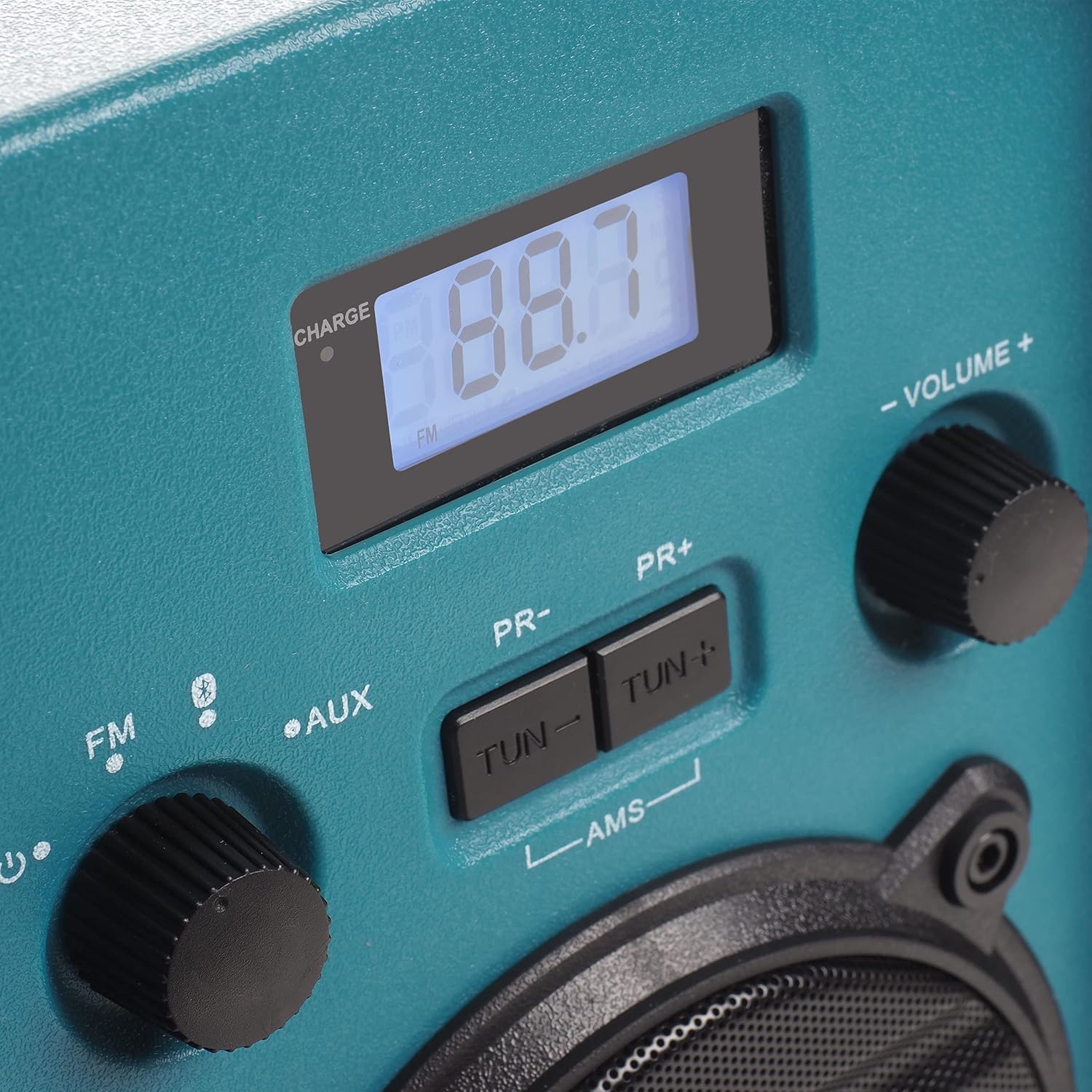 ) to turn on the radio. The display will illuminate.
5. Parentah Operasi
5.1 Pamilihan Mode
Rotate the left knob to select between FM Radio, Bluetooth (), and AUX-IN modes.
5.2 Operasi Radio FM
- Pilih FM mode using the left knob.
- Extend the antenna for optimal reception.
- Ngagunakeun éta TUN- jeung TUN + tombol pikeun nyaluyukeun sacara manual kana frékuénsi anu dipikahoyong.
- To automatically scan and store stations, press and hold the AMS button. The radio will scan for available FM stations and store them as presets.
- Ngagunakeun éta PR- jeung PR+ tombol pikeun nganapigasi ngaliwatan stasiun prasetél anu disimpen.
5.3 Nyapasangkeun Bluetooth
- Pilih Bluetooth mode using the left knob. The display will show "BT" and flash, indicating it is in pairing mode.
- Dina smartphone Anjeun atawa alat Bluetooth sejen, aktipkeun Bluetooth tur neangan alat nu sadia.
- Select "Blaupunkt BSR 20" from the list of devices.
- Once paired, the display will show a steady "BT" and you can play audio from your connected device.
5.4 Sambungan AUX-IN
- Pilih AUX mode using the left knob.
- Connect one end of a 3.5mm audio cable (not included) to the AUX-IN port on the radio.
- Connect the other end of the audio cable to the headphone jack or audio output of your external device (e.g., MP3 player, smartphone).
- Puter audio tina alat éksternal anjeun.
5.5 Volume Control
Rotate the right knob labeled JILID +/- pikeun nyaluyukeun tingkat kaluaran audio.
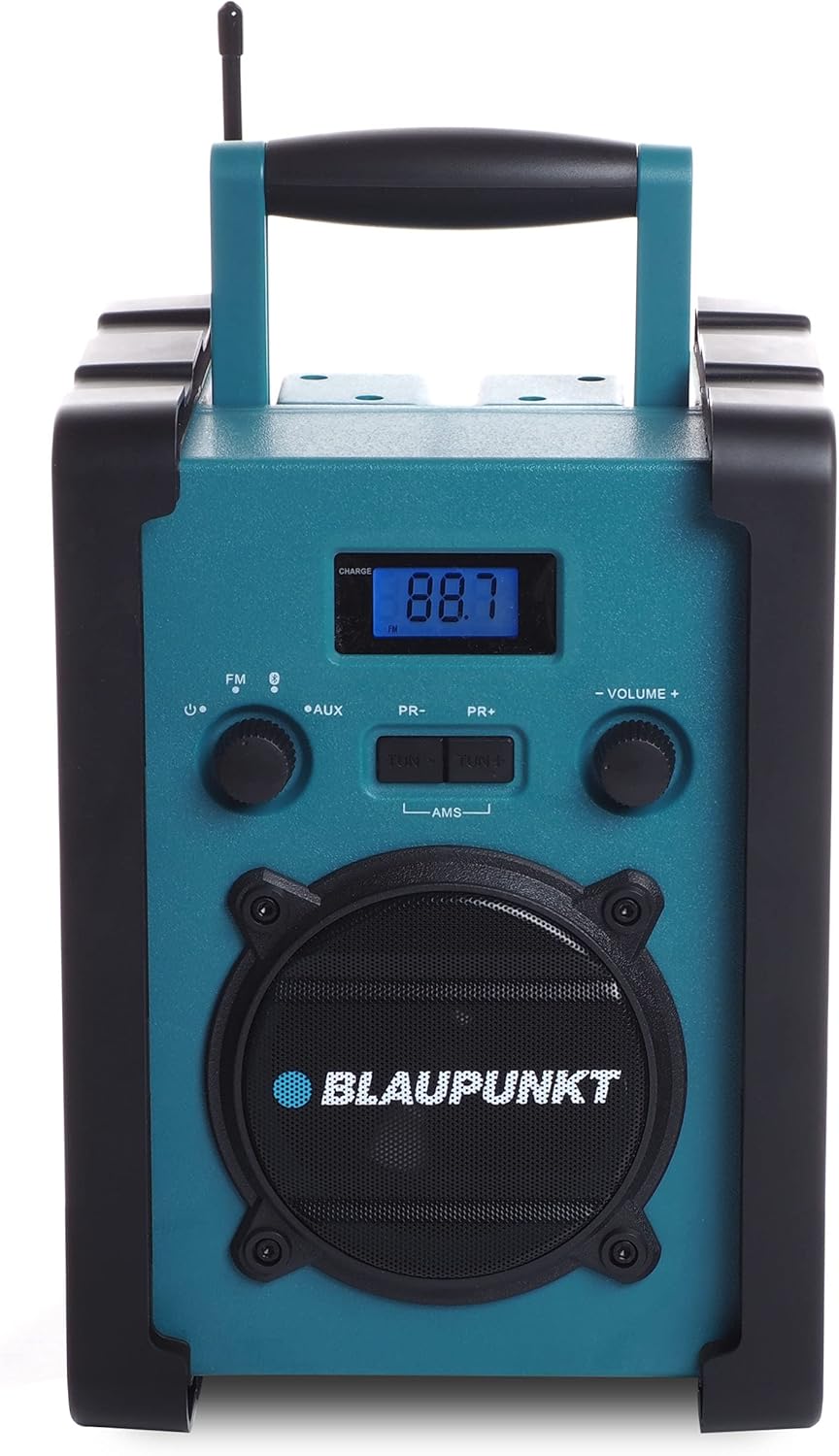
Gambar 1: Hareupeun view of the Blaupunkt BSR 20 jobsite radio, showing the display, controls, and speaker.
Figure 2: Close-up of the control panel, showing the digital display, FM/AUX/Bluetooth selection, tuning buttons, and volume knob.
6. Pangropéa
6.1 beberesih
To clean the radio, ensure it is powered off and disconnected from the mains. Use a soft, slightly damp cloth to wipe down the exterior. Do not use abrasive cleaners, solvents, or strong chemicals, as these may damage the surface.
6.2 Panyimpenan
When not in use for extended periods, store the radio in a cool, dry place. If using batteries, remove them to prevent leakage and potential damage to the device.
7. Cara ngungkulan
| Masalah | Mungkin Cukang lantaranana | Solusi |
|---|---|---|
| Taya kakuatan | adaptor kakuatan teu disambungkeun; Batré béak atanapi teu leres diselapkeun. | Check power adapter connection; Replace batteries or ensure correct polarity. |
| Taya sora | Volume too low; Incorrect mode selected; Device not paired (Bluetooth); AUX cable not connected properly. | Increase volume; Select correct mode (FM, BT, AUX); Re-pair Bluetooth device; Check AUX cable connection. |
| Panarimaan FM Goréng | anteneu teu ngalegaan; Wewengkon sinyal lemah. | Fully extend the antenna; Try repositioning the radio. |
| Bluetooth teu nyambung | Radio not in pairing mode; Device too far; Bluetooth disabled on external device. | Ensure radio is in Bluetooth pairing mode; Move device closer; Enable Bluetooth on external device. |
8. Spésifikasi
- merek: BLAUPUNKT
- model: BSR 20
- warna: Biru
- Téknologi konektipitas: Bluetooth
- Fitur husus: Shock-resistant, Portable, IPX5 Splash-proof
- Alat anu cocog: Smartphone, Tablet, Pamuter MP3
- Ukuran produk (L x W x H): 19.8 cm x 18.8 cm x 27.4 cm
- Téknologi Tuning: Digital
- Sumber Daya: Mains / Battery powered
- Band Radio Dirojong: FM
- Jenis Batré: 6x LR14 (1.5V) C-cell batteries (not included)
- Kaluaran RMS: 5W
9. Garansi jeung Rojongan
This product is covered by a manufacturer's warranty. Please refer to the warranty card included with your purchase for specific terms and conditions. For technical support, service, or warranty claims, please contact your retailer or the official Blaupunkt customer service. Keep your proof of purchase for warranty validation.


