1. Bubuka
This manual provides detailed instructions for the safe and efficient operation of your TiFFCOFiO Outdoor Mechanical Light Timer. This device is designed to automate the power supply to outdoor electrical appliances, such as decorative lights and garden equipment, by setting specific ON/OFF times over a 24-hour period. Please read this manual thoroughly before use and retain it for future reference.

Image 1.1: The TiFFCOFiO Outdoor Mechanical Light Timer, showing the timer dial and power cord.
2. Parentah Kasalametan penting
Pikeun ngurangan résiko shock listrik, seuneu, atawa tatu, salawasna turutan pancegahan kaamanan dasar ieu:
- Ngan pamakéan outdoor: This timer is designed for outdoor use. Ensure it is placed in a location protected from direct heavy rain or standing water.
- Penempatan anu leres: Mount the timer at least 2 feet (0.6 meters) above ground level to prevent water from entering the outlets, especially during heavy rain or snow.
- Grounding: The timer features 2 grounded outlets. Always connect it to a properly grounded 3-prong receptacle. Do not remove the grounding prong.
- Peunteun Listrik: Do not exceed the maximum electrical rating of 125VAC/60Hz, 15A/1875W Resistive, 10A/1250W Tungsten, 1/2HP Horse Power. Overloading the timer can cause overheating and fire.
- Sambungan Aman: Ensure all plugs are fully inserted into the timer's outlets. Loose connections can cause overheating.
- Pegatkeun Daya: Always unplug the timer from the power source before performing any maintenance or cleaning.
- Barudak jeung Pets: Simpen timer sareng kabel anu disambungkeun jauh tina jangkauan barudak sareng piaraan.
- Inspeksi Karusakan: Do not use the timer if the cord, plug, or housing is damaged. Contact customer support for assistance.
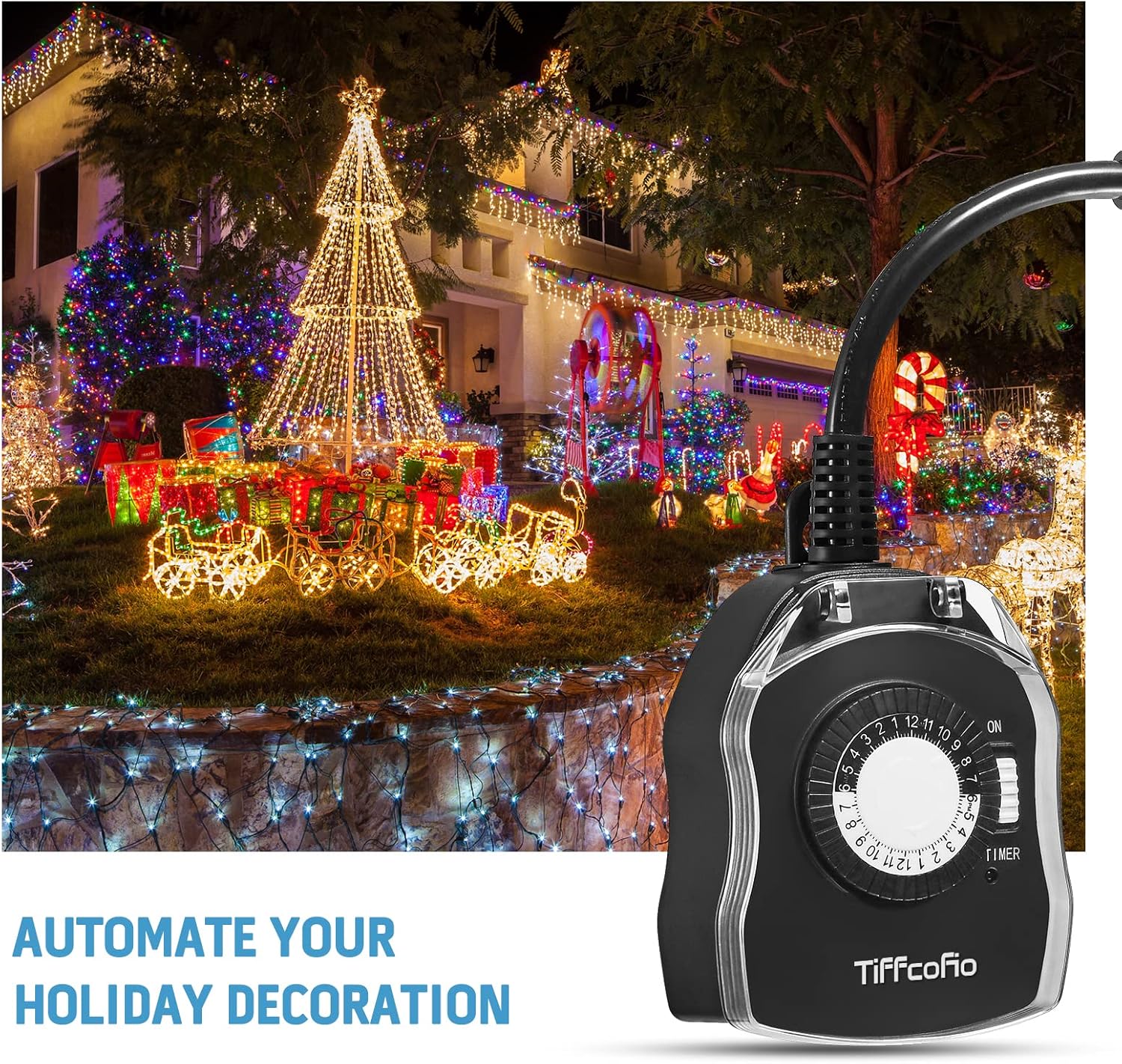
Image 2.1: The timer demonstrating its waterproof design and recommended mounting height of at least 2 feet above ground.
3. Produk Langkungview
The TiFFCOFiO Outdoor Mechanical Light Timer features a robust design for outdoor use. Key components include:
- Dial Timer: A 24-hour rotating dial used to set the current time.
- Programmable Pins: Small pins around the timer dial. Each pin represents a 30-minute interval. Pushing a pin down activates the power during that interval; pulling it up deactivates it.
- Saklar Override Manual: A slide switch labeled 'ON' and 'TIMER' (or 'OFF') to manually control power regardless of the timer settings.
- Outlet grounded: Two 3-prong outlets for connecting your devices.
- Kabel listrik: A heavy-duty 6-inch cord with a grounded plug for connecting to a power source.

Image 3.1: Close-up of the timer dial, illustrating the 48 programmable pins for 24-hour settings. Pins down indicate power ON, pins up indicate power OFF.

Gambar 3.2: View of the two grounded outlets on the side of the timer, ready for device connection.
4. Parentah Setup
Follow these steps to set up your TiFFCOFiO Outdoor Mechanical Light Timer:
- Buka bungkus Timer: Carefully remove the timer from its packaging. Inspect it for any signs of damage.
- Setel Waktos Ayeuna:
- Rotate the entire timer dial clockwise until the current time aligns with the arrow indicator on the timer's face.
- Note that the dial is marked for a 24-hour cycle (e.g., 1 PM is 13, 6 PM is 18).
- Program ON/OFF Kali:
- The timer has 48 pins, each representing a 30-minute interval.
- To set a period for the connected device to be ON, push the corresponding pins TURUN.
- To set a period for the connected device to be Pareum, ensure the corresponding pins are UP.
- Pikeun example, to turn a device ON from 6:00 PM to 11:00 PM, push down all pins between the '18' and '23' marks on the dial.
- Pilih Mode Operasi:
- Slide the manual override switch to the 'TIMER' position for automatic operation based on your programmed settings.
- If you want the device to be continuously ON, slide the switch to 'ON'.
- Sambungkeun Alat: Plug your outdoor lights or appliances into the two grounded outlets on the timer.
- Colokkeun kana Power: Connect the timer's power cord to a suitable outdoor, grounded 3-prong receptacle. Ensure the receptacle is protected from weather elements.
5. Ngoperasikeun Timer
Once set up, the timer will operate according to your programmed schedule. The dial will continuously rotate, and power will be supplied to the outlets when the pins are in the 'DOWN' position and the override switch is set to 'TIMER'.
- Operasi otomatis: With the override switch in the 'TIMER' position, the timer will automatically turn connected devices ON and OFF daily based on the pins you have pushed down.
- Manual Override:
- Slide the switch to 'ON' to provide continuous power to the outlets, bypassing the timer settings.
- Slide the switch to 'OFF' (if available, or simply unplug) to cut power to the outlets.
- Remember to return the switch to 'TIMER' for automatic operation.

Image 5.1: The TiFFCOFiO timer in an outdoor setting, automating holiday decorations, demonstrating its daily repeat function.
6. Pangropéa
Pangropéa anu leres ngajamin umur panjang sareng operasi aman tina timer anjeun.
- beberesih: Cabut timer tina sumber listrik sateuacan dibersihkeun. Lap bagian luarna ku kapas anu lemes,amp cloth. Do not use harsh chemicals or abrasive cleaners. Ensure the timer is completely dry before reconnecting to power.
- Panyimpenan: Upami henteu dianggo salami lami, simpen timer di tempat anu tiis sareng garing, jauh tina sinar panonpoé langsung sareng suhu anu ekstrim.
- Pamariksaan: Periodically inspect the power cord, plug, and housing for any signs of wear or damage. If damage is found, discontinue use and contact customer support.
7. Cara ngungkulan
If you encounter issues with your TiFFCOFiO Outdoor Mechanical Light Timer, refer to the following common problems and solutions:
| Masalah | Mungkin Cukang lantaranana | Solusi |
|---|---|---|
| Devices do not turn ON/OFF at programmed times. |
|
|
| Dial timer teu muter. |
|
|
| Taya kakuatan ka alat disambungkeun. |
|
|
8. Spésifikasi
- model: B0982TKCXR
- Masukan Voltage: 125VAC, 60Hz
- Max Resistive Load: 15A / 1875W
- Max Tungsten Load: 10A / 1250W
- Peunteun Motor: 1 / 2 HP
- Minimum Setting Time: 30 menit
- Daily Settings: 48 ON/OFF settings per 24 hours
- Outlet: 2 outlet grounded
- Bahan: ABS + PC Fire-retardant
- Sertifikasi: CSA Didaptarkeun
- Beurat barang: 7.4 ons
- Ukuran Paket: 7.01 x 5.83 x 2.05 inci
9. Garansi sarta Rojongan Palanggan
TiFFCOFiO provides a 12-garansi sasih for this product, covering manufacturing defects from the date of purchase. If you experience any issues or have questions regarding your timer, please contact our customer support team. We are committed to ensuring your satisfaction.
For warranty claims or technical assistance, please refer to the contact information provided with your purchase or visit the official TiFFCOFiO websitus.